مقدمة

Image: The OQIMAX Digital Alarm Clock with its vibrant LED display.
This manual provides detailed instructions for the setup, operation, and maintenance of your OQIMAX Digital Alarm Clock. Please read this manual thoroughly before using the product to ensure proper function and longevity.

Image: The clock in various environments, demonstrating its versatility.
محتويات الحزمة
- OQIMAX Digital Alarm Clock
- كابل شحن USB
- دليل المستخدم

Image: The OQIMAX Digital Alarm Clock, USB cable, and user manual as found in the product packaging.
مميزات المنتج
- Large 6.3-inch LED display with colorful digits.
- Displays time (12/24H format), date, and temperature (Celsius/Fahrenheit).
- Adjustable brightness with three levels and an anti-interference night mode.
- Smart voice control for screen activation when powered by batteries.
- Snooze function with adjustable repeat time (1-60 minutes).
- Three alarm modes: Monday-Friday, Monday-Saturday, and Everyday.
- Dual power options: USB cable (display always on) or 3x AAA batteries (power-saving mode, display turns off after 15 seconds, voice-activated).
- Automatic memory function for clock settings during power loss (when using batteries).

Image: Visual representation of the clock's multifunctional capabilities.
يثبت
تشغيل الجهاز
The OQIMAX Digital Alarm Clock can be powered in two ways:
- USB Power (Recommended for continuous display): Connect the provided USB cable to the clock's USB port and plug the other end into a 5V/1A or 5V/2A USB power adapter (not included) or a powered USB port. The display will remain continuously lit.
- Battery Power (Power-saving mode): Insert 3 AAA batteries (not included) into the battery compartment. In this mode, the display will automatically turn off after approximately 15 seconds to conserve power. The display can be activated by voice command (e.g., a clap) or by touching the clock.
When using battery power, the clock will automatically save your settings in case of power interruption.

Image: Illustration of the two power options and their display behavior.
تعليمات التشغيل
وظائف الأزرار
The clock features several buttons for control:
- فوق: Adjusts values upwards, switches temperature unit.
- أسفل: يتم تعديل القيم بالخفض.
- ضوء/غفوة: Activates snooze, adjusts brightness.
- اتجاهات: Cycles through display modes (Time, Date, Temperature), enters setting mode.
- إنذار: يدخل وضع ضبط المنبه.

الصورة: أعلى view of the clock showing the control buttons.
ضبط الوقت والتاريخ
- اضغط مع الاستمرار على وضع اضغط على الزر للدخول إلى وضع ضبط الوقت. ستومض أرقام الساعة.
- استخدم UP or تحت أزرار لضبط الساعة.
- يضعط وضع مرة أخرى للانتقال إلى إعداد الدقائق. استخدم UP or تحت لضبط الدقائق.
- تواصل الضغط وضع للتنقل بين إعدادات السنة والشهر واليوم، وتعديل كل منها باستخدام UP or تحت.
- بعد ضبط التاريخ، اضغط وضع للخروج من وضع الإعدادات.
- To switch between 12-hour and 24-hour format, press and hold وضعثم اضغط UP or تحت when the hour is flashing.

Image: Visual guide for setting the clock's time.
ضبط المنبه
- اضغط مع الاستمرار على إنذار button to enter alarm setting mode. The alarm hour digits will flash.
- استخدم UP or تحت أزرار لضبط ساعة التنبيه.
- يضعط إنذار مرة أخرى للانتقال إلى إعداد الدقائق. استخدم UP or تحت to adjust alarm minutes.
- يضعط إنذار مرة أخرى لاختيار وضع التنبيه:
- 1-5: يصدر صوت المنبه من الاثنين إلى الجمعة.
- 1-6: Alarm sounds Monday to Saturday.
- 1-7: Alarm sounds everyday.
- يضعط إنذار لتأكيد والخروج من إعداد التنبيه.

Image: The three available alarm modes for the clock.
وظيفة الغفوة
عندما يصدر صوت التنبيه ، اضغط على خفيف / غفوة button to activate the snooze function. The alarm will pause and sound again after the set snooze interval. The snooze duration can be adjusted from 1 to 60 minutes during alarm setup.
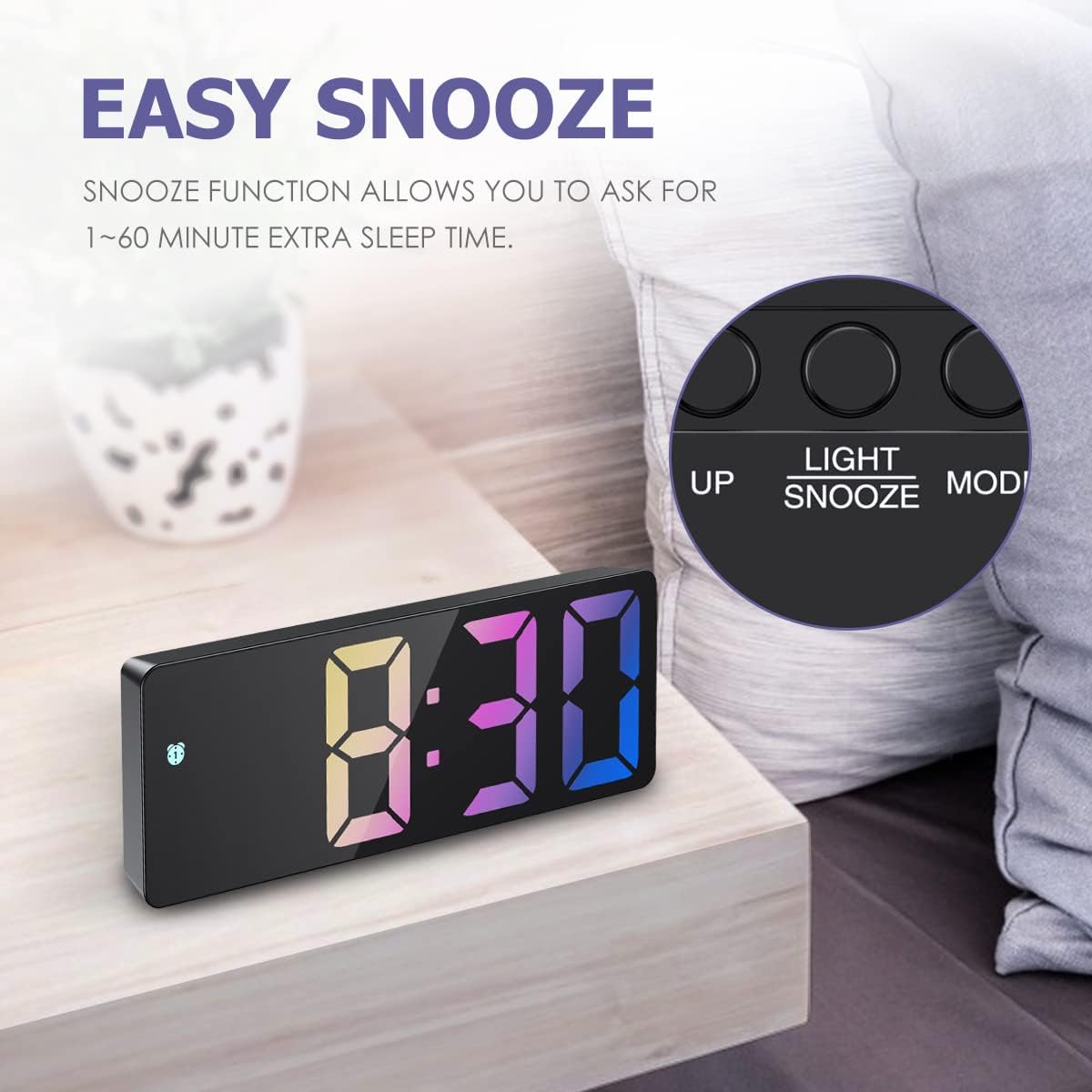
Image: The clock with the snooze button highlighted.
ضبط السطوع
The clock offers three levels of brightness. Press the خفيف / غفوة button (when not in alarm mode) to cycle through bright, medium, and low brightness settings. The clock also features an anti-interference night mode, allowing the display to be turned off completely if desired.

الصورة: السابقamples of the clock's display at different brightness settings.
Voice Control (Battery Mode Only)
When the clock is powered by AAA batteries, the display will enter power-saving mode and turn off after 15 seconds. To activate the display, make a sound louder than 90 dB, such as a clap, or gently tap the clock. The display will light up for a few seconds.

Image: Demonstrating how to activate the display using touch or sound in battery-saving mode.
عرض درجة الحرارة
The clock displays real-time temperature. To switch between Celsius (℃) and Fahrenheit (℉), press the UP button when the temperature is displayed.
صيانة
- نظّف الساعة بقطعة قماش ناعمة وجافة. لا تستخدم المنظفات الكاشطة أو المذيبات.
- تجنب تعريض الساعة لدرجات حرارة قصوى أو لأشعة الشمس المباشرة أو الرطوبة العالية.
- If using batteries, replace them when the display becomes dim or unresponsive. Remove batteries if the clock will not be used for an extended period.
استكشاف الأخطاء وإصلاحها
| مشكلة | حل |
|---|---|
| الشاشة مطفأة أو خافتة. |
|
| Clock does not memorize time when unplugged (USB). | This is normal behavior for USB power. Insert 3 AAA batteries (not included) to enable the memory function and power-saving display mode when USB power is disconnected. |
| Cannot set the alarm or time. | Ensure you are pressing and holding the correct button (MODE for time, ALARM for alarm) to enter the setting mode. Follow the steps precisely. |
| Temperature unit is incorrect. | اضغط على UP button when the temperature is displayed to switch between Celsius (℃) and Fahrenheit (℉). |
تحديد
| ميزة | التفاصيل |
|---|---|
| ماركة | أوكيماكس |
| رقم الموديل | WA33B&C |
| الأبعاد (الطول × العرض × الارتفاع) | 16 x 3.81 x 6 cm (6.3 x 1.5 x 2.36 inches) |
| وزن | 160 جرام |
| نوع العرض | الصمام الرقمي |
| لون العرض | Colorful Digits |
| مصدر الطاقة | USB (5V/1A-2A) or 3x AAA Batteries (not included) |
| المميزات الخاصة | Alarm, Snooze, Adjustable Brightness, Voice Control, Temperature Display, Date Display |
| مادة | Wood (Note: Product appearance suggests plastic/mirror finish) |
الضمان والدعم
For warranty information or technical support, please refer to the contact details provided with your purchase or visit the official OQIMAX webالموقع. احتفظ بإيصال الشراء كإثبات للشراء.


