1. المقدمة
This manual provides comprehensive instructions for the setup, operation, maintenance, and troubleshooting of your Havit MS951GT Wireless Mouse. Please read this manual carefully before using the product to ensure optimal performance and longevity.
2. محتويات العبوة
يرجى التأكد من وجود جميع العناصر في الحزمة الخاصة بك:
- Havit MS951GT Wireless Mouse
- جهاز إستقبال يو إس بي
- دليل المستخدم (هذا المستند)
Note: An AA battery is typically not included and must be purchased separately.
3. انتهى المنتجview
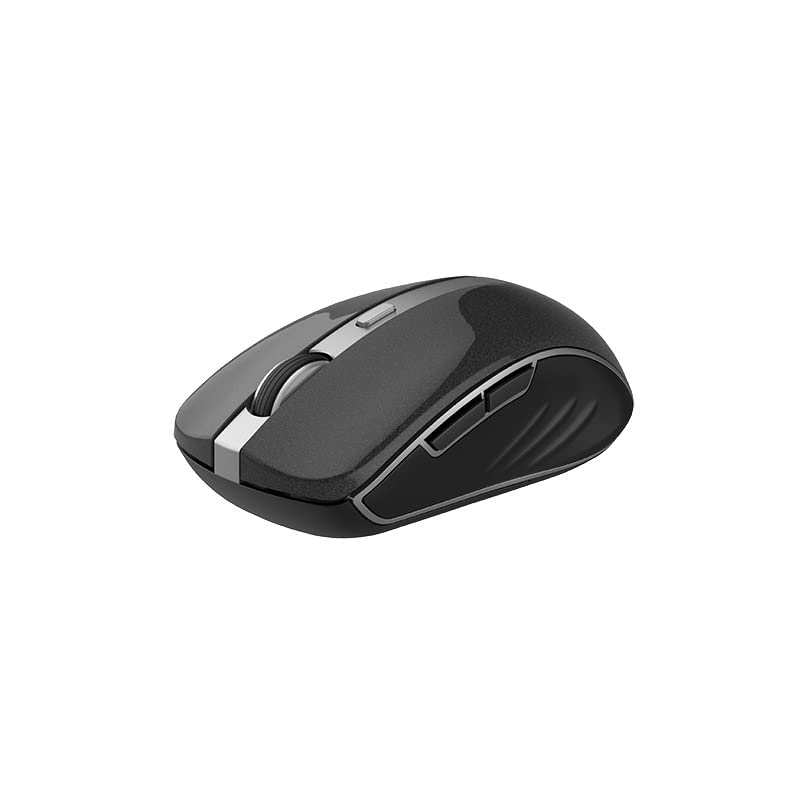
The Havit MS951GT is a wireless optical mouse designed for comfortable and precise control. It features symmetrical ergonomics, making it suitable for both left and right-handed users, and includes multi-level DPI adjustment for varied sensitivity needs.

الصورة 3.1: Havit MS951GT Wireless Mouse highlighting key features such as DPI adjustment and side buttons.
المكونات الرئيسية:
- أزرار النقر الأيسر/الأيمن: وظائف الماوس القياسية.
- عجلة التمرير: للتمرير العمودي ووظيفة النقر الأوسط.
- زر تعديل DPI: Cycles through sensitivity settings (800-1200-1600 DPI).
- الأزرار الجانبية: Multi-functional, typically used for forward/backward page navigation.
- حجرة البطارية: Located on the underside of the mouse.
- تخزين جهاز استقبال USB: A dedicated slot on the underside for the USB receiver when not in use.
4. الإعداد
4.1. تركيب البطارية
- Turn the mouse over to access the underside.
- Locate the battery compartment cover and gently slide or lift it off.
- Insert one AA battery into the compartment, ensuring the polarity (+/-) matches the indicators inside.
- أعد تركيب غطاء حجرة البطارية حتى يستقر في مكانه بإحكام.
4.2. توصيل جهاز الاستقبال USB
- Locate the USB receiver, which is typically stored in a slot on the underside of the mouse or within the packaging.
- قم بتوصيل مستقبل USB بمنفذ USB متاح على جهاز الكمبيوتر الخاص بك.
- Your computer should automatically detect and install the necessary drivers. This is a plug-and-play device, so no additional software installation is usually required.
الصورة 4.1: The underside of the Havit MS951GT mouse, illustrating the battery compartment and the storage slot for the USB receiver.
5. تعليمات التشغيل
5.1. وظائف الماوس الأساسية
- الزر الأيسر: Select items, open files, activate links.
- انقر على اليمين: Access context menus.
- عجلة التمرير: قم بالتمرير لأعلى أو لأسفل خلال المستندات و web pages. Pressing the scroll wheel often acts as a middle-click.
5.2. ضبط DPI
The DPI (Dots Per Inch) button, located behind the scroll wheel, allows you to adjust the mouse's sensitivity. Pressing this button will cycle through the available DPI settings:
- 800 نقطة لكل بوصة: حساسية أقل للمهام الدقيقة.
- 1200 نقطة لكل بوصة: حساسية قياسية للاستخدام العام.
- 1600 نقطة لكل بوصة: حساسية أعلى لتحريك المؤشر بشكل أسرع.
Choose the DPI setting that best suits your preference and task requirements.
5.3. Side Buttons
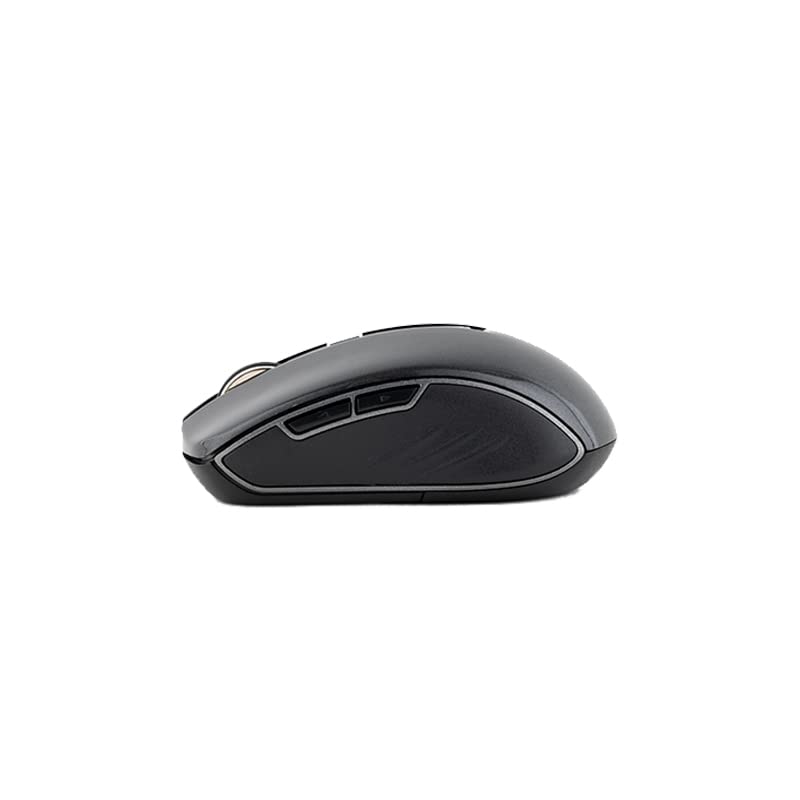
The Havit MS951GT features multi-function side buttons, typically located on the left side of the mouse. By default, these buttons are configured for:
- زر للأمام: يتنقل للأمام في web المتصفحات أو file المستكشفون.
- زر الرجوع: يتنقل للخلف في web المتصفحات أو file المستكشفون.
الصورة 5.1: جانب view of the Havit MS951GT mouse, illustrating the position of the multi-function side buttons.
6. الصيانة
6.1. التنظيف
للحفاظ على الأداء الأمثل والنظافة، قم بتنظيف الماوس الخاص بك بانتظام:
- افصل جهاز استقبال USB عن جهاز الكمبيوتر الخاص بك.
- استخدم قطعة قماش ناعمة وخالية من الوبر وامسحها برفق.ampاغسل سطح الفأرة بالماء أو بمحلول تنظيف خفيف.
- تجنب استخدام المواد الكيميائية القاسية أو المواد الكاشطة.
- استخدم قطعة قطن أو هواء مضغوط للتنظيف حول عجلة التمرير والمستشعر البصري.
6.2. استبدال البطارية
When the mouse performance degrades or it stops responding, it is likely time to replace the AA battery. Refer to Section 4.1 for battery installation instructions.
6.3. التخزين
When not in use for an extended period, the mouse features a built-in auto-sleep function to conserve battery life. For transport or long-term storage, it is recommended to:
- Remove the AA battery to prevent leakage.
- Store the USB receiver in its dedicated slot on the underside of the mouse to prevent loss.
7. استكشاف الأخطاء وإصلاحها
If you encounter issues with your Havit MS951GT Wireless Mouse, please refer to the following common solutions:
7.1. عدم استجابة الماوس
- التحقق من البطارية: تأكد من إدخال بطارية AA بشكل صحيح وأنها مشحونة بشكل كافٍ. استبدلها إذا لزم الأمر.
- تحقق من جهاز استقبال USB: تأكد من توصيل جهاز استقبال USB بإحكام بمنفذ USB سليم بجهاز الكمبيوتر. جرّب منفذ USB آخر.
- دورة الطاقة: Turn off the mouse (if it has a power switch), remove the battery, wait a few seconds, then reinsert the battery and turn it back on.
7.2. حركة المؤشر غير المنتظمة
- Clean Optical Sensor: Dust or debris on the optical sensor can cause erratic movement. Clean the sensor on the underside of the mouse with a soft, dry cloth or compressed air.
- فحص السطح: تأكد من استخدام الماوس على سطح نظيف، غير عاكس، ومستوٍ. تجنب الزجاج أو الأسطح شديدة الانعكاس.
7.3. Connection Issues / Lag
- تقليل التداخل: Move the mouse closer to the USB receiver. Avoid placing the receiver near other wireless devices (e.g., Wi-Fi routers, cordless phones) that might cause interference.
- Re-plug Receiver: افصل جهاز استقبال USB ثم أعد توصيله.
8. المواصفات
| ميزة | مواصفة |
|---|---|
| ماركة | هافيت |
| نموذج | MS951GT |
| التكنولوجيا اللاسلكية | 2.4 جيجاهرتز |
| المسافة اللاسلكية | 10م |
| مستويات DPI | شنومكس-شنومكس-شنومكس دبي |
| رقم المفتاح | 6 (Left, Right, Scroll, DPI, 2 Side Buttons) |
| مزود الطاقة | 1 * AA Battery |
| الأبعاد (الطول × العرض × الارتفاع) | 50 × 50 × 50 ملم (تقريبًا) |
| وزن العنصر | 100 جرام |
| توافق نظام التشغيل | Windows XP and above (PC, Laptop) |
| مادة | بلاستيك |
| اتجاه اليد | ثنائي الاستخدام |
9. الضمان والدعم
Havit products are designed for reliability and performance. For information regarding warranty coverage, please refer to the warranty card included with your product or visit the official Havit website. If you require technical assistance or have questions not covered in this manual, please contact Havit customer support through their official channels.
يرجى الاحتفاظ بإثبات الشراء الخاص بك لمطالبات الضمان.


