1. المقدمة
This manual provides essential instructions for setting up, operating, and maintaining your Tibuta Android 13 Tablet. Please read this guide thoroughly to ensure proper use and to maximize your device's performance.
The Tibuta 10-inch tablet features the Android 13 operating system, an Octa-Core processor, 8GB RAM, 64GB internal storage (expandable up to 1TB), a 7000mAh battery, and a 1280x800 IPS display. It supports Wi-Fi 6, Bluetooth 5.2, and Widevine L1 for enhanced streaming.

Image 1.1: Tibuta Android 13 Tablet overview, highlighting its 8GB+64GB configuration, Android 13 OS, Wi-Fi 6, 7000mAh battery, and Widevine L1 support.
2. تخطيط الجهاز
Familiarize yourself with the physical components and ports of your tablet.

الصورة 2.1: الأمام والجانب view of the tablet with numbered components and dimensions.
تحديد المكون:
- زر الطاقة: يتم استخدامه لتشغيل الجهاز أو إيقاف تشغيله أو إيقاظ الشاشة أو وضعها في وضع السكون.
- ميناء من النوع C: لشحن الجهاز اللوحي ونقل البيانات.
- أزرار التحكم في الصوت: ضبط مستوى الصوت.
- منفذ كارت الذاكرة الصغيرة: أدخل بطاقة ذاكرة Micro SD لتوسيع مساحة التخزين.
- آلة تصوير: الكاميرا الخلفية المواجهة.
- زر إعادة الضبط: A small pinhole button to force restart the device if unresponsive.
- طرفية سماعة الرأس: مقبس صوت 3.5 ملم لسماعات الرأس.
- المتحدثون: مخرج الصوت.

الصورة 2.2: تفصيلية view of the tablet's ports and buttons, including front and rear cameras, speakers, and the 3.5mm headphone jack.
3. البدء
3.1. شحن البطارية
Before first use, fully charge the tablet's 7000mAh lithium polymer battery. Connect the provided Type-C cable to the tablet's Type-C port and the other end to the power adapter, then plug the adapter into a wall outlet. The charging indicator will show the charging status.

Image 3.1: Visual representation of the tablet's 7000mAh battery capacity and Type-C charging port.
3.2. تشغيل / إيقاف التشغيل
- لتشغيل: Press and hold the Power Button until the Tibuta logo appears on the screen.
- لإيقاف التشغيل: Press and hold the Power Button until the power options menu appears, then select 'Power off'.
- للنوم/الاستيقاظ: اضغط لفترة وجيزة على زر الطاقة لوضع الجهاز اللوحي في وضع السكون أو لتنشيطه.
3.3. الإعداد الأولي
Upon first power-on, the tablet will guide you through an initial setup process. This includes selecting your language, connecting to a Wi-Fi network, and setting up your Google account. Follow the on-screen prompts to complete the setup.
4. العمليات الأساسية
4.1. إيماءات شاشة اللمس
The tablet's 10.1-inch IPS touchscreen responds to various gestures:
- مقبض: حدد عنصرًا أو فعّل زرًا.
- اضغط مع الاستمرار: يمكنك الوصول إلى القوائم السياقية أو سحب العناصر.
- انتقاد: Navigate through screens or scroll lists.
- التكبير والتصغير: تكبير أو تصغير الصور و web الصفحات.
4.2. اتصال واي فاي
للاتصال بشبكة Wi-Fi:
- اذهب الى إعدادات > الشبكات والانترنت > إنترنت.
- قم بتشغيل Wi-Fi.
- حدد الشبكة المطلوبة من القائمة وأدخل كلمة المرور إذا طُلب منك ذلك.
The tablet supports 2.4G/5G dual-band Wi-Fi 6 for stable and fast connections.
4.3. اقتران بلوتوث
للاقتران بجهاز Bluetooth:
- اذهب الى إعدادات > الأجهزة المتصلة > تفضيلات الاتصال > بلوتوث.
- قم بتشغيل البلوتوث.
- تأكد من أن جهاز البلوتوث الخاص بك في وضع الاقتران.
- حدد الجهاز من قائمة "الأجهزة المتاحة" واتبع أي تعليمات تظهر على الشاشة.
4.4. استخدام الكاميرا
The tablet is equipped with an 8MP rear camera and a 5MP front camera. Open the Camera application to capture photos and videos.

الصورة 4.1: مثالamples of camera usage and the split-screen function for multitasking.
4.5. إدارة التخزين
The tablet comes with 64GB of internal storage. You can expand this by inserting a Micro SD card (up to 1TB) into the dedicated slot.
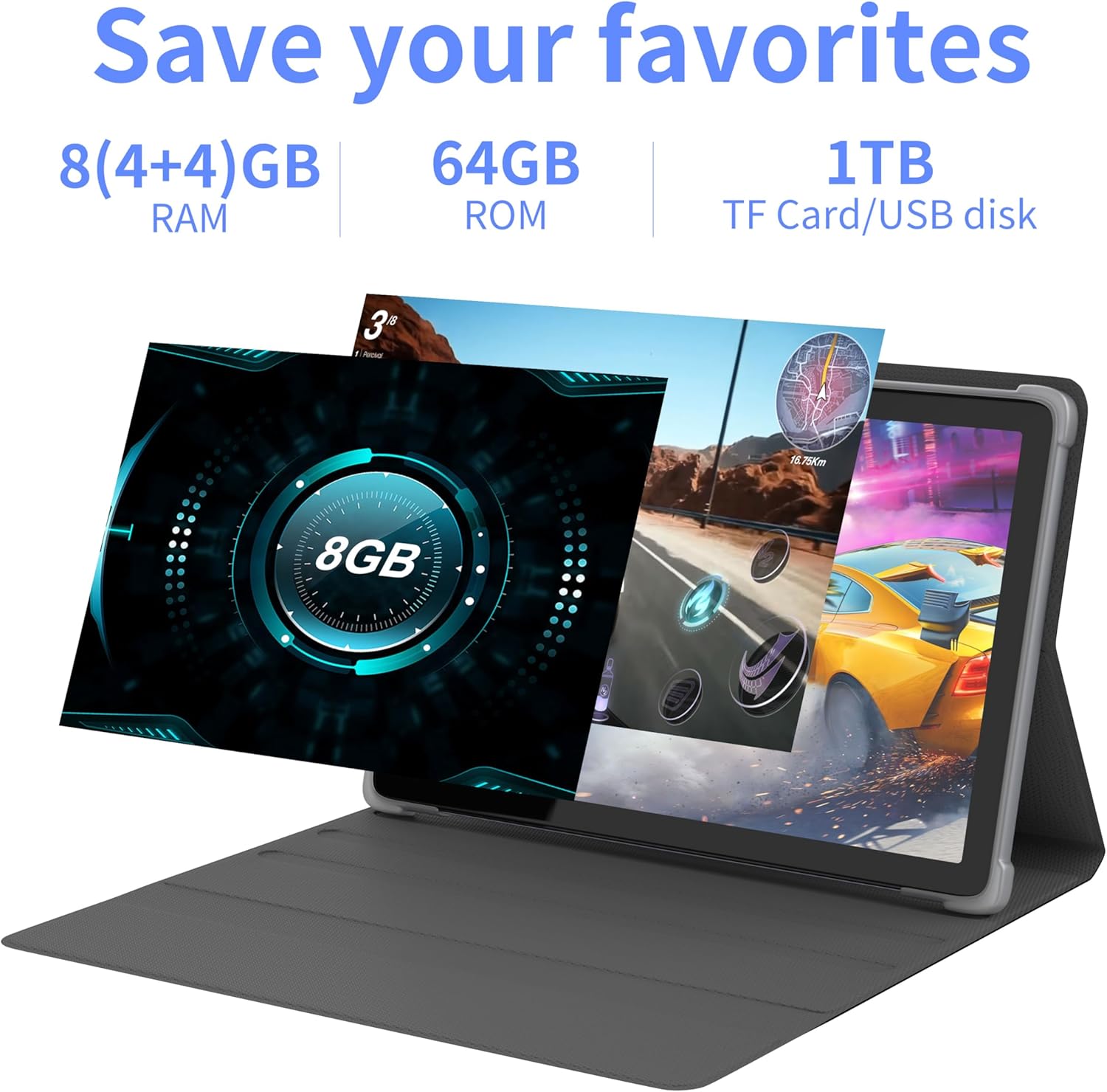
الصورة 4.2: انتهىview of the tablet's memory and storage capabilities, including RAM, ROM, and expansion options.
4.6. Split-Screen Function
Android 13 allows for split-screen multitasking. To activate, open an app, then swipe up from the bottom of the screen to view recent apps. Touch and hold the app icon at the top of the app's card, then select 'Split screen'. Choose a second app to use simultaneously.
5. ميزات العرض
The tablet features a 10.1-inch IPS display with a resolution of 1280 x 800 pixels, providing clear visuals and wide viewزوايا متعددة.

Image 5.1: The tablet's 10.1-inch HD IPS display, showcasing its resolution and wide-angle viewقدرات التطوير.
5.1. دعم Widevine L1
The tablet supports Widevine L1, enabling high-definition streaming content from compatible services.
6. الصيانة
6.1. تنظيف الجهاز
استخدم قطعة قماش ناعمة وخالية من الوبر لتنظيف شاشة الجهاز اللوحي وجسمه. تجنب استخدام المواد الكيميائية القاسية أو المواد الكاشطة.
6.2. تحديثات البرامج
قم بفحص وتثبيت تحديثات النظام بانتظام لضمان الأداء الأمثل والأمان. انتقل إلى إعدادات > نظام > تحديث النظام.
6.3. تحسين التخزين
To maintain performance, periodically clear unnecessary files and applications. Go to إعدادات > تخزين to manage your device's storage.
7. استكشاف الأخطاء وإصلاحها
يتناول هذا القسم المشكلات الشائعة التي قد تواجهها.
| مشكلة | حل |
|---|---|
| الجهاز اللوحي لا يعمل. | تأكد من شحن البطارية. قم بتوصيل الجهاز اللوحي بالشاحن لمدة 30 دقيقة على الأقل قبل محاولة تشغيله مرة أخرى. |
| Tablet is unresponsive. | Use a thin pin or paperclip to press the Reset Button (refer to Device Layout section) to force a restart. |
| لا يمكن الاتصال بشبكة Wi-Fi. | Check if Wi-Fi is enabled in Settings. Ensure the Wi-Fi password is correct. Restart your router and the tablet. |
| الأداء بطيء. | أغلق التطبيقات غير المستخدمة. امسح ذاكرة التخزين المؤقت والملفات المؤقتة. files. Consider performing a factory reset if the issue persists (backup data first). |
8. المواصفات
Detailed technical specifications for the Tibuta Android 13 Tablet (Model: 8GB+64GB).
| ميزة | التفاصيل |
|---|---|
| ماركة | تيبوتا |
| رقم الموديل | 8 جيجابايت + 64 جيجابايت |
| نظام التشغيل | أندرويد 13 |
| المعالج | Octa-Core (Allwinner A523) |
| كبش | 8 جيجابايت (4 جيجابايت + 4 جيجابايت افتراضية) |
| التخزين الداخلي | 64 جيجا بايت |
| تخزين قابل للتوسيع | Up to 1TB (Micro SD card) |
| حجم الشاشة | 10.1 بوصة |
| دقة الشاشة | 1280 × 800 بكسل (IPS) |
| الكاميرا الخلفية | 8 ميجا بكسل |
| الكاميرا الأمامية | 5 ميجا بكسل |
| سعة البطارية | 7000 مللي أمبير ليثيوم بوليمر |
| متوسط عمر البطارية | حتى 8 ساعة (حسب الاستخدام) |
| الاتصال | Wi-Fi 6 (802.11ac, b, g, n), Bluetooth 5.2 |
| أبعاد | 24.8 × 16.7 × 1.2 سم |
| وزن | 539 جرام |
| لون | رمادي |
| المميزات الخاصة | Widevine L1, GMS Certified |
9. الدعم
For technical assistance or if you encounter any issues with your Tibuta tablet, please contact our customer service team. Refer to your purchase documentation or the retailer's webالموقع للحصول على تفاصيل الاتصال المحددة.


