1. المقدمة
Thank you for choosing the Baseus Bowie H2 True Wireless Earphones. This manual provides detailed instructions on how to set up, operate, maintain, and troubleshoot your earphones to ensure optimal performance and longevity. Please read this manual thoroughly before using the product.
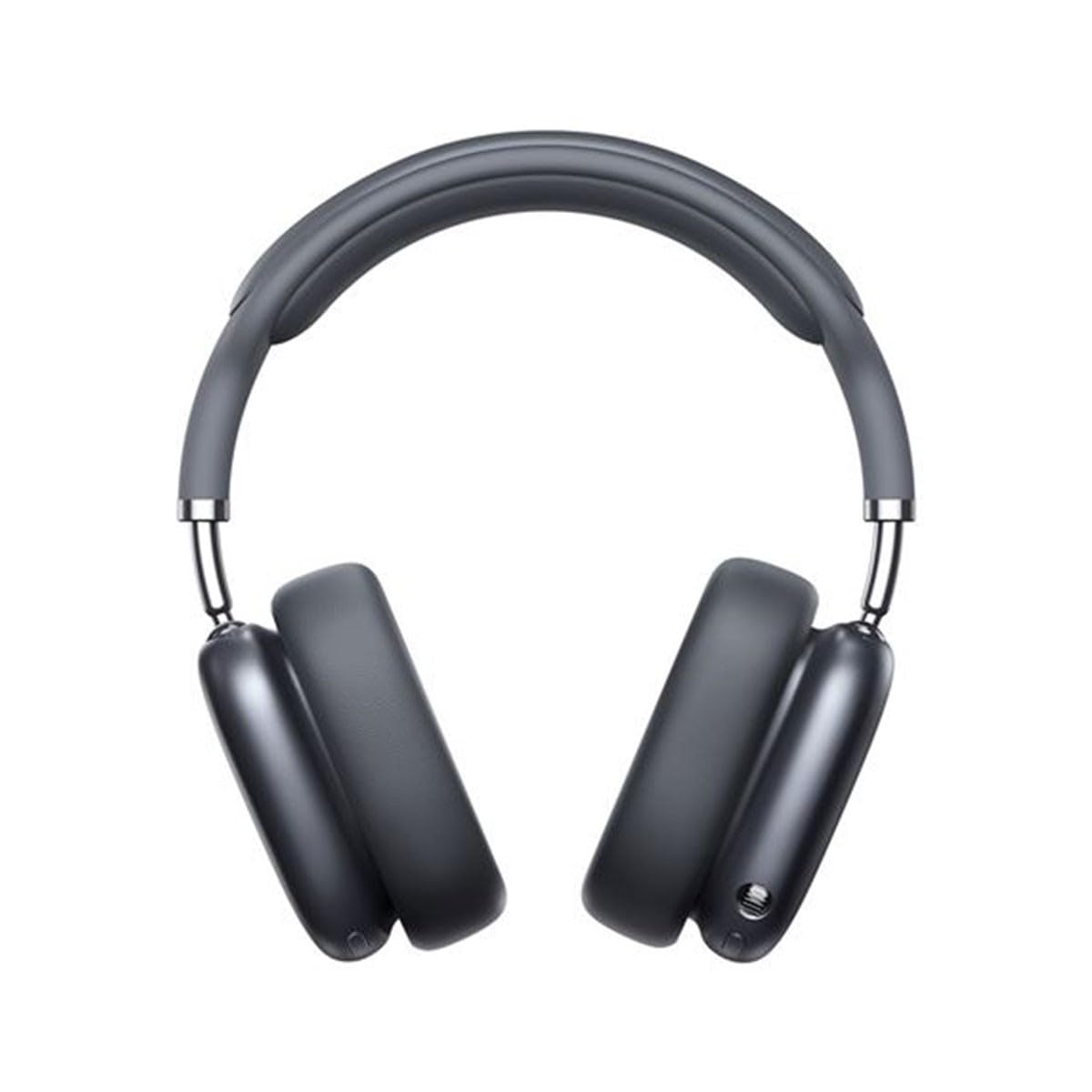
Image 1.1: Baseus Bowie H2 product overview. Please note that while this image displays over-ear headphones, the product described in this manual is the Baseus Bowie H2 True Wireless Earphones (in-ear type).
2. ماذا يوجد في الصندوق
Carefully unpack the product and ensure all items are present and in good condition. The package should contain:
- Baseus Bowie H2 True Wireless Earphones (Left and Right)
- حافظة الشحن اللاسلكي
- كابل شحن USB
- دليل المستخدم

الصورة 2.1: مثالample of Baseus headphones in a case. The Baseus Bowie H2 True Wireless Earphones come with a compact wireless charging case.
3. الإعداد
3.1 شحن سماعات الأذن والعلبة
Before first use, fully charge the earphones and the charging case. Place the earphones into the charging case. Connect the USB charging cable to the charging port on the case and plug the other end into a USB power adapter (not included) or a computer's USB port. The indicator light on the case will show charging status and turn off or change color when fully charged.
3.2 اقتران بلوتوث
- تأكد من شحن سماعات الأذن.
- Open the charging case. The earphones will automatically enter pairing mode, and an indicator light (usually on the earphones or case) will flash, indicating they are ready to pair.
- على جهازك (الهاتف الذكي، الجهاز اللوحي، الكمبيوتر المحمول)، قم بتمكين البلوتوث.
- بحث عن available Bluetooth devices. Select "Baseus Bowie H2" from the list.
- Once connected, the indicator light will stop flashing, and you may hear a confirmation tone.
- If pairing fails, place the earphones back into the case, close it, and then reopen to re-enter pairing mode.
4. تشغيل سماعات الأذن
4.1 ارتداء سماعات الأذن
Gently insert the earphones into your ear canals. Adjust them for a comfortable and secure fit to ensure optimal sound quality and noise isolation. The left (L) and right (R) earphones are marked.

الصورة 4.1: الجبهة view of Baseus headphones. For the Bowie H2 earphones, ensure a snug fit in the ear canal.
4.2 الضوابط التي تعمل باللمس
The Baseus Bowie H2 earphones feature touch controls for various functions. The specific touch gestures may vary slightly, but common functions include:
- تشغيل/إيقاف مؤقت: نقرة واحدة على أي سماعة.
- المسار التالي: انقر مرتين على سماعة الأذن اليمنى.
- المسار السابق: انقر مرتين على سماعة الأذن اليسرى.
- الرد/إنهاء المكالمة: نقرة واحدة على أي سماعة.
- رفض المكالمة: Long press on either earphone.
- تنشيط مساعد الصوت: انقر ثلاث مرات على أي من سماعات الأذن.
Refer to the quick start guide included in your package for precise touch control mapping.

الصورة 4.2: الأعلى view of Baseus headphones. The touch control areas are typically located on the outer surface of the earphones.
5. الصيانة
Proper maintenance ensures the longevity and performance of your Baseus Bowie H2 earphones.
- تنظيف: استخدم قطعة قماش ناعمة وجافة وخالية من الوبر لتنظيف سماعات الأذن وعلبة الشحن. لا تستخدم المنظفات الكاشطة أو الكحول أو المذيبات الكيميائية.
- تخزين: When not in use, always store the earphones in their charging case to protect them from dust, dirt, and damage.
- تجنب الماء: While the earphones may have some water resistance, avoid submerging them in water or exposing them to excessive moisture.
- درجة حرارة: Do not expose the earphones to extreme temperatures (hot or cold) or direct sunlight for extended periods.
6. استكشاف الأخطاء وإصلاحها
If you encounter issues with your Baseus Bowie H2 earphones, try the following solutions:
| مشكلة | حل |
|---|---|
| سماعات الأذن غير مقترنة |
|
| لا يوجد صوت من سماعة واحدة |
|
| قضية الشحن |
|
| مستوى صوت منخفض أو جودة صوت رديئة |
|
7. المواصفات
Key technical specifications for the Baseus Bowie H2 True Wireless Earphones (Model: NGTW260013):
- رقم الموديل:
- NGTW260013
- ماركة:
- باسيس
- تقنية الاتصال:
- لاسلكي (بلوتوث)
- إصدار البلوتوث:
- 5.2
- وضع الأذن:
- في الأذن
- عامل الشكل:
- في الأذن
- نوع التحكم:
- التحكم باللمس
- نوع برنامج تشغيل الصوت:
- سائق ديناميكي
- المكونات المتضمنة:
- حافظة الشحن اللاسلكي
- مادة:
- بلاستيك
- وزن السلعة:
- 582 g (Note: This weight is unusually high for in-ear earphones and may refer to the package weight or a different product variant.)
- أبعاد المنتج:
- 50 x 50 x 28 cm (Note: These dimensions are unusually large for in-ear earphones and may refer to the package dimensions or a different product variant.)
- الأجهزة المتوافقة:
- الهواتف الذكية، والأجهزة اللوحية، وأجهزة الكمبيوتر المحمولة، ومكبرات الصوت الذكية
8. الضمان والدعم
Baseus products are designed with quality and reliability in mind. For specific warranty information, please refer to the warranty card included with your purchase or visit the official Baseus webالموقع. إذا كنت بحاجة إلى دعم فني أو لديك أسئلة لم يتم تغطيتها في هذا الدليل، فيرجى الاتصال بخدمة عملاء Baseus عبر قنواتهم الرسمية.
احتفظ بإثبات الشراء الخاص بك لمطالبات الضمان.


