مقدمة
This manual provides instructions for the Trust 25025 AZERTY Wireless Keyboard and Mouse Set. This comfortable wireless set features silent keys and buttons, and is constructed using 85% recycled materials. It is designed for ease of use and long-lasting performance.
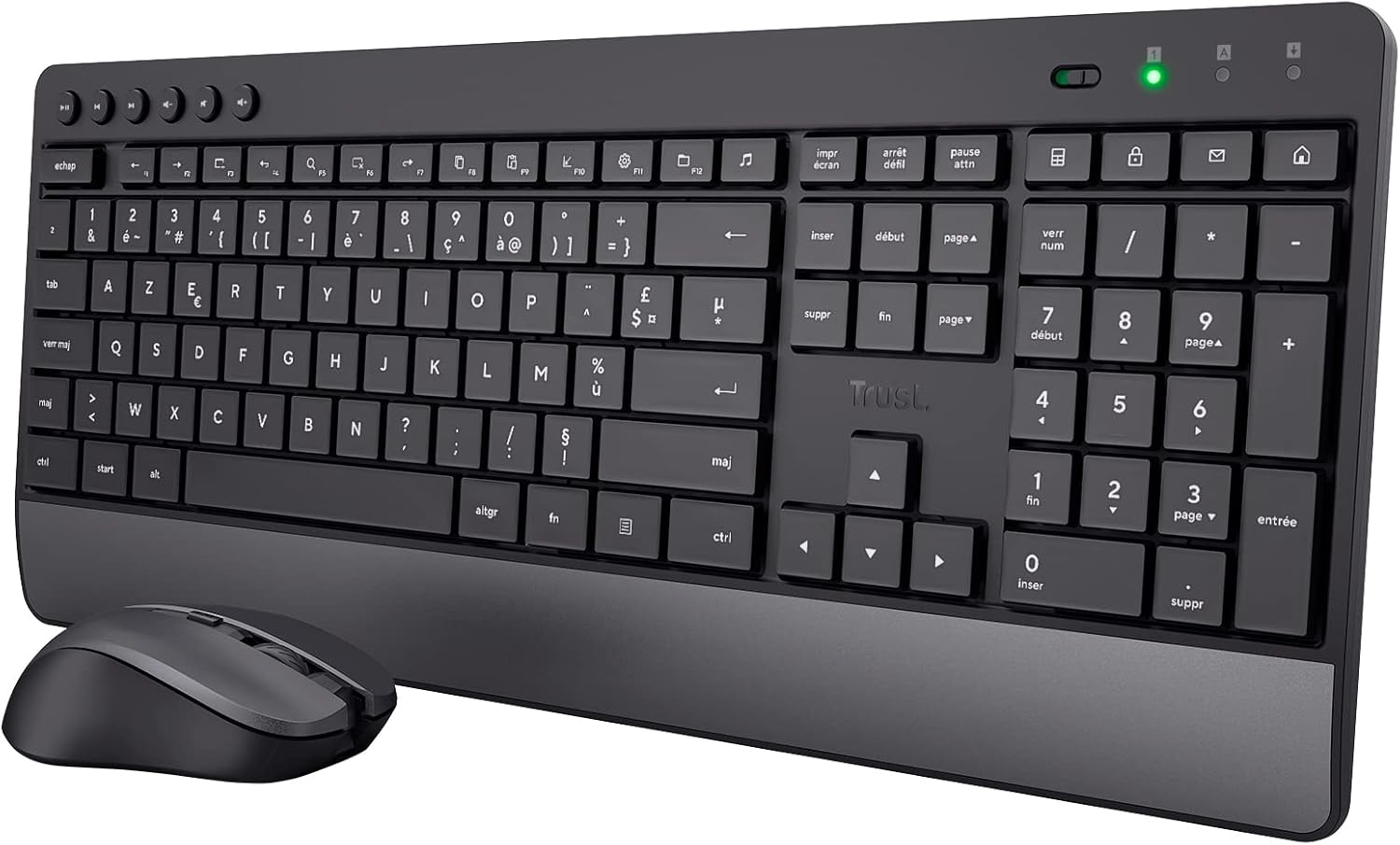
Image: The Trust 25025 AZERTY Wireless Keyboard and Mouse Set, featuring a full-size keyboard with a wrist rest and a compact mouse.
محتويات الحزمة
- Trust 25025 AZERTY Wireless Keyboard
- ثق بالماوس اللاسلكي
- جهاز استقبال يو اس بي مايكرو
- 3 بطاريات AA (مثبتة مسبقًا أو مرفقة بشكل منفصل)
- دليل المستخدم (هذا المستند)
يثبت
1. تركيب البطارية
The keyboard requires 2 AA batteries and the mouse requires 1 AA battery. These are typically included. If not, or if replacing, ensure correct polarity.
- Locate the battery compartments on the underside of the keyboard and mouse.
- افتح أغطية البطارية.
- Insert the AA batteries, matching the + and - indicators.
- أغلق أغطية البطارية بشكل آمن.
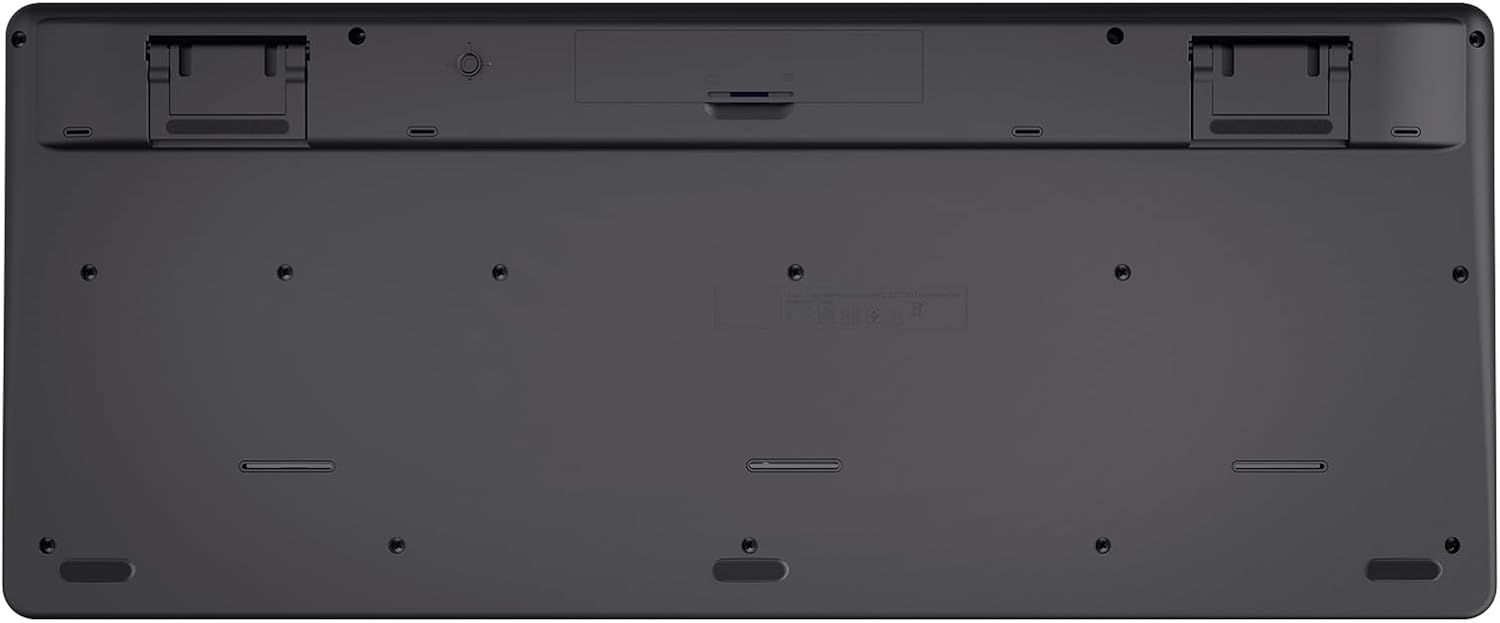
Image: The underside of the Trust 25025 keyboard, showing the battery compartment and the storage slot for the USB micro receiver.
2. Connecting the USB Micro Receiver
The keyboard and mouse connect wirelessly to your computer via a single USB micro receiver.
- Locate the USB micro receiver, usually stored in the mouse's battery compartment or a dedicated slot on the keyboard's underside.
- Plug the USB micro receiver into an available USB port on your computer (PC or Mac).
- ينبغي أن يقوم جهاز الكمبيوتر الخاص بك بالكشف عن برامج التشغيل اللازمة وتثبيتها تلقائيًا. هذا جهاز يعمل بمجرد التوصيل، ولا يتطلب تثبيت أي برامج إضافية.

Image: An icon representing 'Plug & Play' functionality, indicating easy setup without additional drivers.
3. تشغيل
Ensure the keyboard and mouse are switched on. The mouse typically has an on/off switch on its underside. The keyboard may have an indicator light to show it's active.
تعليمات التشغيل
مميزات لوحة المفاتيح
- AZERTY Layout: Standard French keyboard layout for comfortable typing.
- المفاتيح الصامتة: Designed for quiet operation, reducing typing noise.
- Integrated Wrist Rest: Provides ergonomic support during extended use.
- مفاتيح الوسائط المتعددة: Dedicated keys for quick access to media controls (play, pause, volume, etc.).
- تصميم مقاوم للانسكاب: Helps protect against accidental liquid spills.
- عمر بطارية طويل: Up to 48 months of battery life under typical usage conditions.

الصورة: من أعلى إلى أسفل view of the Trust 25025 keyboard and mouse, highlighting the AZERTY layout and multimedia keys.
الماوس الميزات
- الأزرار الصامتة: Reduces click noise for a quieter working environment.
- DPI قابل للتعديل: Cycle through 1000, 1400, and 1800 DPI settings for precise cursor control. Use the DPI button located near the scroll wheel to change sensitivity.
- تصميم بارع: Suitable for both left-handed and right-handed users.
- عمر بطارية طويل: Up to 12 months of battery life under typical usage conditions.

الصورة: لقطة مقربة view of the Trust wireless mouse, showing its ergonomic shape and the DPI adjustment button.
صيانة
تنظيف
- استخدم قطعة قماش ناعمة وجافة لتنظيف أسطح لوحة المفاتيح والماوس.
- بالنسبة للأوساخ العنيدة، قم بإزالة الأوساخ برفق.ampاغسل قطعة القماش بالماء أو محلول تنظيف معتدل. تجنب المواد الكيميائية القاسية.
- لا تغمر الأجهزة في الماء.
استبدال البطارية
When the battery indicator light (if present) illuminates or performance degrades, replace the batteries.
- Turn off the mouse using its power switch.
- Open the battery compartments on both devices.
- قم بإزالة البطاريات القديمة والتخلص منها وفقًا للوائح المحلية.
- أدخل بطاريات AA جديدة، مع التأكد من صحة القطبية.
- Close the battery covers.
استكشاف الأخطاء وإصلاحها
لا يوجد استجابة من لوحة المفاتيح أو الماوس
- التحقق من البطاريات: تأكد من تركيب البطاريات بشكل صحيح وعدم نفاذها. استبدلها إذا لزم الأمر.
- مفتاح التشغيل: Verify that the mouse (and keyboard, if applicable) is switched ON.
- مستقبل USB: Ensure the USB micro receiver is securely plugged into a working USB port on your computer. Try a different USB port.
- مسافة: Make sure the keyboard and mouse are within the operational range of the USB receiver (typically up to 10 meters).
- تدخل: Move the devices away from other wireless devices or large metal objects that might cause interference.
يقفز مؤشر الماوس أو يتحرك بشكل غير منتظم
- سطح: استخدم الماوس على سطح نظيف وغير عاكس. يُنصح باستخدام لوحة الماوس.
- إعداد DPI: Adjust the DPI setting using the button on the mouse to find a comfortable sensitivity.
- البطاريات: Low battery power can affect mouse performance. Replace batteries if needed.
تحديد
| ميزة | التفاصيل |
|---|---|
| ماركة | يثق |
| رقم الموديل | 25025 |
| مسلسل | Trezo |
| لون | أسود |
| تكنولوجيا الاتصال | الترددات الراديوية (اللاسلكية) |
| تخطيط لوحة المفاتيح | أزيرتي |
| إعدادات الماوس DPI | 1000، 1400، 1800 |
| عمر بطارية لوحة المفاتيح | حتى 48 أشهر |
| عمر بطارية الماوس | حتى 12 أشهر |
| البطاريات المطلوبة | 3 × AA (مضمنة) |
| أبعاد المنتج | 18.2 × 43.6 × 4.4 سم |
| وزن العنصر | 752 جرام |
| منصة الأجهزة | ماك، كمبيوتر شخصي |
| توافق نظام التشغيل | Windows, Mac OS, Chrome OS |
| المميزات الخاصة | 85% recycled plastic, long battery life, silent typing and clicks, wrist rest, single USB adapter for mouse and keyboard |
| الأجهزة المتوافقة | كمبيوتر محمول ، كمبيوتر شخصي |

Image: An icon indicating compatibility with multiple devices, including laptops and PCs.
الضمان والدعم
للحصول على معلومات الضمان والدعم الفني، يرجى الرجوع إلى موقع Trust الرسمي webيمكنك زيارة موقع الشركة أو الاتصال بخدمة العملاء مباشرةً. عادةً ما تُرفق تفاصيل فترات الضمان المحددة وقنوات الدعم مع عبوة المنتج أو على موقع الشركة المصنعة. webموقع.


