1. المقدمة
This manual provides comprehensive instructions for the setup, operation, and maintenance of your Tibuta 15.6 Inch WiFi Digital Photo Frame. Please read this manual thoroughly before using the device to ensure proper functionality and to maximize your user experience.

Image 1.1: Tibuta 15.6 Inch WiFi Digital Photo Frame in use, showing its touchscreen capabilities and companion app integration.
2. معلومات السلامة
يرجى مراعاة احتياطات السلامة التالية لمنع تلف الجهاز أو الإصابة الشخصية:
- لا تعرض الجهاز للماء أو الرطوبة الزائدة.
- تجنب وضع الجهاز بالقرب من مصادر الحرارة أو في ضوء الشمس المباشر لفترات طويلة.
- استخدم فقط محول الطاقة المقدم.
- لا تحاول تفكيك الجهاز أو إصلاحه بنفسك. اتصل بدعم العملاء للحصول على المساعدة.
- احتفظ بالجهاز بعيدًا عن متناول الأطفال والحيوانات الأليفة.
3. محتويات العبوة
تأكد من وجود جميع العناصر في العبوة:
- Tibuta 15.6 Inch WiFi Digital Photo Frame
- محول الطاقة
- دليل المستخدم (هذا المستند)
- يقف
4. انتهى المنتجview
تعرّف على مكونات إطار الصور الرقمي الخاص بك.
4.1 الجبهة View

الصورة 4.1: الجبهة view and key features of the Tibuta 15.6 Inch Digital Photo Frame.
- 15.6 Inch HD Touch Screen: High-definition display with 1280x800 resolution and IPS technology for wide viewزوايا متعددة.
- واجهة شاشة تعمل باللمس: Allows for direct interaction with the frame's menus and settings.
4.2 خلفي View والموانئ

الصورة 4.2: خلفي view of the Tibuta Digital Photo Frame with labeled ports and features.
- مفتاح التشغيل: يقوم بتشغيل الجهاز أو إيقاف تشغيله.
- معلقة على الحائط: Mounting points for wall installation.
- Ampرافعات: Integrated speakers for audio playback.
- منفذ كارت الذاكرة الصغيرة: Supports Micro SD cards up to 128GB for expanded storage.
- مقبس سماعات الرأس: لتوصيل أجهزة الصوت الخارجية.
- Type-A USB Port: لتوصيل محركات أقراص USB أو الأجهزة الطرفية الأخرى.
- منفذ USB صغير: For data transfer (if applicable).
- منفذ طاقة تيار مستمر: يتصل بمحول الطاقة.
- يقف: Attachable stand for desktop placement.
5. الإعداد
5.1 التشغيل المبدئي
- Attach the stand to the back of the photo frame for stable placement on a flat surface.
- Connect the power adapter to the DC Power Port on the back of the frame.
- قم بتوصيل محول الطاقة بمأخذ الحائط.
- اضغط على زر التشغيل لتشغيل الجهاز.
- Follow the on-screen prompts to select your language, time zone, and connect to a Wi-Fi network.
5.2 الاتصال بشبكة Wi-Fi
- From the main menu, navigate to "Settings" and then "Wi-Fi".
- حدد شبكة Wi-Fi المطلوبة من القائمة.
- أدخل كلمة مرور Wi-Fi باستخدام لوحة المفاتيح التي تظهر على الشاشة.
- Tap "Connect". Once connected, a Wi-Fi icon will appear on the screen.
5.3 تثبيت التطبيق المصاحب
To share photos and videos remotely, download the dedicated companion app.

Image 5.1: Download the Uhale App from Google Play or the App Store.
- On your smartphone or tablet, open the متجر جوجل بلاي (for Android devices) or the متجر تطبيقات ابل (for iOS devices).
- بحث عن "Uhale App" (or the specified app name in your frame's instructions).
- تنزيل التطبيق وتثبيته.
- Follow the in-app instructions to pair your device with the digital photo frame. This typically involves entering a unique code displayed on your photo frame.
6. تعليمات التشغيل
6.1 Sharing Photos and Videos via App
Once the frame is connected to Wi-Fi and paired with the app:
- افتح تطبيق المرافق على هاتفك الذكي.
- Select the photos or videos you wish to share.
- Tap the "Send" or "Share" button within the app.
- The selected media will be transferred to your digital photo frame and displayed.
The frame supports various display modes, including timing, zooming, and cropping, which can often be adjusted via the app or directly on the frame's settings.
6.2 Using External Storage (Micro SD Card)
The frame has 16GB of built-in storage and supports Micro SD cards up to 128GB.
- Insert a Micro SD card into the designated slot on the back of the frame.
- The frame will automatically detect the card.
- Navigate to the "Gallery" or "Files" section on the frame to access content from the Micro SD card.
- يمكنك نسخ files from the Micro SD card to the internal storage or play them directly.
6.3 Automatic Rotation (Gravity Sensing)
The frame features gravity sensing for automatic rotation, adjusting the display orientation based on how the frame is positioned (landscape or portrait).
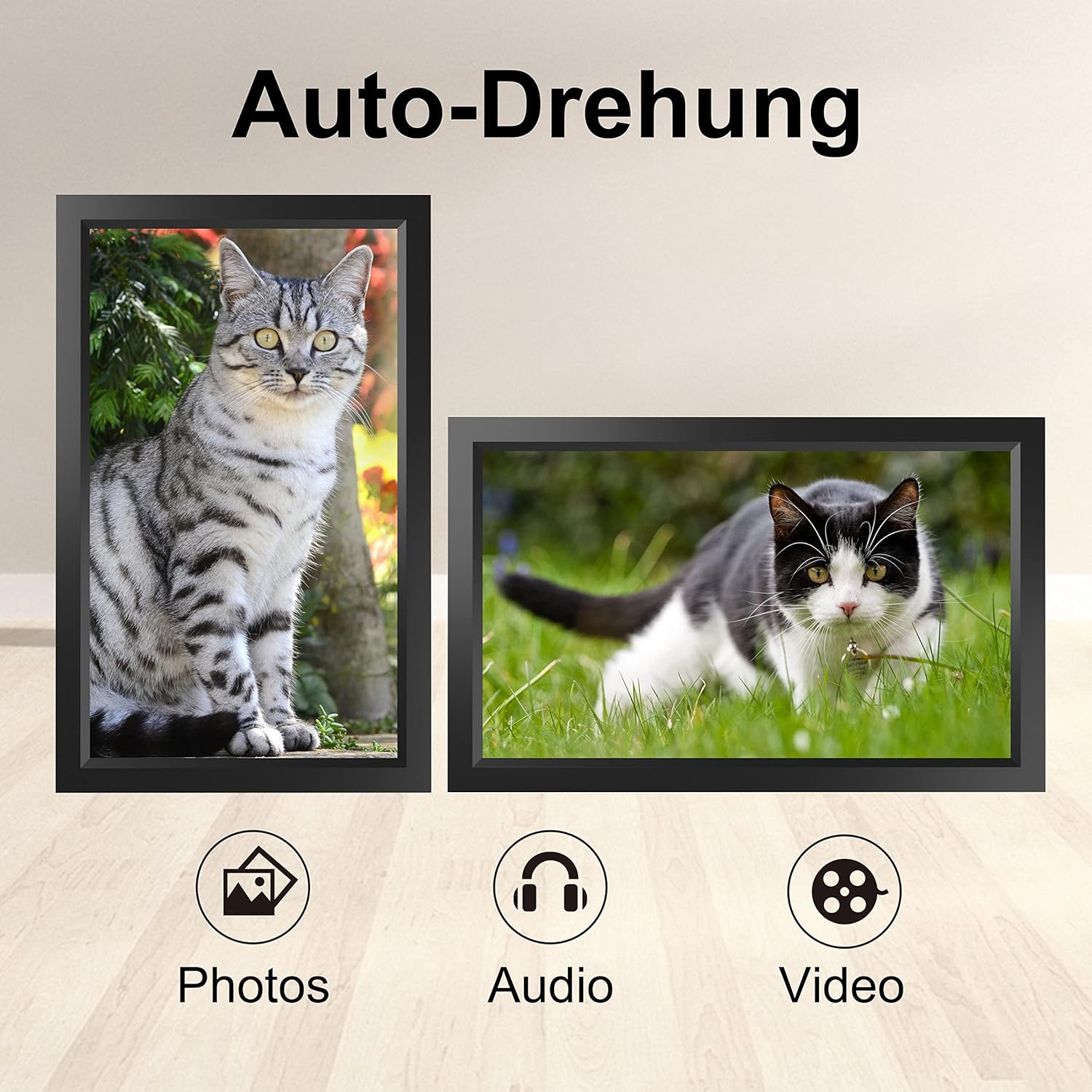
Image 6.1: Automatic display rotation based on frame orientation.
Ensure the gravity sensing feature is enabled in the frame's settings if you wish to utilize this functionality.
6.4 إعدادات العرض
قم بتخصيص viewing experience through the frame's settings menu:
- الفاصل الزمني لعرض الشرائح: Adjust how long each photo is displayed.
- آثار الانتقال: Choose different effects between photos.
- سطوع: ضبط سطوع الشاشة.
- Sleep Mode/Timer: Set schedules for the frame to turn on/off automatically.
- Zoom/Crop: Options to adjust how photos fit the screen.
7. الصيانة
7.1 تنظيف الشاشة
لتنظيف شاشة اللمس، امسحها برفق بقطعة قماش ناعمة وخالية من الوبر. أما بالنسبة للبقع العنيدة، فامسحها برفق.ampبللي قطعة القماش بالماء أو بمحلول تنظيف الشاشات. تجنبي استخدام المواد الكيميائية القاسية أو المواد الكاشطة.
7.2 العناية العامة
- Keep the frame in a dry environment.
- Protect it from dust by occasionally wiping the frame's body with a soft cloth.
- تجنب إسقاط الجهاز أو تعريضه لصدمات قوية.
8. استكشاف الأخطاء وإصلاحها
| مشكلة | السبب المحتمل | حل |
|---|---|---|
| الإطار لا يعمل. | محول الطاقة غير متصل أو معيب. | تأكد من توصيل محول الطاقة بإحكام بكل من الهيكل ومأخذ كهربائي يعمل. جرب مأخذًا كهربائيًا آخر. |
| لا يمكن الاتصال بشبكة Wi-Fi. | كلمة المرور غير صحيحة، أو خارج النطاق، أو مشكلة في الشبكة. | تحقق من كلمة مرور شبكة الواي فاي. قرّب الإطار من جهاز التوجيه. أعد تشغيل جهاز التوجيه. |
| Photos/videos not appearing. | App not paired, incorrect file format, or storage issue. | Ensure the app is correctly paired. Check if the media files are in a supported format. Verify sufficient storage space on the frame or SD card. |
| شاشة اللمس لا تستجيب. | خلل مؤقت في البرنامج. | Restart the frame by holding the power button or unplugging and replugging the power adapter. |
| Automatic rotation not working. | Feature disabled or sensor issue. | Check the frame's settings to ensure gravity sensing/auto-rotation is enabled. |
9. المواصفات
| ميزة | التفاصيل |
|---|---|
| رقم الموديل | رقم 15.6 |
| حجم الشاشة | 15.6 بوصة |
| نوع العرض | إيبس شاشة تعمل باللمس |
| دقة | 1280×800 |
| التخزين الداخلي | 16 جيجابايت (حوالي 20,000 صورة) |
| التخزين الخارجي | مايكرو سد بطاقة تصل إلى شنومكسب |
| الاتصال | واي فاي |
| المميزات الخاصة | Gravity Sensing Automatic Rotation, Touchscreen |
| الأبعاد (الطول × العرض × الارتفاع) | 39.12 × 24.64 × 2.51 سم |
| وزن | 1.48 كجم |
| مصدر الطاقة | Battery Powered (includes 1 Lithium Ion battery) |
ملاحظة: المواصفات عرضة للتغيير دون إشعار مسبق.
10. الضمان والدعم
10.1 ضمان المنتج
The Tibuta Digital Photo Frame comes with a one-year product warranty. This warranty covers manufacturing defects and operational issues arising from normal use. If any issues arise during this period, please contact our after-sales support team for assistance.
10.2 دعم العملاء
For technical support, warranty claims, or any other inquiries, please refer to the contact information provided on the Tibuta official website or your purchase documentation. When contacting support, please have your model number (TID15.6) and purchase date available.


