1. المقدمة
Thank you for choosing the Auna Connect 100 MKII Portable Bluetooth DAB/DAB+/FM Radio. This device offers a versatile listening experience with access to digital DAB/DAB+ radio, traditional FM radio, and wireless audio streaming via Bluetooth. It also features USB playback, an AUX input, a TFT display, and an alarm clock function. This manual provides essential information for safe operation, setup, and maintenance of your radio.
2. تعليمات السلامة
- اقرأ جميع التعليمات بعناية قبل استخدام الجهاز.
- احتفظ بهذا الدليل للرجوع إليه في المستقبل.
- لا تعرض الجهاز للمطر أو الرطوبة أو درجات الحرارة العالية.
- تأكد من التهوية المناسبة؛ ولا تسد أي فتحات تهوية.
- استخدم فقط محول الطاقة المرفق مع الوحدة.
- لا تحاول تفكيك الوحدة أو تعديلها. أحل جميع أعمال الصيانة إلى فنيين مؤهلين.
- نظف الوحدة بقطعة قماش جافة وناعمة فقط.
3. انتهى المنتجview
عناصر التحكم والشاشة الأمامية

الصورة: الجبهة view of the Auna Connect 100 MKII radio, showing the central TFT display, two rotary knobs (Volume and Navigate/Snooze), and various control buttons below the display, including USB IN port.
- شاشة TFT: Shows current mode, station information, track details, time, and menu options.
- مقبض الصوت/الطاقة: قم بتدويره لضبط مستوى الصوت؛ اضغط لتشغيل/إيقاف التشغيل.
- OK/Navigate/Snooze Knob: Rotate to navigate menus/stations; press to confirm selection or snooze alarm.
- منفذ USB: لتوصيل أجهزة تخزين USB لتشغيل الصوت.
- أزرار التحكم: Include Home, Scan, Presets (1-5+), Menu/Info, Back, and Headphone Jack.
توصيلات اللوحة الخلفية

الصورة: الخلفية view of the Auna Connect 100 MKII radio, highlighting the telescopic antenna, AUX IN, DC power input, and Line-Out ports.
- هوائي تلسكوبي: For DAB/DAB+ and FM radio reception.
- مدخل AUX: مقبس 3.5 ملم لتوصيل مصادر الصوت الخارجية.
- التيار المباشر الداخل: Power input for the mains adapter.
- خط المغادرة: للاتصال بالأجهزة الخارجية ampمكبرات الصوت أو مكبرات الصوت.
4. الإعداد
4.1 فك التعبئة
Carefully remove the radio from its packaging. Retain the packaging materials for future transport or storage.
4.2 توصيل الطاقة
- قم بتوصيل محول الطاقة المرفق بمنفذ DC IN الموجود في الجزء الخلفي من الراديو.
- Plug the power adapter into a suitable mains power outlet.
- The radio is designed for mains operation.
4.3 ضبط الهوائي
Extend the telescopic antenna fully and adjust its position for optimal DAB/DAB+ and FM radio reception.
5. التشغيل
5.1 تشغيل/إيقاف التشغيل
اضغط على حجم/مقبض الطاقة لتشغيل الراديو أو إيقافه.
5.2 اختيار الوضع
اضغط على بيت button to access the main menu and select your desired mode (e.g., DAB, FM, Bluetooth, USB, AUX). Use the OK/Navigate Knob to scroll and select.

الصورة: أعلى view of the Auna Connect 100 MKII radio, showing icons for various connection types and modes such as FM Antenna, DAB/DAB+, USB, Headphone, Aux, WiFi, and Bluetooth.
5.3 راديو داب/داب+
- يختار ربت mode from the main menu.
- The radio will automatically scan for available DAB/DAB+ stations.
- استخدم OK/Navigate Knob to browse the station list and press to select a station.
- اضغط على القائمة / المعلومات زر ل view معلومات المحطة.
5.4 راديو FM
- يختار FM mode from the main menu.
- اضغط على مسح ضوئي button to automatically scan for FM stations.
- استخدم OK/Navigate Knob to fine-tune frequencies or select a scanned station.

Image: Two individuals smiling and enjoying music, illustrating the stereo sound output of the Auna Connect 100 MKII radio.
5.5 اقتران بلوتوث
- يختار بلوتوث mode from the main menu. The display will show "Pairing".
- قم بتفعيل البلوتوث على هاتفك الذكي أو جهازك اللوحي وابحث عن الأجهزة المتاحة.
- Select "Auna Connect 100 MKII" from the list to pair.
- بمجرد الاقتران، يمكنك بث الصوت من جهازك إلى الراديو.
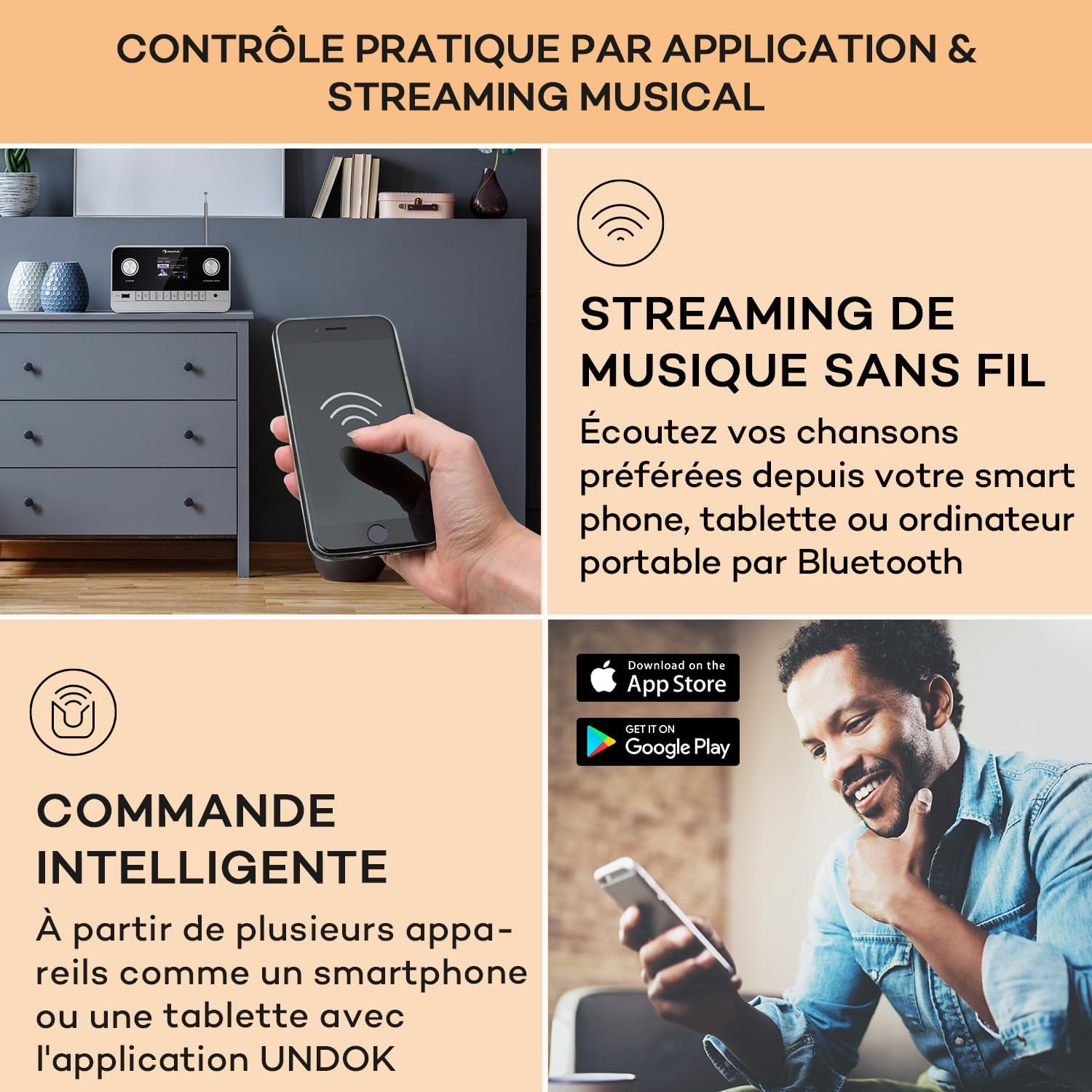
Image: A hand holding a smartphone, demonstrating wireless music streaming and smart control of the Auna Connect 100 MKII radio via a dedicated application.
5.6 تشغيل USB
- أدخل جهاز تخزين USB في مدخل USB منفذ على اللوحة الأمامية.
- يختار USB mode from the main menu.
- استخدم OK/Navigate Knob to browse folders and tracks, then press to play.
5.7 مدخل ايه يو اكس
- قم بتوصيل جهاز صوت خارجي (على سبيل المثال، مشغل MP3) بالكمبيوتر. AUX IN port on the rear panel using a 3.5mm audio cable.
- يختار مدخل مساعد mode from the main menu.
- Audio from the external device will now play through the radio.
5.8 ساعة منبه ومؤقت نوم
The radio includes an alarm clock and sleep timer function. Access these settings via the قائمة طعام button and follow the on-screen instructions to set alarms or a sleep timer.
5.9 إعدادات العرض
Adjust display brightness and other settings through the قائمة طعام options. The TFT color display provides clear visibility of information.
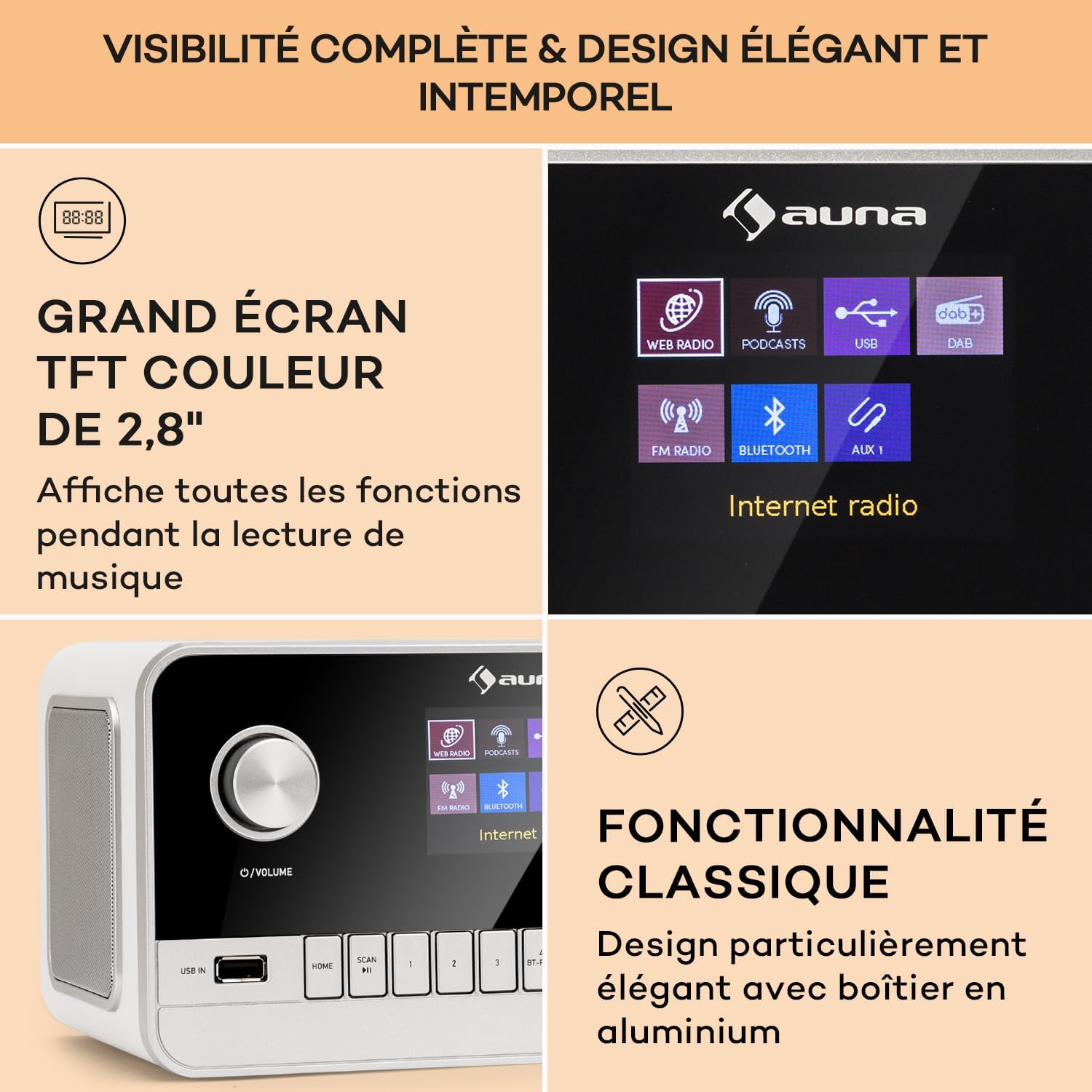
Image: Close-up of the Auna Connect 100 MKII's 2.8-inch TFT color display, showing various function icons and music playback information, highlighting its elegant design.
5.10 التحكم عن بعد
The included remote control allows for convenient operation of all radio functions from a distance. Ensure the remote's battery is correctly inserted.
6. الصيانة
- تنظيف: Disconnect the power before cleaning. Use a soft, dry cloth to wipe the surface of the radio. Do not use liquid cleaners or abrasive materials.
- تخزين: إذا لم تستخدم الراديو لفترة طويلة، فافصله عن مأخذ الطاقة وخزنه في مكان بارد وجاف.
7. استكشاف الأخطاء وإصلاحها
| مشكلة | السبب المحتمل | حل |
|---|---|---|
| لا يوجد طاقة | محول الطاقة غير متصل أو المنفذ معيب. | تحقق من توصيلات الطاقة وجرّب منفذًا كهربائيًا مختلفًا. |
| ضعف استقبال الراديو (DAB/FM) | الهوائي غير ممتد أو منطقة الإشارة ضعيفة. | Fully extend and adjust the telescopic antenna. Try repositioning the radio. |
| لا يمكن إقران جهاز بلوتوث | الراديو ليس في وضع الاقتران أو الجهاز بعيد جدًا. | Ensure radio is in Bluetooth mode and displaying "Pairing". Move device closer to the radio. |
| لا يوجد صوت من منفذ USB | غير مدعوم file format or USB device issue. | Check USB device for compatible audio files. Ensure USB is properly inserted. |
8. المواصفات
| ميزة | التفاصيل |
|---|---|
| ماركة | أونا |
| رقم الموديل | Connect 100 MKII |
| لون | أبيض |
| تكنولوجيا الاتصال | بلوتوث ، USB ، مساعد |
| المميزات الخاصة | Portable, Alarm Clock |
| الأجهزة المتوافقة | الأجهزة المزودة بتقنية بلوتوث أو منفذ USB |
| أبعاد المنتج (الطول × العرض × الارتفاع) | 22.5 × 16.5 × 12.1 سم |
| تكنولوجيا الضبط | رقمي |
| نطاقات الراديو المدعومة | DAB / DAB + / FM |
| مصدر الطاقة | Electric Cable (Mains Powered) |
9. ماذا يوجد في الصندوق
- 1 x Auna Connect 100 MKII Portable DAB+/FM Radio
- 1 × محول الطاقة
- 1 × جهاز التحكم عن بعد
- دليل مستخدم متعدد اللغات عدد 1
10. الضمان والدعم
For warranty information and technical support, please refer to the documentation provided with your purchase or contact Auna customer service. Keep your proof of purchase for any warranty claims.


