1. المقدمة
This manual provides detailed instructions for the setup, operation, and maintenance of your DreamSky DS2201 Wooden Digital Alarm Clock. Designed for bedrooms, this electric desk clock features large, easy-to-read numbers, a convenient USB charging port, and adjustable settings for alarm volume and display brightness. Please read this manual thoroughly to ensure proper use and to maximize the functionality of your device.
2. الميزات الرئيسية
- شاشة رقمية كبيرة: Features 1.8-inch large numbers for clear visibility from a distance.
- سطوع قابل للتعديل: Offers 5 levels of display brightness, including an 'OFF' option, to suit various lighting conditions.
- البطارية النسخ الاحتياطي: Requires 2 AAA alkaline batteries (not included) to maintain alarm function during power outages. The display will not illuminate when operating on battery power alone.
- منبه قابل للتخصيص: Provides 5 levels of adjustable alarm volume, suitable for both light and heavy sleepers. The alarm sounds for 2 minutes.
- قيلولة بعد الظهر وظيفة: A dedicated snooze button on the top allows for an additional 9 minutes of sleep.
- منفذ شحن USB: Includes a convenient USB port for charging smart devices and other gadgets.
- التوقيت الصيفي (DST): Equipped with a manual DST button for easy time adjustments.
- Wood Décor Design: A sleek wooden finish integrates well with various room aesthetics.
3. محتويات العبوة
عند تفريغ العبوة، يرجى التأكد من أن جميع العناصر المدرجة أدناه موجودة وفي حالة جيدة:
- ساعة منبه رقمية خشبية من دريم سكاي DS2201
- محول طاقة 5 فولت/1 أمبير
- دليل المستخدم (هذا المستند)

Figure 3.1: Package contents including the alarm clock, power adapter, and user manual.
4. الإعداد
4.1 توصيل الطاقة
- Connect the provided 5V/1A power adapter to the DC 5V port on the back of the alarm clock.
- قم بتوصيل محول الطاقة بمأخذ كهربائي عادي. ستضيء شاشة الساعة.

Figure 4.1: Powering the clock and using the USB charging port.
4.2 تركيب البطارية (الاحتياطية)
For alarm backup during power outages, install 2 AAA alkaline batteries (not included) into the battery compartment on the back of the clock. The display will not be active when running on battery power alone; only the alarm function is maintained.
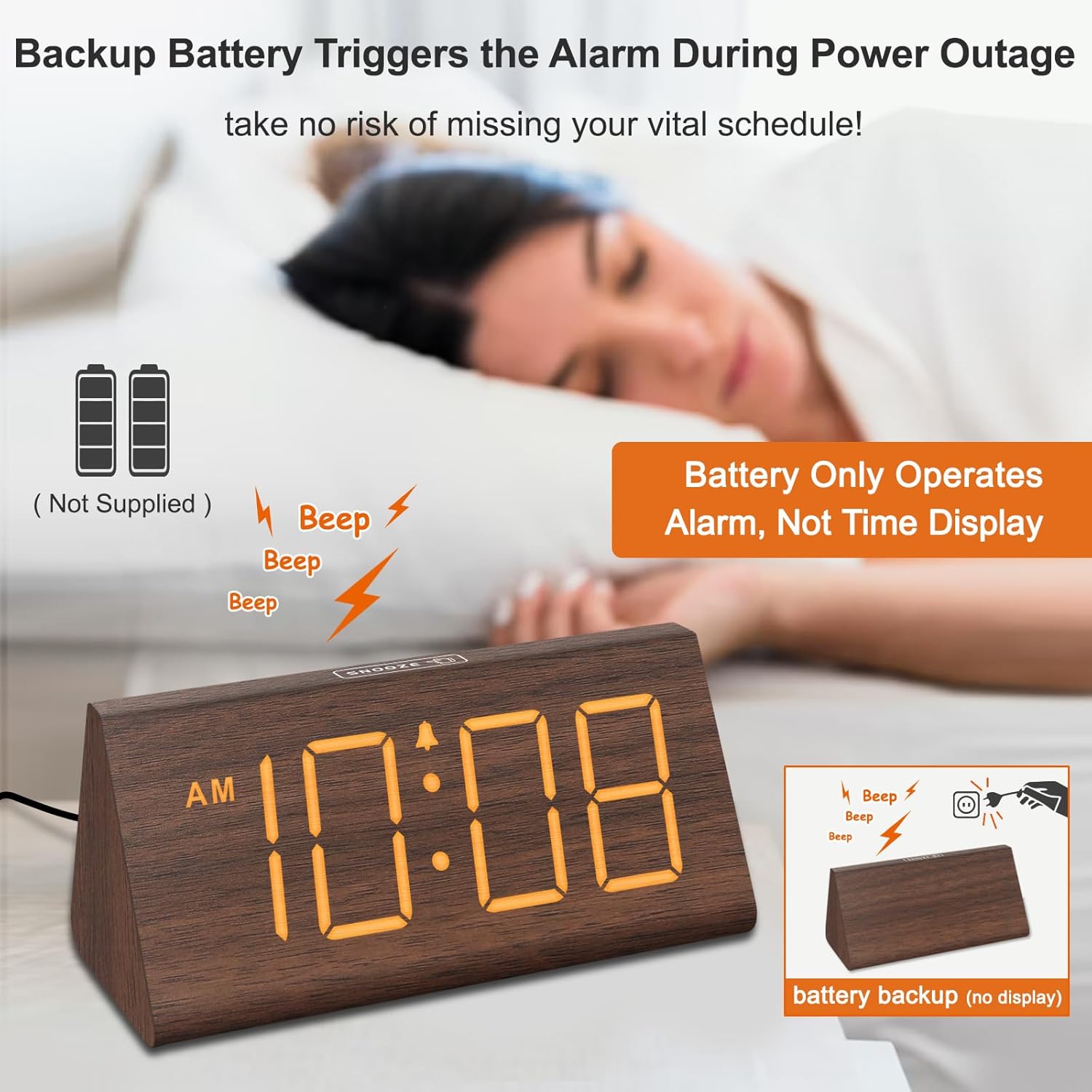
Figure 4.2: Battery compartment for alarm backup.
5. تعليمات التشغيل
5.1 ضبط الوقت
- اضغط على الوقت المحدد button on the back of the clock. The hour digits will flash.
- استخدم + و - أزرار لضبط الساعة.
- يضعط الوقت المحدد again to set the minutes. The minute digits will flash.
- استخدم + و - أزرار لضبط الدقائق.
- يضعط الوقت المحدد a third time to confirm and exit time setting mode.
- للتبديل بين تنسيق 12 ساعة وتنسيق 24 ساعة، اضغط على 12 / 24HR زر.
5.2 ضبط المنبه
- اضغط على مجموعة التنبيه اضغط على الزر. ستومض أرقام ساعة المنبه.
- استخدم + و - أزرار لضبط ساعة التنبيه.
- يضعط مجموعة التنبيه again to set the alarm minutes. The minute digits will flash.
- استخدم + و - أزرار لضبط دقائق التنبيه.
- يضعط مجموعة التنبيه a third time to confirm and exit alarm setting mode.
- لتشغيل المنبه أو إيقاف تشغيله، اضغط على تشغيل/إيقاف button. An alarm icon will appear on the display when the alarm is active.
5.3 وظيفة الغفوة
عندما يصدر صوت التنبيه ، اضغط على غفوة button located on the top of the clock to temporarily silence the alarm for 9 minutes. The alarm will sound again after 9 minutes. To turn off the alarm for the day, press any button on the back of the clock.

Figure 5.1: Snooze button and alarm volume control.
5.4 ضبط السطوع
اضغط على ديمر button on the back of the clock to cycle through 5 levels of brightness (L01 to L05) and an 'OFF' option for the display.

Figure 5.2: Display brightness levels.
5.5 ضبط مستوى الصوت
استخدم المجلد+ و المجلد- buttons on the back of the clock to adjust the alarm volume across 5 available levels.
5.6 التوقيت الصيفي (DST)
To activate or deactivate Daylight Saving Time, press the DST ON / OFF button. When activated, the time will advance by one hour, and 'DST' will appear on the display. Press again to revert to standard time.
5.7 منفذ شحن USB
The USB port on the back of the clock can be used to charge compatible smart devices. Simply connect your device's USB charging cable to the port.
6. الصيانة
- Clean the clock's surface with a soft, dry cloth.
- Avoid using abrasive cleaners, solvents, or harsh chemicals, as these may damage the finish.
- احفظ الساعة بعيداً عن أشعة الشمس المباشرة ودرجات الحرارة القصوى والرطوبة العالية.
7. استكشاف الأخطاء وإصلاحها
| مشكلة | السبب المحتمل | حل |
|---|---|---|
| الشاشة مطفأة أو خافتة. | Power adapter not connected; brightness set to OFF or lowest level; running on battery backup. | Ensure the power adapter is securely plugged in. Press the ديمر button to adjust brightness. Remember, the display does not light up when on battery backup. |
| لا يصدر صوت الإنذار. | Alarm is not activated; alarm volume is too low. | اضغط على تشغيل/إيقاف button to activate the alarm (check for alarm icon on display). Adjust volume using المجلد+. |
| الوقت غير صحيح. | الوقت غير مضبوط بشكل صحيح؛ إعداد التوقيت الصيفي غير صحيح. | Follow instructions in section 5.1 to set the time. Check DST setting using the DST ON / OFF زر. |
| شحن USB لا يعمل. | Device not compatible; cable faulty; clock not powered. | Ensure your device is compatible with USB charging. Try a different USB cable. Verify the clock is connected to AC power. |
8. المواصفات
- ماركة: دريم سكاي
- نموذج: دي اس 2201
- نوع العرض: رقمي
- مصدر الطاقة: كهرباء سلكية
- أبعاد المنتج: 5.96 بوصة عرض × 2.7 بوصة ارتفاع
- مادة: خشب
- وزن السلعة: 11.1 أونصات
- البطاريات: 2 AAA batteries required (not included, for alarm backup only)
- الاتصال: USB
9. الضمان والدعم
Your DreamSky DS2201 Wooden Digital Alarm Clock comes with a ضمان الاستبدال لمدة عامين.
للحصول على دعم العملاء أو الاستفسارات، يرجى الاتصال بـ:
بريد إلكتروني: info@dreamsky4u.com


