1. المقدمة
This manual provides detailed instructions for the OQIMAX Projection Alarm Clock. This device features a 180° adjustable projection, a 7.8-inch LED mirror display with adjustable brightness, multiple alarm modes with snooze, and displays indoor temperature and humidity. Please read this manual thoroughly before use to ensure proper operation and to maximize the product's functionality.
2. محتويات العبوة
تأكد من تضمين جميع العناصر المدرجة أدناه في الحزمة الخاصة بك:
- 1 x OQIMAX Projection Alarm Clock
- 1 x 1.5m USB Cable (Power adapter not included)
- 1 x CR2032 Button Battery (Integrated for memory function)
- 1 × دليل المستخدم
3. انتهى المنتجview
Familiarize yourself with the alarm clock's components and controls.

الصورة 3.1: الامامي والخلفي View of the Alarm Clock with Labeled Controls. This image illustrates the location of the alarm clock buttons (MODE, ALARM, SNOOZE/LIGHT, PROJECT, UP, DOWN), the projection lamp, speaker, power port, and the detachable stand.
عناصر التحكم والعرض:
- زر الوضع: Used to switch between time, alarm, and temperature/humidity display modes.
- زر التنبيه: Used to set and activate alarms.
- زر الغفوة/الإضاءة: Activates snooze during an alarm; adjusts display brightness.
- PROJECT Button: Activates and adjusts projection brightness.
- زر لأعلى: Increases values during setting; switches temperature units.
- زر لأسفل: Decreases values during setting; switches 12/24 hour format.
- الإسقاط Lamp: Emits time projection.
- المتحدث: Emits alarm sound.
- منفذ الطاقة: مدخل USB-C لتزويد الطاقة.
- Detachable Stand: Provides stable base for the clock.

الصورة 3.2: Product Dimensions and Key Features. This image shows the overall dimensions of the alarm clock and highlights its main features: projection function, 4-level brightness, temperature/humidity display, time & alarm, 12/24H format, and snooze.
4. الإعداد
4.1 توصيل الطاقة
The alarm clock requires continuous power via a USB cable. Connect the provided 1.5m USB cable to the power port on the back of the alarm clock and plug the other end into a USB power adapter (not included) or a powered USB port.
ملحوظة: The screen will turn off if the USB power cable is disconnected. The integrated CR2032 button battery serves as a backup to save time and alarm settings during power interruptions, but it does not power the display or projection.
4.2 التحضير الأولي
Before first use, remove any protective film from the display mirror surface.
5. تعليمات التشغيل
5.1 ضبط الوقت
- In time display mode, press and hold the وضع اضغط على الزر حتى تبدأ أرقام الساعة في الوميض.
- استخدم UP or تحت أزرار لضبط الساعة.
- اضغط على وضع button again to switch to minute setting. Use UP or تحت لضبط الدقائق.
- يضعط وضع لتأكيد وإغلاق إعداد الوقت.
5.2 ضبط المنبه
The clock supports three alarm modes.

الصورة 5.1: Three Alarm Modes. This image shows the display for setting alarms for Monday-Friday, Monday-Saturday, and Everyday.
- اضغط على إنذار button to enter alarm setting mode. The alarm icon will appear.
- اضغط مع الاستمرار على إنذار اضغط على الزر حتى تومض أرقام الساعة.
- استخدم UP or تحت أزرار لضبط ساعة التنبيه المطلوبة.
- يضعط إنذار again to set the minutes. Use UP or تحت للتعديل.
- يضعط إنذار again to select the alarm mode:
- 1-5: من الاثنين إلى الجمعة
- 1-6: من الأثنين إلى السبت
- 1-7: كل يوم
- يضعط إنذار لتأكيد والخروج من إعداد التنبيه.
- لتفعيل/إلغاء تفعيل المنبه، اضغط ضغطة قصيرة على إنذار button. The alarm icon will indicate its status.
5.3 وظيفة الغفوة
عندما يصدر صوت التنبيه ، اضغط على غفوة / ضوء button to activate the snooze function. The alarm will pause and sound again after the set snooze duration.
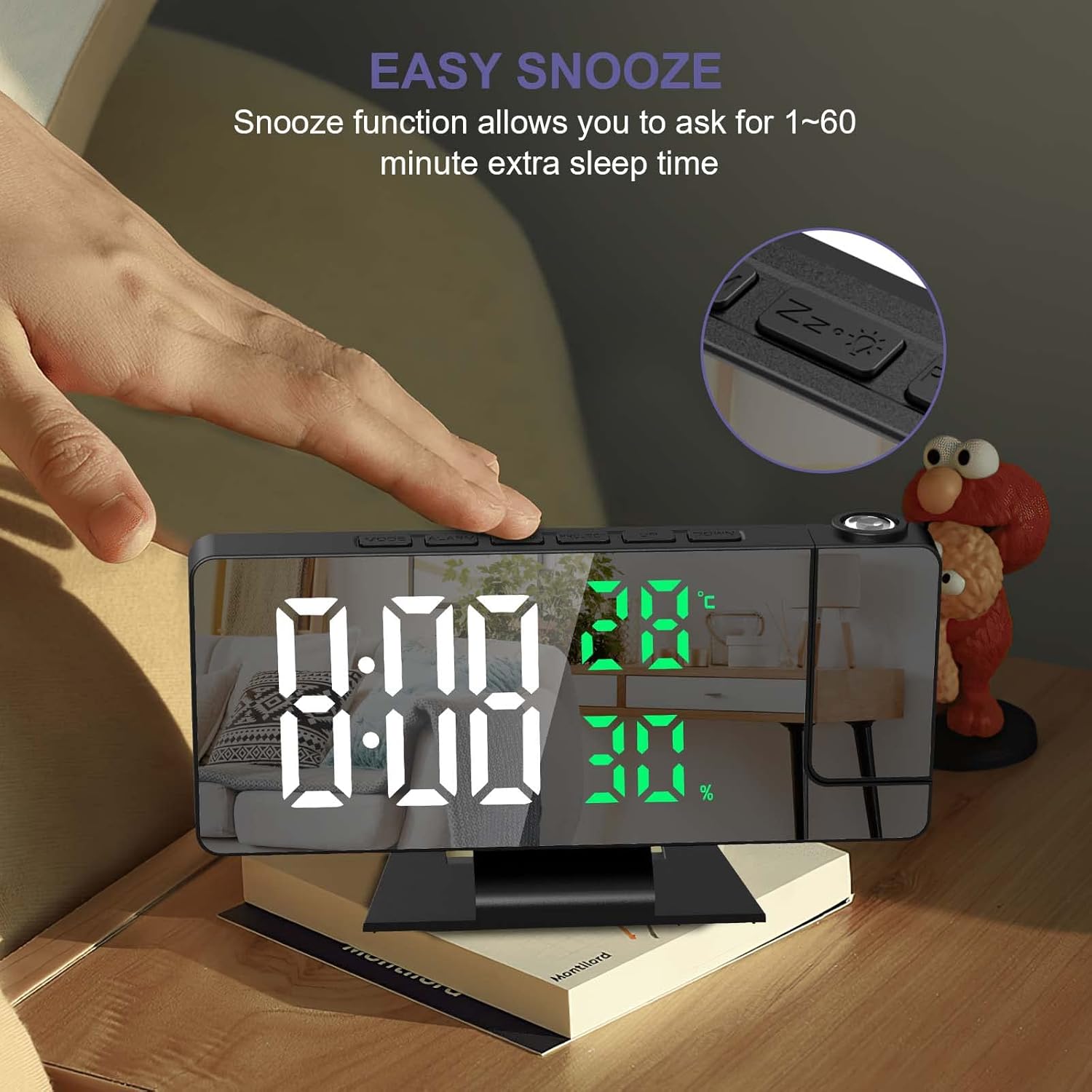
الصورة 5.2: Easy Snooze Function. This image shows a hand pressing the snooze button on the alarm clock, indicating the function allows for 1-60 minutes of extra sleep.
To adjust the snooze duration (default 5 minutes):
- While in alarm setting mode (after setting time and alarm mode), press إنذار again to enter snooze duration setting.
- استخدم UP or تحت buttons to set the snooze duration between 1 and 60 minutes.
- يضعط إنذار للتأكيد.
5.4 إعدادات العرض
The alarm clock can project the time onto a wall or ceiling.
الصورة 5.3: 180° Projection and Brightness Levels. This image demonstrates the 180-degree adjustable projection angle and the three available projection brightness levels.
- ضبط زاوية الإسقاط: The projection arm can be rotated 180° to direct the time display as needed.
- ضبط سطوع العرض: اضغط على مشروع button repeatedly to cycle through 3 brightness levels (High, Medium, Low) or turn the projection off.
- مسافة الإسقاط: Optimal projection distance is between 0.5 to 5 meters (1.6 to 16 feet).
- ملحوظة: The projection function is most effective in dark environments. The projection can only be oriented towards the back of the alarm clock. If projected towards the front, the numbers will appear inverted.
5.5 سطوع الشاشة
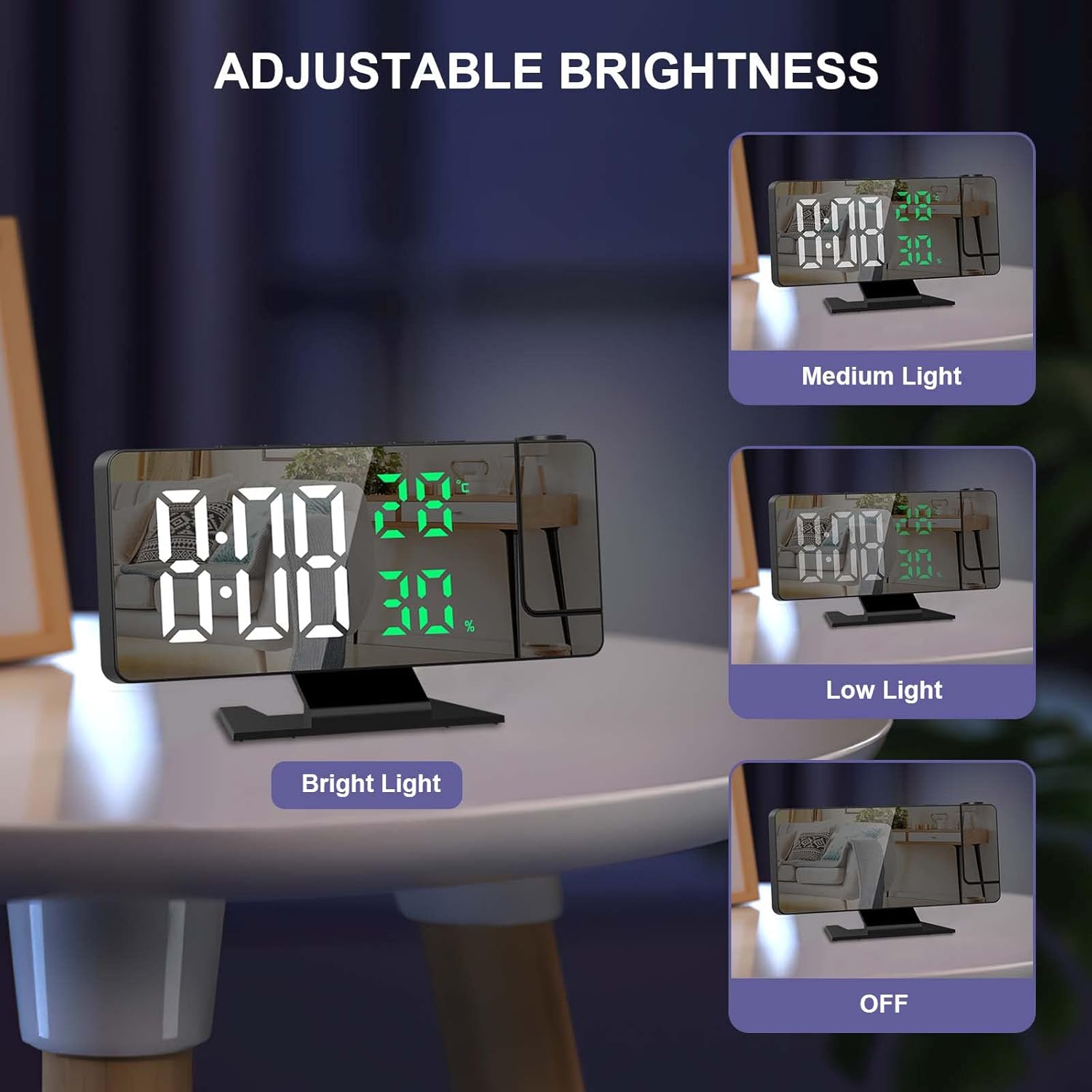
The 7.8-inch LED display has four adjustable brightness levels.
الصورة 5.4: Adjustable Display Brightness. This image illustrates the four display brightness options: Bright Light, Medium Light, Low Light, and OFF.
- اضغط على غفوة / ضوء button (when alarm is not sounding) to cycle through the 4 brightness levels: High, Medium, Low, and OFF.
- الوضع الليلي التلقائي: The screen automatically dims from 18:00 (6 PM) to 5:59 (5:59 AM) to avoid disturbing sleep.
5.6 عرض درجة الحرارة والرطوبة
The alarm clock displays real-time indoor temperature and humidity.
- نطاق درجة الحرارة: -10°C to 50°C (14°F to 122°F), with an error margin of ±1°C.
- نطاق الرطوبة: 20% to 95%, with an error margin of ±5%.
- للتبديل بين درجة مئوية (°C) وفهرنهايت (°F)، اضغط على تحت اضغط على الزر أثناء عرض درجة الحرارة.
5.7 تنسيق 12/24 ساعة
للتبديل بين تنسيق الوقت 12 ساعة و24 ساعة، اضغط على تحت button while in time display mode (not in setting mode).
5.8 منفذ شحن USB
The alarm clock includes a USB port that can be used to charge smartphones or tablets.
6. الصيانة
- تنظيف الشاشة وasinاستخدم قطعة قماش ناعمة وجافة. تجنب المنظفات أو المذيبات الكاشطة.
- احفظ الجهاز بعيداً عن أشعة الشمس المباشرة ودرجات الحرارة القصوى والرطوبة العالية.
- Ensure the ventilation holes on the back are not obstructed.
7. استكشاف الأخطاء وإصلاحها
| مشكلة | السبب المحتمل | حل |
|---|---|---|
| العرض معطل. | The alarm clock is not connected to power. | Ensure the USB cable is securely connected to a power source. The display requires continuous USB power. |
| Projection is upside down. | The projection is oriented incorrectly. | The projection can only be correctly displayed when oriented towards the back of the alarm clock. Adjust the clock's position or the projection arm accordingly. |
| Settings are lost after power disconnection. | Backup battery is not functioning or depleted. | Ensure the integrated CR2032 button battery is correctly installed and functional. This battery saves settings during temporary power loss. |
| Projection is unclear or too dim. | Ambient light is too bright; projection distance is too far. | The projection function works best in dark environments. Adjust the projection brightness using the مشروع button. Ensure the projection distance is within 0.5 to 5 meters. |
| Buttons produce a loud beep, and volume is not adjustable. | This is a design characteristic of the product. | The button beep volume is not adjustable on this model. |
8. المواصفات
| ميزة | التفاصيل |
|---|---|
| ماركة | أوكيماكس |
| نموذج | B0BVFJHTLX |
| أبعاد المنتج | 11 × 3.81 × 3.5 سم |
| حجم العرض | 7.8 بوصة |
| لون | White and Green Numbers |
| أسلوب | حديث |
| مادة | معدن |
| شكل | مستطيل |
| مصدر الطاقة | USB Powered (Battery for memory function only) |
| نوع العرض | رقمي |
| المميزات الخاصة | Alarm, Projection, Temperature Display, Humidity Display, Snooze, USB Charging Port |
| وزن العنصر | 230 جرام |
| مدى درجة الحرارة | -10°C~50°C (14°F~122°F) ±1°C |
| نطاق الرطوبة | 20%~95% ±5% |
9. الضمان والدعم
For any questions regarding product operation, functionality, or if the product is defective or damaged, please contact OQIMAX customer support. We are committed to resolving any issues you may encounter.
يرجى الرجوع إلى وثائق الشراء الخاصة بك للاطلاع على تفاصيل الضمان المحددة ومعلومات الاتصال.
