مقدمة
The Alarm.com ADC-V724X is an advanced outdoor Wi-Fi camera designed to enhance the security of your property. It features High Dynamic Range (HDR) for clear imaging, two-way audio for communication, 1080p resolution, and a wide 117-degree field of view. Equipped with Video Analytics and IR Night Vision, it provides intelligent detection and monitoring capabilities. The camera also includes a MicroSD card slot for local storage and boasts an IP66 ingress protection rating, ensuring durability in various outdoor conditions.
معلومات السلامة
- Ensure the camera is installed by a qualified professional or with proper safety precautions.
- Use only the specified 12VDC power supply.
- لا تعرض الكاميرا لدرجات حرارة قصوى خارج نطاق تشغيلها.
- Avoid direct exposure of the lens to strong light sources for extended periods.
- افصل الطاقة قبل إجراء أي صيانة أو تنظيف.
- يحفظ بعيدًا عن متناول الأطفال.
محتويات الحزمة
تأكد من وجود جميع العناصر في العبوة:
- Alarm.com ADC-V724X Outdoor Wi-Fi Camera
- أدوات التثبيت (البراغي والمثبتات)
- دليل التثبيت
- محول طاقة (12 فولت تيار مستمر)
يثبت
1. التثبيت المادي
The ADC-V724X camera is designed for outdoor wall mounting. Choose a location that provides the desired field of view ويقع ضمن نطاق شبكة Wi-Fi الخاصة بك.
- إعداد سطح التركيب: Use the included mounting template (if provided) or the camera base to mark drill holes.
- ثقوب الحفر: Drill pilot holes for the mounting screws. Insert wall anchors if mounting into drywall or masonry.
- تأمين الجبل: Attach the camera's mounting base securely to the surface using the provided screws.
- قم بتوصيل الكاميرا: Connect the camera body to the mounted base. Adjust the camera angle for optimal coverage.

الشكل 1: الجبهة view of the ADC-V724X camera, highlighting its compact design and lens.
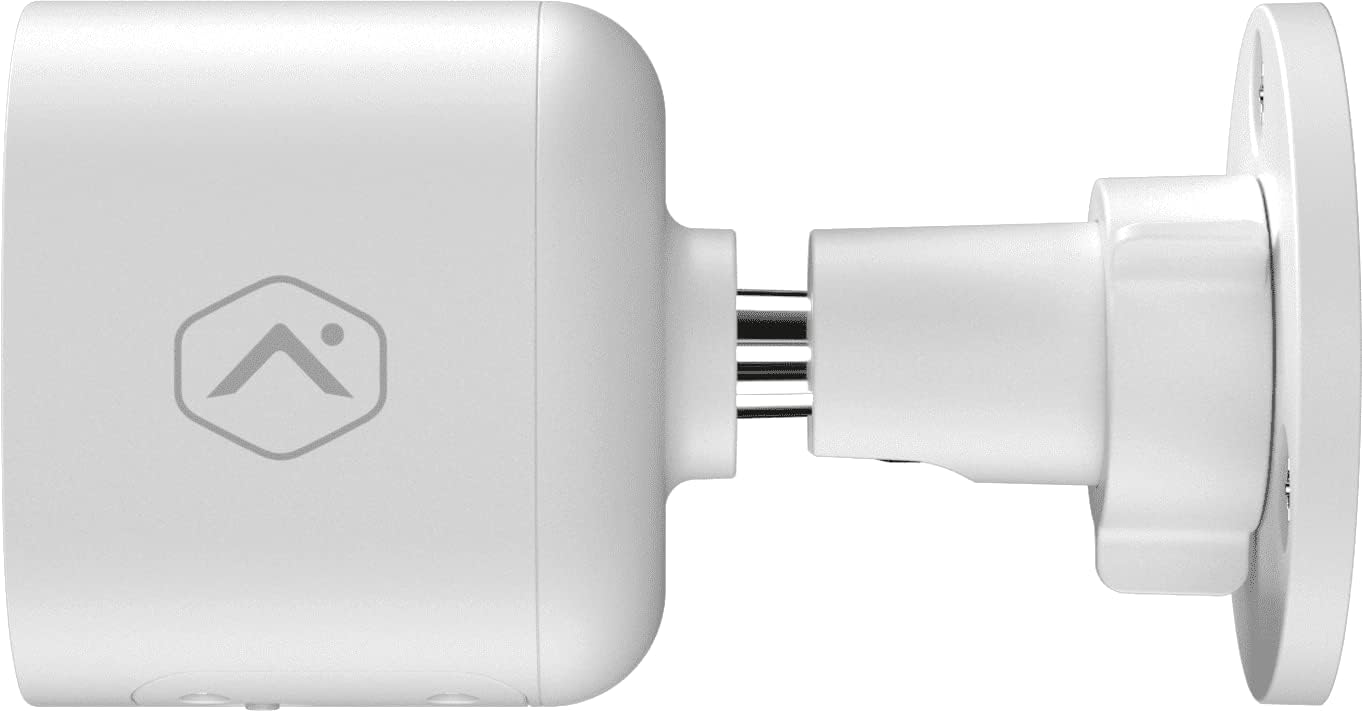
الشكل 2: الجانب الإيجابيfile of the camera, illustrating how it connects to the wall mount.

الشكل 3: بزاوية view of the camera, demonstrating its adjustable mounting capabilities.
2. توصيل الطاقة
Connect the provided 12VDC power adapter to the camera's power input. Ensure the connection is secure and protected from weather elements if applicable.
3. اتصال الشبكة (واي فاي)
The ADC-V724X connects to your network via Wi-Fi (2.4 or 5 GHz). Integration with your Alarm.com system typically requires activation through your Alarm.com service provider.
- تشغيل الطاقة: Plug in the camera. The LED indicator will show its status (refer to LED status guide in your Alarm.com app or provider's documentation).
- Add to System: Contact your Alarm.com service provider to add the camera to your existing security system. They will guide you through the process, which often involves scanning a QR code on the camera or entering its MAC address.
- ضبط إعدادات الواي فاي: Your service provider will assist in connecting the camera to your home Wi-Fi network through the Alarm.com app or webموقع.

الشكل 4: العودة view of the camera, displaying the QR code and product information essential for system integration.
تشغيل الكاميرا
Once installed and connected, the ADC-V724X camera operates primarily through the Alarm.com Customer Webالموقع وتطبيق الجوال.
يعيش View والتسجيل
- الوصول إلى البث المباشر: Open the Alarm.com app or website, navigate to the camera section, and select the ADC-V724X to view بثها المباشر.
- Onboard Recording (Smart View): The camera supports local recording to a MicroSD card (sold separately, up to 512 GB). This allows for continuous, encrypted recordings that can be viewed from anywhere via the Alarm.com platform.
- التسجيل السحابي: Depending on your Alarm.com service plan, video clips triggered by events (e.g., motion) will be uploaded to the cloud for secure storage and access.
صوت ثنائي الاتجاه
تتميز الكاميرا بميكروفون ومكبر صوت مدمجين، مما يتيح الاتصال ثنائي الاتجاه.
- بدء التواصل: من الحي view in the Alarm.com app, tap the microphone icon to speak through the camera's speaker. Release the icon to listen.
- Audio in Recorded Clips: Audio is included in recorded video clips, providing additional context for events.
Video Analytics and Alerts
Configure Video Analytics rules through your Alarm.com account to receive smarter, more relevant alerts.
- مناطق الكشف: تحديد مناطق محددة ضمن مجال الكاميرا view للكشف عن الحركة.
- تصنيف الكائن: The camera can differentiate between people, animals, and vehicles, reducing false alerts.
- إعدادات التنبيه: Customize notifications (e.g., push notifications, email) for specific events detected by Video Analytics.
رؤية ليلية (IR)
The camera automatically switches to infrared (IR) night vision in low-light conditions, providing clear black-and-white video.
- التنشيط التلقائي: The camera's built-in light sensor detects ambient light levels and activates IR LEDs as needed.
- الأداء الأمثل: Ensure no obstructions are blocking the IR illuminators on the camera's front.
صيانة
تنظيف الكاميرا
- عدسة: Gently wipe the camera lens with a soft, clean, lint-free cloth. If necessary, use a small amount of lens cleaning solution. Avoid abrasive cleaners.
- جسم: امسح جسم الكاميرا بالإعلانamp قماش. لا تستخدم مواد كيميائية أو مذيبات قاسية.
- تكرار: Clean the camera periodically, especially if installed in dusty or high-traffic areas, to ensure optimal image quality.
إدارة بطاقة MicroSD
The camera supports a MicroSD card for local storage. The slot is located on the bottom of the camera, protected by a cover.
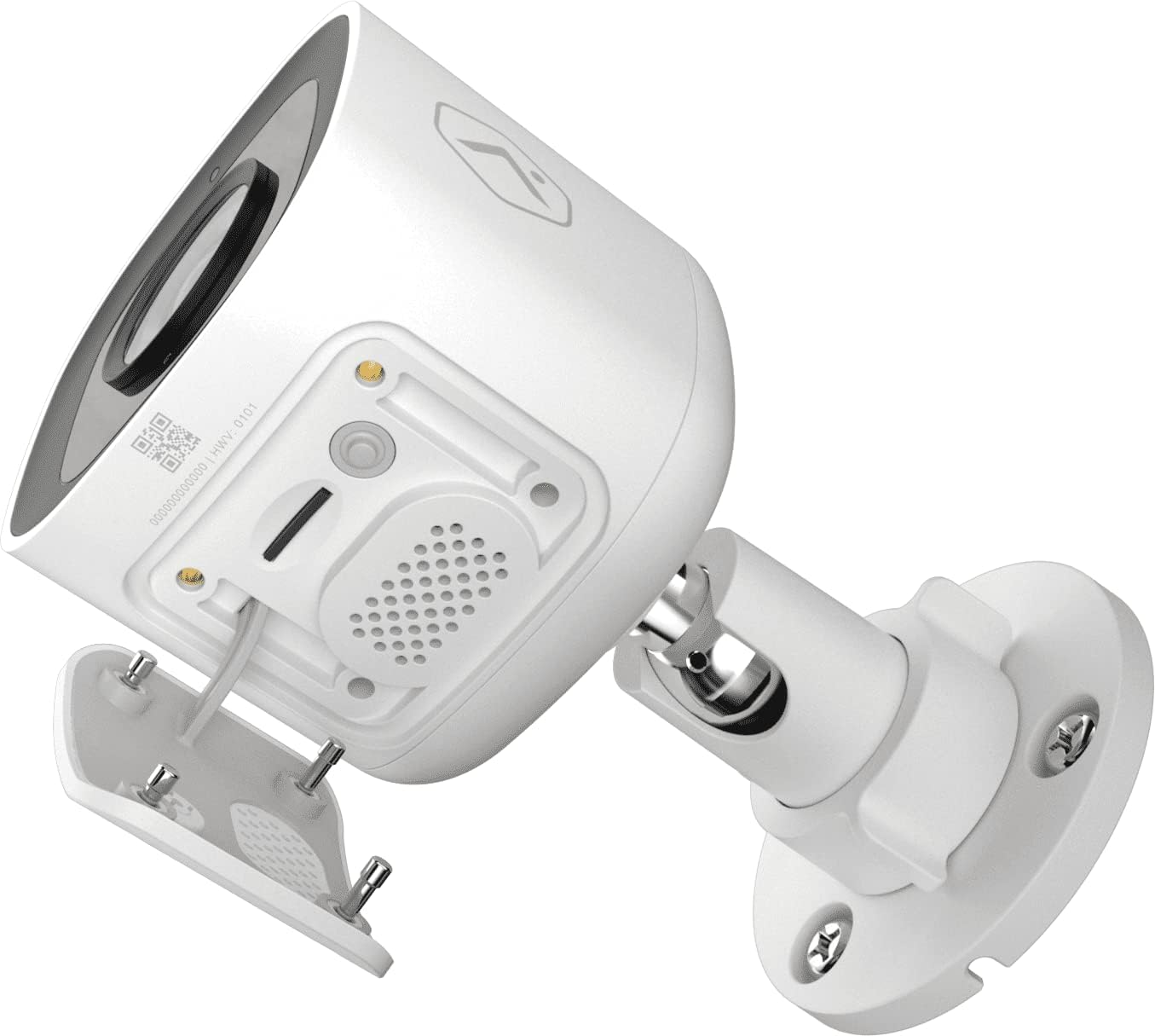
الشكل 5: القاع view of the camera showing the access panel for the MicroSD card slot.
- تثبيت: Carefully insert a compatible MicroSD card (up to 512 GB) into the slot until it clicks into place. Ensure the camera is powered off before insertion or removal.
- التنسيق: The Alarm.com system may prompt you to format the card upon first use.
- الاستبدال: If the card becomes full or corrupted, replace it with a new one. Data on the card can be managed through the Alarm.com platform.
استكشاف الأخطاء وإصلاحها
| مشكلة | السبب المحتمل | حل |
|---|---|---|
| الكاميرا لا تعمل | No power, faulty adapter, loose connection. | Check power outlet, ensure adapter is securely connected to camera and power source. |
| لا يمكن الاتصال بشبكة Wi-Fi | Incorrect Wi-Fi password, camera too far from router, network interference. | Verify Wi-Fi password. Move camera closer to router or use a Wi-Fi extender. Reduce interference from other devices. Contact your Alarm.com provider for assistance with network setup. |
| جودة الصورة رديئة | Dirty lens, low light, network bandwidth issues. | Clean the camera lens. Ensure adequate lighting or check night vision settings. Verify stable internet connection. |
| الصوت ثنائي الاتجاه لا يعمل | Microphone/speaker blocked, volume too low, app settings. | Ensure nothing is obstructing the microphone or speaker. Check volume settings in the Alarm.com app. |
| No local recording | No MicroSD card, incompatible card, card full/corrupted. | Insert a compatible MicroSD card. Format the card via the Alarm.com app. Replace the card if corrupted. |
For further assistance, please contact your Alarm.com service provider.
تحديد
| ميزة | التفاصيل |
|---|---|
| رقم الموديل | في724 اكس |
| دقة الكاميرا الفعالة | 2 ميجا بكسل |
| دقة الفيديو القصوى | 1920 × 1080 (1080 بكسل عالي الدقة بالكامل) |
| مجال View (فوف) | 117 درجة |
| صوتي | 2-Way Audio (Microphone and Speaker) |
| نوع الرؤية الليلية | الأشعة تحت الحمراء (الأشعة تحت الحمراء) |
| الاتصال | Wi-Fi (2.4 or 5 GHz) |
| التخزين المحلي | MicroSD Card Slot (up to 512 GB, sold separately) |
| تصنيف حماية الدخول | IP66 |
| مزود الطاقة | 12 فولت تيار مستمر |
| الأبعاد (الطول × العرض × الارتفاع) | 2.5 × 2.5 × 4.5 بوصة |
| وزن | 1.46 جنيه (0.66 كيلوجرام) |
| المميزات الخاصة | HDR, Video Analytics, Motion Sensor |
الضمان والدعم
For warranty information and technical support, please refer to the documentation provided by your Alarm.com service provider or visit the official Alarm.com website. Support for the ADC-V724X camera is typically handled through your authorized Alarm.com dealer or installer.
الموارد المتاحة على الإنترنت:


