1. المقدمة
The Phomemo 241BT Thermal Label Printer is designed for efficient and high-quality label printing for various applications, including shipping, small business, and personal use. This printer utilizes advanced thermal direct technology, eliminating the need for ink or toner. It supports both wireless (Bluetooth) and wired (USB) connections, offering versatility across multiple devices and operating systems.

Image: The Phomemo 241BT printer actively printing a shipping label, surrounded by various label types and a smartphone connected via Bluetooth.

Image: The Phomemo 241BT printer demonstrating connectivity with both a laptop via USB and a smartphone via Bluetooth, highlighting its multi-system compatibility.
تتضمن الميزات الرئيسية ما يلي:
- الطباعة بدون حبر: Advanced thermal direct technology removes the need for expensive toner or ink.
- إخراج عالي السرعة: Prints up to 72 sheets of 4x6 labels per minute.
- دقة عالية: 203 DPI ensures clear and precise printing.
- اتصال متعدد الاستخدامات: Supports Bluetooth for mobile devices (iOS/Android) and USB for PC (Windows, Mac OS, Chrome OS, Linux).
- التوافق الواسع: Works with major shipping and sales platforms like eBay, Shopify, Amazon, Etsy, UPS, USPS, FedEx, and DHL.
- Adaptable Label Width: Accommodates labels from 1 to 4.6 inches (25.4-117mm).
2. ماذا يوجد في الصندوق
يرجى التأكد من وجود جميع المكونات في العبوة:
- 1 x Phomemo 241BT Label Printer
- 10 sheets of 4x6 thermal label paper
- 1 × محول الطاقة والسلك
- 1 x Type C Adapter and USB Cable
- 1 × دليل المستخدم

Image: An illustration showing all items included in the Phomemo 241BT printer package.
3. دليل الإعداد
3.1. اتصال الأجهزة
- توصيل الطاقة: قم بتوصيل محول الطاقة بمنفذ الطاقة الخاص بالطابعة ثم بمأخذ الحائط.
- توصيل USB (اختياري): For wired printing, connect one end of the USB cable to the printer and the other end to your computer. Use the Type C adapter if your computer requires it.
3.2. تثبيت البرنامج
For Mobile Devices (iOS & Android - Wireless Bluetooth)
- Download "Labelife" App: بحث عن "Labelife" in the Apple App Store (for iOS) or Google Play Store (for Android) and download the application.
- تمكين البلوتوث: Turn on Bluetooth on your mobile phone or tablet.
- الاتصال في التطبيق: Open the "Labelife" app and follow the in-app instructions to connect to your Phomemo 241BT printer via Bluetooth.

Image: Visual instructions for downloading the Labelife app, enabling Bluetooth, and connecting to the printer for wireless printing.
For Computers (Windows, Mac OS, Chrome OS, Linux - USB Wired)
- تنزيل برنامج التشغيل: يزور labelife.net/pm241 to download the appropriate driver for your operating system (Windows, Mac OS, Linux).
- تثبيت سائق: Follow the on-screen instructions to install the downloaded driver.
- For Chrome OS: Enter "Labelife" in the Chrome Web Store and add the extension to your Google Chrome browser.

Image: The Phomemo 241BT printer connected via USB to a laptop, illustrating compatibility with various desktop operating systems and the need for driver installation.
3.3. تحميل العلامات
The Phomemo 241BT supports thermal labels with widths ranging from 1 inch (25.4mm) to 4.6 inches (117mm). Ensure labels are loaded correctly for optimal printing.
- افتح غطاء الطابعة.
- Insert the label roll or fan-fold labels into the label compartment, ensuring the printable side faces up.
- اضبط أدلة الملصقات لتناسب عرض ملصقاتك بشكل محكم، دون أن تكون ضيقة للغاية.
- Close the printer cover. The printer will automatically detect the label size and calibrate.

Image: A visual representation of the printer's capability to handle different label widths and types, from small circular labels to standard 4x6 shipping labels.
4. تعليمات التشغيل
4.1. Printing via USB Cable (PC)
- Ensure the printer is connected to your PC via USB and the driver is installed.
- افتح المستند أو الملصق file ترغب في الطباعة على جهاز الكمبيوتر الخاص بك.
- اختر "طباعة" من قائمة التطبيق.
- Choose the Phomemo 241BT printer from the list of available printers.
- Adjust print settings (e.g., label size, orientation) as needed in the print dialogue box.
- Click "Print" to start printing.
4.2. Printing Wirelessly (Mobile App)
- Ensure your mobile device is connected to the Phomemo 241BT via Bluetooth through the "Labelife" app.
- Within the "Labelife" app, import the file (PDF, image) you want to print.
- Select the desired label size or crop the content as necessary.
- قبلview the label to ensure correct formatting.
- Tap "Print" to send the job to the printer.
4.3. Supported Platforms and Applications
The Phomemo 241BT printer is compatible with a wide range of e-commerce and shipping platforms, facilitating label creation for various services.
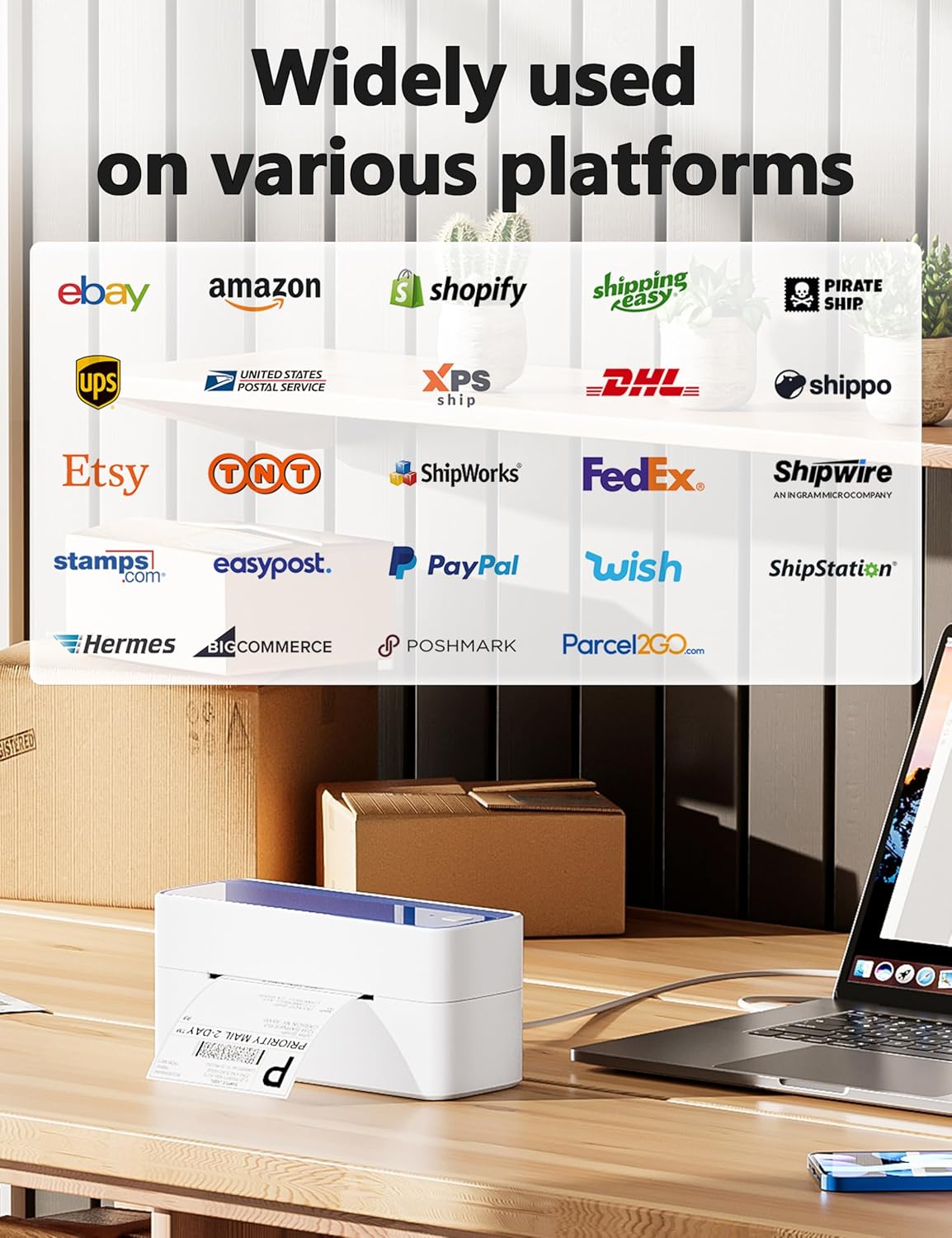
Image: A display of logos from numerous online platforms and shipping carriers that are compatible with the Phomemo 241BT label printer.
تشمل التطبيقات الشائعة ما يلي:
- Shipping labels for major carriers (UPS, USPS, FedEx, DHL).
- Labels for e-commerce platforms (Amazon, eBay, Shopify, Etsy, Poshmark, Temu).
- Barcode labels for inventory management.
- Product labels and notes for various business needs.

Image: Various applications of the Phomemo 241BT printer, showing labels used for shopping, logos, barcodes, and notes in different settings.
5. الصيانة
Regular maintenance ensures the longevity and optimal performance of your Phomemo 241BT printer.
- تنظيف رأس الطباعة: Use an alcohol wipe or a specialized print head cleaning pen to gently clean the thermal print head. Ensure the printer is off and cooled down before cleaning.
- تنظيف الجزء الخارجي: امسح الجزء الخارجي من الطابعة بقطعة قماش ناعمة.amp قماش. تجنب استخدام المواد الكيميائية القاسية.
- إزالة الغبار: Keep the label compartment free of dust and debris to prevent paper jams and maintain print quality.
- تخزين: Store the printer in a cool, dry place away from direct sunlight and extreme temperatures when not in use.
6. استكشاف الأخطاء وإصلاحها
This section addresses common issues you might encounter with your Phomemo 241BT printer.
| مشكلة | السبب المحتمل | حل |
|---|---|---|
| لا يوجد طاقة | كابل الطاقة غير متصل، مشكلة في منفذ الطاقة. | Ensure power cable is securely connected to printer and a working outlet. |
| جودة طباعة سيئة | Dirty print head; incorrect label type; low resolution setting. | Clean the print head. Ensure you are using thermal labels. Check print settings for 203 DPI resolution. |
| لا يتم إدخال الملصقات بشكل صحيح | Labels loaded incorrectly; label guides not adjusted; label jam. | Reload labels, ensuring they are straight and guides are snug. Clear any jammed labels. |
| لا يمكن الاتصال عبر البلوتوث | Bluetooth not enabled; app not open; printer not discoverable. | Ensure Bluetooth is on your device. Open the "Labelife" app and follow connection steps. Restart printer and device. |
| Cannot Print via USB | Driver not installed; incorrect USB port; cable issue. | قم بتثبيت برنامج التشغيل الصحيح من labelife.net/pm241. Try a different USB port or cable. |
7. المواصفات
| ميزة | التفاصيل |
|---|---|
| اسم الموديل | 241 بي تي |
| تكنولوجيا الطباعة | حراري |
| تكنولوجيا الاتصال | بلوتوث، يو اس بي |
| الحد الأقصى لحجم الوسائط | 4 x 6 inch (117mm width) |
| دقة الطباعة القصوى | 203 نقطة في البوصة |
| أقصى سرعة للطباعة (أحادية اللون) | 66 ppm (72 sheets of 4x6 labels per minute) |
| الأجهزة المتوافقة | PC (Windows, Mac OS, Chrome OS, Linux), Smartphones (iOS, Android) |
| أبعاد المنتج | 8.66 × 6.3 × 4.41 بوصة (22 × 16 × 11.2 سم) |
| وزن العنصر | 2.84 رطل (1.29 كجم) |
| طريقة التحكم | App (Labelife) |
| المكونات المضمنة | Printer, 10 sheets 4x6 thermal label paper, Power Adapter and Cord, Type C Adapter and USB Cable, User Guide |
8. الضمان والدعم
Phomemo provides a limited warranty for the 241BT Thermal Label Printer. For specific warranty terms and conditions, please refer to the official Phomemo webالموقع أو الوثائق المضمنة مع منتجك.
For technical support, inquiries, or assistance with your Phomemo product, please contact the professional support team:
- مكالمة هاتفية: (9:00-17:00 Mon-Fri EST)
- بريد إلكتروني: (5x24 Hours Mon-Fri EST)
- Support includes live chat, phone calls, emails, and remote desktop operation.

Image: A customer service representative, representing the available support channels for the product.


