1. المقدمة
This manual provides essential instructions for the safe and efficient operation of your Blaupunkt BLP3050 5W LED Multicolors Bluetooth Speaker. Please read this manual thoroughly before using the device and retain it for future reference.
2. معلومات السلامة
لضمان التشغيل الآمن ومنع الضرر، يرجى مراعاة الاحتياطات التالية:
- لا تعرض السماعة للماء أو الرطوبة أو درجات الحرارة القصوى.
- تجنب إسقاط السماعة أو تعريضها لصدمات قوية.
- لا تحاول تفكيك الجهاز أو إصلاحه أو تعديله بنفسك. قم بإحالة جميع أعمال الصيانة إلى فنيين مؤهلين.
- أبقِ السماعة بعيدة عن مصادر الحرارة وأشعة الشمس المباشرة والمواد القابلة للاشتعال.
- استخدم فقط كابل الشحن المرفق أو كابل شحن معتمد مماثل.
- تخلص من البطاريات والجهاز وفقًا للوائح المحلية.
3. محتويات العبوة
يرجى التحقق من الحزمة للعناصر التالية:
- Blaupunkt BLP3050 Bluetooth Speaker
- كابل شحن USB
- دليل المستخدم
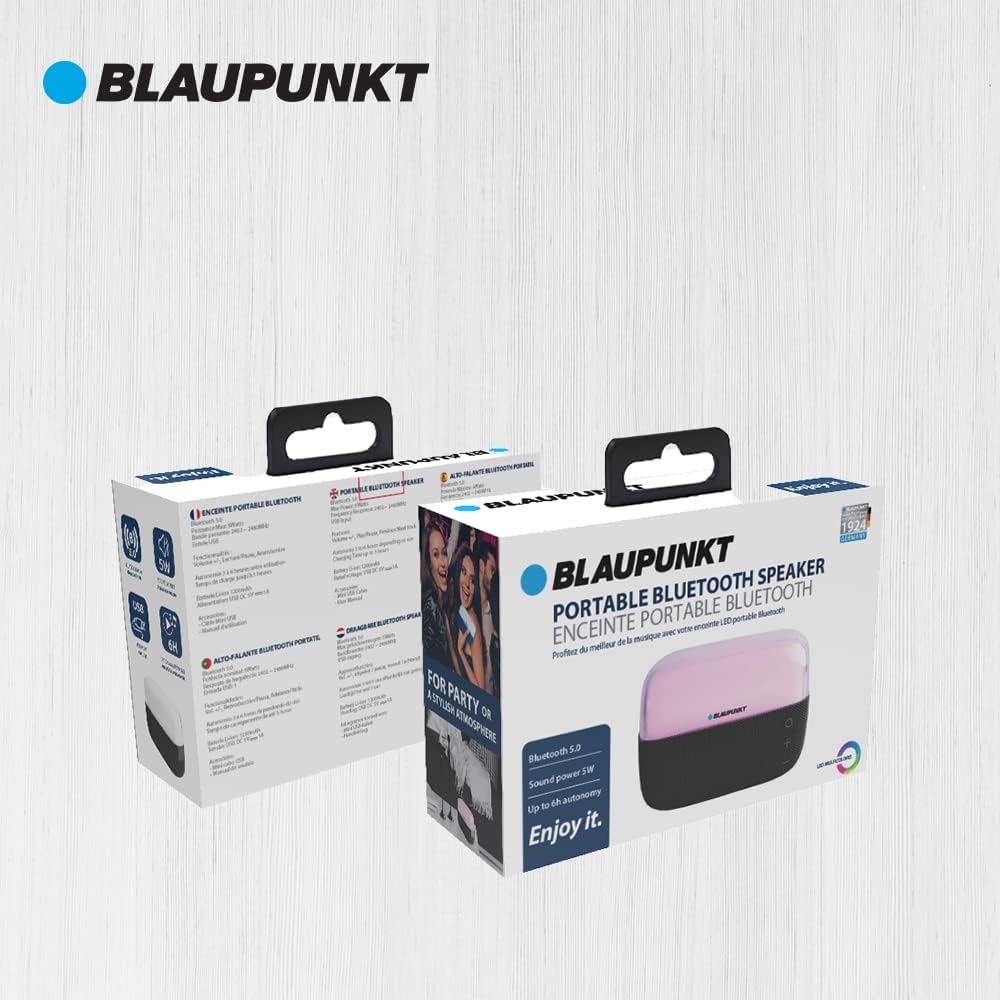
Image: The retail packaging for the Blaupunkt BLP3050 speaker, showing the speaker and its accessories.
4. انتهى المنتجview
The Blaupunkt BLP3050 is a compact and portable Bluetooth speaker featuring a 5W audio output and multicolor LED lighting. It supports wireless audio streaming via Bluetooth and includes an AUX input for wired connections. It also offers functionality for playing music from a USB drive and listening to FM radio.

Image: A black Blaupunkt BLP3050 Bluetooth speaker with its top LED panel illuminated in blue, showcasinتصميمها المدمج.
الضوابط والمنافذ:
- زر الطاقة: اضغط مع الاستمرار لتشغيل مكبر الصوت أو إيقاف تشغيله.
- زر الوضع (M): Press to switch between Bluetooth, AUX, USB, and FM Radio modes.
- زر التشغيل/الإيقاف المؤقت: اضغط لتشغيل الصوت أو إيقافه مؤقتًا. في وضع FM، اضغط للمسح التلقائي.
- زر رفع مستوى الصوت / زر المسار التالي (+): Press to increase volume. Press and hold for the next track.
- زر خفض مستوى الصوت / زر المسار السابق (-): Press to decrease volume. Press and hold for the previous track.
- منفذ USB: لتشغيل الموسيقى من ذاكرة فلاش USB.
- مدخلات AUX: للتوصيل الصوتي السلكي باستخدام كابل صوت 3.5 ملم.
- منفذ الشحن: Micro USB or USB-C port for charging the speaker.
5. الإعداد
5.1 الشحن الأولي
- قبل الاستخدام الأول، قم بشحن السماعة بالكامل.
- قم بتوصيل كابل الشحن USB المرفق بمنفذ شحن السماعة.
- قم بتوصيل الطرف الآخر من كابل USB بمحول طاقة USB (غير متضمن) أو بمنفذ USB الخاص بالكمبيوتر.
- سيُظهر مؤشر LED حالة الشحن (على سبيل المثال، أحمر للشحن، ومطفأ عند اكتمال الشحن).
5.2 تشغيل/إيقاف التشغيل
- لتشغيل: اضغط مع الاستمرار على زر التشغيل لمدة 3 ثوانٍ تقريبًا. ستسمع تنبيهًا صوتيًا.
- لإيقاف التشغيل: اضغط مع الاستمرار على زر التشغيل لمدة 3 ثوانٍ تقريبًا. ستسمع تنبيهًا صوتيًا.
6. تعليمات التشغيل
6.1 اقتران بلوتوث
- Ensure the speaker is powered on and in Bluetooth mode (indicated by a flashing blue LED or an audible prompt). If not, press the 'M' (Mode) button to switch to Bluetooth mode.
- قم بتفعيل البلوتوث على جهازك المحمول (الهاتف الذكي، الجهاز اللوحي، الكمبيوتر).
- بحث عن أجهزة البلوتوث المتوفرة.
- Select "BLP3050" from the list of devices.
- Once paired, the speaker will emit an audible confirmation, and the blue LED will stop flashing and remain solid.
- يمكنك الآن تشغيل الصوت من جهازك عبر مكبر الصوت.
6.2 وضع إدخال AUX
- قم بتوصيل أحد طرفي كابل الصوت 3.5 ملم (غير مرفق) بمنفذ إدخال AUX الموجود على السماعة.
- Connect the other end of the cable to the audio output jack of your external device.
- Press the 'M' (Mode) button on the speaker until it enters AUX mode.
- قم بتشغيل الصوت من جهازك الخارجي.
6.3 وضع تشغيل USB
- أدخل محرك أقراص فلاش USB يحتوي على ملف صوتي MP3 fileقم بتوصيلها بمنفذ USB الموجود على السماعة.
- Press the 'M' (Mode) button on the speaker until it enters USB mode.
- The speaker will automatically begin playing music from the USB drive.
- Use the Play/Pause, Volume Up/Next Track, and Volume Down/Previous Track buttons to control playback.
6.4 وضع راديو FM
- Press the 'M' (Mode) button on the speaker until it enters FM Radio mode.
- Press the Play/Pause button once to initiate an automatic scan for available FM stations. The speaker will save detected stations.
- استخدم زري رفع الصوت/المسار التالي وخفض الصوت/المسار السابق للتنقل بين المحطات المحفوظة.
6.5 التحكم في إضاءة LED
The speaker features multicolor LED lighting. Specific controls for changing light modes or turning them off may vary. Typically, a dedicated button or a long press on the Mode button might cycle through different light patterns or disable the lights. Refer to the quick start guide included in your package for precise instructions if available.
7. الصيانة
7.1 التنظيف
- تأكد من إيقاف تشغيل مكبر الصوت وفصله عن أي مصدر للطاقة قبل التنظيف.
- امسح الجزء الخارجي بقطعة قماش ناعمة وجافة وخالية من الوبر.
- لا تستخدم المنظفات الكاشطة أو المذيبات أو البخاخات الكيميائية.
7.2 التخزين
- قم بتخزين مكبر الصوت في مكان بارد وجاف بعيدًا عن أشعة الشمس المباشرة ودرجات الحرارة القصوى.
- If storing for an extended period, charge the battery to approximately 50% every few months to prolong its lifespan.
8. استكشاف الأخطاء وإصلاحها
إذا واجهت مشكلات مع مكبر الصوت الخاص بك، فراجع المشكلات والحلول الشائعة التالية:
- لا يوجد طاقة:
- تأكد من أن مكبر الصوت مشحون بالكامل.
- Check if the power button is pressed and held correctly.
- لا يوجد صوت:
- قم بزيادة مستوى الصوت على كل من مكبر الصوت والجهاز المتصل به.
- تأكد من أن السماعة في الوضع الصحيح (بلوتوث، AUX، USB، FM).
- If using Bluetooth, ensure the device is properly paired. Try unpairing and re-pairing.
- If using AUX, check the cable connection and ensure the external device is playing audio.
- مشكلات الاقتران بالبلوتوث:
- تأكد من أن السماعة في وضع الاقتران عبر البلوتوث (وميض مؤشر LED).
- قم بتقريب مكبر الصوت من جهازك.
- قم بإيقاف وتشغيل البلوتوث على جهازك.
- Clear the Bluetooth device list on your phone and try pairing again.
- ضعف استقبال راديو FM:
- انقل مكبر الصوت إلى منطقة ذات إشارة أفضل.
- Ensure the charging cable is connected, as it often acts as an antenna.
9. المواصفات
| ميزة | مواصفة |
|---|---|
| اسم الموديل | BLP3050 |
| ماركة | بلاوبونكت |
| الحد الأقصى لقوة خرج السماعة | 5 واط |
| تكنولوجيا الاتصال | بلوتوث |
| وضع إخراج الصوت | ستيريو |
| نوع التركيب | سطح الطاولة |
| مادة | PE, PU |
| المميزات الخاصة | Display, Wireless Bluetooth, LED Multicolors |
| الاستخدامات الموصى بها | For Computers, For Gaming Consoles, For Music Players, For Surround Sound Systems |
| أبعاد المنتج | 7.5 × 7.5 × 16 سم |
| وزن المنتج | 1 كجم |
| بطارية | 1 بطارية ليثيوم أيون (مضمنة) |
10. الضمان والدعم
Blaupunkt products are designed and manufactured to the highest quality standards. For warranty information and customer support, please refer to the warranty card included with your product or visit the official Blaupunkt webالموقع الخاص بمنطقتك. احتفظ بإيصال الشراء كإثبات للشراء.


