مقدمة
The Fanvil W611W is a robust wireless portable phone designed for enhanced communication mobility. Featuring a 2.4-inch color LCD, dual SIP lines, and support for Wi-Fi 6 (2.4GHz & 5GHz) and Bluetooth 5.0, it offers reliable and clear communication. Its IP67 rating ensures durability against water, dust, and drops, making it suitable for various environments.
المميزات الرئيسية:
- 2.4" 240 x 320 color screen with intuitive user interface.
- High protection level of IP67, which is waterproof, dustproof, and drop-safe from 1.8-meter height.
- Supports dual-band Wi-Fi 802.11 a/b/g/n/ac/ax (Wi-Fi 6, 2.4GHz & 5GHz).
- Supports IEEE802.11k/v/r roaming for seamless connectivity.
- Supports WPA / WPA2-PSK and 802.1X EAP encryption to ensure communications security.
- 10 hours talk time and 200 hours standby time.
- Type-C USB and 3.5mm 4-pole jack for versatile connectivity.
- Comes with a charging base, belt clip, and power adapter.
محتويات الحزمة
- Fanvil W611W Wireless Portable Phone
- قاعدة الشحن
- مشبك الحزام
- محول الطاقة
- بطارية ليثيوم أيون
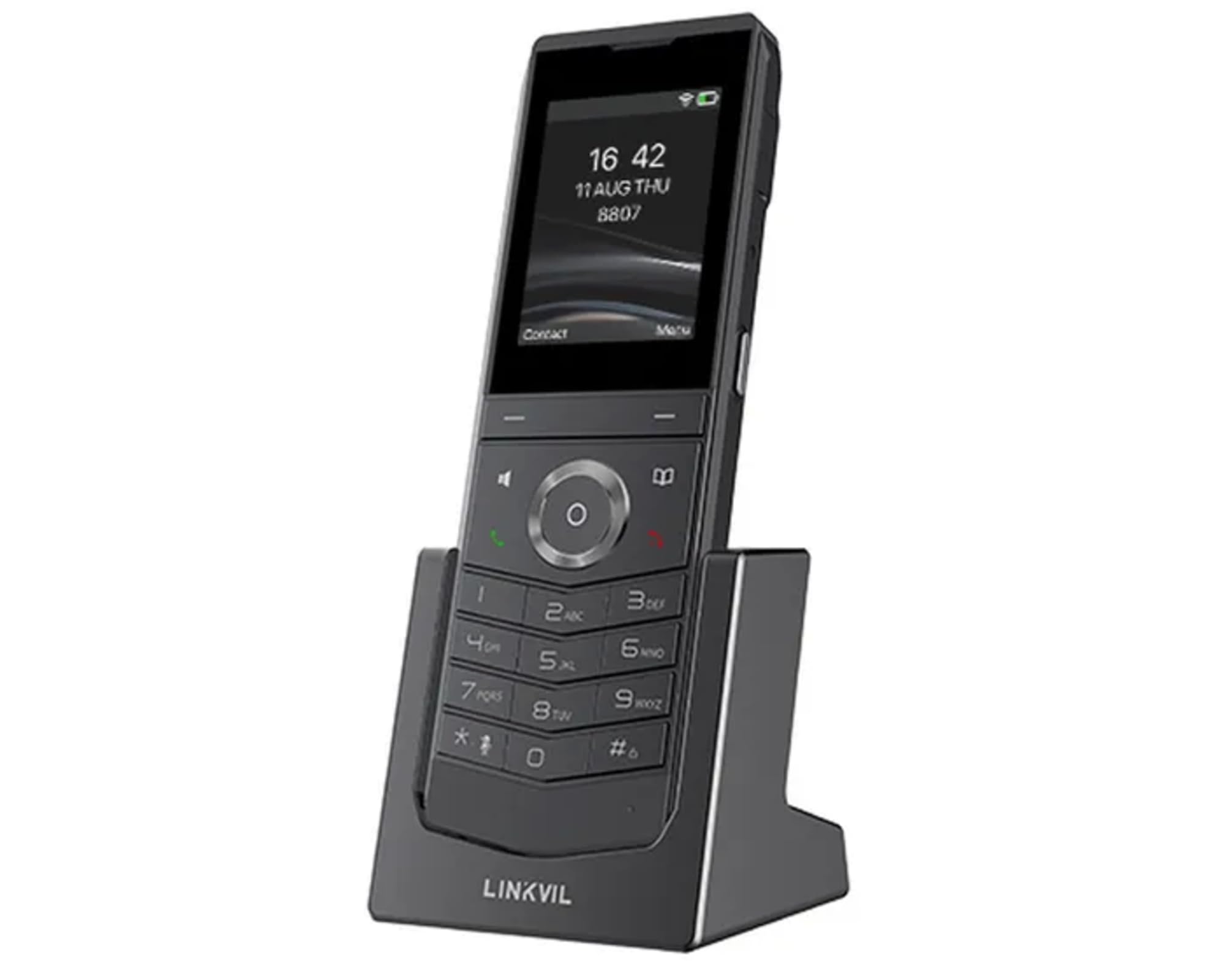
Image: Fanvil W611W Wireless Portable Phone, showcasing the handset and its charging base.
دليل الإعداد
- شحن البطارية: Insert the Lithium Ion battery into the handset. Place the handset on the charging base and connect the power adapter to the charging base and a power outlet. Allow the phone to charge fully before first use (approximately 4 hours).
- قم بتوصيل المحطة الأساسية: Connect the charging base to a power source using the provided power adapter.
- إتصال شبكة: The W611W connects via Wi-Fi. Access the phone's menu to navigate to Wi-Fi settings. Select your desired Wi-Fi network and enter the password if prompted. The phone supports both 2.4GHz and 5GHz bands, including Wi-Fi 6.
- تكوين حساب SIP: Access the phone's settings menu to configure your SIP accounts. You will need your SIP server address, user ID, password, and other relevant details provided by your VoIP service provider. The phone supports up to 2 SIP lines.
- الاقتران (إذا لزم الأمر): If your handset is not pre-paired with a base station, follow the instructions in the phone's menu to initiate the pairing process.
تعليمات التشغيل
اجراء اتصالات:
- الاتصال: أدخل رقم الهاتف باستخدام لوحة المفاتيح واضغط على يتصل زر (أيقونة الهاتف الأخضر).
- من جهات الاتصال: انتقل إلى جهات الاتصال menu, select the desired contact, and press the يتصل زر.
- معاودة الاتصال: اضغط على أعاد تدوير قرص الهاتف زر ل view recent outgoing calls and select a number to redial.
استقبال المكالمات:
- عندما يرن الهاتف، اضغط على يتصل زر للرد.
- لرفض مكالمة ، اضغط على إنهاء المكالمة زر (أيقونة سماعة حمراء).
أثناء المكالمة:
- ضبط مستوى الصوت: Use the volume buttons on the side of the handset.
- مكبر صوت: اضغط على المتحدث button to activate/deactivate speakerphone mode.
- صامت: اضغط على صامت button to mute/unmute your microphone.
- يمسك: Use the menu options to place a call on hold.
- نقل: Use the menu options to transfer a call to another extension or number.
البريد الصوتي:
- When you have new voicemail messages, an indicator will appear on the screen. Dial your voicemail access number (usually *97 or *98, consult your service provider) to retrieve messages.
صيانة
- تنظيف: استخدمي قطعة قماش ناعمةamp cloth to clean the phone's surface. Avoid harsh chemicals or abrasive cleaners.
- العناية بالبطارية: To prolong battery life, avoid extreme temperatures. If the phone will not be used for an extended period, store it with a partial charge.
- تحديثات البرامج: Periodically check for firmware updates through the phone's settings menu or your service provider's instructions to ensure optimal performance and security.
استكشاف الأخطاء وإصلاحها
- لا طنين:
- Ensure the phone is charged and powered on.
- Verify Wi-Fi connection is active and stable.
- Check SIP account registration status in the phone's settings.
- Poor Call Quality/Range:
- Move closer to your Wi-Fi access point.
- Ensure there are no major obstructions (thick walls, metal objects) between the phone and the access point.
- Check for interference from other 2.4GHz or 5GHz devices.
- تُستنزف البطارية بسرعة:
- Ensure the phone is charging correctly on the base.
- Reduce screen brightness or disable unnecessary features to conserve power.
- إذا كانت البطارية قديمة، فكر في استبدالها.
- الهاتف لا يسجل:
- Restart the phone and the Wi-Fi access point.
- Re-enter SIP account details carefully.
- Consult your service provider for specific registration steps.
تحديد
| ميزة | التفاصيل |
|---|---|
| اسم الموديل | W611W |
| ماركة | فانفيل |
| حجم الشاشة | 2.4 بوصة |
| دقة | 240 × 320 |
| تكنولوجيا الاتصال | بلوتوث ، واي فاي |
| تكنولوجيا الشبكات اللاسلكية | Wi-Fi 802.11 a/b/g/n/ac/ax (Wi-Fi 6, 2.4GHz & 5GHz) |
| خطوط SIP | 2 |
| وقت التحدث | 10 ساعات |
| وقت الاستعداد | 200 ساعات |
| نوع البطارية | أيون الليثيوم |
| سعة البطارية | 1900 مليamp ساعات |
| مستوى الحماية | IP67 (Waterproof, Dustproof, Drop-safe from 1.8m) |
| أبعاد المنتج | 5.91 × 5.91 × 3.15 بوصة |
| وزن العنصر | 15.8 أونصات |
الضمان والدعم
للحصول على معلومات الضمان والدعم الفني، يرجى الرجوع إلى موقع Fanvil الرسمي website or contact your authorized Fanvil dealer. Keep your purchase receipt as proof of purchase for warranty claims.
الموارد الإضافية
No relevant product videos from the seller were found for the Fanvil W611W in the provided data. Please refer to the official Fanvil website for any available video tutorials or additional support materials.


