مقدمة
Thank you for choosing the BUFFBEE Sound Machine & Alarm Clock. This versatile 2-in-1 device combines a high-quality sound machine with a fully functional alarm clock, designed to help you achieve restful sleep and wake up refreshed. Its intuitive controls and customizable features make it an essential addition to any bedroom.

Image: The Buffbee Sound Machine and Alarm Clock highlighting its dual functionality as both a sound machine and an alarm clock.
معلومات السلامة
- لا تعرض الجهاز للماء أو الرطوبة الزائدة.
- الابتعاد عن مصادر الحرارة وأشعة الشمس المباشرة.
- استخدم فقط محول الطاقة المقدم.
- لا تحاول تفكيك الجهاز أو إصلاحه بنفسك. اتصل بدعم العملاء للحصول على المساعدة.
- تأكد من وضع الجهاز على سطح ثابت ومستو.
محتويات الحزمة
- BUFFBEE Sound Machine & Alarm Clock (Model: BK11)
- محول الطاقة
- دليل المستخدم
المنتج انتهىview
تعرّف على مكونات الجهاز وأدوات التحكم فيه:

Image: A detailed diagram illustrating the top panel controls (Alarm, Volume Control, Sound Machine, Night Light) and the rear panel (Display Dimmer, Adapter port).
- عناصر التحكم في اللوحة العلوية: Alarm button, Timer button, Volume Up/Down, Previous/Next Sound, Sound Machine button, Night Light button.
- الشاشة الأمامية: عرض الساعة الرقمية.
- الضوء السفلي: Integrated colored light.
- اللوحة الخلفية: DC 5V Adapter port, 0-100% Display Dimmer knob.
يثبت
- الموقع: Place the device on a stable surface, such as a nightstand or desk.
- توصيل الطاقة: Insert the power adapter into the DC 5V port on the rear of the device, then plug it into a standard electrical outlet.
- التشغيل الأولي: The clock display will illuminate.
- ضبط الوقت: Refer to the 'Operating Instructions' section for setting the current time.
تعليمات التشغيل
ضبط الوقت
- اضغط مع الاستمرار على وقت button (clock icon) on the top panel until the hour digits flash.
- استخدم سابق (◀︎) or التالي (▶︎) buttons to adjust the hour.
- اضغط على وقت اضغط على الزر مرة أخرى لتأكيد الساعة والانتقال إلى إعداد الدقائق.
- استخدم سابق (◀︎) or التالي (▶︎) buttons to adjust the minutes.
- اضغط على وقت button one more time to confirm the minutes and exit time setting.
ضبط المنبه
- اضغط مع الاستمرار على إنذار button (bell icon) on the top panel until the alarm hour digits flash.
- استخدم سابق (◀︎) or التالي (▶︎) buttons to adjust the alarm hour.
- اضغط على إنذار button again to confirm the hour and move to alarm minute setting.
- استخدم سابق (◀︎) or التالي (▶︎) buttons to adjust the alarm minutes.
- اضغط على إنذار button one more time to confirm the minutes. The alarm icon will appear on the display, indicating the alarm is set.
- لإيقاف المنبه، اضغط على إنذار button once. The alarm icon will disappear.
Using the Sound Machine
The device offers 18 soothing sounds, including 5 white noises, 3 fan sounds, and 10 nature sounds (ocean, lullaby, waves, rain, thunderstorm, brook, croaking, bird chirping, summer night, and campإطلاق النار).
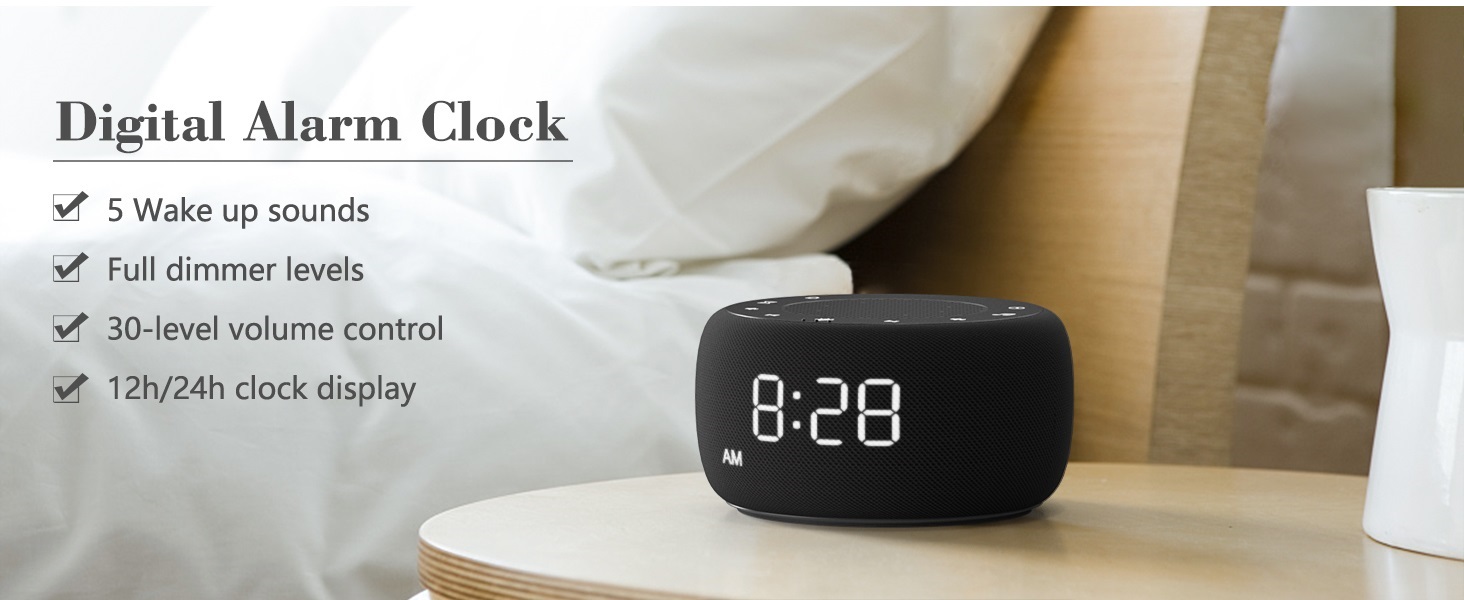
Image: An infographic displaying the 18 soothing sounds categorized into 3 fan sounds, 5 white noises, and 10 nature sounds, including ocean, lullaby, waves, rain, thunderstorm, brook, croaking, bird chirping, summer night, and campنار.
- اضغط على آلة الصوت button (music note icon) to cycle through the available sounds.
- استخدم رفع الصوت (▲) و خفض الصوت (▼) buttons to adjust the volume (30 levels).
- To turn off the sound, press the آلة الصوت button until no sound is playing.
مؤقت النوم
Set a timer for the sound machine to automatically turn off.

Image: The top panel of the Buffbee Sound Machine, highlighting the Auto-Off Timer button and the Volume Control buttons.
- اضغط على الموقت button (hourglass icon) to cycle through timer options: 15, 30, 60, 90, 120 minutes, or continuous play.
- The selected timer duration will be displayed on the screen.
Adjusting Clock Face Brightness
The clock display brightness can be adjusted from 0% (completely dark) to 100%.

Image: The Buffbee Sound Machine demonstrating its 0-100% display dimmer feature, showing the clock face at 0%, partial, and 100% brightness.
- حدد موقع عرض باهتة knob on the rear of the device.
- Rotate the knob to increase or decrease the brightness of the clock display to your preference.
Using the Bottom Colored Light
The device features a bottom light with 7 color options to create a relaxing ambiance.

Image: The Buffbee Sound Machine displaying its bottom colored light feature, showing various color options and the ability to turn it on or off.
- اضغط على ضوء الليل button (light bulb icon) to cycle through the 7 color options.
- Continue pressing the button to turn the light off.
صيانة
- تنظيف: امسح الجهاز بقطعة قماش ناعمة وجافة. لا تستخدم منظفات أو مذيبات كاشطة.
- تخزين: عند عدم استخدام الجهاز لفترات طويلة، قم بتخزينه في مكان بارد وجاف.
استكشاف الأخطاء وإصلاحها
| مشكلة | السبب المحتمل | حل |
|---|---|---|
| الجهاز لا يعمل. | Power adapter not connected properly or power outlet issue. | تأكد من توصيل محول الطاقة بالجهاز بشكل صحيح وبمأخذ كهربائي يعمل. جرب مأخذاً كهربائياً آخر. |
| Clock display is too bright/dim. | Display dimmer setting needs adjustment. | Adjust the 0-100% Display Dimmer knob on the rear of the device. |
| الصوت ليس عاليًا بدرجة كافية. | تم ضبط مستوى الصوت منخفضًا جدًا. | اضغط على رفع الصوت (▲) button to increase the volume. The device has 30 volume levels. |
| لا يصدر صوت الإنذار. | Alarm is not set or is turned off. | Ensure the alarm is set correctly and the alarm icon is visible on the display. |
تحديد
| ميزة | التفاصيل |
|---|---|
| رقم الموديل | بي كيه 11 |
| أبعاد | 5.63 × 4.57 × 3.03 بوصة |
| وزن | 11.64 أونصات |
| مصدر الطاقة | Battery Powered (for backup) / AC Adapter |
| مخرج مكبر الصوت | 5W |
| خيارات الصوت | 18 (5 white noises, 3 fan sounds, 10 nature sounds) |
| مستويات الصوت | 30 |
| مؤقت النوم | 15, 30, 60, 90, 120 minutes, or continuous |
| سطوع شاشة الساعة | 0-100٪ قابل للتعديل |
| Bottom Light Colors | 7 خيارات |
| مادة | البلاستيك، أكريلونتريل بوتادين ستايرين (ABS) |
الضمان والدعم
For warranty information and customer support, please refer to the contact details provided on the product packaging or visit the official BUFFBEE webموقع. احتفظ بإيصال الشراء الخاص بك لمطالبات الضمان.


