1. المقدمة
This manual provides comprehensive instructions for the installation, operation, and maintenance of your LEDVANCE WiFi Smart Outdoor Camera (Model 75830 Cam v3). This device is designed to enhance your home security by providing high-definition video surveillance with smart features.
The camera integrates with the SYLVANIA App and is compatible with Amazon Alexa and Google Home, allowing for convenient remote management and alerts.
2. محتويات العبوة
تأكد من وجود جميع العناصر في الحزمة الخاصة بك:
- كاميرا LEDVANCE الذكية الخارجية المزودة بتقنية الواي فاي (موديل 75830 كاميرا الإصدار الثاني)
- محول الطاقة (تيار مستمر 12 فولت/1 أمبير)
- أداة مفك البراغي
- أدوات التثبيت (البراغي والمثبتات)
- دليل البدء السريع (غير مدرج في هذا الدليل)
3. انتهى المنتجview

Figure 3.1: LEDVANCE WiFi Smart Outdoor Camera (Model 75830 Cam v3)
The LEDVANCE WiFi Smart Outdoor Camera is designed for outdoor use, featuring a weatherproof IP65 rating. It provides 1080p HD video resolution and is equipped with a 1/2.9" 2 Megapixel CMOS image sensor, capable of up to 25 frames per second. The lens is 3.0mm@F2.0 with a 130-degree viewing angle, offering a wide field of view.
تتضمن الميزات الرئيسية ما يلي:
- فيديو عالي الدقة 1080 بكسل: Clear day and night video surveillance.
- كشف الحركة: Customizable zone selection to minimize false alerts.
- كشف الصوت: Alerts for unusual sounds.
- الرؤية الليلية: Effective up to 32.8 feet (10 meters) in low light conditions.
- صوت ثنائي الاتجاه: Communicate through the camera.
- التخزين المحلي: MicroSD slot supports up to 128GB (MicroSD card not included).
- Optional Cloud Storage: Subscription-based cloud storage available.
- وضع الخصوصية: Temporarily disable recording and live view حفاظاً على الخصوصية.
- مقاوم للطقس (IP65): مصمم لتحمل الظروف الجوية الخارجية.
- تكامل المنزل الذكي: متوافق مع Amazon Alexa و Google Home.
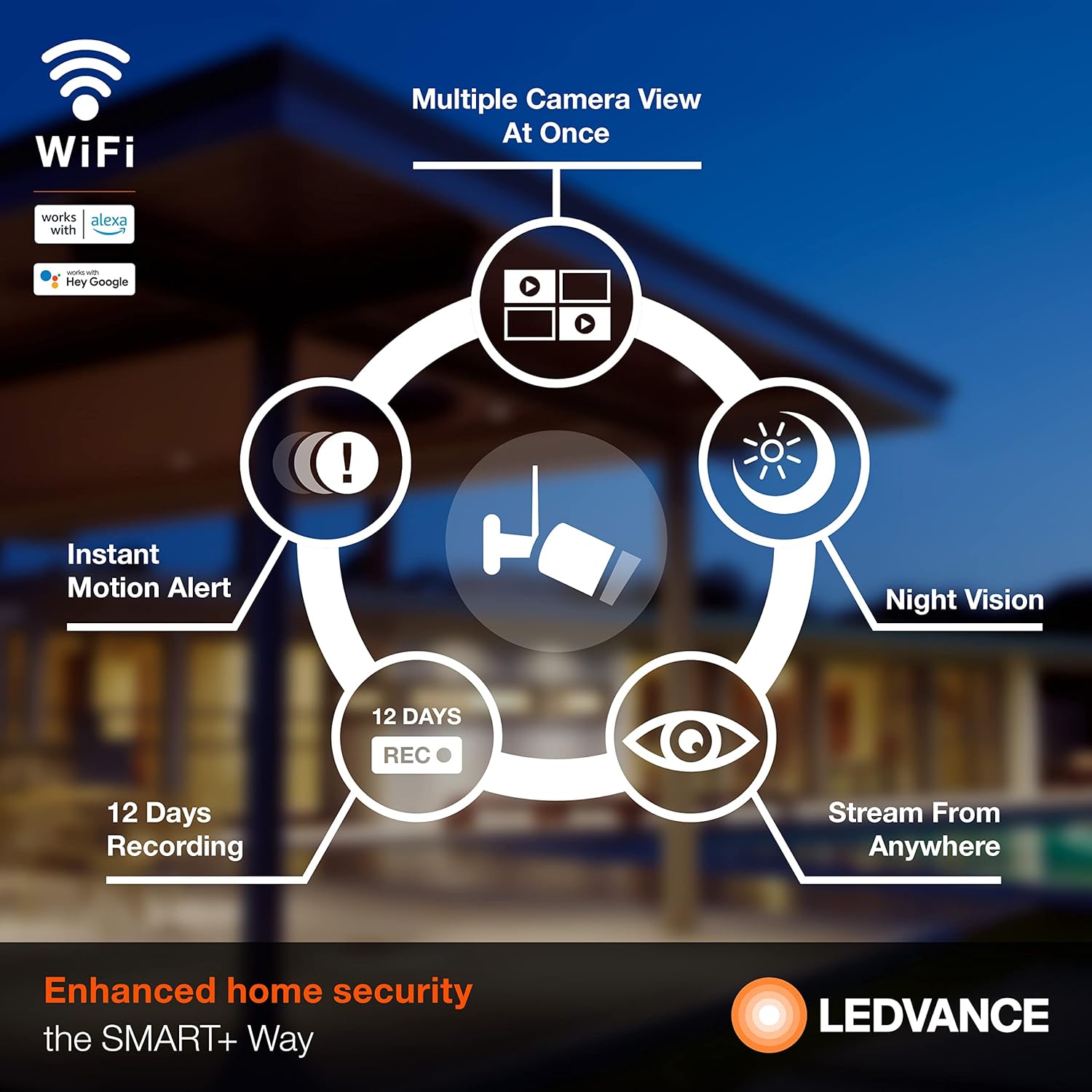
الشكل 3.2: انتهىview ميزات الكاميرا
4. الإعداد
4.1 تثبيت التطبيق
To operate your camera, download the SYLVANIA App from your smartphone's app store (available for iOS and Android devices). بحث عن "SYLVANIA App" and follow the on-screen instructions to install.
4.2 Account Creation and Device Pairing
- Open the SYLVANIA App and create a new account or log in if you already have one.
- Follow the in-app instructions to add a new device. Select your LEDVANCE WiFi Smart Outdoor Camera from the list of available devices.
- تأكد من أن هاتفك الذكي متصل بـ شبكة واي فاي بتردد 2.4 جيجاهرتز. The camera requires a 2.4GHz network for connectivity.
- قم بتشغيل الكاميرا باستخدام محول الطاقة المرفق.
- Follow the app's prompts to connect the camera to your WiFi network. This typically involves scanning a QR code displayed on your phone with the camera or entering WiFi credentials.
- Once connected, the camera's status indicator will change, and you will receive a confirmation in the app.
4.3 التثبيت المادي
The camera is designed for wall mounting. Use the included screwdriver tool and mounting hardware for secure installation.
- اختر موقعًا خارجيًا مناسبًا يوفر المساحة المطلوبة viewing angle and is within range of your 2.4GHz WiFi network.
- حدد نقاط الحفر باستخدام قاعدة تثبيت الكاميرا كقالب.
- Drill pilot holes and insert the wall anchors if necessary.
- Secure the camera's mounting base to the wall using the provided screws.
- Adjust the camera angle as needed to cover the desired area.
- Connect the power adapter to the camera and plug it into a suitable outdoor power outlet. Ensure the power connection is protected from weather elements.
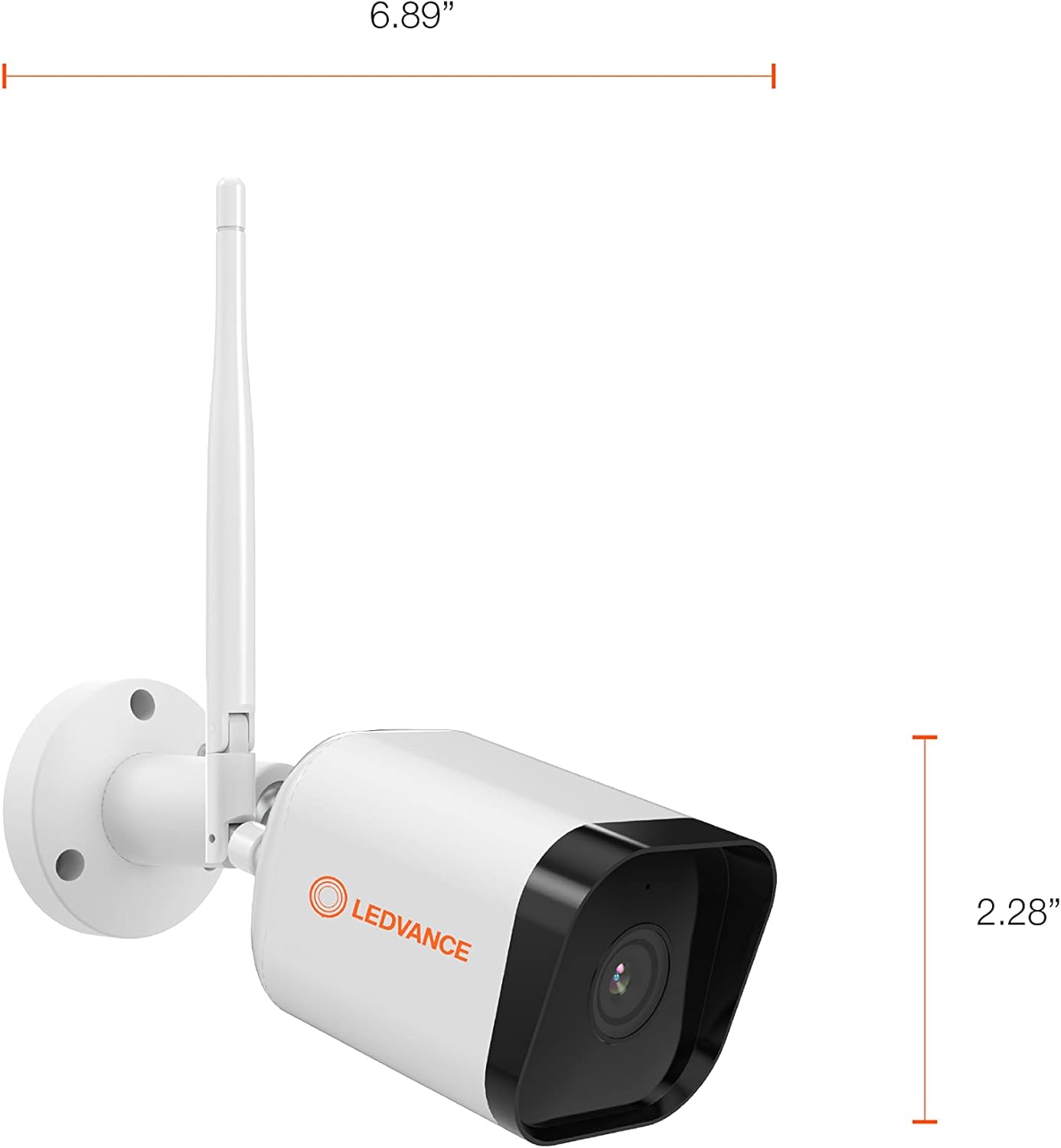
Figure 4.1: Camera Dimensions
5. تعليمات التشغيل
5.1 مباشر View والتسجيل
Once the camera is set up and connected, open the SYLVANIA App to access the live video feed. You can view الوقت الحقيقيtage from anywhere with internet access.
- التسجيل اليدوي: Within the app, you can manually initiate video recording or capture still images directly to your phone or tablet.
- التخزين المحلي: If a MicroSD card (up to 128GB) is inserted, the camera will record events directly to the card.
- التخزين السحابي: For continuous recording or extended storage, subscribe to the optional cloud storage service through the SYLVANIA App.

Figure 5.1: Managing Camera via SYLVANIA App
5.2 كشف الحركة والصوت
The camera is equipped with advanced motion and sound detection capabilities:
- تنبيهات الحركة: احصل على إشعارات فورية على هاتفك الذكي عند اكتشاف الحركة.
- اختيار المنطقة: Customize specific areas within the camera's view for motion detection to reduce unwanted alerts.
- التنبيهات الصوتية: Get notified when the camera detects significant sounds.

Figure 5.2: Motion Detection in Action
5.3 الصوت ثنائي الاتجاه
Utilize the built-in microphone and speaker to communicate with visitors or deter intruders directly through the SYLVANIA App.
5.4 وضع الخصوصية
Activate Privacy Mode through the SYLVANIA App to temporarily disable video recording and live streaming, ensuring your privacy when needed.
5.5 تكامل المنزل الذكي
Connect your LEDVANCE camera with Amazon Alexa or Google Home for voice control and integrated smart home routines. Refer to the respective app's instructions for linking your SYLVANIA account.
6. الصيانة
- تنظيف: امسح عدسة الكاميرا وجسمها برفق بقطعة قماش ناعمة.amp القماش. تجنب استخدام المنظفات أو المذيبات الكاشطة.
- تحديثات البرامج الثابتة: Regularly check the SYLVANIA App for available firmware updates to ensure optimal performance and security.
- بطاقة MicroSD: If using a MicroSD card, periodically check its status in the app and consider formatting it every few months to maintain performance. Back up important recordings before formatting.
- توصيل الطاقة: Ensure the power adapter and cable remain securely connected and free from damage.
7. استكشاف الأخطاء وإصلاحها
If you encounter issues with your LEDVANCE WiFi Smart Outdoor Camera, refer to the following common solutions:
- الكاميرا لا تتصل بشبكة الواي فاي:
- تأكد من أن شبكة الواي فاي لديك تعمل بتردد 2.4 جيجاهرتز. الكاميرا لا تدعم شبكات 5 جيجاهرتز.
- تأكد من صحة كلمة مرور الواي فاي.
- قم بتقريب الكاميرا من جهاز توجيه الواي فاي الخاص بك لتحسين قوة الإشارة.
- أعد تشغيل جهاز التوجيه والكاميرا.
- لا يعيش View or Recording:
- تحقق من اتصالك بالإنترنت.
- Ensure the camera is powered on and connected to WiFi.
- If using a MicroSD card, ensure it is properly inserted and not full. Format the card if necessary (back up data first).
- Check if Privacy Mode is accidentally activated in the SYLVANIA App.
- Motion/Sound Alerts Not Received:
- Verify that motion/sound detection is enabled in the SYLVANIA App settings.
- Check your phone's notification settings for the SYLVANIA App.
- Adjust motion detection sensitivity and zone settings.
- جودة الفيديو رديئة:
- تنظيف عدسة الكاميرا.
- Ensure sufficient WiFi signal strength.
- Check your internet upload speed.
- الكاميرا لا تستجيب:
- Perform a hard reset by unplugging the power adapter for 10 seconds and then plugging it back in.
- If issues persist, consult the SYLVANIA App's help section or contact customer support.
8. المواصفات
| ميزة | مواصفة |
|---|---|
| رقم الموديل | 75830 Cam v3 |
| الاستخدام الداخلي والخارجي | في الهواء الطلق |
| بروتوكول الاتصال | واي فاي (2.4 جيجاهرتز فقط) |
| مصدر الطاقة | كهرباء سلكية (تيار مستمر 12 فولت/1 أمبير) |
| دقة التقاط الفيديو | 1080 بكسل عالية الدقة |
| معدل الإطارات | 25 إطارًا في الثانية |
| مستشعر الصورة | مستشعر CMOS بدقة 2 ميجابكسل، مقاس 1/2.9 بوصة |
| عدسة | 3.0 ملم @ F2.0 |
| Viewزاوية جي | 130 درجة |
| نطاق الرؤية الليلية | يصل إلى 32.8 قدمًا (10 مترًا) |
| التخزين المحلي | MicroSD card (max. 128GB) |
| تصنيف الحماية الدولية | IP65 (مقاوم للعوامل الجوية) |
| الأجهزة المتوافقة | Smartphone (via SYLVANIA App), Amazon Alexa, Google Home |
| نوع التركيب | حامل الحائط |
| أبعاد المنتج (الطول × العرض × الارتفاع) | 6.89 × 2.91 × 2.28 بوصة |
| وزن العنصر | 1.16 رطل |
| لون | أبيض |
| المميزات الخاصة | 2-Way Audio, Motion Sensor, Night Vision |
9. الضمان والدعم
كاميرا LEDVANCE الذكية الخارجية المزودة بتقنية الواي فاي (موديل 75830 Cam v3) مشمولة بـ ضمان لمدة سنة واحدة من تاريخ الشراء. يغطي هذا الضمان عيوب التصنيع ويضمن عمل المنتج كما هو مُصمم له في ظل الاستخدام العادي.
For warranty claims, technical support, or further assistance, please refer to the support section within the SYLVANIA App or visit the official LEDVANCE webموقع لمعلومات الاتصال.

Figure 9.1: LEDVANCE Quality Assurance


