1. المقدمة
This manual provides detailed instructions for the setup, operation, and maintenance of your Logitech MK670 Comfort Wave Wireless Keyboard and Mouse Combo, along with the included Mini Bluetooth Speaker, Gel Wrist Pad, and Gel Mouse Pad. Please read this manual thoroughly before using the products to ensure optimal performance and longevity.

Image 1.1: Complete bundle including the Logitech MK670 keyboard, mouse, mini Bluetooth speaker, and gel pads.
2. مكونات المنتج
يجب أن تحتوي الحزمة الخاصة بك على العناصر التالية:
- Logitech MK670 Comfort Wave Wireless Keyboard
- لوجيتك ماوس لاسلكي
- مستقبل USB الموحد من لوجيتك
- مكبر صوت بلوتوث لاسلكي صغير الحجم
- Gel Wrist Pad
- Gel Mouse Pad
- Micro USB Charging Cable (for speaker)
- وثائق المستخدم (هذا الدليل)
3. تعليمات الإعداد
3.1. Logitech Keyboard and Mouse Setup
- أفرغ: Carefully remove the keyboard and mouse from their packaging.
- أدخل البطاريات: The keyboard and mouse typically come with pre-installed batteries or require standard AA/AAA batteries. Open the battery compartments (usually on the underside of each device) and ensure batteries are correctly inserted.
- Locate Unifying Receiver: The small USB Unifying receiver is often stored inside the mouse's battery compartment for safekeeping. Remove it.
- توصيل جهاز الاستقبال: Plug the Logitech Unifying USB receiver into an available USB port on your computer.
- تشغيل الطاقة: Turn on the keyboard and mouse using their respective power switches (usually located on the underside or side). The devices should automatically connect to your computer.

Image 3.1: The Logitech MK670 wireless keyboard and mouse, ready for connection via the Unifying receiver.
3.2. Mini Bluetooth Speaker Setup
- شحن مكبر الصوت: Before first use, fully charge the mini Bluetooth speaker using the provided Micro USB charging cable. Connect the Micro USB end to the speaker and the USB-A end to a power source (e.g., computer USB port, USB wall adapter). The charging indicator light will typically turn off or change color when fully charged.
- تشغيل الطاقة: Press and hold the power button on the speaker until you hear an audible prompt or see an indicator light flash, indicating it is in pairing mode.
- الاقتران عبر البلوتوث:
- على جهازك (الهاتف الذكي، الجهاز اللوحي، الكمبيوتر المحمول)، انتقل إلى إعدادات البلوتوث.
- تأكد من تمكين Bluetooth.
- بحث عن available devices. The speaker will typically appear as a name like "Mini Speaker" or similar.
- Select the speaker to pair. Once paired, you will hear a confirmation sound.
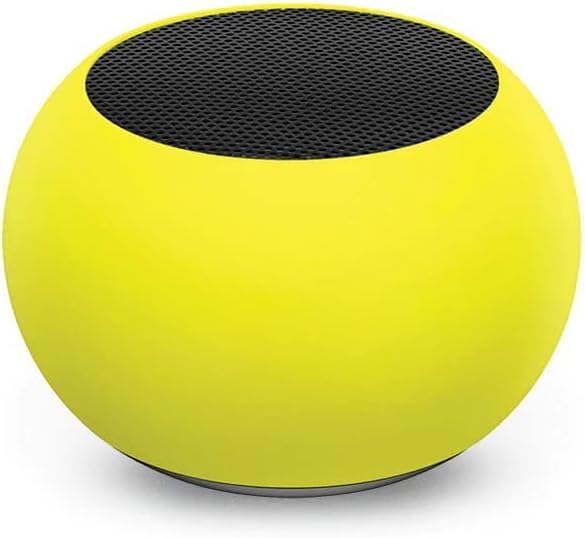
الصورة 3.2: لقطة مقربة view of the compact mini Bluetooth speaker, highlighting its design.
3.3. Gel Pads Placement
- Keyboard Wrist Rest: Place the longer gel wrist pad directly in front of your Logitech MK670 keyboard, aligning it to support your wrists while typing.
- Mouse Pad with Wrist Rest: Position the gel mouse pad on your desk where you typically use your mouse. Ensure the integrated wrist rest provides comfortable support for your mousing hand.

Image 3.3: The ergonomic gel wrist pad and gel mouse pad, designed for comfort and support.
4. تعليمات التشغيل
4.1. استخدام لوحة المفاتيح
- الكتابة: The Comfort Wave design provides an ergonomic layout for natural hand and wrist positioning.
- المفاتيح العددية: Utilize the full-size numeric keypad for efficient data entry.
- مفاتيح الاختصار: Access common functions quickly using the dedicated shortcut keys (e.g., media controls, volume, application launch). Refer to the key legends for specific functions.
- أرجل قابلة للتعديل: Flip out the tilt legs on the underside of the keyboard to adjust the typing angle for personalized comfort.

الصورة 4.1: الجانب view of the Logitech MK670 keyboard, illustrating the adjustable tilt legs for ergonomic customization.
4.2. استخدام الماوس
- التأشير والنقر: Use the mouse for precise cursor control, left-clicks, and right-clicks.
- التمرير: The scroll wheel allows for smooth navigation through documents and web الصفحات.
- تصميم بارع: تم تصميم الماوس للاستخدام المريح من قبل المستخدمين الذين يستخدمون اليد اليمنى أو اليسرى.
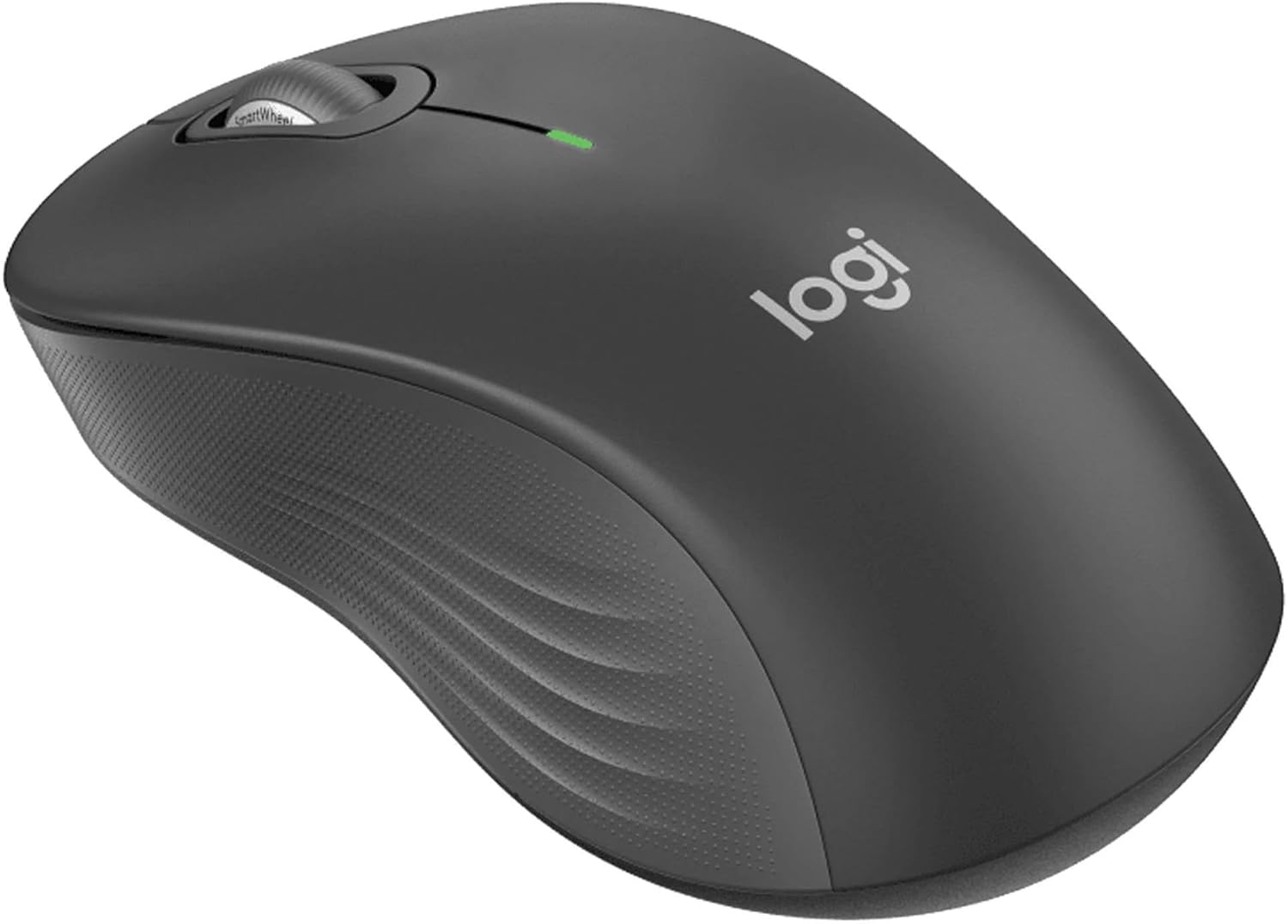
الصورة 4.2: تفصيلية view of the Logitech wireless mouse, showcasing its ergonomic shape.
4.3. Mini Bluetooth Speaker Usage
- تشغيل/إيقاف التشغيل: اضغط مع الاستمرار على زر الطاقة لتشغيل مكبر الصوت أو إيقاف تشغيله.
- الاقتران بلوتوث: Once powered on, the speaker will automatically attempt to connect to the last paired device. If not, it will enter pairing mode for new connections (refer to Section 3.2).
- التحكم في مستوى الصوت: Volume is typically controlled via the connected device. Some speakers may have integrated volume buttons.
- Selfie Remote: The speaker may feature a remote selfie button. Consult the speaker's specific instructions for activation and use with your device's camera.
- الاتصال بدون استخدام اليدين: With its built-in microphone, the speaker can be used for hands-free calls when connected to a smartphone.
5. الصيانة
5.1. التنظيف
- لوحة المفاتيح والفأرة: استخدم قطعة قماش ناعمة وخالية من الوبر وامسحها برفق.ampened with water or a mild cleaning solution. Avoid harsh chemicals or abrasive materials. For dust between keys, use compressed air.
- Mini Bluetooth Speaker: Wipe the exterior with a soft, dry cloth. Do not immerse in water.
- Gel Pads: امسح بالإعلانamp cloth and mild soap if necessary. Allow to air dry completely before reuse.
5.2. Battery Replacement (Keyboard and Mouse)
When the battery indicator light on your keyboard or mouse signals low power, replace the batteries with new ones of the same type (e.g., AA or AAA). Ensure correct polarity when inserting new batteries.
6. استكشاف الأخطاء وإصلاحها
6.1. عدم استجابة لوحة المفاتيح/الماوس
- التحقق من البطاريات: تأكد من تركيب البطاريات بشكل صحيح وشحنها بشكل كافٍ. استبدلها إذا لزم الأمر.
- مفاتيح الطاقة: Verify that both the keyboard and mouse power switches are in the 'ON' position.
- مستقبل USB: Ensure the Logitech Unifying USB receiver is securely plugged into a working USB port on your computer. Try a different USB port.
- القرب: Ensure the keyboard and mouse are within the operational range (up to 33 feet) of the USB receiver.
- بصلح: If issues persist, you may need to re-pair the devices using Logitech's Unifying software (downloadable from the Logitech support webموقع).
6.2. Mini Bluetooth Speaker Connection Issues
- قوة مكبر الصوت: تأكد من شحن مكبر الصوت وتشغيله.
- تشغيل البلوتوث: Verify Bluetooth is enabled on your source device.
- نسيت الجهاز: On your source device, 'forget' or 'unpair' the speaker from your Bluetooth device list, then attempt to pair again.
- القرب: Keep the speaker and source device within close range (typically 10 meters or 33 feet) for stable connection.
- تدخل: ابتعد عن الأجهزة اللاسلكية الأخرى التي قد تسبب تداخلاً.
6.3. لا يوجد صوت من السماعة
- مستويات الصوت: Check the volume on both the speaker and the connected device.
- مخرجات جهاز المصدر: Ensure your device's audio output is set to the Bluetooth speaker.
- تشغيل الوسائط: Verify that media is playing on your source device.
7. المواصفات
| ميزة | التفاصيل |
|---|---|
| ماركة | لوجيتك |
| نموذج | MK670 (Keyboard & Mouse Combo) |
| تكنولوجيا الاتصال | 2.4GHz Wireless (Keyboard & Mouse), Bluetooth 5.0 (Speaker) |
| لاسلكي المدى | حتى 33 قدم (10 أمتار) |
| مميزات لوحة المفاتيح | Ergonomic Comfort Wave design, Full-size with numeric keypad, Shortcut keys, Cushioned palm rest, Adjustable tilt legs |
| الماوس الميزات | Ambidextrous design, Precise tracking |
| أبعاد السماعات | 45.45 مم × 33 مم (1.75 بوصة × 1.3 بوصة) |
| وزن السماعة | 2.46 أونصة |
| سعة بطارية السماعة | 400 مللي أمبير |
| Speaker Playback Time | تصل إلى 4 ساعة |
| Speaker Special Features | Magnetic base, Built-in mic, Remote selfie button, Glow in the Dark (Yellow variant) |
| الأجهزة المتوافقة | Laptops, Gaming Consoles (for keyboard/mouse functionality), Bluetooth-enabled devices (for speaker) |
| وزن المنتج (للحزمة) | 4 رطل |
| أبعاد الحزمة | 23 × 10 × 10 بوصة |
8. معلومات الضمان
Logitech products are typically covered by a limited hardware warranty. For specific warranty terms and conditions, including duration and coverage details, please refer to the warranty card included with your product or visit the official Logitech webالموقع. احتفظ بإثبات الشراء الخاص بك لتقديم مطالبات الضمان.
9. الدعم
For further assistance, technical support, or to download the latest drivers and software for your Logitech products, please visit the official Logitech support webيمكنك أيضًا العثور على الأسئلة الشائعة والمنتديات المجتمعية هناك.
دعم لوجيتك Webموقع: https://support.logi.com/


