1. المقدمة
The SIIG Thunderbolt 4 Docking Station (Model: JU-DK0U11-S1) is designed to expand the connectivity of your laptop, providing a comprehensive workstation solution. This docking station offers 15 ports, enabling connections for multiple displays, peripherals, network, and power through a single Thunderbolt 4 cable. It supports high-speed data transfer and versatile display configurations for both Mac and Windows systems.

Image 1.1: SIIG Thunderbolt 4 Docking Station (JU-DK0U11-S1) overview.
2. محتويات العبوة
تأكد من وجود جميع العناصر في الحزمة الخاصة بك:
- SIIG Thunderbolt 4 Docking Station (JU-DK0U11-S1)
- محول الطاقة 150W
- كابل الصاعقة شنومكس
- دليل المستخدم

Image 2.1: Contents included in the SIIG Thunderbolt 4 Docking Station package.
3. انتهى المنتجview
3.1 Front Panel Ports
- 3.5mm Stereo Out: لسماعات الرأس أو مكبرات الصوت الخارجية.
- SD 3.0 Card Slot: Supports SD 3.0 UHS-1 memory cards up to 2TB.
- USB-A 3.2 Gen 1 (5Gbps) Ports (x2): For connecting USB-A peripherals, supporting 5V/0.9A charging.
- منفذ ثاندربولت 4: For connecting Thunderbolt 4 devices or displays.
- زر الطاقة: لتشغيل أو إيقاف تشغيل محطة الإرساء.

الصورة 3.1: تفصيلية view of the front panel ports.
3.2 منافذ اللوحة الخلفية
- DC Power Jack (20V/7.5A): يتصل بمحول الطاقة المرفق بقوة 150 واط.
- Thunderbolt 4 Port (Host PD 60W): Connects to your laptop via the Thunderbolt 4 cable, providing up to 60W power delivery.
- 3.5mm Mic In: لتوصيل ميكروفون خارجي.
- Micro SD (TF) 3.0 Card Slot: Supports Micro SD (TF) 3.0 UHS-1 memory cards up to 2TB.
- USB-A 2.0 (480Mbps) Ports (x2): For connecting USB-A peripherals, supporting 5V/1.5A charging.
- منفذ جيجابت إيثرنت: للاتصال بالشبكة السلكية.
- مخرج DisplayPort: لتوصيل شاشة خارجية.
- مخرج HDMI: لتوصيل شاشة خارجية.
- منافذ Thunderbolt 4 (عدد 2): For connecting additional Thunderbolt 4 devices or displays, providing 45W power delivery.

الصورة 3.2: تفصيلية view of the rear panel ports.
4. تعليمات الإعداد
- توصيل الطاقة: Plug the included 150W power adapter into the DC Power Jack on the rear of the docking station, then connect it to a power outlet.
- الاتصال بجهاز الكمبيوتر المحمول المضيف: Use the provided Thunderbolt 4 cable to connect the Thunderbolt 4 Host port (60W PD) on the rear of the docking station to your laptop's Thunderbolt 4 or USB-C port.
- تشغيل الطاقة: Press the power button on the front panel of the docking station. The power indicator LED should illuminate.
- توصيل الشاشات: Connect your monitors to the available DisplayPort, HDMI, and Thunderbolt 4 output ports on the docking station. Refer to the 'Display Configuration' section for supported setups.
- توصيل الأجهزة الطرفية: Connect your USB devices, Ethernet cable, and audio devices to the corresponding ports on the docking station.
5. تعليمات التشغيل
5.1 تكوين العرض
The docking station supports various display setups, including single 8K or quad 4K displays, utilizing Thunderbolt 4 and DisplayLink technology. Ensure DisplayLink drivers are installed for optimal performance, especially for additional displays beyond native Thunderbolt outputs.
- مخرج عرض واحد: Supports up to 8K resolution.
- مخرج عرض مزدوج: Supports up to 2x 4K resolution via two Thunderbolt 4 ports.
- Quad Display Output: Achieved by combining two Thunderbolt 4 ports with the DisplayPort and HDMI ports, enabling four 4K displays.

الصورة 5.1: مثالample of a quad display setup using the docking station.

Image 5.2: Display compatibility and resolution matrix for Windows and Mac M1/M2 systems.
5.2 توصيل الطاقة
The docking station provides power to your connected devices:
- شحن الكمبيوتر المحمول: Up to 60W Power Delivery (PD) to the host laptop via the Thunderbolt 4 host port.
- منافذ الصاعقة 4: Each of the three downstream Thunderbolt 4 ports provides up to 45W of power.
- USB-A Fast Charging: Two USB-A 5Gbps ports support 5V/0.9A charging, and two USB-A 2.0 ports support 5V/1.5A charging.

Image 5.3: Power delivery capabilities of the docking station.
5.3 نقل البيانات
Experience high-speed data transfer for efficient workflow:
- ثندربولت 4: Up to 40Gbps data transfer speed, 8 times faster than USB 3.0.
- USB-A 3.2 الجيل الثاني: Up to 5Gbps data transfer speed.
- قارئ بطاقة الذاكرة: Supports SD 3.0 UHS-1 and Micro SD (TF) 3.0 UHS-1 with data transfer rates up to 104MB/s.
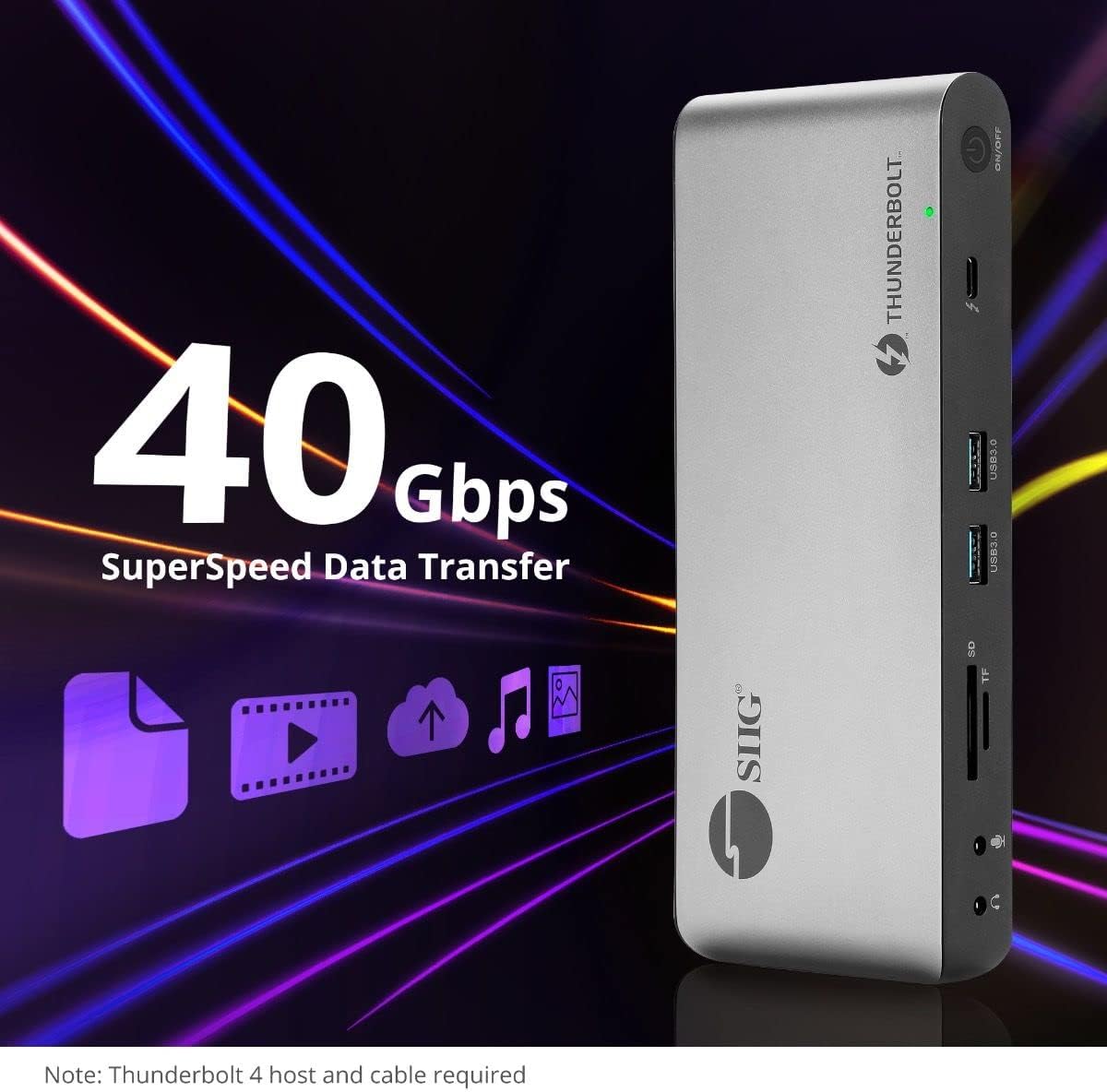
الصورة 5.4: إمكانيات نقل البيانات عالية السرعة.
6. التوافق
The SIIG Thunderbolt 4 Docking Station is broadly compatible with various systems:
- أنظمة التشغيل: Mac M1/M2/M3 Pro & Max, Intel chip Macs, Windows PCs (Intel/AMD/Snapdragon), and Chromebooks.
- التوافق مع الإصدارات السابقة: Fully compatible with Thunderbolt 3, USB4, and USB-C equipped computers.
7. الصيانة
To ensure the longevity and optimal performance of your docking station, follow these maintenance guidelines:
- تنظيف: استخدم قطعة قماش ناعمة وجافة لتنظيف الجزء الخارجي من الجهاز. تجنب استخدام المنظفات السائلة أو المذيبات.
- تهوية: تأكد من وضع محطة الإرساء في منطقة جيدة التهوية لمنع ارتفاع درجة حرارتها. لا تسد أي فتحات تهوية.
- تخزين: قم بتخزين الجهاز في مكان بارد وجاف بعيدًا عن أشعة الشمس المباشرة ودرجات الحرارة القصوى.
- التعامل: تجنب إسقاط الجهاز أو تعريضه لصدمات قوية.
8. استكشاف الأخطاء وإصلاحها
If you encounter issues with your SIIG Thunderbolt 4 Docking Station, refer to the following common problems and solutions:
- لا يوجد طاقة:
- تأكد من توصيل محول الطاقة بشكل آمن بكل من محطة الإرساء ومأخذ الطاقة العامل.
- Verify the power button on the docking station is pressed and the power indicator LED is on.
- Display Issues (No Signal/Incorrect Resolution):
- Check all display cables (HDMI, DisplayPort, Thunderbolt) are securely connected to both the docking station and the monitors.
- Ensure your laptop's display settings are configured correctly to detect and extend/mirror displays.
- For multi-display setups, especially beyond two monitors, ensure DisplayLink drivers are installed and up to date on your operating system.
- Verify your monitors support the selected resolution and refresh rate.
- الأجهزة الطرفية غير المكتشفة:
- Ensure USB devices are properly connected to the docking station's USB ports.
- Try connecting the peripheral directly to your laptop to confirm it is functional.
- Restart the docking station and your laptop.
- ارتفاع درجة الحرارة:
- Ensure the docking station is placed in an area with adequate airflow and not covered.
- Reduce the number of high-power devices connected if possible, or consider using a cooling pad if persistent.
- نقل البيانات البطيء:
- Ensure you are using Thunderbolt 4 certified cables for Thunderbolt connections.
- Verify the connected device supports the expected transfer speeds.
9. المواصفات
| ميزة | التفاصيل |
|---|---|
| رقم الموديل | جو-DK0U11-S1 |
| أبعاد المنتج | 3.27 × 7.8 × 1.14 بوصة |
| وزن العنصر | 15.4 أونصة (0.96 رطل) |
| إجمالي الموانئ | 15 (including 7 USB ports) |
| اتصال المضيف | ثندربولت 4 (USB-C) |
| مخرجات الفيديو | 1x HDMI, 1x DisplayPort, 3x Thunderbolt 4 (USB-C) |
| أقصى دقة للعرض | Single 8K@30Hz, Quad 4K@60Hz |
| توصيل الطاقة (المضيف) | حتى 60 وات |
| Power Delivery (Downstream TB4) | تصل إلى 45 وات لكل منفذ |
| سرعة نقل البيانات | Thunderbolt 4: 40Gbps, USB-A 5Gbps: 5Gbps |
| إيثرنت | جيجابت إيثرنت |
| قارئ البطاقات | SD 3.0 UHS-1, Micro SD (TF) 3.0 UHS-1 (up to 2TB) |
| منافذ الصوت | 3.5mm Stereo Out, 3.5mm Mic In |
| نظام التشغيل المتوافق | Mac M1/M2/M3 Pro & Max, Intel Macs, Windows, Chromebooks |
| لون | أسود |
| رمز المنتج الموحد | 662774045689 |
10. الضمان والدعم
SIIG products are designed for reliability and performance. For warranty information and technical support, please refer to the documentation included with your product or visit the official SIIG webموقع. احتفظ بإيصال الشراء الخاص بك لمطالبات الضمان.


