1. المقدمة
Thank you for choosing the Veidoo Kids 7-inch Android Tablet PC, Model T8. This tablet is designed to provide a safe and engaging digital experience for children, featuring parental controls, eye protection, and a durable silicone case. This manual provides essential information for setting up, operating, maintaining, and troubleshooting your device.

Figure 1: Veidoo Kids 7-inch Android Tablet PC (Pink)
2. ماذا يوجد في الصندوق
Upon opening your Veidoo Kids Tablet package, please verify that all the following items are included:
- 1 x Veidoo Kids 7-inch Android Tablet PC with Protective Silicone Case
- 1 x 5V/2A Charger
- كابل OTG واحد
- 1 × كابل بيانات
- 1 × دليل المستخدم وبطاقة الضمان

Figure 2: Unboxing the Veidoo Kids Tablet. This video demonstrates the contents of the product packaging, including the tablet, charger, and cables.
3. الإعداد
3.1 الرسوم الأولية
Before first use, fully charge the tablet using the provided 5V/2A charger and data cable. The charging port is typically located on the side of the tablet.
3.2 تشغيل/إيقاف التشغيل
Press and hold the power button (located on the side) for a few seconds to turn the tablet on or off.
3.3 الاتصال بشبكة Wi-Fi
To connect to Wi-Fi, exit the child interface (if active) by entering the parental password. Then, navigate to the tablet's main settings, select 'Network & Internet', choose 'Wi-Fi', and select your desired network. Enter the password if prompted.

Figure 3: Tablet Ports and Buttons Overview
4. تعليمات التشغيل
4.1 الملاحة الأساسية
The tablet runs on the Android operating system. Use touch gestures (tap, swipe, pinch) to navigate through menus, open applications, and interact with content.
4.2 Parental Control (iWawa App)
The Veidoo Kids Tablet comes pre-installed with the iWawa app, designed for a child-safe environment. This app allows parents to:
- إنشاء وتخصيص المحترفينfiles for children's accounts.
- Hand-pick content and applications accessible to children.
- Control screen time limits.
- Ensure browsing of safe webالمواقع.
- Set passwords to prevent children from exiting the iWawa interface without permission.
To access parental settings within iWawa, you will need to enter the parental password. The default password is 0000. It is recommended to change this to a secure, personalized password.

Figure 4: Parental Control Interface

الشكل 5: انتهىview of Parental Control Features
4.3 تثبيت التطبيقات
Beyond the pre-installed iWawa content, you can download additional applications from the Google Play Store. To do this, exit the iWawa app using the parental password and access the main Android interface. Open the Google Play Store app, sign in with a Google account, and search for desired apps.
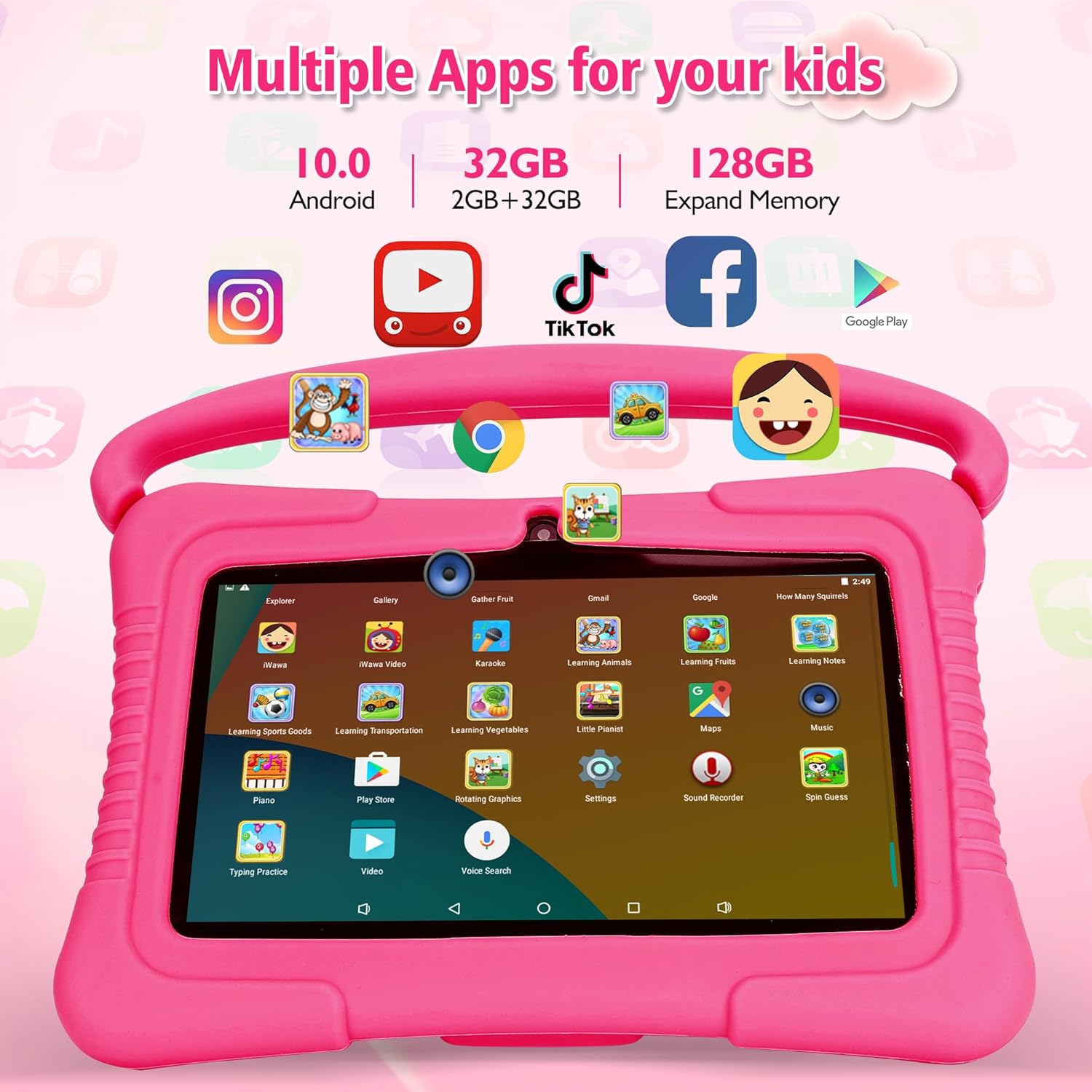
Figure 6: Multiple Apps for Kids
4.4 استخدام الكاميرا
The tablet features a dual camera setup, including a 2MP rear camera. To use the camera, open the 'Camera' app from the main interface or within the iWawa app (if enabled). You can switch between photo and video modes.
5. الصيانة
- تنظيف: Use a soft, lint-free cloth to clean the screen and tablet body. Avoid harsh chemicals.
- تخزين: يُحفظ الجهاز اللوحي في مكان بارد وجاف بعيداً عن أشعة الشمس المباشرة ودرجات الحرارة القصوى.
- العناية بالبطارية: To prolong battery life, avoid fully discharging the battery frequently. Charge the tablet when the battery level is low.
- تحديثات البرامج: Periodically check for system updates in the tablet's settings to ensure optimal performance and security.
6. استكشاف الأخطاء وإصلاحها
- الجهاز اللوحي لا يتم تشغيله: Ensure the tablet is charged. Connect it to the charger and wait a few minutes before attempting to power it on again.
- مشاكل الاتصال بشبكة Wi-Fi: Verify that the Wi-Fi is enabled and you have entered the correct password. Try restarting your router and the tablet.
- تعطل التطبيقات أو تجميدها: Close and reopen the app. If the issue persists, clear the app's cache or reinstall it. Ensure the tablet's software is up to date.
- الأداء البطيء: أغلق تطبيقات الخلفية غير الضرورية. امسح ذاكرة التخزين المؤقت والذاكرة المؤقتة. files. Consider expanding storage with a Micro SD card if the internal storage is full.
- Cannot exit iWawa app: Ensure you are entering the correct parental password. The default password is 0000.
7. المواصفات
| ميزة | مواصفة |
|---|---|
| نموذج | T8 |
| حجم الشاشة | 7 بوصة |
| دقة الشاشة | 1024x600 Pixels (HD IPS Display) |
| المعالج | Quad-core (Allwinner) |
| كبش | 2 جيجا بايت |
| التخزين الداخلي (ROM) | 32 جيجا بايت |
| تخزين قابل للتوسيع | Up to 64 GB via Micro SD Card |
| نظام التشغيل | أندرويد |
| الاتصال اللاسلكي | 2.4 GHz Wi-Fi, Bluetooth, GPS |
| الكاميرات | Dual Camera (2 MP Rear Webكام) |
| متوسط عمر البطارية | 5 ساعة |
| الأبعاد (الطول × العرض × الارتفاع) | 7.13 × 4.76 × 0.43 بوصة |
| وزن العنصر | 1.21 رطل |
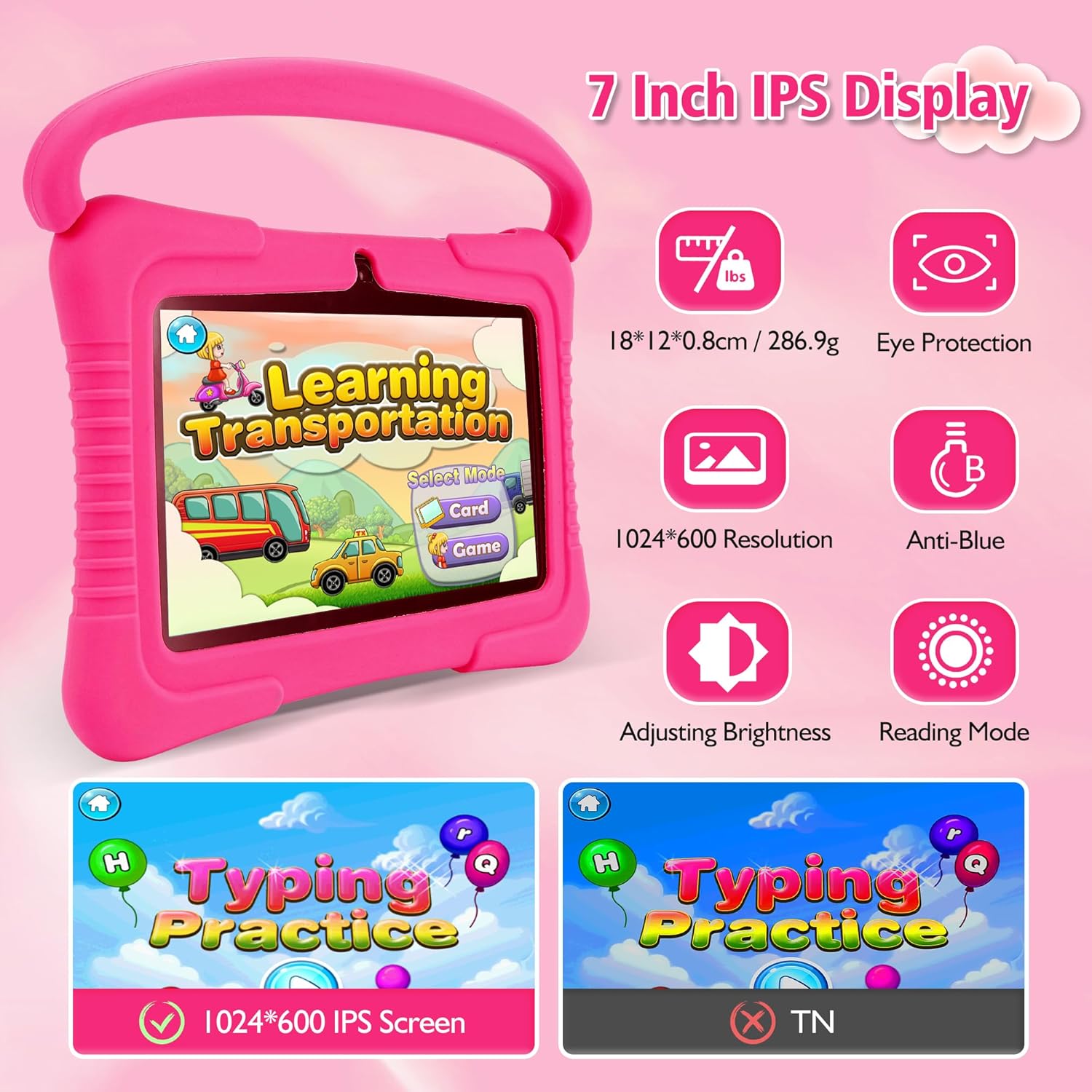
الشكل 7: ميزات العرض
8. الضمان والدعم
Your Veidoo Kids 7-inch Android Tablet PC comes with a warranty as detailed in the included Warranty Card. For technical support, troubleshooting assistance, or warranty claims, please refer to the contact information provided on your Warranty Card or visit the official Veidoo support webموقع.

Figure 8: Veidoo Kids Tablet Product Overviewيقدم هذا الفيديو نظرة عامةview of the tablet's features and benefits for children.


