1. المقدمة
This manual provides comprehensive instructions for the safe and efficient use of your MARKLIFE P50 Portable Bluetooth Thermal Label Printer. Please read this manual thoroughly before operating the device and retain it for future reference.
2. معلومات السلامة
- لا تقم بفك الجهاز أو إصلاحه أو تعديله.
- أبقِ الجهاز بعيداً عن الماء والرطوبة ودرجات الحرارة العالية.
- Use only MARKLIFE approved labels and accessories.
- تجنب لمس رأس الطباعة مباشرة بعد الطباعة، فقد يكون ساخناً.
- يحفظ بعيدًا عن متناول الأطفال.
3. محتويات العبوة
تأكد من وجود جميع العناصر في الحزمة الخاصة بك:
- طابعة ملصقات ماركليف P50
- 3 Rolls of Labels (2x 1.57"x1.18" white gap labels, 1x 2"x2" circle gap label)
- كابل شحن USB-C
- دليل المستخدم (هذا المستند)
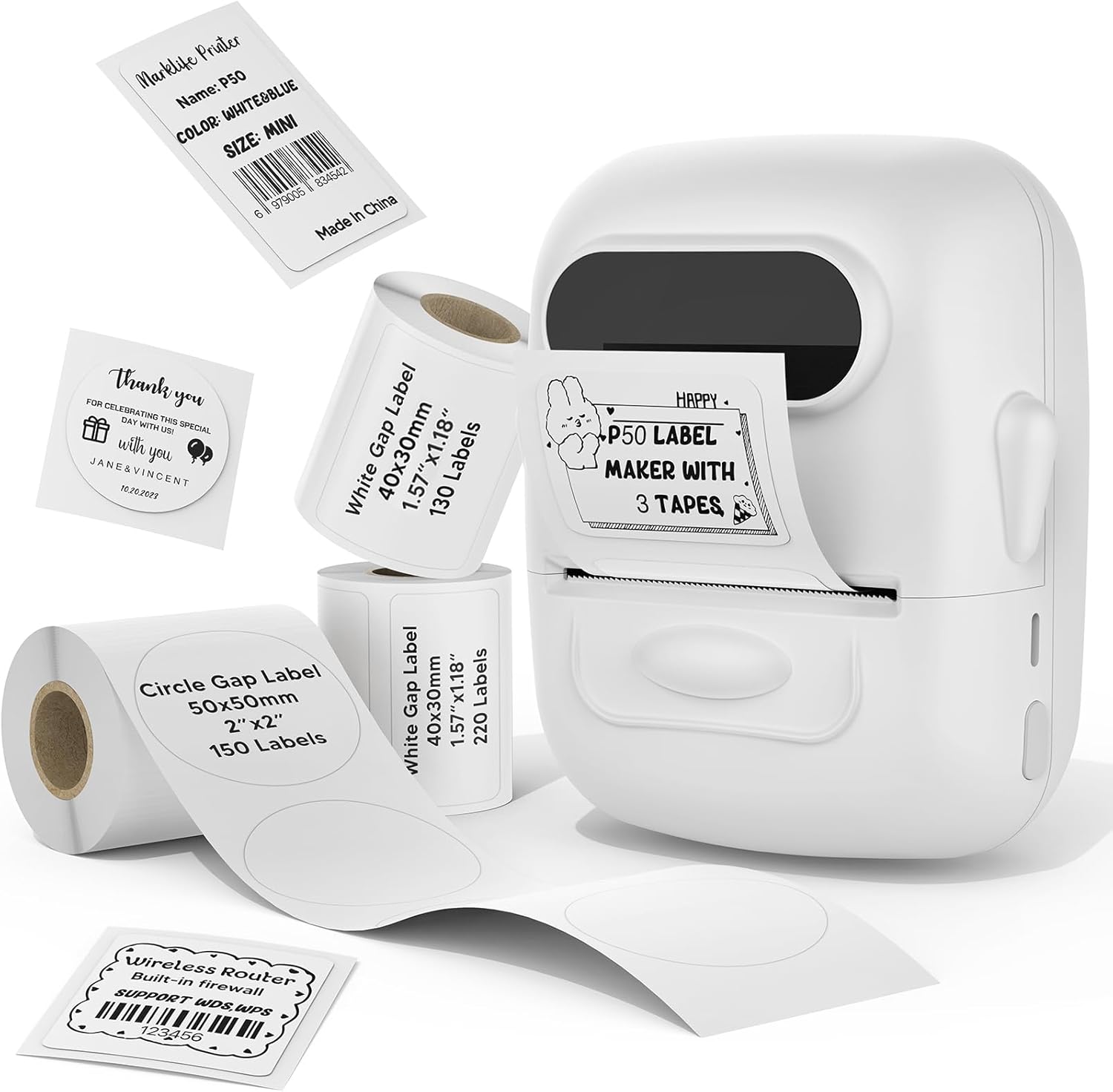
Image: MARKLIFE P50 Label Printer and various label rolls included in the package.
4. انتهى المنتجview
The MARKLIFE P50 is a compact, portable thermal label printer designed for various labeling needs. It connects wirelessly via Bluetooth to your smartphone or tablet and can also connect to a Windows PC via USB. It utilizes thermal printing technology, requiring no ink, and supports black and white printing only.

Image: The MARKLIFE P50 printer being placed into a handbag, highlighting its portable design and built-in 1200mAh battery with Type-C charging.
5. الإعداد
5.1 شحن الجهاز
Before first use, fully charge the printer using the provided USB-C cable and a compatible power adapter (not included). The charging indicator light will show the charging status.
5.2 تحميل الملصقات
- افتح غطاء حجرة الملصق.
- Insert the label roll with the printing surface facing upwards.
- Ensure the label edge is aligned and extends slightly out of the printer slot.
- Close the cover firmly. The printer will automatically detect the label type and size.

Image: Illustration of label loading and compatible label widths (0.59 to 2.24 inches) for the P50 printer.
5.3 App Installation and Bluetooth Pairing (for Mobile Devices)
- Download the "Marklife" app from your device's app store (iOS or Android).
- Turn on the P50 printer.
- قم بتمكين Bluetooth على هاتفك الذكي أو جهازك اللوحي.
- Open the Marklife app and follow the on-screen instructions to connect to your P50 printer. The app will typically detect the printer automatically.
5.4 PC Connection (for Windows)
For Windows PC connectivity, download the official software from the MARKLIFE website. Connect the printer to your PC using the USB-C cable. The software will guide you through the printing process.

Image: The P50 label printer connected to both a laptop and a smartphone, illustrating its support for mobile and PC devices.
6. التشغيل
6.1 Basic Printing (via App)
- Ensure the printer is powered on and connected to the Marklife app.
- Select a template or create a new label design within the app.
- Enter your desired text, add images, barcodes, or QR codes.
- Adjust print settings (e.g., quantity, density) as needed.
- Tap the "Print" button in the app to initiate printing.

Image: Various label applications, such as clothing tags with barcodes, handmade soap labels, and price tags for baked goods, demonstrating the printer's versatility.
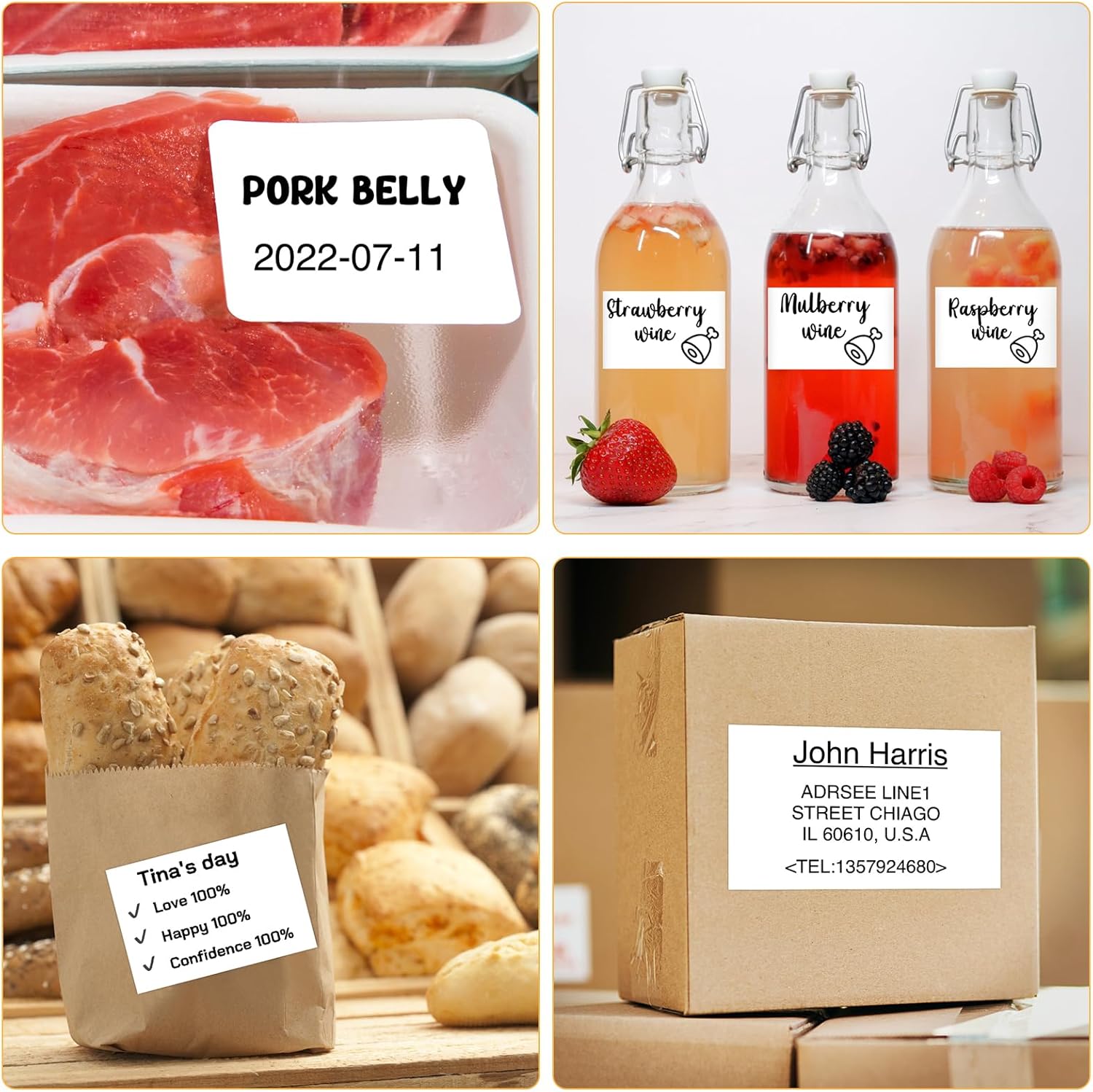
الصورة: السابقamples of labels for food items (pork belly, beverages) and a shipping address label, showcasing different label content possibilities.
6.2 الطباعة الدفعية
The Marklife app supports batch printing for multiple copies of the same label or sequential labels. Refer to the app's specific instructions for detailed steps on batch printing functionality.

Image: The MARKLIFE P50 printer actively printing multiple barcode labels in a batch, demonstrating stable printing over a long duration.
7. الصيانة
- تنظيف رأس الطباعة: استخدم قطعة قماش ناعمة وخالية من الوبر برفق دampened with alcohol to gently wipe the print head. Ensure the printer is off and cooled down before cleaning.
- تنظيف الجزء الخارجي: Wipe the printer's exterior with a soft, dry cloth. Do not use harsh chemicals.
- تخزين الملصقات: Store label rolls in a cool, dry place away from direct sunlight to preserve their quality.
8. استكشاف الأخطاء وإصلاحها
| مشكلة | السبب المحتمل | حل |
|---|---|---|
| الطابعة لا تعمل | مشكلة انخفاض البطارية أو الطاقة | Charge the printer using the USB-C cable. |
| لا يمكن الاتصال عبر البلوتوث | Bluetooth off, app issue, or printer not discoverable | Ensure Bluetooth is enabled on your device. Restart the printer and the app. Try re-pairing. |
| جودة طباعة رديئة | Dirty print head, incorrect label loading, or low print density setting | Clean the print head. Re-load labels correctly. Adjust print density in the app. |
| عدم تغذية الملصقات بشكل صحيح | Improper label loading or label jam | Open the cover, re-seat the label roll, ensuring it's aligned. Clear any jammed labels. |
9. المواصفات
| ميزة | التفاصيل |
|---|---|
| نموذج | ص50 |
| تكنولوجيا الطباعة | حراري |
| الاتصال | بلوتوث، يو اس بي |
| الأجهزة المتوافقة | Android, iOS, Windows PC |
| الحد الأقصى لحجم الوسائط | 2 بوصة (57 مم) |
| Print Width Range | 0.59 بوصة - 2.24 بوصة (15 مم - 57 مم) |
| مخرجات الطابعة | أحادي اللون (أبيض وأسود) |
| بطارية | Built-in 1200mAh (rechargeable) |
| منفذ الشحن | يو اس بي-سي |
| أبعاد المنتج | 4 بوصة عمق × 3 بوصة عرض × 2 بوصة ارتفاع (تقريبًا) |
| وزن العنصر | 6 أونصة (تقريبًا) |
10. الضمان والدعم
The MARKLIFE P50 Label Printer comes with a limited warranty. For warranty details, technical support, or customer service inquiries, please refer to the official MARKLIFE webالموقع أو تواصل مع خدمة العملاء مباشرةً. احتفظ بإيصال الشراء كإثبات للشراء.
الشركة المصنعة: ماركلايف


