دليل مستخدم سماعات الرأس اللاسلكية Zebronics ZEB-PARADISE
Model: ZEB-PARADISE
1. انتهى المنتجview
The Zebronics ZEB-PARADISE is a versatile wireless headphone designed for an immersive audio experience. It features Bluetooth connectivity, an AUX input, Micro SD card support, and an FM radio function, providing multiple ways to enjoy your music and manage calls.

Image 1: Zebronics ZEB-PARADISE Wireless Headphone. This image displays the over-ear design of the headphone, highlighting its sleek appearance and comfortable earcups.
2. محتويات العبوة
يرجى تحديد المربع للعناصر التالية:
- 1 Unit Headphone
- 1 Unit Charging Cable
- 1 Unit Aux Cable
- 1 Unit User Manual
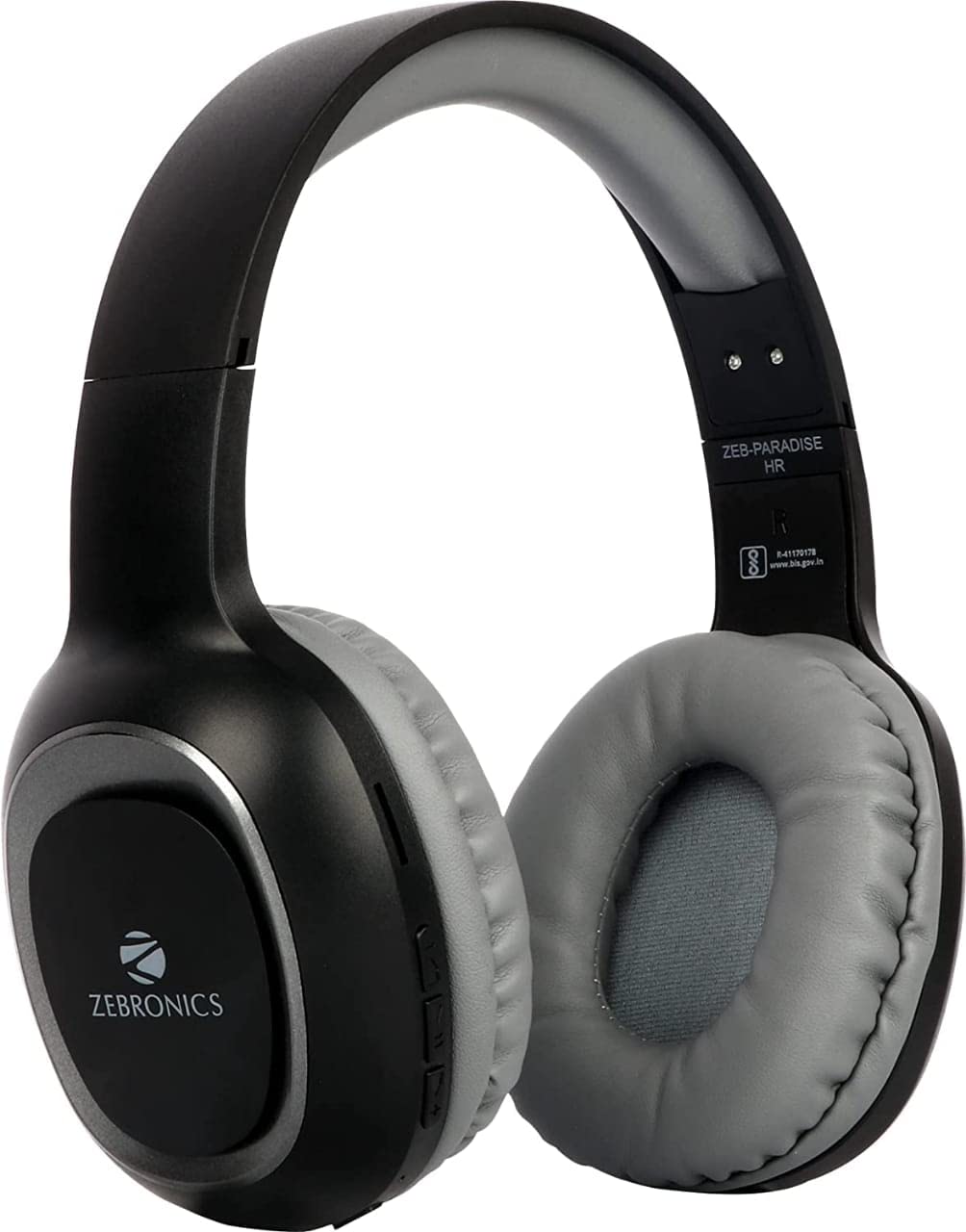
Image 2: Packaging of the Zebronics ZEB-PARADISE Wireless Headphone. This image shows the product box, detailing the package contents and key features printed on the packaging.
3. معلومات السلامة
حذر:
Please be aware of your surroundings while using the headphone. Constant exposure to high volume may damage your hearing. Please use the headphone at moderate volume to protect your ears.
4. الميزات الرئيسية
- Bluetooth v4.2 Connectivity
- AUX Input for Wired Connection
- Micro SD Card Support for MP3 Playback
- راديو FM وظيفة
- Call Function with Built-in Microphone
- Media Volume Control
- Dual Pairing Capability
- محركات صوتية 40 مم
- بطارية قابلة لإعادة الشحن مدمجة
- دعم الشحن السريع
5. الإعداد
5.1 شحن سماعة الرأس
- Connect the provided USB charging cable to the charging port on the headphone.
- قم بتوصيل الطرف الآخر من كابل USB بمحول طاقة USB (غير متضمن) أو بمنفذ USB الخاص بالكمبيوتر.
- The LED indicator will illuminate to show charging status. It will typically turn off or change color once fully charged.
5.2 اقتران بلوتوث
- Ensure the headphone is fully charged.
- Press and hold the Power button on the headphone until the LED indicator flashes blue and red, indicating pairing mode.
- On your smartphone or Bluetooth-enabled device, go to the Bluetooth settings and search for available devices.
- Select "ZEB-PARADISE" from the list of found devices.
- Once paired, the LED indicator will flash blue slowly or remain solid blue.
5.3 استخدام كابل AUX
- Connect one end of the provided 3.5mm AUX cable to the AUX input port on the headphone.
- Connect the other end of the AUX cable to the 3.5mm audio output jack of your audio device.
- The headphone will automatically switch to AUX mode.
6. تعليمات التشغيل
6.1 الضوابط الأساسية
- تشغيل/إيقاف التشغيل: اضغط مع الاستمرار على زر الطاقة.
- تشغيل/إيقاف مؤقت: اضغط على زر التشغيل/الإيقاف المؤقت مرة واحدة.
- رفع الصوت / المسار التالي: Press the Volume Up (+) button to increase volume. Press and hold to skip to the next track.
- خفض الصوت / المسار السابق: Press the Volume Down (-) button to decrease volume. Press and hold to go to the previous track.
- تبديل الوضع: Press the 'M' button to switch between Bluetooth, FM Radio, and Micro SD modes.
6.2 وظيفة الاتصال
- الرد على المكالمة: اضغط على زر التشغيل/الإيقاف المؤقت مرة واحدة عند ورود مكالمة.
- إنهاء المكالمة: اضغط على زر التشغيل/الإيقاف المؤقت مرة واحدة أثناء المكالمة.
- رفض المكالمة: اضغط مع الاستمرار على زر التشغيل/الإيقاف المؤقت لمدة ثانيتين عند ورود مكالمة.
- إعادة الاتصال بالرقم الأخير: اضغط مرتين على زر التشغيل/الإيقاف المؤقت.
6.3 وضع راديو FM
- قم بالتبديل إلى وضع راديو FM باستخدام الزر "M".
- Press the Play/Pause button once to auto-scan and save available FM channels.
- Use the Volume Up (+) and Volume Down (-) buttons to navigate between saved channels.
6.4 تشغيل بطاقة الذاكرة الصغيرة (Micro SD)
- أدخل بطاقة ذاكرة Micro SD (مع مشغل MP3) files) into the designated slot on the headphone.
- Switch to Micro SD mode using the 'M' button.
- Music playback will start automatically. Use the control buttons for play/pause, next/previous track, and volume adjustment.
7. الصيانة
- Clean the headphone with a soft, dry cloth. Do not use harsh chemicals or abrasive materials.
- Avoid exposing the headphone to extreme temperatures, humidity, or direct sunlight.
- Store the headphone in a cool, dry place when not in use.
- Do not attempt to disassemble or repair the headphone yourself, as this will void the warranty.
8. استكشاف الأخطاء وإصلاحها
- لا يوجد طاقة: Ensure the headphone is fully charged. Connect it to a power source using the charging cable.
- لا يمكن الاقتران عبر البلوتوث: Make sure the headphone is in pairing mode (flashing blue and red LED). Ensure Bluetooth is enabled on your device and it is within range. Try restarting both devices.
- لا يوجد صوت: Check the volume level on both the headphone and your connected device. Ensure the correct mode (Bluetooth, AUX, SD) is selected. If using AUX, ensure the cable is fully inserted.
- راديو FM لا يعمل: Ensure you are in an area with good FM signal. Perform an auto-scan to save channels.
- Micro SD Card Not Playing: Ensure the Micro SD card is inserted correctly and contains compatible audio fileس (على سبيل المثال، MP3).
9. المواصفات الفنية
| ميزة | مواصفة |
|---|---|
| نموذج | زيب-باراديس |
| الاتصال | لاسلكي (بلوتوث الإصدار 4.2) |
| المكونات المضمنة | Headphone, Charging Cable, Aux Cable, User Manual |
| السائقين | 40 ملم |
| بطارية | قابلة لإعادة الشحن مدمجة |
| المميزات الخاصة | FM Radio, Micro SD Card Support, Call Function, Media Volume Control, Dual Pairing, Fast Charging |
| مقبس سماعة الرأس | 3.5 ملم جاك |
| عامل الشكل | فوق الأذن |
| لون | أسود |
| الشركة المصنعة | شركة زيبرونيكس إنديا الخاصة المحدودة |
10. الضمان والدعم
10.1 معلومات الضمان
This product comes with a standard manufacturer's warranty. Please refer to the warranty card included in your package or contact customer support for detailed warranty terms and conditions.
10.2 دعم العملاء
For any complaints, feedback, or support inquiries, please contact:
Consumer Care Executive
عنوان: ZEBRONICS INDIA PRIVATE LIMITED, NO. 118, POONAMALLEE HIGH ROAD, CHENNAI-600084.
الهاتف: 044-4000 0004
بريد إلكتروني: ENQUIRY@ZEBRONICS.COM
يمكنك أيضًا زيارة الموقع الرسمي webموقع: www.zebronics.com


