مقدمة
Thank you for choosing the Varmilo Minilo VXB67 65% Bluetooth Mechanical Keyboard. This manual provides detailed instructions for setting up, operating, and maintaining your new keyboard. The VXB67 offers a compact 65% layout, dual-mode connectivity (wired USB-C and Bluetooth), and a comfortable typing experience with Varmilo EC Daisy V2 switches and durable ABS double-shot keycaps. It also features a Type-Cool sound dampening structure for a clear typing sound.

Image: The Varmilo Minilo VXB67 keyboard, showcasing its compact design and color scheme.
محتويات الحزمة
يرجى التحقق من محتويات الحزمة للتأكد من وجود جميع العناصر:
- Varmilo Minilo VXB67 Mechanical Keyboard
- كابل USB-C
- كيكاب بولير
- تبديل مجتذب
- غطاء الغبار
- دليل المستخدم (هذا المستند)

Image: The Varmilo Minilo VXB67 keyboard alongside its USB-C cable, keycap puller, switch puller, and a clear dust cover.
يثبت
1. اتصال سلكي
- حدد موقع منفذ USB-C على لوحة المفاتيح.
- قم بتوصيل أحد طرفي كابل USB-C المقدم بلوحة المفاتيح.
- قم بتوصيل الطرف الآخر من كابل USB-C بمنفذ USB المتوفر على جهاز الكمبيوتر الخاص بك.
- سيتم التعرف على لوحة المفاتيح تلقائيًا بواسطة نظام التشغيل الخاص بك.
2. اتصال بلوتوث
The VXB67 keyboard can connect to up to 3 devices via Bluetooth.
- تأكد من شحن لوحة المفاتيح أو توصيلها عبر USB-C.
- Turn on Bluetooth on your device (computer, tablet, or smartphone).
- على لوحة المفاتيح، اضغط مع الاستمرار على Fn مفتاح وأحد مفاتيح البلوتوث (Q, W، أو E) for 3-5 seconds to enter pairing mode. The indicator light will flash.
- On your device, search for Bluetooth devices and select "Varmilo VXB67" (or similar) from the list.
- بمجرد الاقتران، سيتوقف ضوء المؤشر الموجود على لوحة المفاتيح عن الوميض وسيظل ثابتًا.
- Repeat for up to two additional devices using the other Bluetooth keys.
3. ضبط زاوية لوحة المفاتيح
The keyboard features 3-level adjustable kickstands on the bottom to customize your typing angle for comfort.

Image: The underside of the keyboard, highlighting the foldable kickstands for ergonomic adjustment.
Video: Demonstrates the features of the Varmilo Minilo Eucalyptus keyboard, including the adjustable kickstands and multi-device connectivity.
تعليمات التشغيل
1. استبدال غطاء المفتاح والمفتاح
The VXB67 features hot-swappable switches, allowing you to change switches without soldering. Use the provided keycap and switch pullers for this process.
- إزالة أغطية المفاتيح: Use the keycap puller to gently grip the keycap and pull upwards.
- إزالة المفاتيح: Use the switch puller to carefully grip the top and bottom clips of the switch and pull upwards.
- تركيب المفاتيح: قم بمحاذاة دبابيس المفتاح الجديد مع فتحات لوحة الدوائر المطبوعة. اضغط بقوة حتى يُصدر المفتاح صوت طقطقة في مكانه. تأكد من عدم ثني الدبابيس.
- تركيب أغطية المفاتيح: ضع غطاء المفتاح فوق ساق المفتاح واضغط برفق حتى يثبت في مكانه.
Video: Demonstrates the process of changing switches and keycaps on the Varmilo Minilo 67 keyboard.
2. التحكم في الإضاءة الخلفية
The keyboard features white LED backlighting. Use the following key combinations to control the backlight:
- Fn + \ |: Cycle through backlight effects.
- الجبهة الوطنية + ↑:زيادة سطوع الإضاءة الخلفية.
- الجبهة الوطنية + ↓:تقليل سطوع الإضاءة الخلفية.
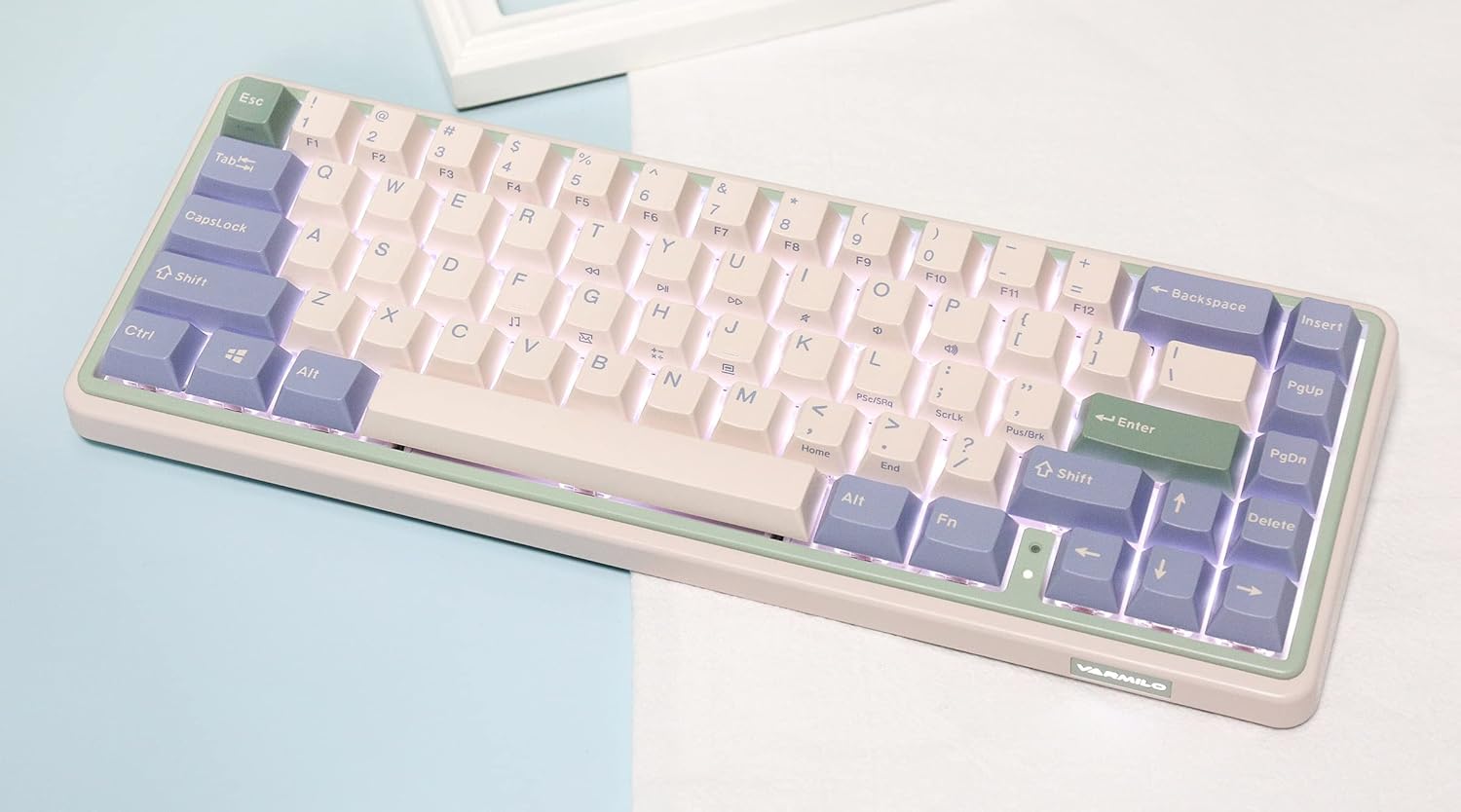
Image: The Varmilo Minilo VXB67 keyboard illuminated by its white LED backlighting.
3. التبديل بين الأجهزة المتعددة
To switch between paired Bluetooth devices:
- يضعط Fn + Q للتبديل إلى جهاز البلوتوث 1.
- يضعط Fn + W للتبديل إلى جهاز البلوتوث 2.
- يضعط Fn + E للتبديل إلى جهاز البلوتوث 3.
The keyboard will quickly connect to the selected device.
صيانة
- تنظيف: Use a soft, dry cloth to wipe the keyboard surface. For deeper cleaning, remove keycaps using the provided keycap puller and use compressed air to clear debris.
- شحن البطارية: Connect the keyboard via the USB-C cable to a power source (computer USB port or USB wall adapter). The Escape key will light up while charging and flash when the battery is low.
- تخزين: When not in use, store the keyboard in a cool, dry place. Use the provided dust cover to protect it from dust and spills.
استكشاف الأخطاء وإصلاحها
- لوحة المفاتيح لا تستجيب (سلكية):
- تأكد من توصيل كابل USB-C بشكل آمن بكل من لوحة المفاتيح والكمبيوتر.
- جرب منفذ USB مختلفًا على جهاز الكمبيوتر الخاص بك.
- جرّب كابل USB-C مختلفًا.
- Keyboard not responding (Bluetooth):
- تأكد من تمكين البلوتوث على جهازك.
- تأكد من شحن لوحة المفاتيح.
- Re-enter pairing mode (Fn + Q/W/E) and attempt to re-pair with your device.
- Forget the device on your computer/tablet/phone and try pairing again.
- المفاتيح غير مسجلة:
- Ensure the keycap and switch are properly seated. Remove and re-install if necessary.
- If using hot-swappable switches, ensure the switch pins are not bent.
- الإضاءة الخلفية لا تعمل:
- تحقق من إعدادات سطوع الإضاءة الخلفية (Fn + ↑/↓).
- Ensure the keyboard is not in a low power state.
تحديد
| نموذج | في اكس بي 67 |
| تَخطِيط | 65٪ (67 مفتاحًا) |
| الاتصال | بلوتوث 5.0، USB-C سلكي |
| المفاتيح | Varmilo EC Daisy V2 (Hot-swappable) |
| ازرار | 1.5mm thick ABS Double Shot |
| الإضاءة الخلفية | الصمام الثنائي الباعث للضوء الأبيض |
| سعة البطارية | 3400 مللي أمبير |
| الأجهزة المتوافقة | PC (and other Bluetooth-enabled devices) |
| مادة | أكريلونيتريل بوتادين ستايرين (ABS) |
| أبعاد | الأبعاد التقريبية: 15 × 7 × 2.5 بوصة (بناءً على أبعاد العبوة) |
| وزن | 3.21 رطل |
الضمان والدعم
For warranty information and technical support, please refer to the official Varmilo webالموقع أو تواصل مع بائع التجزئة. احتفظ بإثبات الشراء لطلبات الضمان.
فارميلو الرسمية Webموقع: www.varmilo.com


