مقدمة
The Logitech K585 Multi-Device Slim Wireless Keyboard is designed for versatile use across multiple devices, including laptops, tablets, desktops, and smartphones. Its compact and modern design aims to enhance productivity and comfort in various work environments. This manual provides essential information for setting up, operating, maintaining, and troubleshooting your keyboard.

Figure 1: Logitech K585 Multi-Device Slim Wireless Keyboard in Graphite.
يثبت
1. فك الصندوق والفحص الأولي
أزل جميع المكونات من العبوة بعناية. تأكد من وجود العناصر التالية:
- لوحة مفاتيح Logitech K585
- بطاريتان مقاس AAA (مثبتتان مسبقًا)
- توحيد مستقبل USB
- وثائق المستخدم

Figure 2: Contents included in the Logitech K585 package.
2. Battery Installation (if not pre-installed or for replacement)
The keyboard comes with two AAA batteries pre-installed. If you need to replace them:
- Locate the battery compartment cover on the top edge of the keyboard, usually integrated with the device cradle.
- قم بتحريك الغطاء أو رفعه برفق لفتح الحجرة.
- قم بإدخال بطاريتين AAA، مع التأكد من القطبية الصحيحة (+/-).
- أغلق غطاء حجرة البطارية جيدًا.
3. Connecting via USB Receiver (Logitech Unifying Receiver)
For devices without Bluetooth or for a stable 2.4 GHz wireless connection:
- Locate the Unifying USB receiver, typically stored inside the battery compartment or within the product packaging.
- Plug the Unifying USB receiver into an available USB-A port on your computer (laptop or desktop).
- يجب أن تتصل لوحة المفاتيح تلقائيًا.
4. Connecting via Bluetooth Wireless Technology
For devices with Bluetooth capability (laptops, tablets, smartphones):
- Turn on the keyboard using the power switch, usually located on the side.
- اضغط مع الاستمرار على أحد مفاتيح التبديل السهل (1 أو 2 أو 3) لمدة ثلاث ثوانٍ حتى يبدأ ضوء LED الموجود أعلى المفتاح بالوميض بسرعة. يشير هذا إلى أن لوحة المفاتيح في وضع الاقتران.
- على جهازك، انتقل إلى إعدادات البلوتوث وابحث عن أجهزة جديدة.
- حدد "Logitech K585" من قائمة الأجهزة المتوفرة.
- Follow any on-screen prompts to complete the pairing process. The LED light will turn solid for a few seconds and then turn off once connected.
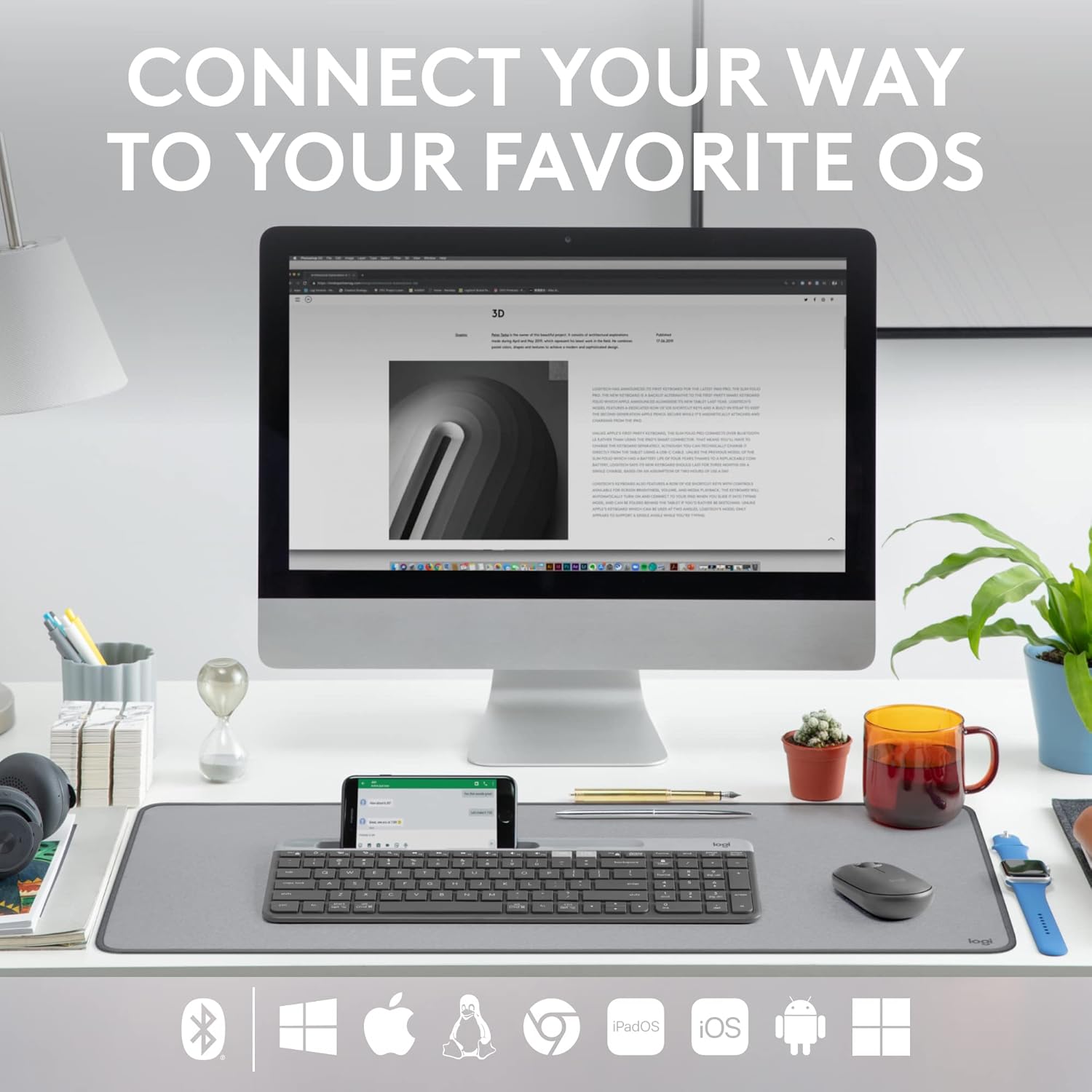
Figure 3: The Logitech K585 supports various operating systems including Windows, macOS, iOS, iPadOS, Android, and ChromeOS.
تشغيل لوحة المفاتيح
1. وظيفة التبديل السهل
The K585 keyboard allows you to seamlessly switch between up to three connected devices:
- Press the Easy-Switch key (1, 2, or 3) corresponding to the device you wish to use. The LED light above the selected key will briefly illuminate to confirm the switch.
- This feature enables quick transitions between typing on your computer, tablet, or smartphone.
2. قاعدة هاتف مدمجة
The integrated cradle at the top of the keyboard is designed to hold your smartphone or tablet, providing an optimal viewing angle for multitasking.

Figure 4: The K585 keyboard with a smartphone positioned in the integrated cradle for enhanced multitasking.
3. FN Keys and Shortcuts
The keyboard features 12 FN keys that provide easy access to media controls and other shortcuts. These keys can be customized using Logi Options+ Software for enhanced productivity.
- ضوابط الوسائط: Play/pause, volume up/down, mute.
- مفاتيح الوظائف: F1-F12, often used for specific software functions.
- التخصيص: Download and install Logi Options+ Software from the official Logitech website to personalize FN key assignments.
4. Multi-OS Compatibility
The keyboard layout is optimized for both Windows and Mac OS commands, ensuring a familiar typing experience regardless of your operating system. It also supports iOS, iPadOS, Android, and ChromeOS devices.

Figure 5: Universal compatibility of the Logitech K585 keyboard across different platforms.
صيانة
1. عمر البطارية وإدارتها
The Logitech K585 keyboard offers an extended battery life of up to 24 months, thanks to its efficient design and an auto-sleep feature that activates when the keyboard is not in use. Battery life may vary based on user and computing conditions.

Figure 6: The K585 keyboard boasts a long-lasting 24-month battery life.
To maximize battery life, ensure the keyboard is switched off when not in use for extended periods.
2. تنظيف لوحة المفاتيح
للحفاظ على مظهر لوحة المفاتيح ووظائفها:
- Use a soft, lint-free cloth to wipe down the surface.
- بالنسبة للأوساخ العنيدة، قم بإزالة الأوساخ برفق.ampاغمر قطعة القماش بالماء أو بمنظف معتدل غير كاشط.
- تجنب رش السوائل مباشرة على لوحة المفاتيح.
- Do not use harsh chemicals or abrasive materials, as these can damage the finish.
استكشاف الأخطاء وإصلاحها
If you encounter issues with your Logitech K585 keyboard, consider the following common solutions:
- لا يوجد اتصال:
- تأكد من تشغيل لوحة المفاتيح.
- تحقق من مستويات البطارية واستبدلها إذا لزم الأمر.
- For USB receiver connection, try plugging the receiver into a different USB port.
- For Bluetooth connection, ensure Bluetooth is enabled on your device and try re-pairing the keyboard.
- التأخير أو انقطاع الاتصال:
- Move the keyboard closer to the receiver or Bluetooth-enabled device.
- Avoid placing the keyboard near other wireless devices that might cause interference (e.g., Wi-Fi routers, cordless phones).
- تأكد من تحديث نظام تشغيل جهازك وبرامج تشغيل البلوتوث.
- المفاتيح لا تستجيب:
- قم بتنظيف المنطقة المحيطة بالمفاتيح المتضررة لإزالة أي حطام.
- أعد تشغيل الكمبيوتر أو الجهاز.
- If using Logi Options+ Software, ensure it is running correctly and not causing conflicts.
For more detailed troubleshooting or persistent issues, refer to the official Logitech support website or the comprehensive user guide available for download.
تحديد
| ميزة | التفاصيل |
|---|---|
| ماركة | لوجيتك |
| رقم الموديل | 920-011479 |
| تكنولوجيا الاتصال | Bluetooth, USB (2.4 GHz Unifying Receiver) |
| الأجهزة المتوافقة | كمبيوتر محمول، كمبيوتر شخصي، هاتف ذكي، جهاز لوحي |
| توافق نظام التشغيل | ويندوز، ماك أو إس، آي أو إس، آيباد أو إس، أندرويد، كروم أو إس |
| لون | الجرافيت |
| وزن العنصر | 1.24 رطل (حوالي 562 جرامًا) |
| أبعاد المنتج (الطول × العرض × الارتفاع) | 14.7 × 5.6 × 0.76 بوصة (حوالي 37.3 × 14.2 × 1.9 سم) |
| عمر البطارية | مدة تصل إلى 24 شهرًا (قد تختلف المدة بناءً على الاستخدام) |
| لاسلكي المدى | حتى 10 أمتار (33 قدمًا) |

Figure 7: Detailed dimensions of the Logitech K585 keyboard.
الضمان والدعم
للحصول على معلومات الضمان والدعم الفني والموارد الإضافية، يرجى زيارة موقع دعم Logitech الرسمي website. You can also find a comprehensive User Guide in PDF format for this product:
المستندات ذات الصلة - 920-011479
 |
دليل إعداد لوحة مفاتيح Logitech K585 متعددة الأجهزة دليل إعداد شامل للوحة المفاتيح اللاسلكية النحيفة متعددة الأجهزة Logitech K585. تعرّف على كيفية تركيب البطاريات، والاتصال عبر مستقبل USB أو بلوتوث، والاقتران بأجهزة متعددة، واختيار تخطيطات نظام التشغيل. |
 |
لوحة مفاتيح Logitech K780 متعددة الأجهزة: الميزات، والاتصال، ودليل الإعداد اكتشف لوحة مفاتيح لوجيتك K780 متعددة الأجهزة، وهي لوحة مفاتيح متعددة الاستخدامات مصممة للتبديل بسلاسة بين أجهزة الكمبيوتر والهواتف الذكية والأجهزة اللوحية. يوضح هذا الدليل ميزاتها، وخيارات الاتصال المزدوجة (بلوتوث سمارت ومستقبل موحد)، ووظائفها المُحسّنة، وتعليمات الإعداد لمختلف أنظمة التشغيل. |
 |
لوحة المفاتيح Logitech K780 متعددة الأجهزة: الوظائف والاتصال والتخطيط دليل كامل على لوحة المفاتيح Logitech K780 Multi-Device، التي تغطي وظائفها، بالإضافة إلى دمج المزيد من الأجهزة عبر Bluetooth Smart وUnifying، وتحسين الوظائف والتخطيط المزدوج لأنظمة التشغيل المتنوعة. |
 |
دليل مستخدم لوحة مفاتيح Logitech K380 وفأرة Pebble أدلة استخدام شاملة للوحة مفاتيح Logitech K380 متعددة الأجهزة بتقنية Bluetooth وفأرة Logitech Pebble اللاسلكية، تغطي الإعداد والميزات والاختصارات وإدارة الطاقة. تتضمن تعليمات مفصلة للاقتران وتثبيت البرامج والوظائف الرئيسية. |
 |
لوحة مفاتيح Logitech K780 متعددة الأجهزة: اتصال سلس لجميع أجهزتك Explore the Logitech K780 Multi-Device Keyboard. Learn how to connect and use this versatile keyboard with your computer, tablet, and smartphone via Unifying or Bluetooth Smart for enhanced productivity. Discover its features, setup, and multi-device pairing. |
 |
لوحة مفاتيح Logitech K780 متعددة الأجهزة: دليل الاتصال اللاسلكي، والبلوتوث، والتكامل دليل شامل للوحة مفاتيح Logitech K780 متعددة الأجهزة، يغطي ميزاتها، وتصميمها المزدوج، وسهولة التبديل بين الكمبيوتر الشخصي، وجهاز Mac، والجهاز اللوحي، والهاتف، وطرق الاتصال عبر Bluetooth Smart وجهاز الاستقبال Unifying. |