مقدمة
This manual provides essential information for setting up, operating, and maintaining your Apple iPad (10th Generation). The iPad features an all-screen design, a 10.9-inch Liquid Retina display, the powerful A14 Bionic chip, Wi-Fi 6 connectivity, and advanced cameras. It is designed for everyday tasks, creativity, and staying connected.
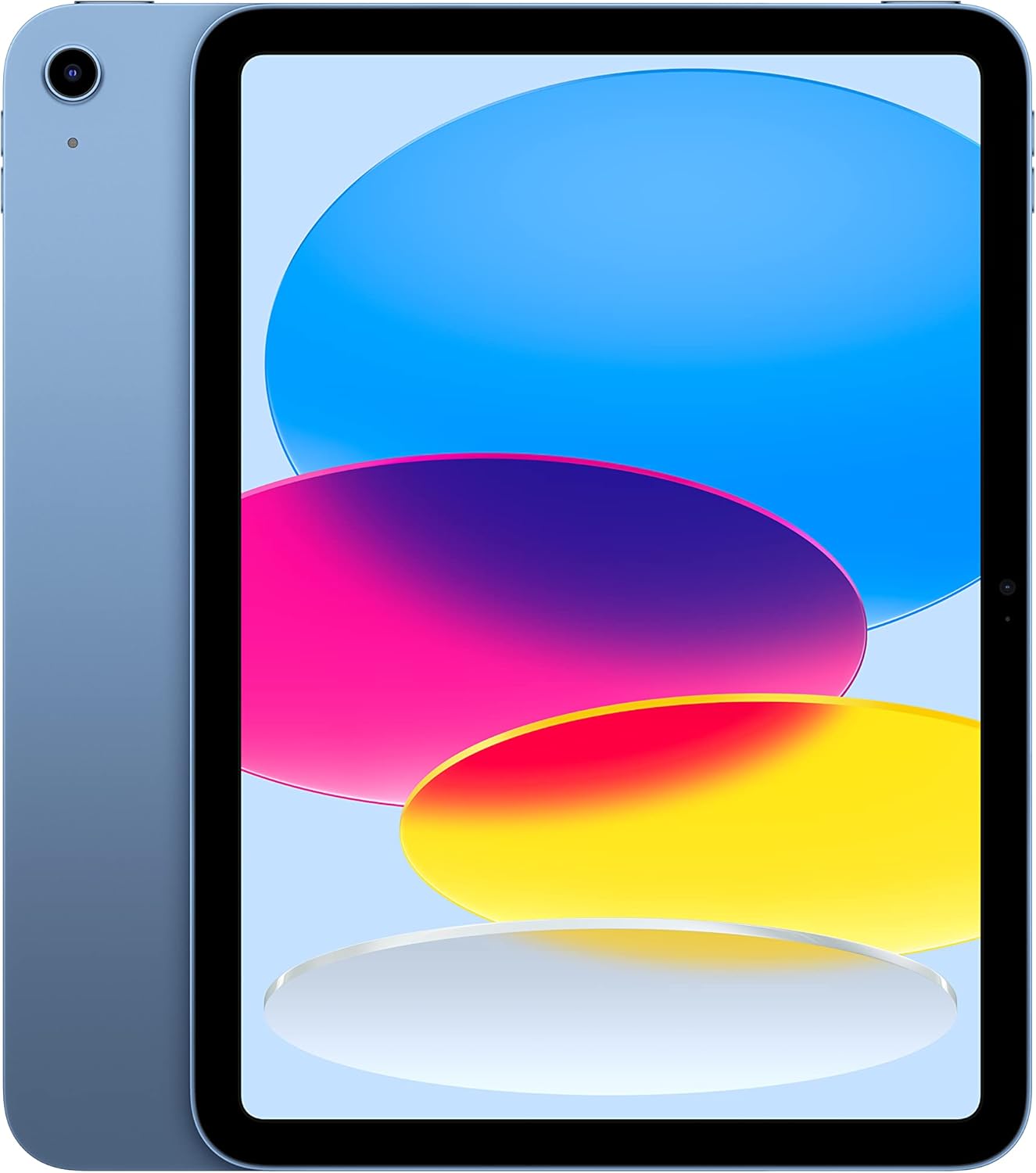
Image: The Apple iPad (10th Generation) in blue, showcasing its full-screen display and sleek design.
ماذا يوجد في الصندوق
Verify that all items are present in your iPad packaging:
- آيباد (الجيل التاسع)
- كابل شحن USB-C (طول متر واحد)
- محول الطاقة 20W USB-C

Image: A visual representation of the items included in the iPad packaging: the iPad device, a USB-C charging cable, and a 20W USB-C power adapter.
يثبت
- تشغيل الطاقة: اضغط مع الاستمرار على الزر العلوي حتى يظهر شعار Apple.
- الترتيب الأولي: اتبع التعليمات التي تظهر على الشاشة لاختيار لغتك ومنطقتك والاتصال بشبكة Wi-Fi.
- نقل البيانات (اختياري): إذا كان لديك جهاز iPad أو iPhone سابق، فيمكنك نقل بياناتك أثناء الإعداد.
- معرف آبل: سجّل دخولك باستخدام مُعرّف Apple الخاص بك أو أنشئ مُعرّفًا جديدًا. هذا ضروري لتنزيل التطبيقات واستخدام iCloud وخدمات Apple الأخرى.
- إعداد بصمة الإصبع: Configure Touch ID for secure unlocking and purchases.
- الشحن: قم بتوصيل كابل الشحن USB-C بمنفذ USB-C الخاص بجهاز iPad ومحول الطاقة USB-C بقوة 20 واط، ثم قم بتوصيله بمأخذ الطاقة.
تشغيل جهاز iPad الخاص بك
عرض
The iPad features a 10.9-inch Liquid Retina display with True Tone technology. True Tone automatically adjusts the display's color and intensity to match the ambient light, providing a more natural viewتجربة رائعة.

Image: An illustration of the iPad's key features, including the 10.9-inch Liquid Retina display, Landscape Ultra Wide front camera, and the A14 Bionic chip.
معرف اللمس
Touch ID is integrated into the top button of your iPad. It allows you to securely unlock your device, sign in to apps, and authorize purchases with Apple Pay using your fingerprint.
- فتح: Place your registered finger on the top button.
- أبل باي: Double-press the top button and then place your finger on it to authenticate a payment.
الكاميرات
The iPad is equipped with advanced cameras:
- الكاميرا الأمامية: Landscape 12MP Ultra Wide camera with Center Stage and Smart HDR 3. Center Stagيبقيك التطبيق تلقائيًا في الإطار أثناء مكالمات الفيديو.
- الكاميرا الخلفية: 12MP Wide camera with Smart HDR 3, capable of recording 4K video at 24, 25, 30, or 60 frames per second.
الاتصال
The iPad supports Wi-Fi 6, providing fast and reliable wireless internet access for streaming, downloading, and browsing.
الأداء والتخزين
Powered by the A14 Bionic chip with a 6-core CPU, 4-core graphics, and a 16-core Neural Engine, the iPad delivers robust performance for various applications, from immersive games to photo and video editing. It is available with 64GB or 256GB storage options.
عمر البطارية
The iPad offers up to 10 hours of web surfing on Wi-Fi or video playback. When using cellular data (on Wi-Fi + Cellular models), battery life is up to 9 hours.
مُكَمِّلات
Enhance your iPad experience with compatible accessories (sold separately):
- قلم Apple (الجيل الأول): Transforms your iPad into a digital canvas and note-taking device. Requires a USB-C to Apple Pencil Adapter.
- حافظة لوحة المفاتيح السحرية: Features a two-piece design with a detachable keyboard and protective back panel that attach magnetically.

Image: The Apple iPad (10th Generation) shown with the Magic Keyboard Folio and Apple Pencil, demonstrating its versatility for productivity and creativity.
صيانة
To ensure the longevity and optimal performance of your iPad, follow these maintenance guidelines:
- تنظيف: استخدم قطعة قماش ناعمة وخالية من الوبر لتنظيف الشاشة والسطح الخارجي. تجنب استخدام المواد الكاشطة أو المواد الكيميائية القاسية.
- درجة حرارة: Operate and store your iPad within recommended temperature ranges (0° to 35° C / 32° to 95° F). Avoid extreme heat or cold.
- تحديثات البرامج: قم بتحديث نظام iPadOS بانتظام إلى أحدث إصدار للاستفادة من الميزات الجديدة والتحسينات الأمنية وإصلاحات الأخطاء. انتقل إلى الإعدادات > عام > تحديث البرامج.
- ادارة التخزين: إعادة بشكل دوريview and manage your storage to free up space. Go to Settings > General > iPad Storage.
استكشاف الأخطاء وإصلاحها
If you encounter issues with your iPad, consider the following common troubleshooting steps:
- الجهاز لا يستجيب: إذا كان جهاز iPad الخاص بك لا يستجيب، فأعد تشغيله بالقوة. اضغط على زر رفع الصوت ثم حرره بسرعة، ثم اضغط على زر خفض الصوت ثم حرره بسرعة، ثم اضغط مع الاستمرار على الزر العلوي حتى يظهر شعار Apple.
- مشكلات الاتصال بشبكة Wi-Fi:
- تأكد من تفعيل الواي فاي في الإعدادات.
- أعد تشغيل جهاز توجيه Wi-Fi الخاص بك.
- انسى الشبكة وأعد الاتصال بها.
- استنزاف البطارية: Check battery usage in Settings > Battery to identify apps consuming significant power. Adjust settings or background app refresh as needed.
- مشاكل التطبيق: If an app is not working correctly, try closing and reopening it. If the problem persists, delete and reinstall the app.
للحصول على مزيد من المعلومات حول استكشاف الأخطاء وإصلاحها أو في حالة وجود مشاكل مستمرة، تفضل بزيارة موقع دعم Apple الرسمي webالموقع أو اتصل بخدمة عملاء Apple.
تحديد
| ميزة | التفاصيل |
|---|---|
| اسم الموديل | آيباد (الجيل التاسع) |
| رقم موديل العنصر | MPQ93LL/A |
| عرض | شاشة Liquid Retina مقاس 10.9 بوصة بتقنية True Tone |
| دقة العرض | 2360 × 1640 بكسل |
| رقاقة | A14 Bionic chip (6-core CPU, 4-core graphics, 16-core Neural Engine) |
| سعة تخزين الذاكرة | 256 GB (also available in 64GB) |
| الكاميرا الخلفية | 12MP Wide camera with Smart HDR 3, 4K video recording |
| الكاميرا الأمامية | Landscape 12MP Ultra Wide with Center Stagو Smart HDR 3 |
| عمر البطارية | Up to 10 hours (Wi-Fi), Up to 9 hours (Cellular) |
| موصل | يو اس بي-سي |
| الأبعاد (الارتفاع × العرض × العمق) | 9.79 × 7.07 × 0.28 بوصة (248.6 × 179.5 × 7 مم) |
| وزن | 1.05 رطل (477 جرام) طراز Wi-Fi |
| Compatible Apple Pencil | Apple Pencil (1st generation) - requires USB-C to Apple Pencil Adapter |
| الشركة المصنعة | تفاحة |
| تاريخ أول توفر | 18 أكتوبر 2022 |
الضمان والدعم
Your Apple iPad (10th Generation) is covered by Apple's standard limited warranty. For detailed information regarding warranty terms, coverage, and service options, please refer to the warranty documentation included with your product or visit the official Apple Support webموقع.
For technical assistance, troubleshooting guides, and additional resources, please visit the دعم أبل website for iPad.
ملاحظات هامة
This manual provides general instructions. For the most up-to-date information and advanced features, always refer to the official Apple iPad User Guide available digitally on your device or Apple's webموقع.


