1. الإعداد والاستخدام الأولي
1.1 محتويات العبوة
تأكد من أن الحزمة الخاصة بك تحتوي على العناصر التالية:
- EURANS Smart Watch IW1 Lite
- كابل الشحن
- دليل المستخدم
1.2 شحن الجهاز
Before first use, fully charge your smart watch. The device features a 7-day battery life with typical use and a standby time of 30 days. A full charge typically takes 1 hour.
- قم بتوصيل كابل الشحن المغناطيسي بجهات اتصال الشحن الموجودة على الجزء الخلفي من الساعة.
- قم بتوصيل الطرف USB من الكابل بمحول طاقة USB قياسي (يوصى بـ 5 فولت/1 أمبير) أو منفذ USB الخاص بالكمبيوتر.
- The watch screen will display a charging indicator. Ensure the contacts are clean and dry before charging.
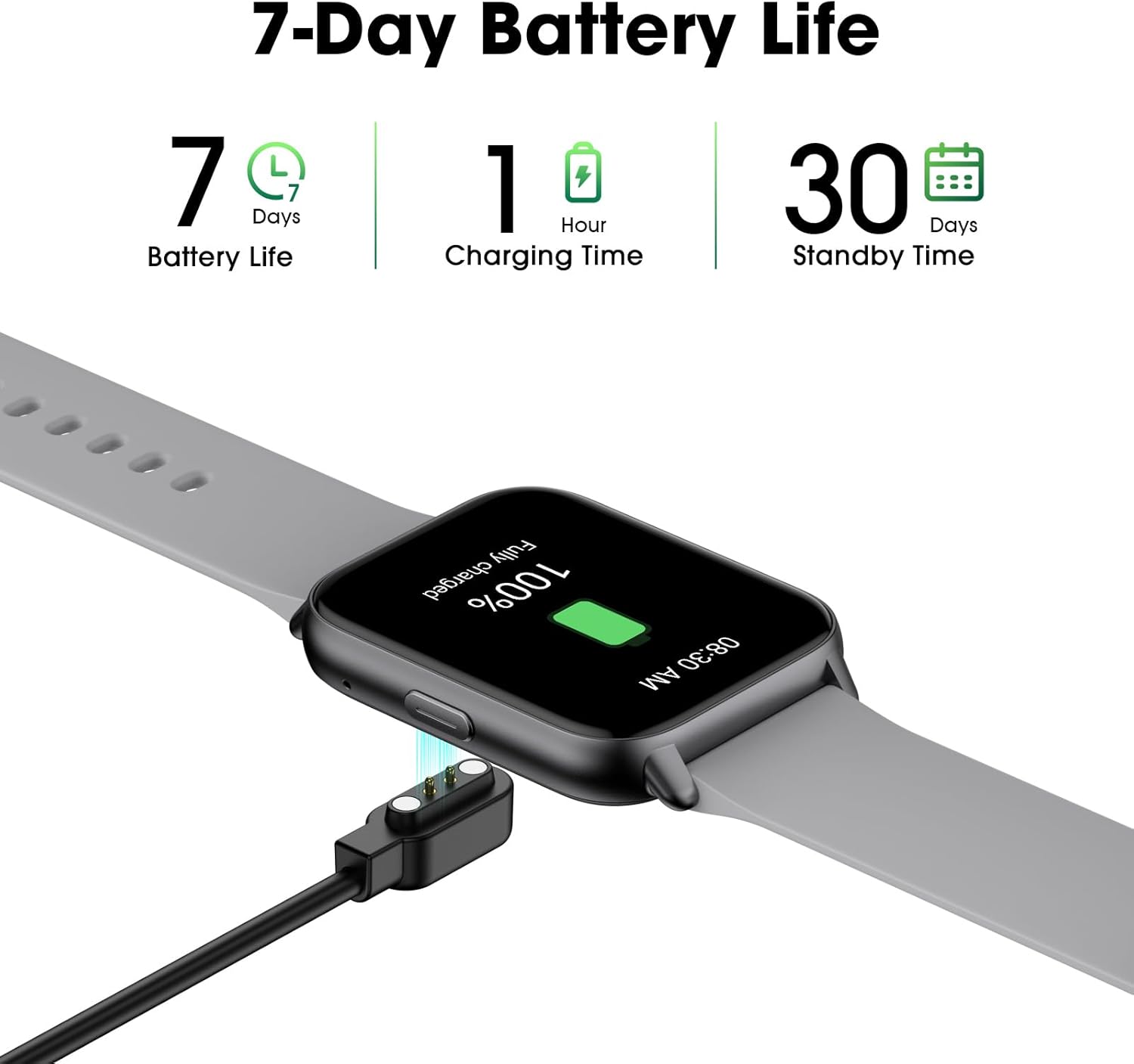
Image: The EURANS Smart Watch IW1 Lite connected to its magnetic charging cable, showing a full charge. Text on the image indicates '7 Days Battery Life', '1 Hour Charging Time', and '30 Days Standby Time'.
1.3 تشغيل/إيقاف التشغيل
- تشغيل الطاقة: اضغط مع الاستمرار على الزر الجانبي لعدة ثوانٍ حتى تضيء الشاشة.
- إيقاف التشغيل: From the watch face, swipe down to access the quick settings, then tap the power icon, or navigate to 'Settings' > 'Power Off' and confirm.
1.4 الملاحة الأساسية
The EURANS Smart Watch IW1 Lite features a touch-sensitive HD screen and a side button for navigation.
- اسحب لأعلى/لأسفل: التنقل عبر القوائم أو الإشعارات.
- اسحب لليسار/اليمين: Access different function screens (e.g., activity data, heart rate).
- مقبض: حدد عنصرًا أو قم بتأكيد إجراء.
- زر جانبي: Press to return to the watch face or wake the screen.

Image: The EURANS Smart Watch IW1 Lite showing the main watch face with current time (08:26), date (APR 06, SATURDAY), and activity metrics including calories burned (234), steps taken (8000), and distance (4.25). A smaller inset image shows options for 'Binding APP' or 'Skip Binding'.
1.5 Optional App Connection
The EURANS Smart Watch IW1 Lite is designed to function independently without requiring a smartphone app. All core features like step counting, calorie tracking, and health monitoring are accessible directly on the watch. However, an optional companion application can be used to access additional features:
- Data Record & Check: View historical fitness and health data.
- Weather Display: Receive weather updates on your watch.
- Message Notification: Receive alerts from your smartphone.
Refer to the app's instructions for pairing and setup if you choose to use these extended features.
2. تشغيل الساعة الذكية
2.1 تتبع النشاط
The watch automatically tracks your daily activity. Swipe through the watch faces to view your current statistics.
- عداد الخطوات: يسجل عدد الخطوات التي يتم اتخاذها على مدار اليوم.
- متعقب السعرات الحرارية: يقوم بتقدير السعرات الحرارية المحروقة بناءً على نشاطك.
- متتبع المسافة: Calculates the distance covered.

Image: A man and a woman running outdoors. Below them, three circular icons display activity data: 426 Kcal (Calories), 9973 Steps, and 3.96 KM (Distance).
2.2 مراقبة الصحة
The EURANS Smart Watch IW1 Lite provides continuous health monitoring features.
- مراقب معدل ضربات القلب: Measures your heart rate throughout the day. Access the heart rate screen to view البيانات في الوقت الحقيقي والاتجاهات التاريخية.
- قياس نسبة الأكسجين في الدم (SpO2): Provides on-demand blood oxygen saturation readings.
- مراقب النوم: يتتبع أنماط نومك، بما في ذلك النوم العميق والنوم الخفيف وأوقات الاستيقاظ.
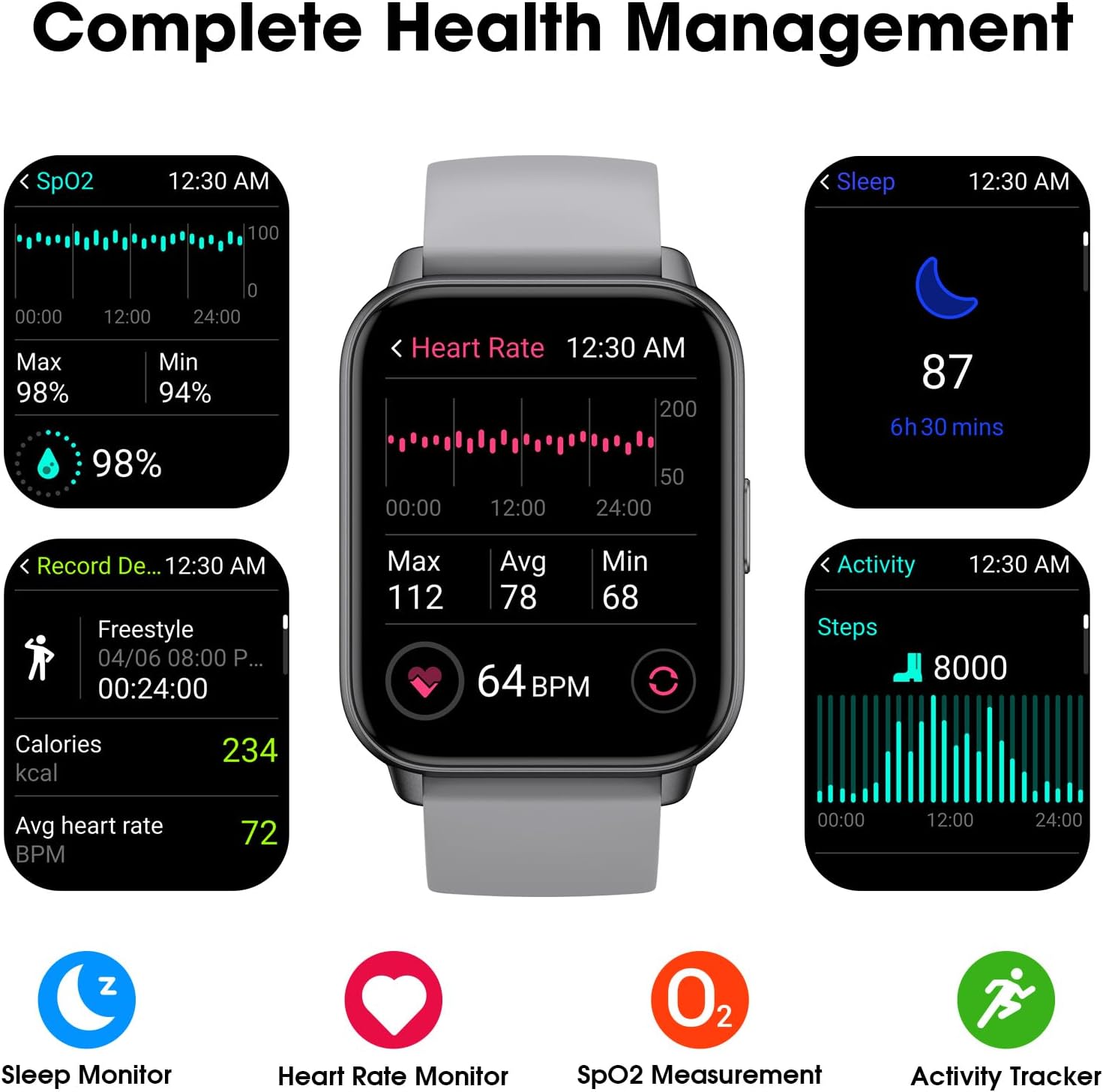
Image: A collage of watch screens demonstrating various health management features. These include SpO2 measurement (98%), heart rate monitoring (64 BPM with max/avg/min), sleep tracking (87, 6h 30 mins), and activity recording (calories, heart rate, steps).
2.3 Watch Functions
Beyond fitness tracking, the watch includes several utility functions:
- عرض الوقت: Customizable watch faces to show time and date.
- التنبيه: ضبط المنبهات مباشرة على الساعة.
- ساعة التوقيف: للأنشطة التوقيتية.
- المؤقت: For countdowns.
2.4 Display Readability
The EURANS Smart Watch IW1 Lite features a 1.69-inch HD screen designed for clear visibility.
- أعداد كبيرة: Time and data are displayed with large, easy-to-read digits.
- Sunlight Readability: The screen is optimized for visibility even under direct sunlight.

الصورة: لقطة مقربة view of the EURANS Smart Watch IW1 Lite screen, demonstrating its large and easy-to-read display. The image shows the time (08:26), date (APR 06), and activity metrics, emphasizing clarity and readability under various lighting conditions.
3. الصيانة
3.1 تنظيف ساعتك
يساعد التنظيف المنتظم على الحفاظ على أداء الساعة ومظهرها.
- امسح الشاشة والحزام بقطعة قماش ناعمة.amp، قطعة قماش خالية من الوبر.
- تجنب استخدام المواد الكيميائية القاسية، أو المنظفات الكاشطة، أو المذيبات.
- تأكد من أن نقاط اتصال الشحن نظيفة وجافة لمنع التآكل وضمان الشحن المناسب.
3.2 مقاومة الماء
The EURANS Smart Watch IW1 Lite is IP68 waterproof, meaning it is resistant to dust and can withstand immersion in water up to 1.5 meters for up to 30 minutes.
- It is suitable for daily use, such as hand washing, rain, and swimming in shallow water.
- Do not use the watch in hot water, saunas, or steam rooms, as steam can penetrate the seals.
- Avoid prolonged immersion or high-pressure water activities like diving or high-speed water sports.
- لا تقم بتشغيل الأزرار تحت الماء.
3.3 التخزين
عند عدم استخدام الساعة لفترات طويلة، احفظها في مكان بارد وجاف. يُنصح بشحن الساعة دوريًا للحفاظ على صحة البطارية.
4. استكشاف الأخطاء وإصلاحها
If you encounter issues with your EURANS Smart Watch IW1 Lite, refer to the following common solutions:
- الساعة لا تعمل: تأكد من شحن الساعة بالكامل. وصلها بالشاحن لمدة 10 دقيقة على الأقل.
- الساعة لا تشحن: Check that the charging cable is securely connected to both the watch and the power source. Ensure the charging contacts on the watch and cable are clean and free of debris.
- بيانات النشاط غير الدقيقة: Ensure the watch is worn snugly on your wrist, about one finger's width above your wrist bone. Movement of the watch on your wrist can affect sensor accuracy.
- الشاشة لا تستجيب: Try restarting the watch by holding the side button until the power off option appears, then power off and on again. If unresponsive, allow the battery to fully drain and then recharge.
- التاريخ/الوقت غير صحيح: If connected to an app, ensure the watch is synced. If not using an app, manually adjust the time and date through the watch's settings.
4.1 إعادة ضبط المصنع
If problems persist, a factory reset may resolve the issue. Note that this will erase all data on the watch.
- Navigate to 'Settings' on your watch.
- Select 'System' or 'Reset'.
- Choose 'Factory Reset' and confirm the action.
5. المواصفات
| ميزة | مواصفة |
|---|---|
| رقم الموديل | IW1 لايت |
| ماركة | يورانس |
| حجم الشاشة | 1.69 بوصة |
| سعة البطارية | 350 مليamp ساعات |
| عمر البطارية النموذجي | حتى 7 يومًا |
| وقت الاستعداد | حتى 30 يومًا |
| وقت الشحن | حوالي 1 ساعة |
| مقاومة الماء | IP68 |
| الاتصال | بلوتوث |
| توافق نظام التشغيل | Android, iOS (for optional app features) |
| المميزات الخاصة | Activity Tracker, Sleep Monitor, Time Display, Heart Rate Monitor, SpO2 Measurement |
6. الضمان والدعم
6.1 معلومات الضمان
Your EURANS Smart Watch IW1 Lite is covered by a limited manufacturer's warranty. Please refer to the warranty card included in your product packaging for specific terms and conditions, including warranty period and coverage details.
6.2 دعم العملاء
For technical assistance, troubleshooting, or warranty claims, please contact EURANS customer support. Contact details can typically be found on the product packaging, the official EURANS webالموقع، أو من خلال بائع التجزئة الخاص بك.


