مقدمة
This manual provides comprehensive instructions for the installation, operation, and maintenance of your Weiser SmartCode Keypad Door Lock with San Clemente Handleset & Halifax Interior Door Handle. This electronic deadbolt system offers enhanced security and convenience for your home's exterior doors.
The SmartCode lock features a keypad for keyless entry, a motorized locking mechanism, and SmartKey re-key technology. Please read this manual thoroughly before installation and use to ensure proper function and longevity of your product.
محتويات الحزمة
قبل البدء بالتثبيت، تأكد من وجود جميع المكونات في العبوة:
- المقبض الخارجي
- رافعة داخلية
- SmartCode الإلكترونية ديدبولت
- المزالج
- الضربات
- براغي
- البراغي
- 2 مفتاحا
- أداة المفتاح الذكي
- دليل المستخدم (هذا المستند)

الصورة: أكثر منview of the Weiser SmartCode Keypad Door Lock and Handleset, showing all main components including the exterior keypad, interior deadbolt, and handleset.
الإعداد والتثبيت
The Weiser SmartCode lock is designed for straightforward installation. It is compatible with standard doors ranging from 1-3/8 inches to 1-3/4 inches thick, featuring an adjustable backset (2-3/8 inches or 2-3/4 inches).
For detailed, step-by-step interactive 3D instructions, it is highly recommended to use the free BILT app. This app provides voice and video guidance to facilitate a stress-free installation process.

الصورة: الجانب view of the Weiser SmartCode lock and handleset installed on a white door, demonstrating its profile.
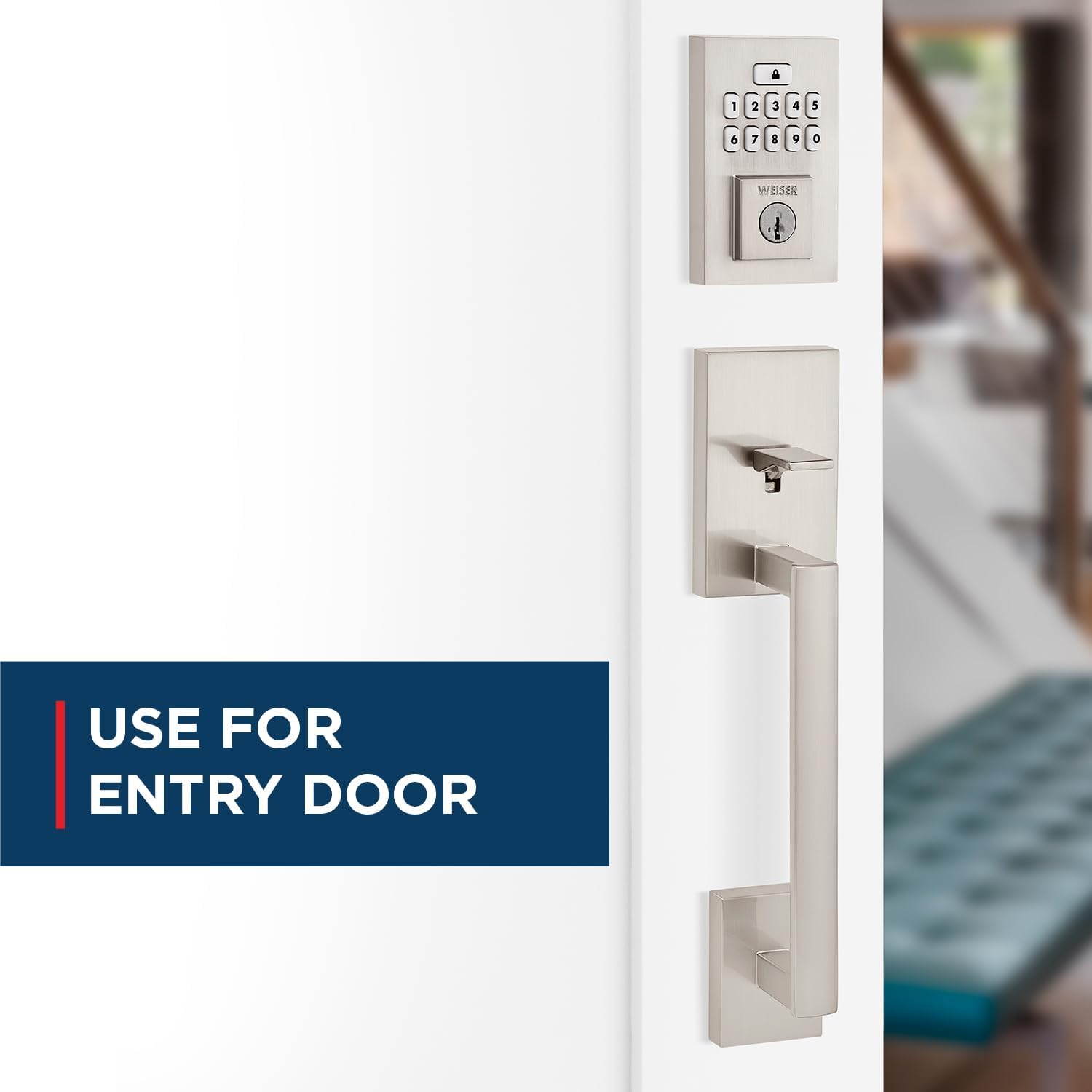
Image: The Weiser SmartCode keypad and handleset installed on an entry door, highlighting its suitability for main entry points.
تعليمات التشغيل
الدخول بدون مفتاح
To gain entry, simply enter your personalized code on the keypad. The motorized deadbolt will quickly and quietly unlock. This feature makes coming and going secure and convenient.

Image: A finger pressing a button on the Weiser SmartCode keypad, illustrating the keyless entry function.
قفل الباب
Locking the door is as easy as touching a button. The motorized deadbolt provides single-touch locking, eliminating the need for additional turning or twisting.
ميزة القفل التلقائي
For added peace of mind, the auto-lock feature can be enabled. When activated, the lock will automatically engage after a set period, ensuring your door is always secured.

Image: A woman and her dog entering a home, with the Weiser SmartCode keypad visible, demonstrating the convenience of the auto-lock feature.
Managing User Access Codes
The SmartCode lock supports up to 50 user access codes, along with a master code option for enhanced control. Refer to the BILT app or the included quick start guide for instructions on programming and managing these codes.

Image: A visual representation of the multiple user access code feature, showing various individuals who can be granted access.
Video: An official product video demonstrating the key features and operation of the Weiser SmartCode Keypad Door Lock, including keyless entry and auto-lock functionality.
صيانة
تقنية إعادة برمجة المفاتيح الذكية
The SmartKey re-key technology allows you to re-key your lock in seconds. This is useful for situations such as moving to a new home, losing keys, or consolidating multiple locks to a single key. This feature helps you maintain control over who has access to your property and protects against unauthorized key duplication.

Image: A diagram illustrating the SmartKey Security feature, showing where the reset tool is inserted to re-key the lock.
استبدال البطارية
The SmartCode lock operates on 4 AA batteries (not included). When the batteries are low, the lock will provide an indicator. Replace all four batteries simultaneously with new, high-quality alkaline batteries to ensure optimal performance.
استكشاف الأخطاء وإصلاحها
If you encounter issues with your Weiser SmartCode lock, consider the following common solutions:
- القفل لا يستجيب: تحقق من مستوى شحن البطارية واستبدلها إذا لزم الأمر. تأكد من إدخال البطاريات بالقطبية الصحيحة.
- لوحة المفاتيح لا تعمل: Verify that the lock is receiving power. If batteries are new, try a factory reset (refer to the BILT app or quick start guide for specific steps).
- Difficulty Locking/Unlocking: Ensure the door frame and strike plate are properly aligned. Obstructions in the door jamb can prevent the deadbolt from extending fully.
- Code Not Accepted: Double-check the entered code. Ensure the master code is correctly set. If issues persist, try deleting and re-programming the user code.
For more complex issues or persistent problems, refer to the comprehensive troubleshooting section within the BILT app or contact Weiser customer support.
تحديد
| ميزة | التفاصيل |
|---|---|
| رقم الموديل | 9GLA92600-003 |
| ماركة | ويزر |
| لون | الساتان النيكل |
| أسلوب | San Clemente x Smartcode |
| مادة | معدن |
| أبعاد المنتج | 6.99 × 2.86 × 2.86 سم |
| وزن العنصر | 454 جرام |
| توافق الباب | أبواب بسماكة من 1-3/8 بوصة إلى 1-3/4 بوصة، مسافة خلفية قابلة للتعديل (2-3/8 بوصة أو 2-3/4 بوصة) |
| Keypad Design | 10-زر |
| User Access Codes | Up to 50, plus Mastercode feature |
| المميزات الخاصة | SmartKey Security, Motorized Lock/Unlock |
| البطاريات المطلوبة | 4 بطاريات AA (غير متضمنة) |
| بلد المنشأ | الصين |
الضمان والدعم
The Weiser SmartCode Keypad Door Lock comes with a ضمان لمدة 1 سنوات. For warranty claims or technical support, please contact Weiser customer service. You can find contact information on the official Weiser website or through the BILT app.
For additional resources, including FAQs and video tutorials, visit the متجر وايزر على أمازون or the official Weiser webموقع.


