مقدمة
The Samsung M33 5G is a powerful smartphone designed for seamless connectivity and performance. Featuring a 6.6-inch Full HD+ 120Hz display, a versatile 50MP Quad Camera system, and a robust Octa-core processor, this device is built to handle demanding tasks, gaming, and multimedia consumption. This manual provides essential information for setting up, operating, maintaining, and troubleshooting your Samsung M33 5G.
ماذا يوجد في الصندوق
Upon unboxing your Samsung M33 5G, please ensure all the following items are present:
- Samsung M33 5G Smartphone
- 25W شاحن الحائط
- كابل يو اس بي
- أداة إخراج درج بطاقة SIM
في حال وجود أي عناصر مفقودة أو تالفة، يرجى الاتصال ببائع التجزئة أو خدمة دعم عملاء سامسونج.
يثبت
1. تركيب بطاقة SIM وبطاقة MicroSD
Your Samsung M33 5G supports dual Nano SIM cards and a MicroSD card for expanded storage. The device features a hybrid SIM slot.
- حدد مكان درج بطاقة SIM على جانب هاتفك.
- Insert the provided SIM tray ejector tool into the small hole next to the tray and push gently until the tray pops out.
- ضع بطاقة (بطاقات) نانو SIM و/أو بطاقة MicroSD في الفتحات المخصصة لها على الدرج. تأكد من أن الموصلات الذهبية متجهة للأسفل.
- قم بإعادة إدخال الدرج داخل الهاتف بعناية حتى يستقر في مكانه.
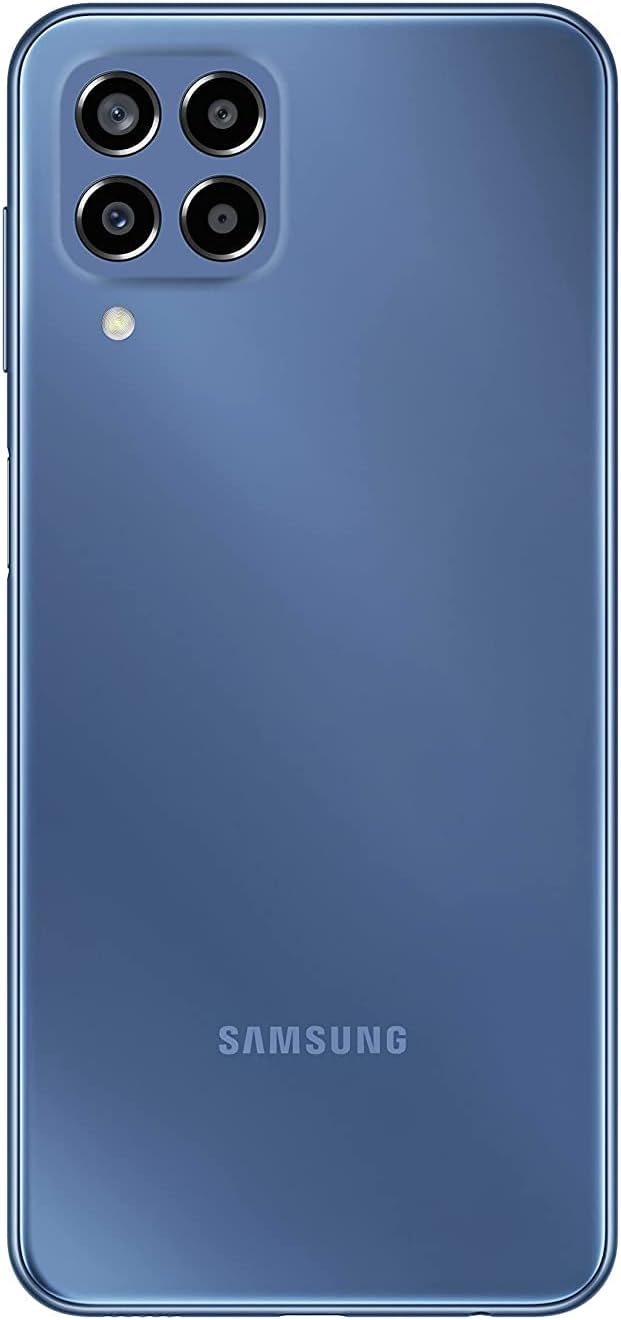
الصورة: الخلفية view of the Samsung M33 5G smartphone, highlighting the camera module and the Samsung branding.
2. الشحن الأولي والتشغيل
قبل الاستخدام الأول، يوصى بشحن جهازك بالكامل.
- Connect the USB cable to the 25W Wall Charger and then to the USB-C port on your phone.
- قم بتوصيل الشاحن بمأخذ كهربائي. سيظهر مؤشر الشحن على الشاشة.
- Once sufficiently charged, press and hold the Power button (located on the side) until the Samsung logo appears.
- اتبع الإرشادات التي تظهر على الشاشة لإكمال الإعداد الأولي، بما في ذلك تحديد اللغة، واتصال Wi-Fi، وإعداد حساب Google.
تشغيل جهازك
العرض والملاحة
The Samsung M33 5G features a 6.6-inch PLS LCD display with Full HD+ resolution (1080 x 2408) and a 120Hz refresh rate for smooth scrolling and responsiveness.
- إيماءات شاشة اللمس: يمكنك التنقل باستخدام النقر والتمرير والضغط والضغط المطول.
- ماسح البصمات: The power button integrates a fingerprint sensor for secure unlocking.
مميزات الكاميرا
Your device is equipped with a versatile Quad Camera system:
- الكاميرا الرئيسية: 50.0 MP (F1.8) for high-resolution photos.
- كاميرا فائقة الاتساع: 5.0 MP (F2.2) with a 123-degree angle of view لالتقاط صور واسعة النطاق.
- كاميرا ماكرو: 2.0 MP (F2.4) to capture fine details up close.
- كاميرا العمق: 2.0 MP (F2.4) for adjustable background blur in portrait photos.
- الكاميرا الأمامية: 8.0 MP (F2.2) for selfies and video calls.
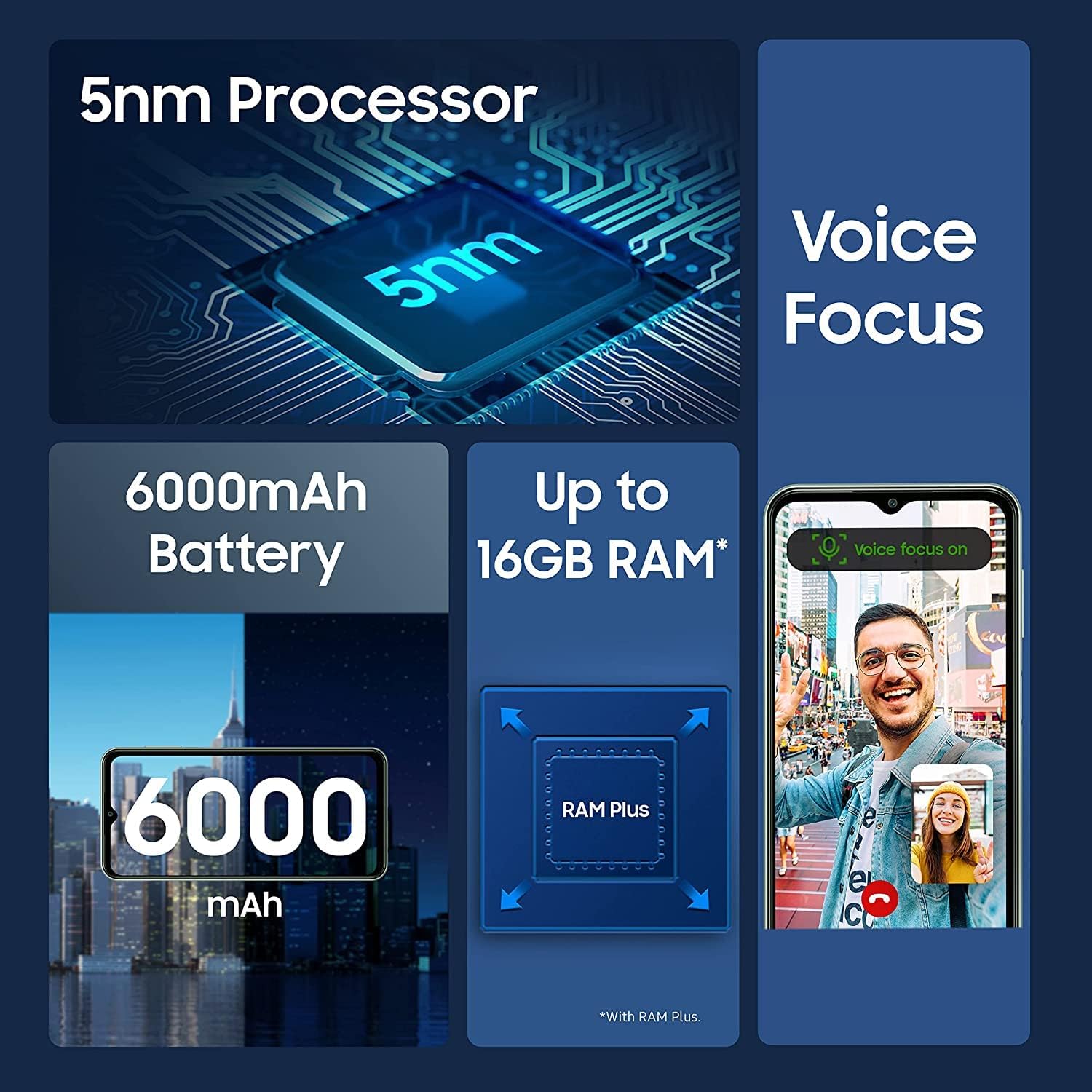
Image: Infographic detailing key features of the Samsung M33 5G, including its 5nm processor, Voice Focus technology, 6000mAh battery, and expandable RAM up to 16GB with RAM Plus.
الأداء والتخزين
The M33 5G is powered by an Octa-core processor (2x2.4 GHz Cortex-A78 & 6x2.0 GHz Cortex-A55) with a Mali-G68 GPU, ensuring smooth performance. It comes with 8GB of RAM, expandable with RAM Plus technology, and 128GB of internal storage. Storage can be further expanded up to 1TB using a MicroSD card.
الاتصال
The device supports 5G and 4G LTE cellular networks (unlocked for worldwide use, but not compatible with Verizon, AT&T, Boost, Cricket, or CDMA carriers). It also features Wi-Fi 802.11 a/b/g/n/ac (2.4G+5GHz), Bluetooth (version not specified but standard for smartphones), GPS, Glonass, Beidou, Galileo, and QZSS for location services. A 3.5mm stereo earjack is included.
صيانة
العناية بالجهاز
- Keep your phone clean using a soft, dry cloth. Avoid harsh chemicals.
- احمِ الشاشة باستخدام واقي للشاشة واستخدم غطاءً واقيًا لمنع التلف المادي.
- تجنب تعريض الجهاز لدرجات حرارة عالية، أو أشعة الشمس المباشرة، أو السوائل.
تحديثات البرامج
Regularly check for and install software updates to ensure your device has the latest features, security patches, and performance improvements. You can usually find this option in your phone's Settings menu under 'Software update'. The device runs on Android 12.0 out of the box.
استكشاف الأخطاء وإصلاحها
If you encounter issues with your Samsung M33 5G, try the following common solutions:
- الجهاز لا يعمل: تأكد من شحن البطارية. وصّل الجهاز بالشاحن وانتظر بضع دقائق قبل إعادة تشغيله.
- تجميد التطبيقات أو تعطلها: أغلق التطبيق الذي به المشكلة ثم أعد فتحه. إذا استمرت المشكلة، فأعد تشغيل هاتفك.
- إشارة الشبكة ضعيفة: Check if your SIM card is properly inserted. Move to an area with better network coverage.
- استنزاف البطارية بسرعة: Reduce screen brightness, close unused apps, and disable unnecessary features like GPS or Wi-Fi when not in use.
- شاشة اللمس لا تستجيب: أعد تشغيل الجهاز. إذا استمرت المشكلة، فاتصل بالدعم الفني.
لحل المشكلات الأكثر تعقيدًا، يُرجى الرجوع إلى دعم سامسونج. webالموقع أو الاتصال بخدمة العملاء.
تحديد
| ميزة | التفاصيل |
|---|---|
| اسم الموديل | م33 5 جيجا |
| رقم موديل العنصر | SM-M336B/DSN (sm-m336b/ds) |
| نظام التشغيل | أندرويد 12.0 |
| المعالج | ثماني النواة (2x2.4 جيجاهرتز Cortex-A78 و 6x2.0 جيجاهرتز Cortex-A55) |
| حجم العرض | 6.6 بوصة |
| تكنولوجيا العرض | PLS LCD, 120Hz |
| دقة العرض | 1080 × 2408 (FHD+) |
| كبش | 8 GB (with RAM Plus support) |
| التخزين الداخلي | 128 جيجا بايت |
| تخزين قابل للتوسيع | بطاقة MicroSD تصل إلى 1 تيرابايت |
| الكاميرا الخلفية (الرئيسية) | 50.0 ميجابكسل (F1.8) |
| Rear Camera (Ultra Wide) | 5.0 ميجابكسل (F2.2) |
| الكاميرا الخلفية (ماكرو) | 2.0 ميجابكسل (F2.4) |
| Rear Camera (Depth) | 2.0 ميجابكسل (F2.4) |
| الكاميرا الأمامية | 8.0 ميجابكسل (F2.2) |
| سعة البطارية | 5000 مليamp ساعات (ماه) |
| الشحن | شحن سريع بقوة 25 واط |
| تكنولوجيا الخلوية | 5G + 4G LTE (Unlocked) |
| الاتصال اللاسلكي | Wi-Fi 802.11 a/b/g/n/ac (2.4G+5GHz), Bluetooth |
| تقنية الموقع | نظام تحديد المواقع العالمي (GPS)، جلوناس، بيدو، جاليليو، نظام QZSS |
| مقبس الصوت | 3.5 ملم ستيريو |
| أجهزة الاستشعار | Accelerometer, Fingerprint Sensor, Gyro Sensor, Geomagnetic Sensor, Virtual Light Sensing, Virtual Proximity Sensing |
| وزن العنصر | 11 أونصات |
| أبعاد الحزمة | 7 × 3 × 1 بوصة |
الضمان والدعم
Your Samsung M33 5G is covered by a manufacturer's warranty. Please refer to the warranty card included with your purchase or visit the official Samsung webالموقع للحصول على شروط وأحكام الضمان التفصيلية الخاصة بمنطقتك.
للحصول على الدعم الفني أو تحديثات البرامج أو الاستفسارات المتعلقة بالخدمات، يرجى زيارة موقع دعم سامسونج الرسمي. website or contact their customer service hotline. You can find contact information and FAQs on www.samsung.com/support/.


