1. المقدمة
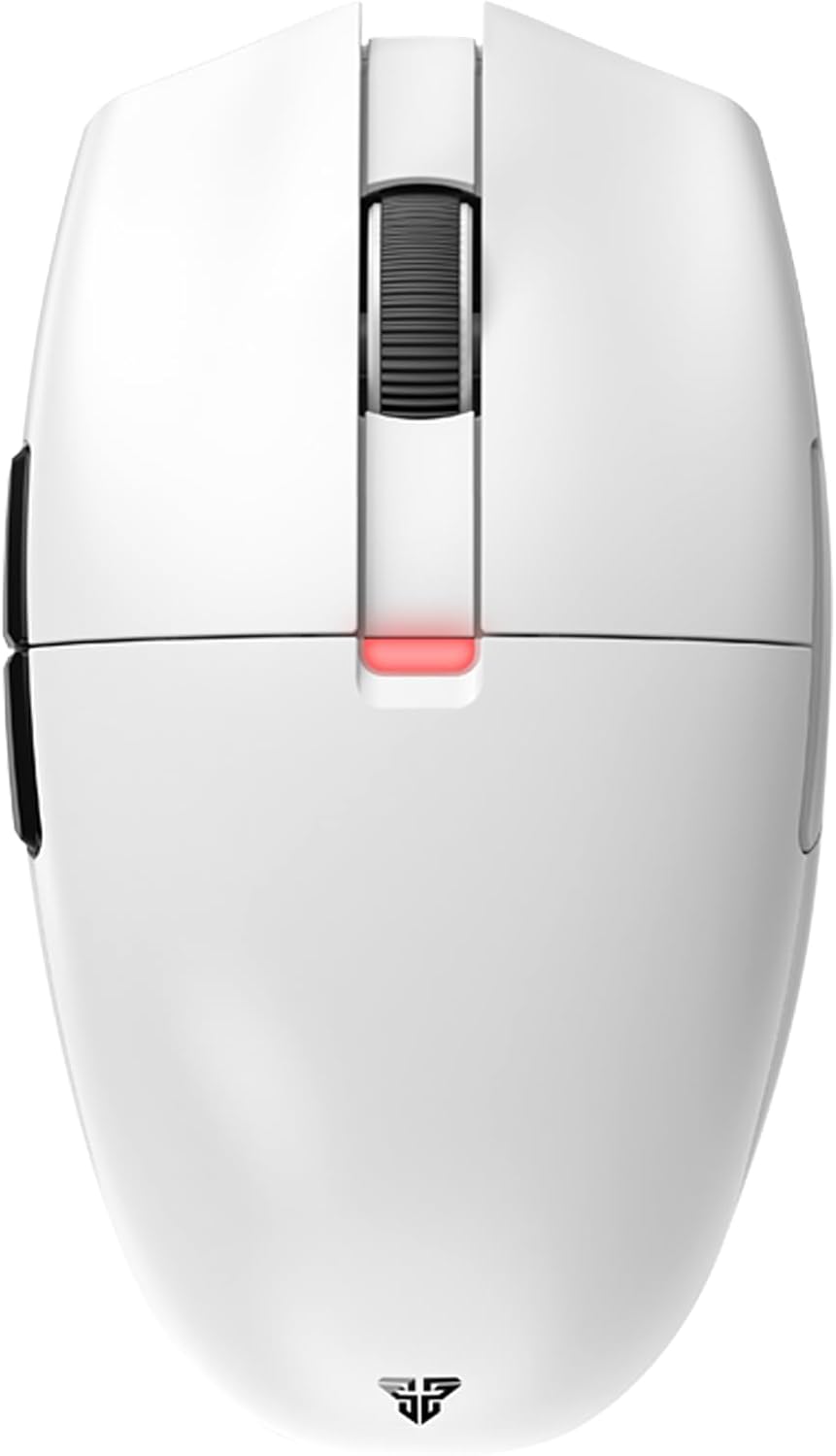
The FANTECH ARIA XD7 is a high-performance wireless gaming mouse designed for competitive gaming. It features a lightweight, ambidextrous egg shape, a precise Pixart 3395 gaming sensor, durable HUANO switches, and versatile 3-mode connectivity (wired, 2.4GHz wireless, Bluetooth). This manual provides essential information for setting up, operating, maintaining, and troubleshooting your ARIA XD7 mouse.

2. ماذا يوجد في الصندوق
Upon unboxing your FANTECH ARIA XD7, please verify that all the following components are included:
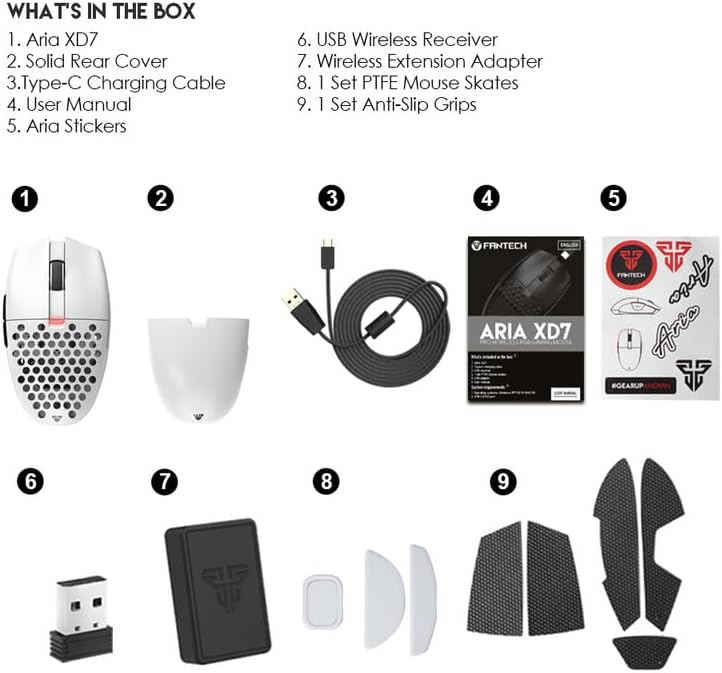
- Aria XD7 Wireless Gaming Mouse
- Solid Rear Cover (interchangeable)
- كابل شحن من النوع C
- دليل المستخدم (هذا المستند)
- ملصقات أريا
- استقبال لاسلكي USB
- محول التمديد اللاسلكي
- 1 مجموعة الزلاجات PTFE ماوس
- 1 مجموعة مقابض مانعة للانزلاق
3. الإعداد
3.1 شحن الماوس
Before first use, it is recommended to fully charge the mouse. Connect the provided Type-C charging cable to the mouse and a USB power source. The mouse features up to 40 hours of battery life and takes approximately 2 hours for a full charge.
3.2 توصيل الماوس
The FANTECH ARIA XD7 supports three connectivity modes:
- الوضع السلكي: Connect the mouse directly to your computer using the provided Type-C charging cable. The mouse will function immediately and charge simultaneously.
- الوضع اللاسلكي 2.4 جيجا هرتز: Insert the USB Wireless Receiver into an available USB port on your computer. The mouse should automatically connect. For optimal signal, use the Wireless Extension Adapter to position the receiver closer to the mouse.
- وضع البلوتوث 5.0: Ensure your device has Bluetooth enabled. On the mouse, long-press the connectivity mode button (usually located on the underside) to enter pairing mode. Select "FANTECH ARIA XD7" from your device's Bluetooth settings to connect.

4. تعليمات التشغيل
4.1 الوظائف الأساسية
- النقر بالزر الأيسر/الأيمن: Standard mouse buttons for primary interactions. The ARIA XD7 uses high-end switches for crisp clicks.
- عجلة التمرير: Used for vertical scrolling. The TTC Gold scroll wheel encoder provides precise, tactile steps.
- الأزرار الجانبية: Typically used for forward/backward navigation in web browsers or customizable in software.

4.2 ضبط DPI
The ARIA XD7 features on-the-fly DPI switching, allowing you to adjust sensitivity from 800 to 26000 DPI. The DPI adjustment button is located on the underside of the mouse to prevent accidental changes during intense gameplay.
4.3 Recommended Grip Styles
The ambidextrous egg shape of the ARIA XD7 is designed to accommodate various grip styles, particularly Claw and Fingertip grips. The mouse's dimensions are optimized for comfortable use across different hand sizes.

5. التخصيص والبرمجيات
To unlock the full potential of your FANTECH ARIA XD7, download the official FANTECH software from the manufacturer's website. The software allows for extensive personalization, including:
- Adjusting DPI settings and creating custom profiles.
- Programming buttons for macros and specific functions.
- Setting the adjustable polling rate up to 1000Hz.
- Fine-tuning Lift-Off Distance (LOD) for precision on various surfaces.

6. الصيانة
To ensure the longevity and optimal performance of your ARIA XD7 mouse, follow these simple maintenance guidelines:
- تنظيف: استخدم قطعة قماش ناعمة وجافة لمسح سطح الفأرة. لإزالة الأوساخ العنيدة، امسحها برفق.ampاغسل قطعة القماش بالماء أو محلول تنظيف معتدل. تجنب المواد الكيميائية القاسية.
- المستشعر: Keep the optical sensor on the underside clean and free of dust or debris. Use a cotton swab if necessary.
- تخزين: عند عدم استخدام الماوس لفترات طويلة، قم بتخزينه في بيئة نظيفة وجافة بعيدًا عن درجات الحرارة القصوى.
7. استكشاف الأخطاء وإصلاحها
If you encounter any issues with your FANTECH ARIA XD7 mouse, please refer to the official Troubleshooting Guide for detailed solutions. A PDF version is available for download: FANTECH ARIA XD7 Troubleshooting Guide (PDF).
Common issues and tips:
- مشاكل الاتصال: Ensure the USB receiver is properly inserted or Bluetooth is correctly paired. Try a different USB port.
- عمر البطارية: If battery life seems shorter than expected, ensure the mouse is fully charged. Avoid leaving the mouse connected to a charger unnecessarily after it's full.
- عطل في عجلة التمرير: Check for any physical obstructions. If issues persist, refer to the troubleshooting guide.
- مشاكل البرنامج/برنامج التشغيل: Ensure you have the latest software and firmware installed from the official FANTECH website. Some issues, like double-clicking, may be resolved by updating firmware or adjusting debounce time in the software.
- Unresponsive Mouse: Try restarting your computer, reconnecting the mouse, or switching between wired and wireless modes.
8. المواصفات الفنية
| ميزة | مواصفة |
|---|---|
| أبعاد المنتج | 4.49 × 2.56 × 1.54 بوصة |
| وزن العنصر | 2.08 أونصات |
| رقم موديل العنصر | إكس دي 7 |
| البطاريات | مطلوب بطارية ليثيوم بوليمر واحدة (متضمنة) |
| تاريخ أول توفر | 23 يوليو 2022 |
| الشركة المصنعة | فانتش |
| ماركة | فانتش |
| لون | XD7-White |
| تكنولوجيا الاتصال | Bluetooth, 2.4GHz Wireless, Wired (USB-C) |
| المميزات الخاصة | تصميم مريح، خفيف الوزن، أزرار قابلة للبرمجة، قابل لإعادة الشحن، لاسلكي |
| تقنية كشف الحركة | Optical (Pixart 3395 Gaming Sensor) |
| نطاق DPI | 800-26000 DPI (On-the-Fly Adjustable) |
| تسريع | Up to 50G ACC |
| اي بي اس | 650 IPS |
| Clicks Lifetime | Huano TBSPD 80 Million Times |
| سعة البطارية | 300 مللي أمبير |
| عمر البطارية | حتى ساعتين |
| وقت الشحن | تقريبا 2 ساعة |
| طول السلك | 1.8m Type-C Paracord |
| وزن | 59gr ±1gr |
9. الضمان والدعم
FANTECH products are manufactured to high-quality standards. For warranty information and support, please refer to the warranty card included with your product or visit the official FANTECH website. If you require technical assistance or have questions not covered in this manual, please contact FANTECH customer support through their official channels.


