مقدمة
This manual provides essential information for the proper setup, operation, and maintenance of your AOC CU34V5C 34-inch Ultrawide QHD VA monitor. The CU34V5C features a curved panel with Ultrawide QHD 21:9 resolution, designed for an immersive viewing experience and enhanced productivity. It includes USB-C with Power Delivery up to 65W, multiple USB ports, and HDMI connectivity, along with Picture by Picture MultiView الوظيفة.
يثبت
1. Unpacking and Stand Assembly
Carefully remove the monitor and all components from the packaging. Place the monitor face down on a soft, clean surface to prevent scratches. Assemble the stand base to the stand column, then attach the assembled stand to the monitor. Ensure all screws are securely tightened.
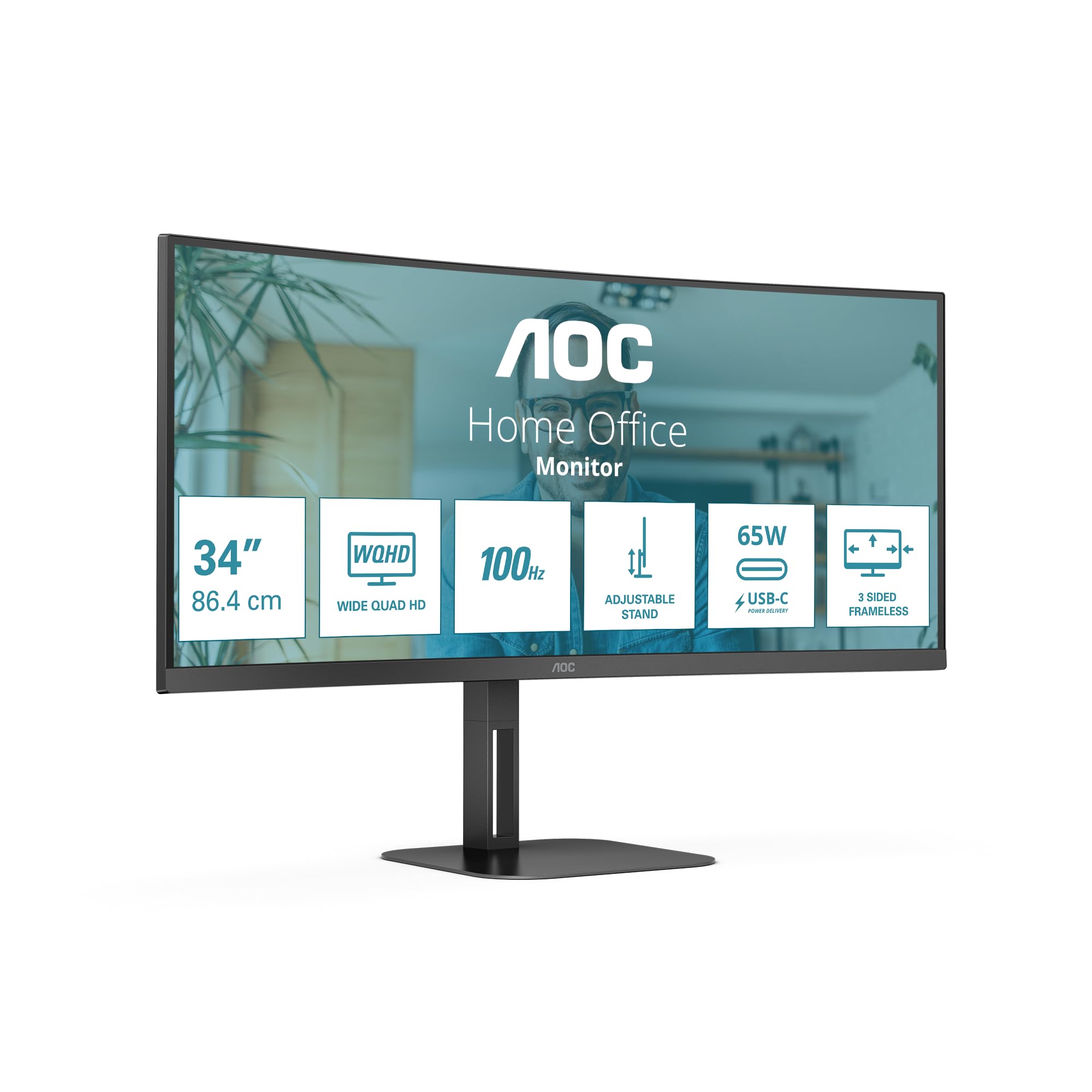
الصورة: الجبهة view of the AOC CU34V5C monitor, illustrating its curved screen and adjustable stand.
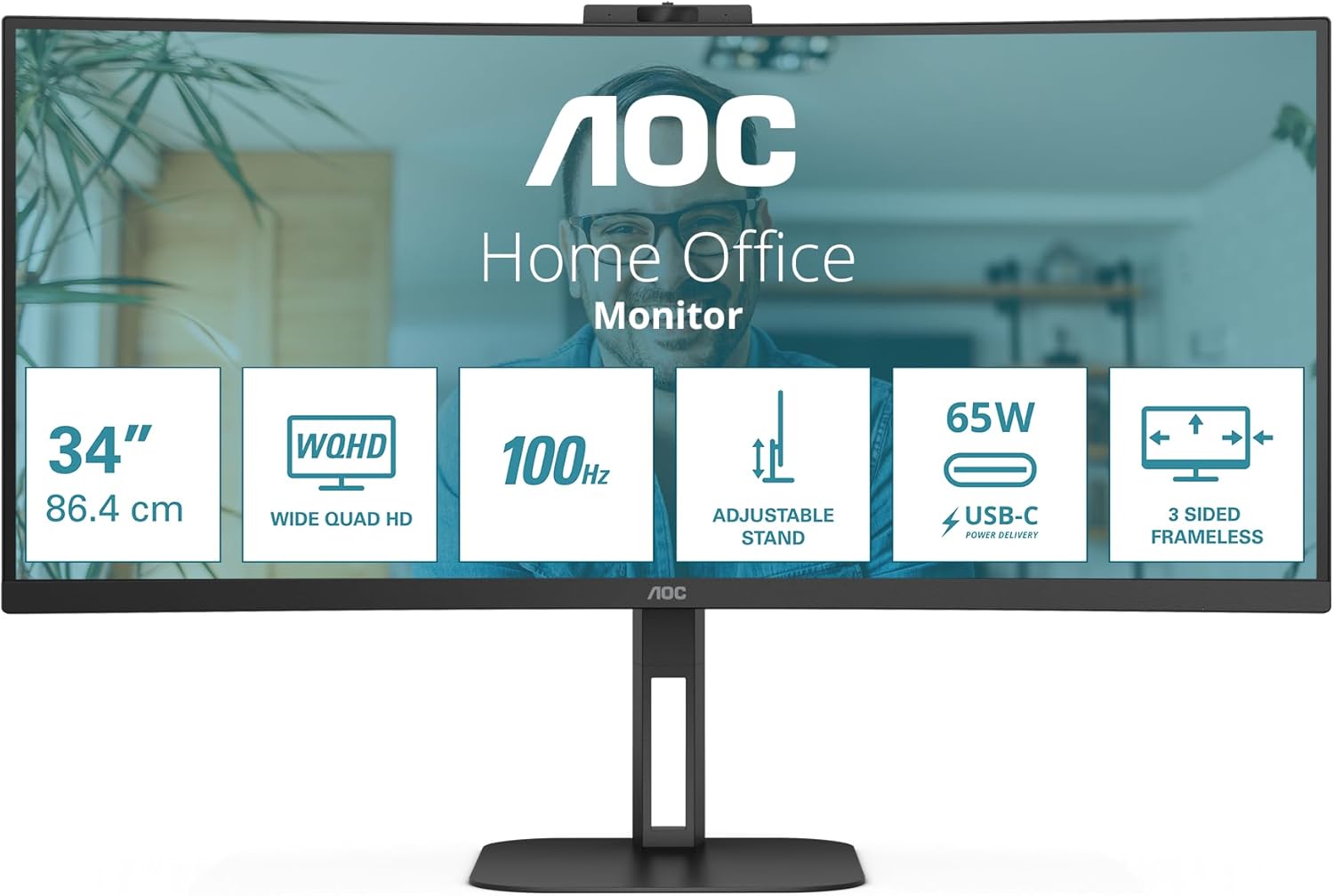
الصورة: الخلفية view of the AOC CU34V5C monitor, showing the attachment point for the stand and the overall design.
2. توصيل الكابلات
Connect the necessary cables to the monitor's input ports. The monitor supports various connections for versatility.
- سلك الطاقة: Connect the AC power cable to the monitor's power input and then to a power outlet.
- HDMI: Use an HDMI cable to connect your computer or other video source to the monitor's HDMI 1x2.0 port.
- منفذ العرض: For optimal performance, connect your computer to the monitor using a DisplayPort cable.
- يو اس بي سي: Connect a USB-C cable from your compatible device to the monitor's USB-C port. This port supports video, data transfer, and Power Delivery up to 65W, allowing you to charge your device while displaying content.
- محور USB: Utilize the integrated USB hub by connecting the upstream USB cable (if not using USB-C for data) from your computer to the monitor. Then, connect your USB peripherals (keyboard, mouse, etc.) to the monitor's 4x USB 3.2 ports.
- الصوت خارج: قم بتوصيل مكبرات الصوت الخارجية أو سماعات الرأس بمنفذ إخراج الصوت إذا رغبت في ذلك.
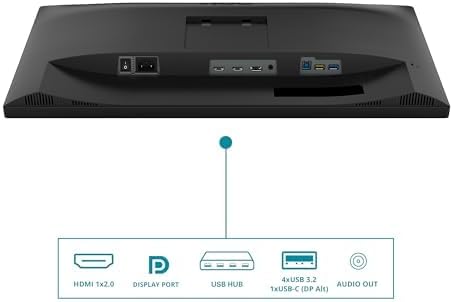
Image: Diagram illustrating the various input and output ports on the AOC CU34V5C monitor, including HDMI, DisplayPort, USB Hub, USB-C, and Audio Out.
3. ضبط الحامل
The monitor features an adjustable stand for ergonomic viewing. You can adjust the tilt and height of the display to suit your preference.
- ضبط الارتفاع: Gently push or pull the monitor up or down to adjust its height. The stand allows for up to 130 mm of vertical adjustment.
- تعديل الميل: Tilt the screen forward or backward to find your optimal viewزاوية جي.

الصورة: الجانب view of the AOC CU34V5C monitor, highlighting the range of height adjustment available with its stand.
تعليمات التشغيل
1. تشغيل/إيقاف التشغيل
Press the power button, usually located on the bottom right or rear of the monitor, to turn the display on or off. The power indicator light will illuminate when the monitor is active.
2. قائمة العرض على الشاشة (OSD)
The OSD menu allows you to configure various monitor settings. Use the control buttons (joystick or individual buttons) typically found on the bottom or rear of the monitor to navigate the menu.
- إعدادات الصورة: Adjust brightness, contrast, color temperature, and other image parameters.
- اختيار الإدخال: Manually select the input source (HDMI, DisplayPort, USB-C).
- إعدادات الصوت: Control volume and other audio-related options for the built-in speakers or audio output.
- إعدادات OSD: Customize the OSD menu's language, transparency, and timeout.
3. متعددView (Picture by Picture)
The AOC CU34V5C supports MultiView, specifically Picture by Picture (PbP) mode. This feature allows you to display content from two different input sources simultaneously on the screen, side-by-side. Refer to the OSD menu for specific instructions on activating and configuring PbP mode.
4. USB-C Functionality
The USB-C port provides a single-cable solution for compatible devices, offering:
- إشارة الفيديو: Display content from your device.
- نقل البيانات: Access devices connected to the monitor's USB hub.
- Power Delivery (65W): Charge your connected laptop or device directly through the monitor.
صيانة
1. تنظيف الشاشة
لتنظيف شاشة الكمبيوتر، امسحها برفق بقطعة قماش ناعمة وخالية من الوبر. أما بالنسبة للبقع الصعبة، فامسحها برفقampen the cloth with water or a non-abrasive, monitor-safe cleaning solution. Avoid using harsh chemicals, alcohol, or ammonia-based cleaners, as these can damage the screen surface.
2. العناية العامة
- أبقِ الشاشة بعيدة عن أشعة الشمس المباشرة والحرارة الزائدة والرطوبة.
- تأكد من وجود تهوية كافية حول الشاشة لمنع ارتفاع درجة حرارتها.
- تجنب وضع أشياء ثقيلة على الشاشة أو كابلاتها.
- Unplug the monitor from the power outlet during electrical storms or when not in use for extended periods.
استكشاف الأخطاء وإصلاحها
إذا واجهت مشكلات مع شاشتك، فراجع خطوات استكشاف الأخطاء وإصلاحها الشائعة التالية:
- لا يوجد طاقة: تأكد من توصيل كابل الطاقة بإحكام بكل من الشاشة ومأخذ الطاقة. تحقق من أن مأخذ الطاقة يعمل بشكل صحيح.
- لا توجد تغطية: Verify that the video cable (HDMI, DisplayPort, or USB-C) is correctly connected to both the monitor and your computer. Ensure the correct input source is selected in the monitor's OSD menu.
- صورة متقطعة أو مشوهة: Check the video cable for damage. Try a different cable or input port. Ensure your computer's graphics drivers are up to date.
- Image Too Dark/Bright: Adjust the brightness and contrast settings in the OSD menu.
- منافذ USB لا تعمل: Ensure the USB upstream cable (or USB-C cable) is connected from the monitor to your computer. Check device manager on your computer for any USB driver issues.
If problems persist after trying these steps, contact AOC customer support for further assistance.
تحديد
Key technical specifications for the AOC CU34V5C monitor:
| ميزة | مواصفة |
|---|---|
| حجم الشاشة | 34 بوصة (86.36 سم) |
| نوع اللوحة | VA |
| دقة | 3440 x 1440 Pixels (QHD Ultra Wide) |
| نسبة العرض إلى الارتفاع | 21:9 |
| سطح الشاشة | منحني |
| سطوع الصورة | 300 شمعة/م² |
| معدل التحديث | 100 هرتز |
| إجمالي منافذ USB | 4 (USB 3.2) |
| توصيل الطاقة عبر USB-C | حتى 65 وات |
| أبعاد المنتج | 7.36 × 19.57 × 42.44 بوصة |
| وزن العنصر | 26.6 رطل |
| الشركة المصنعة | شركة أو سي |
| رقم الموديل | CU34V5C / BK |
معلومات الطاقة
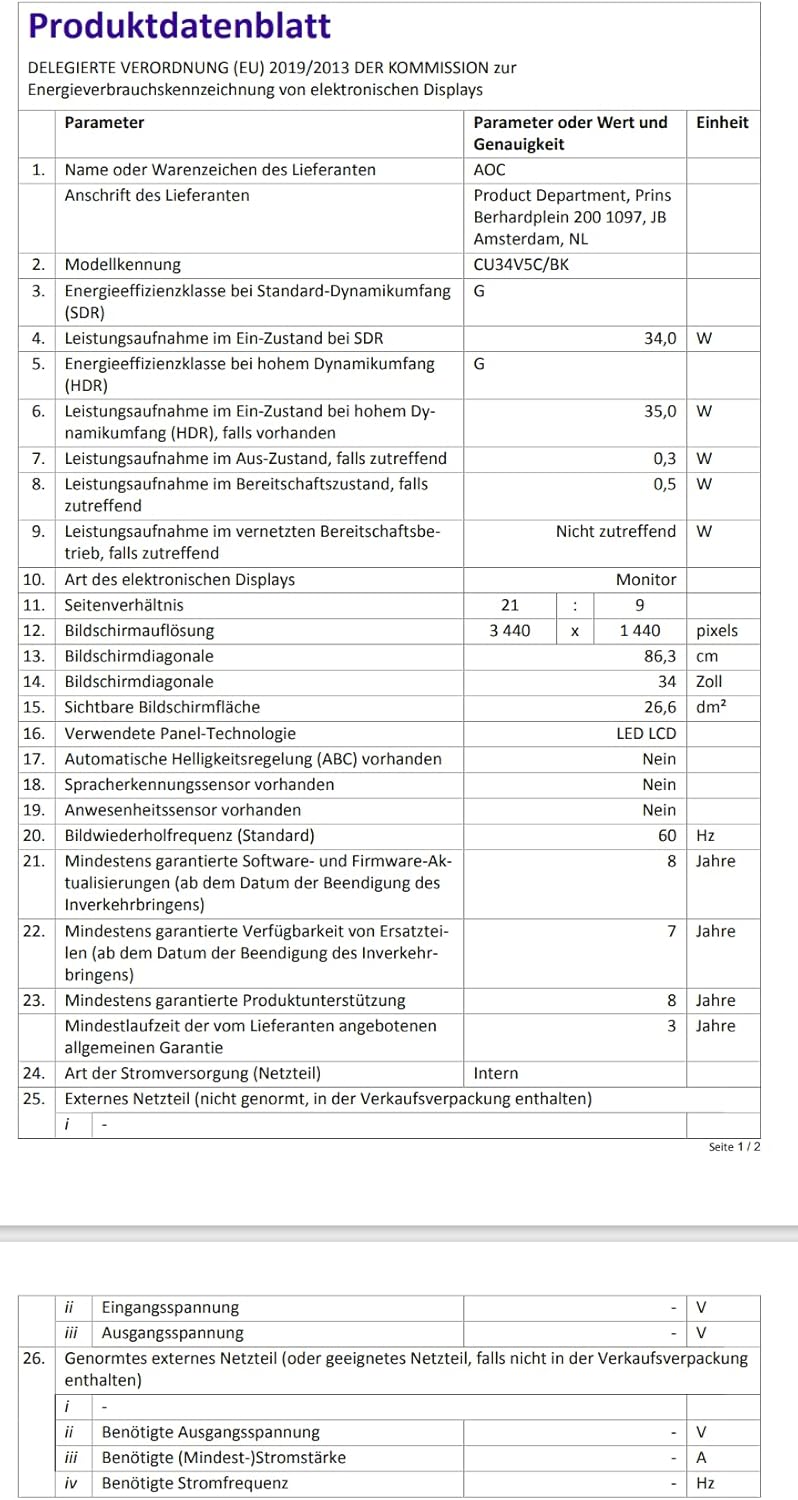
Image: EU Energy Label for the AOC CU34V5C monitor, indicating its energy efficiency class and consumption.
For detailed product information and energy efficiency data, please visit the EPREL database: https://eprel.ec.europa.eu/qr/1245431
معلومات الضمان
AOC monitors typically come with a limited warranty. The exact terms and duration of your warranty may vary by region and retailer. Please refer to the warranty card included with your purchase or visit the official AOC website for detailed warranty information specific to your product and location. Keep your proof of purchase for warranty claims.
يدعم
For technical assistance, troubleshooting beyond this manual, or warranty inquiries, please contact AOC customer support. You can usually find contact information, FAQs, and driver downloads on the official AOC webموقع.
Thank you for choosing AOC.


