1. المقدمة
Thank you for choosing the R-Music Novo RM483874 Wireless Bluetooth Earbuds. This manual provides essential information for setting up, operating, and maintaining your earbuds to ensure optimal performance and longevity. Please read this manual thoroughly before use.
2. محتويات العبوة
تأكد من وجود جميع العناصر في الحزمة الخاصة بك:
- R-Music Novo RM483874 Wireless Earbuds
- حافظة الشحن اللاسلكي
- كابل شحن USB-C
- دليل المستخدم
3. انتهى المنتجview
The R-Music Novo RM483874 earbuds are designed for daily use, offering clear stereo sound and an integrated microphone for calls. The compact charging case provides extended battery life.

Figure 3.1: R-Music Novo RM483874 wireless earbuds and open charging case.
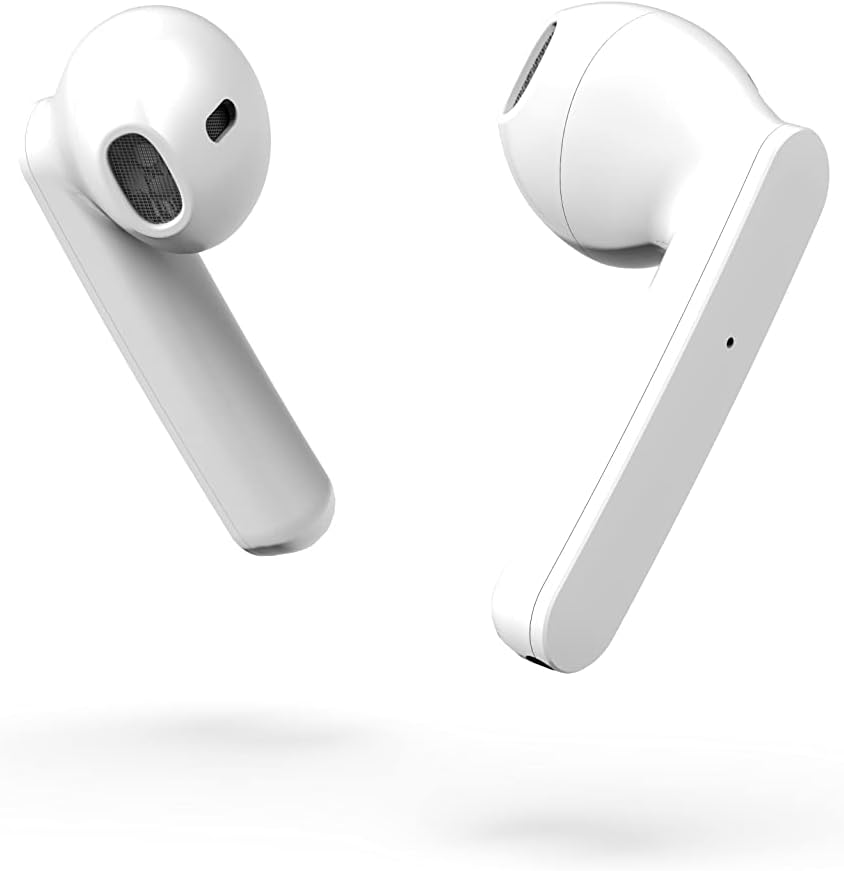
الشكل 3.2: جانب مقرب view of the earbuds, highlighting their design.
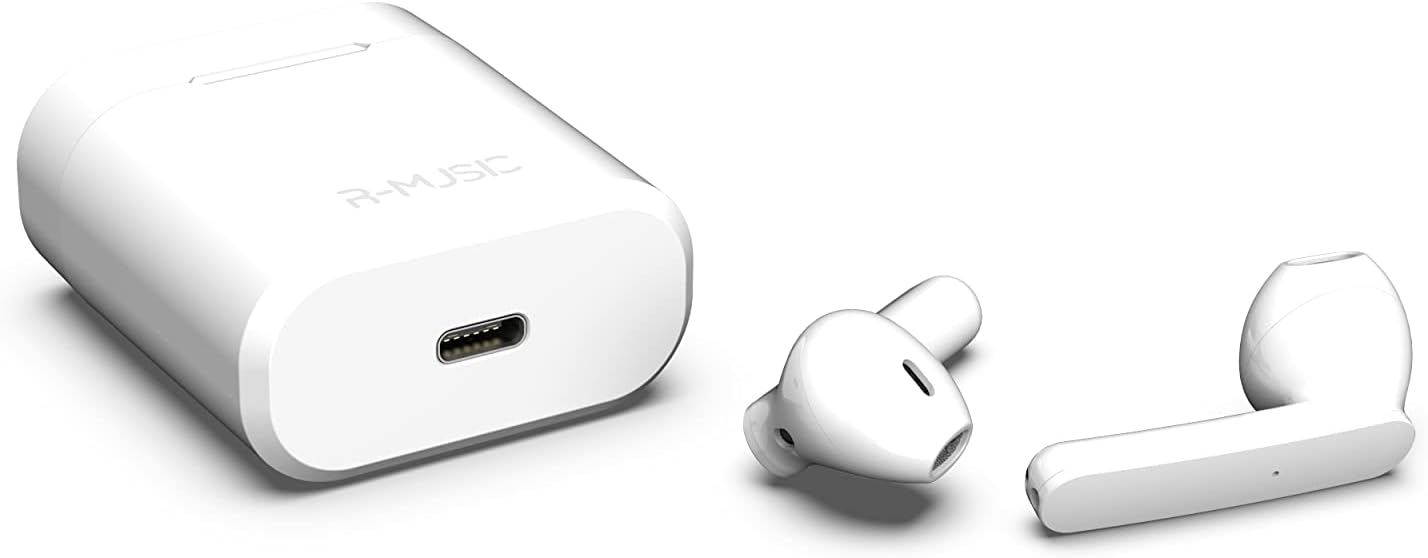
Figure 3.3: Charging case with USB-C port and earbuds.
4. الإعداد
4.1 الشحن الأولي
- قبل الاستخدام الأول، ضع كلا السماعتين في علبة الشحن.
- Connect the USB-C charging cable to the port on the charging case and to a power source.
- An indicator light inside the case will show the battery level during charging. Ensure the case and earbuds are fully charged.
4.2 الاقتران بجهاز
The R-Music Novo RM483874 earbuds feature quick and easy pairing:
- افتح علبة الشحن وأخرج سماعتي الأذن. سيدخلان تلقائيًا في وضع الاقتران.
- On your device (e.g., smartphone), navigate to the Bluetooth settings.
- بحث عن available devices and select "R-Music Novo" (or similar name) from the list.
- Once connected, you will hear an audio confirmation, and the earbuds will be ready for use.
5. تعليمات التشغيل
5.1 تشغيل/إيقاف التشغيل
- تشغيل الطاقة: انزع سماعات الأذن من علبة الشحن. سيتم تشغيلها تلقائيًا ومحاولة الاتصال بآخر جهاز مقترن.
- إيقاف التشغيل: أعد وضع سماعات الأذن في علبة الشحن. ستتوقف تلقائيًا ويبدأ الشحن.
5.2 الضوابط التي تعمل باللمس
The earbuds are equipped with touch controls for convenient operation:
- تشغيل/إيقاف مؤقت: ضغطة واحدة على أي سماعة أذن.
- المسار التالي: اضغط مرتين على سماعة الأذن اليمنى.
- المسار السابق: اضغط مرتين على سماعة الأذن اليسرى.
- الرد/إنهاء المكالمة: اضغط مرة واحدة على سماعة الأذن أثناء مكالمة واردة أو مكالمة نشطة.
- رفض المكالمة: اضغط مع الاستمرار على أي من سماعتي الأذن أثناء المكالمة الواردة.
- تنشيط مساعد الصوت: انقر ثلاث مرات على أي من سماعات الأذن (قد تختلف الوظائف حسب الجهاز).
5.3 إجراء المكالمات
The integrated microphone allows for hands-free calling. Ensure the earbuds are connected to your phone via Bluetooth. Use the touch controls to manage calls.
5.4 Listening to Music
Enjoy clear and balanced stereo sound. Use the touch controls to manage playback.
6. الشحن
The earbuds provide approximately 3 hours of playback on a single charge. The charging case offers an additional 11 hours of battery life, allowing for multiple recharges on the go.
- شحن سماعات الأذن: Place the earbuds into the charging case. They will automatically charge.
- علبة الشحن: Connect the supplied USB-C cable to the charging port on the case and a compatible USB power adapter. The indicator light will show charging status and battery level.
7. الصيانة
- تنظيف: Use a soft, dry cloth to clean the earbuds and charging case. Avoid using harsh chemicals or abrasive materials.
- تخزين: عندما لا تكون قيد الاستخدام، قم بتخزين سماعات الأذن في علبة الشحن الخاصة بها لحمايتها والحفاظ عليها مشحونة.
- مقاومة الماء: The earbuds are water-resistant. However, they are not designed for swimming or prolonged submersion. Avoid exposure to saltwater or other corrosive liquids.
8. استكشاف الأخطاء وإصلاحها
| مشكلة | الحل المحتمل |
|---|---|
| سماعات الأذن لا تعمل. | Ensure the charging case and earbuds are charged. Place earbuds in case, then remove them. |
| Earbuds do not pair. | Make sure Bluetooth is enabled on your device. Forget the device in your Bluetooth settings and try pairing again. Ensure earbuds are removed from the case. |
| لا يوجد صوت من سماعة أذن واحدة. | Place both earbuds back into the charging case, close the lid, then reopen and remove them. Check device audio settings. |
| علبة الشحن لا تشحن. | Check the USB-C cable and power adapter. Ensure the cable is securely connected. |
9. المواصفات
| ميزة | التفاصيل |
|---|---|
| اسم الموديل | نوفو |
| رقم الموديل | 483874 رينغيت ماليزي |
| تكنولوجيا الاتصال | بلوتوث (لاسلكي) |
| نوع التحكم | التحكم باللمس |
| ميكروفون | مدمج |
| عمر البطارية (سماعات الأذن) | حوالي 3 ساعات |
| عمر البطارية (مع العلبة) | Approx. 3H + 11H (total 14 hours) |
| منفذ الشحن | يو اس بي-سي |
| مستوى مقاومة الماء | مقاوم للماء |
| مادة | بلاستيك |
| وزن | 37 جرام |
| أبعاد | 5.3 × 4.7 × 2.4 سم |
| مقاومة | 3 أوم |
| التحكم في الضوضاء | العزل الصوتي |
| استجابة التردد | 20 هرتز |
| حساسية | 109 ديسيبل |
10. معلومات السلامة
- لا تقم بتفكيك المنتج أو إصلاحه أو تعديله.
- Keep the earbuds and charging case away from extreme temperatures, direct sunlight, and moisture.
- تجنب الاستماع إلى مستويات صوت عالية لفترات طويلة لمنع تلف السمع.
- يحفظ بعيدًا عن متناول الأطفال والحيوانات الأليفة.
- تخلص من المنتج بشكل مسؤول وفقًا للوائح المحلية.
11. الضمان والدعم
R-Music products are designed for reliability and performance. For warranty information or technical support, please refer to the contact details provided at the point of purchase or visit the official R-Music webيرجى الاحتفاظ بإثبات الشراء الخاص بك للمطالبة بالضمان.


