مقدمة
Welcome to the Alecto FR-115RD Kids Walkie Talkie Set instruction manual. This guide provides essential information for setting up, operating, maintaining, and troubleshooting your new walkie-talkies. Designed for children, these walkie-talkies offer reliable communication with a range of up to 7 kilometers, featuring an integrated flashlight and an illuminated display.
ماذا يوجد في الصندوق
- 2 x Alecto FR-115RD Walkie Talkies
- شنومكس x مقاطع الحزام
- دليل التعليمات (هذا المستند)
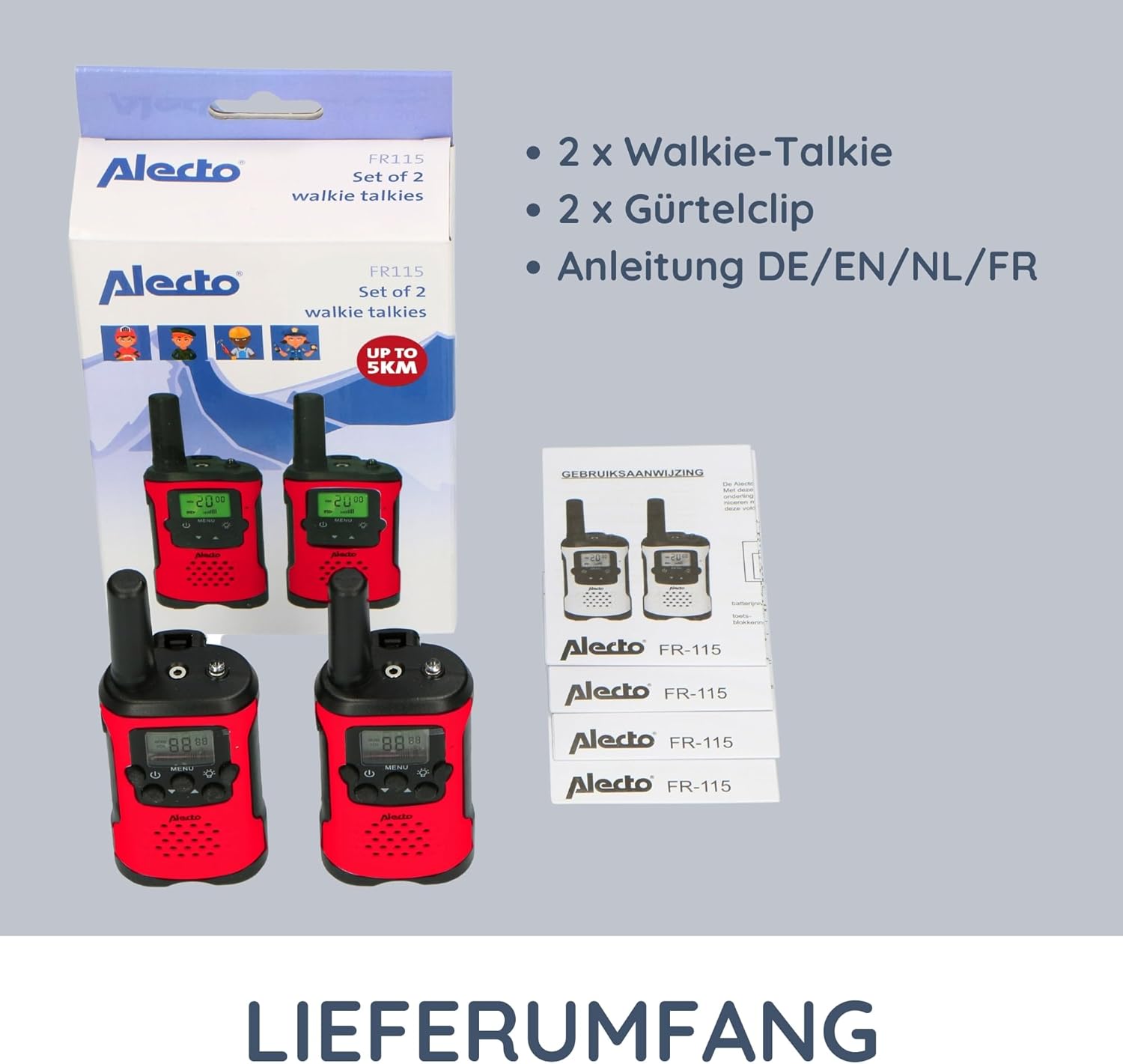
Image: The complete contents of the Alecto FR-115RD package, including the two walkie-talkies, their respective belt clips, and the instruction manual.
يثبت
تركيب البطارية
The Alecto FR-115RD walkie-talkies require 3 AAA batteries each (not included).
- حدد مكان غطاء حجرة البطارية في الجزء الخلفي من جهاز الاتصال اللاسلكي.
- قم بسحب الغطاء أو فكه لفتحه.
- أدخل بطاريتين من نوع AAA، مع التأكد من صحة القطبية (+ و -).
- أغلق غطاء حجرة البطارية جيدًا.
Note: A battery warning indicator will appear on the display when batteries are low.
تثبيت مشبك الحزام
Each walkie-talkie comes with a removable belt clip for convenient carrying.
- Align the belt clip with the slot on the back of the walkie-talkie.
- Slide the clip downwards until it clicks into place.
- To remove, push the release tab (if present) and slide the clip upwards.
تعليمات التشغيل
تشغيل/إيقاف الطاقة
اضغط مع الاستمرار على زر الطاقة (usually marked with a power symbol) to turn the walkie-talkie on or off.
اختيار القناة
The FR-115RD features 8 main channels. To change channels:
- اضغط على زر القائمة. The channel number will flash.
- استخدم أزرار أعلى / أسفل لاختيار القناة التي تريدها (1-8).
- اضغط على زر القائمة again to confirm, or wait a few seconds for it to auto-confirm.
For optimal communication, ensure both walkie-talkies are on the same channel.
Sub-Tone (CTCSS) Selection
The device supports 38 CTCSS codes to reduce interference from other users on the same channel.
- اضغط على زر القائمة twice. The sub-tone code will flash.
- استخدم أزرار أعلى / أسفل to select your desired CTCSS code (0-38).
- اضغط على زر القائمة مرة أخرى للتأكيد.
Both walkie-talkies must have the same channel and CTCSS code for communication.
الإرسال والاستقبال
To transmit (speak): Press and hold the زر اضغط لتتحدث (PTT) (usually on the side of the device). Speak clearly into the microphone. Release the PTT button to listen.
To receive: Ensure the PTT button is not pressed. The walkie-talkie will automatically receive signals on the selected channel.
ضبط مستوى الصوت
استخدم أزرار أعلى / أسفل (when not in menu mode) to adjust the speaker volume.
مصباح يدوي متكامل
اضغط على زر المصباح اليدوي (usually marked with a light bulb icon) to turn the integrated flashlight on or off. Useful in low-light conditions.
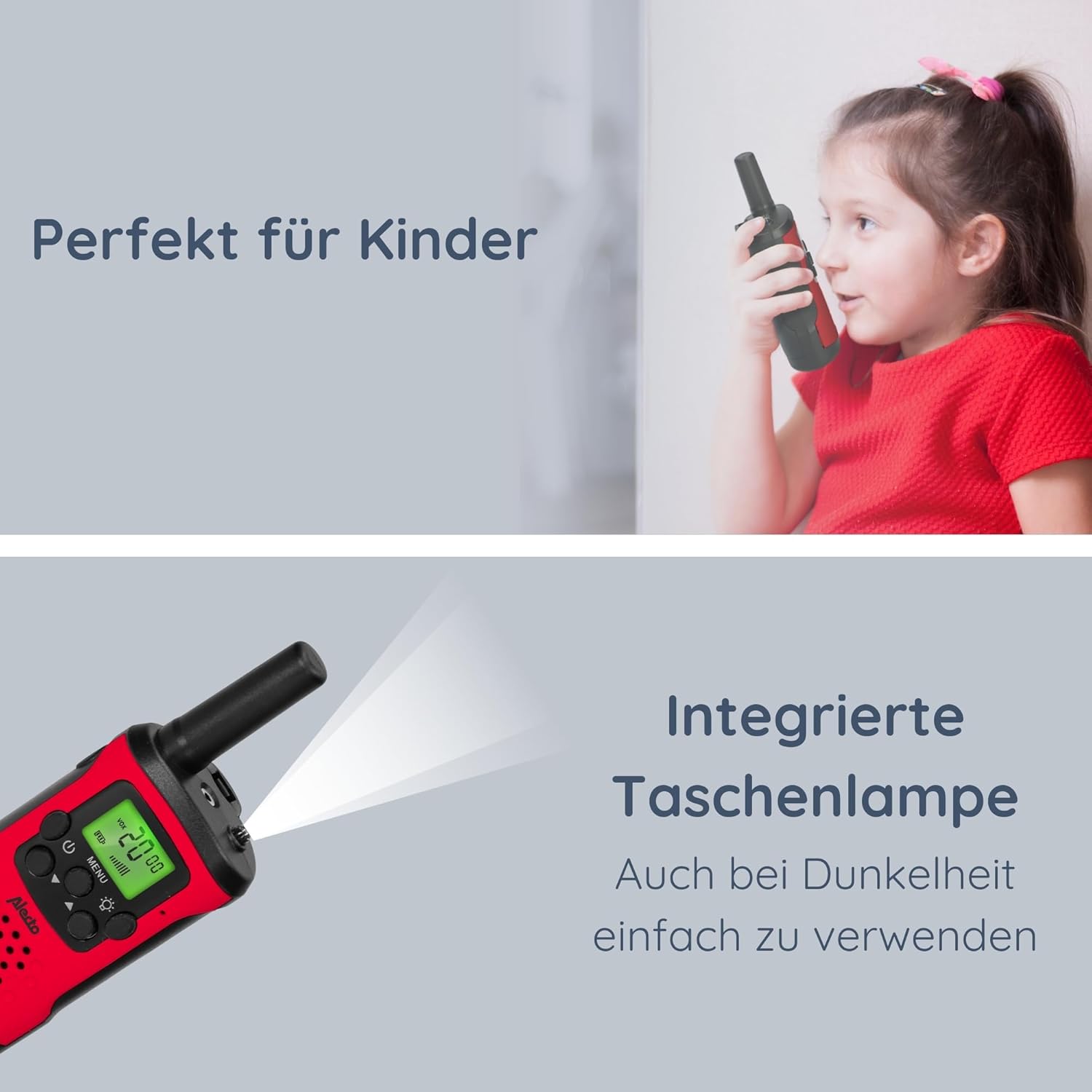
Image: The Alecto FR-115RD walkie-talkie in use by a child, highlighting the integrated flashlight feature for visibility in dark environments.

Image: The illuminated LCD display of the Alecto FR-115RD, showing channel and VOX status, emphasizing its readability and the voice-activated transmission feature.
VOX Function (Voice-Activated Transmission)
The VOX function allows for hands-free transmission. When activated, the walkie-talkie will transmit automatically when it detects your voice.
- اضغط على زر القائمة three times. "VOX" will appear on the display.
- استخدم أزرار أعلى / أسفل to select the VOX sensitivity level (e.g., 1-3, with 3 being most sensitive) or "OFF" to disable.
- اضغط على زر القائمة للتأكيد.
When VOX is active, the walkie-talkie will only transmit when speech is detected.
مخرج سماعة الرأس
A 2.5 mm headphone output is available for private listening. Connect compatible headphones (not included) to this port.
صيانة
تنظيف
امسح أجهزة الاتصال اللاسلكي بقطعة قماش ناعمة.amp القماش. لا تستخدم المنظفات أو المذيبات الكاشطة.
تخزين
If storing for extended periods, remove the batteries to prevent leakage and damage.
يُخزن في مكان بارد وجاف بعيدًا عن أشعة الشمس المباشرة ودرجات الحرارة القصوى.
مقاومة الماء
These walkie-talkies are غير مقاوم للماء. Avoid exposure to rain, splashes, or submersion in water.
استكشاف الأخطاء وإصلاحها
| مشكلة | السبب المحتمل | حل |
|---|---|---|
| لا يوجد طاقة | البطاريات فارغة أو تم تركيبها بشكل غير صحيح. | استبدال البطاريات أو التحقق من القطبية. |
| Cannot communicate with other walkie-talkie | Different channels or CTCSS codes. Out of range. | Ensure both units are on the same channel and CTCSS code. Move closer to the other unit. |
| جودة الصوت رديئة / ثابتة | إشارة ضعيفة. تداخل. بطارية منخفضة. | Move to an open area. Change channel/CTCSS. Replace batteries. |
| مصباح يدوي لا يعمل | Low battery. Faulty button. | استبدل البطاريات. إذا استمرت المشكلة، فاتصل بالدعم الفني. |
تحديد
- نموذج: FR115
- ماركة: اليكتو
- لون: أحمر
- أبعاد: 3 × 4.9 × 12.9 سم (الطول × العرض × الارتفاع)
- وزن: 224 grams (per set, approximate)
- مصدر الطاقة: 3 x AAA batteries (per unit)
- المجلدtage: 4.5 فولت تيار مستمر
- عدد القنوات: 8 main channels
- رموز CTCSS: 38
- نطاق التردد: 446 ميجا هرتز
- Max. Speaking Range: Up to 7 kilometers (in optimal conditions)
- المميزات الخاصة: Integrated flashlight, Illuminated LCD display, VOX function, 2.5 mm Headphone output
- مقاومة الماء: غير مقاوم للماء
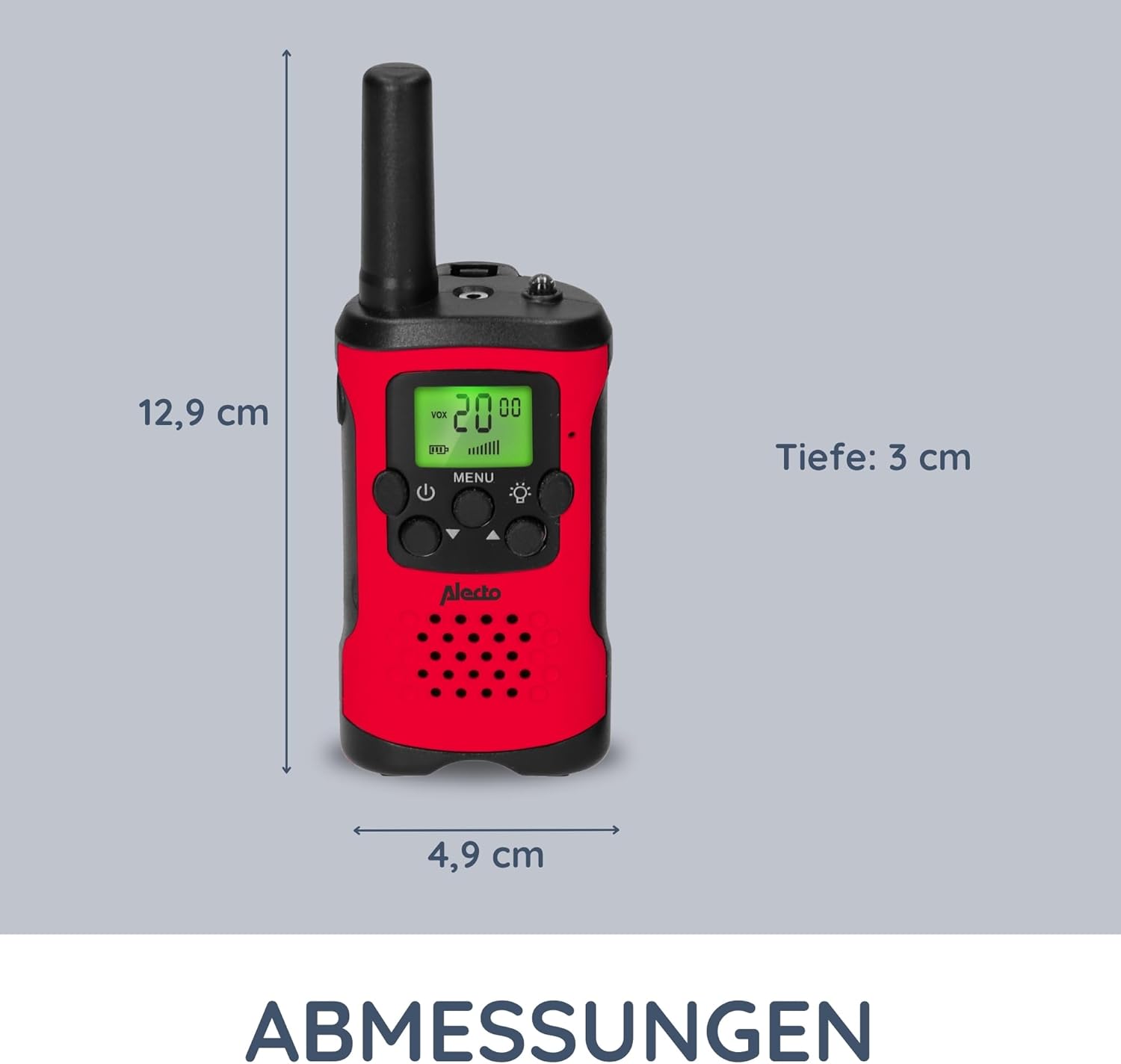
Image: Detailed dimensions of the Alecto FR-115RD walkie-talkie for reference.

الصورة: أكثر منview of the main benefits and features of the Alecto FR-115RD walkie-talkies.

Image: Visual representation of the impressive 7-kilometer communication range of the walkie-talkies.
الضمان والدعم
For warranty information or technical support, please refer to the official Alecto webالموقع أو تواصل مع خدمة العملاء مباشرةً. احتفظ بإيصال الشراء كإثبات للشراء.
Alecto Baby is committed to providing reliable products and support. You can find more information and contact details on the Alecto Brand Store.


