مقدمة
This manual provides detailed instructions for the operation and maintenance of your Kuephom Portable Bluetooth CD Walkman. Designed for versatility, this device supports CD, Bluetooth, USB, and AUX playback, featuring anti-skip protection and a built-in speaker. Please read this manual thoroughly before use to ensure proper functionality and longevity of your device.
محتويات الحزمة
تأكد من تضمين جميع العناصر المدرجة أدناه في الحزمة الخاصة بك:
- CD player X 1
- وسادات الأذن X 1
- كابل الصوت × 1
- كابل الشحن X 1
- Pouch X 1
المنتج انتهىview

Figure 1: Kuephom Portable Bluetooth CD Walkman and its accessories, including earbuds, audio cable, charging cable, and pouch.

Figure 2: Detailed diagram illustrating the various buttons and ports on the Kuephom Portable CD Walkman, including volume controls, playback buttons, mode selection, Bluetooth transmit, USB slot, AUX in jack, earphone jack, and speaker.
يثبت
شحن الجهاز
The CD player has a built-in rechargeable lithium battery. Before first use, fully charge the device.
- Connect the provided USB charging cable to the charging port (DC 5V) on the device.
- Connect the other end of the USB cable to a compatible USB power source (e.g., wall charger, power bank, car charger, or computer USB port).
- سيضيء مؤشر الشحن أثناء الشحن وينطفئ عند اكتمال الشحن. يستغرق الشحن الكامل حوالي ساعتين.

Figure 3: The portable CD player connected to a power source via its USB charging cable, demonstrating various charging options.
تشغيل/إيقاف التشغيل
حرك تشغيل/إيقاف switch located on the side of the device to turn it on or off.
إدخال قرص مضغوط
- حرك يفتح switch to open the CD compartment cover.
- Carefully place a CD (CD, CD-R, CD-RW, MP3, WMA, WAV formats supported) onto the spindle with the label side facing up.
- اضغط برفق على منتصف القرص المضغوط حتى يستقر في مكانه.
- Close the CD compartment cover firmly until it latches.
Video 1: Demonstration of inserting a CD into the Kuephom Portable CD Player and closing the compartment. This video also shows the supported disc formats.
Connecting Headphones or External Speakers (AUX)
For private listening or connecting to non-Bluetooth devices:
- Insert the 3.5mm jack of your headphones into the مقبس سماعة الأذن.
- To connect to external speakers or a car audio system, use the provided 3.5mm audio cable. Insert one end into the مدخل AUX on the CD player and the other end into the AUX input of your external device.

Figure 4: The portable CD player connected to a car's audio system via an AUX cable, demonstrating its use in a vehicle with anti-shock protection for uninterrupted playback.
تعليمات التشغيل
التشغيل الأساسي
- اضغط على تشغيل/إيقاف مؤقت button (►▮▮) to start or pause playback.
- اضغط على التالي button (►►) to skip to the next track.
- اضغط على سابق button (◄◄) to go to the beginning of the current track or the previous track.
- اضغط على قف زر (■) لإيقاف التشغيل.
- اضبط مستوى الصوت باستخدام ملف المجلد+ و المجلد- أزرار.
وظيفة البلوتوث
The device supports two-way Bluetooth connection:
Bluetooth Transmitting (Connecting to Bluetooth Headphones/Speakers)
- Ensure the CD player is powered on and a CD is inserted.
- اضغط على نقل بلوتوث button (labeled "TRANSMIT" or "BT" on some models) to enter Bluetooth transmitting mode. The Bluetooth icon on the display will flash.
- ضع سماعات الرأس أو مكبر الصوت الذي يعمل بتقنية البلوتوث في وضع الاقتران.
- The CD player will automatically search for and connect to nearby Bluetooth devices. Once connected, the Bluetooth icon will stop flashing.

Figure 5: The portable CD player actively transmitting audio via Bluetooth to both headphones and a separate Bluetooth speaker, illustrating its wireless output capability.
Bluetooth Receiving (Connecting to Smartphone/Laptop)
- اضغط على وضع BT button (labeled "BT" or "MODE" on some models) to switch the CD player into Bluetooth receiving mode.
- على هاتفك الذكي أو جهازك اللوحي أو حاسوبك المحمول، قم بتمكين البلوتوث وابحث عن الأجهزة المتاحة.
- Select "Kuephom CD Player" (or similar name) from the list of devices to pair.
- Once connected, you can play audio from your smart device through the CD player's built-in speaker.
Video 2: This video demonstrates the Bluetooth playback feature, showing the CD player connecting to a smartphone to stream audio, highlighting its versatility as a Bluetooth speaker.
Other Playback Modes
- تشغيل USB: أدخل محرك أقراص فلاش USB في فتحة يو اس بي. The player will automatically switch to USB mode and begin playing compatible audio files.
- كرر الوظيفة: اضغط على يكرر زر للتنقل بين أوضاع التكرار (مثل تكرار واحد، تكرار الكل).
- A-B Repeating: اضغط على أب button to set a starting point (A) and an ending point (B) for a section of audio to repeat. Press again to clear.
- تعديل السرعة: استخدم ضبط السرعة buttons (labeled "SPEED" or "SPEED +/-") to increase or decrease the playback speed. This feature is particularly useful for language learning.
- برمجة التشغيل: Refer to the detailed product diagram (Figure 2) for the "PROG." button if available on your model for custom track sequencing.
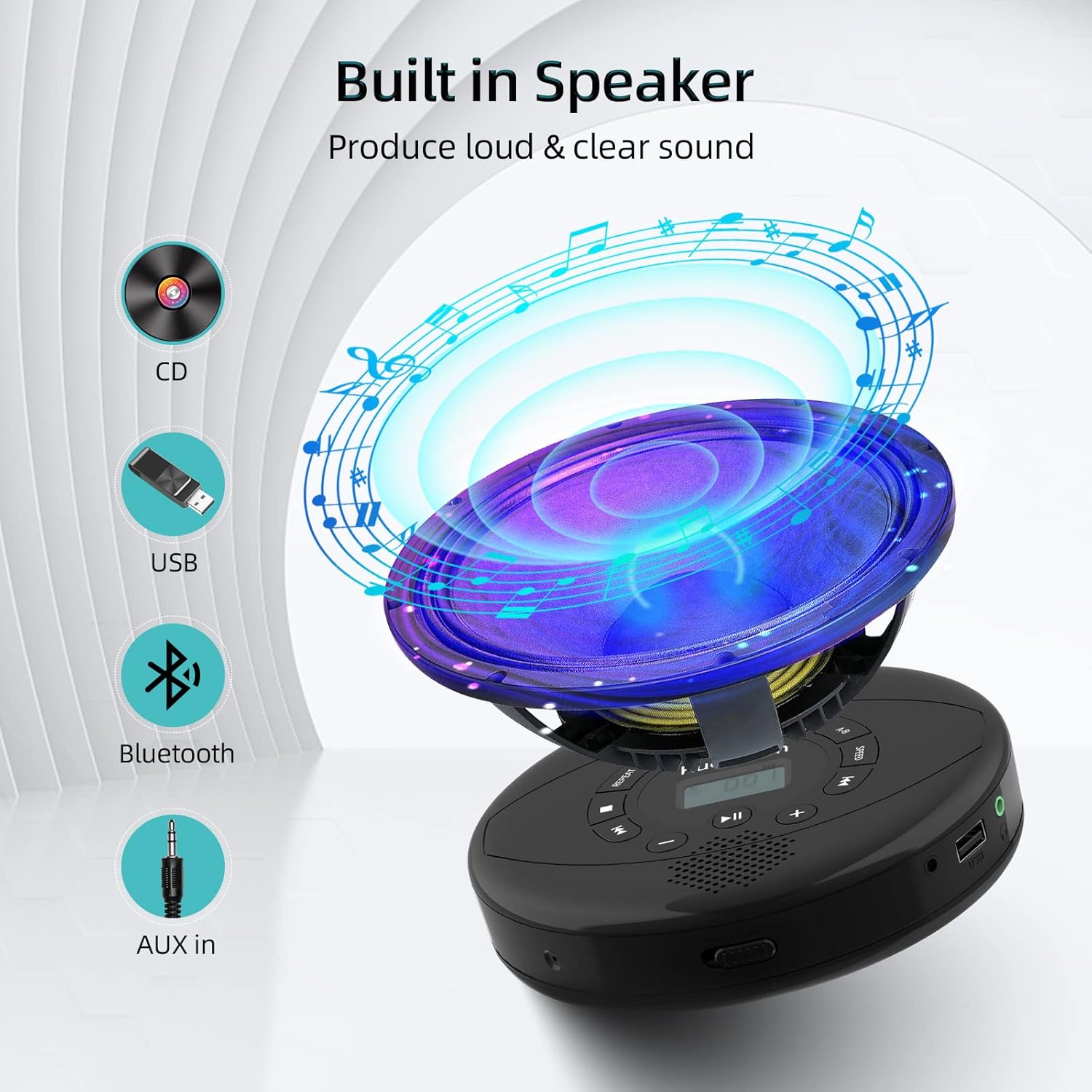
Figure 6: Illustration of the built-in speaker and the various audio input options supported by the device, including CD, USB, Bluetooth, and AUX in.
صيانة
- حافظ على نظافة الجهاز بمسحه بقطعة قماش ناعمة وجافة. تجنب استخدام المنظفات أو المذيبات الكاشطة.
- لا تعرض الجهاز لدرجات حرارة عالية، أو أشعة الشمس المباشرة، أو الرطوبة العالية.
- Handle CDs by their edges to prevent scratches and smudges. Clean CDs with a soft, lint-free cloth, wiping from the center outwards.
- عند عدم استخدام الجهاز لفترات طويلة، قم بتخزينه في مكان بارد وجاف.
استكشاف الأخطاء وإصلاحها
| مشكلة | السبب المحتمل | حل |
|---|---|---|
| الجهاز لا يعمل. | Battery is low or depleted. Power switch is off. | Charge the device fully. Ensure the ON/OFF switch is in the "ON" position. |
| يتخطى القرص المضغوط أو لا يتم تشغيله. | CD is dirty, scratched, or damaged. Device is unstable. | Clean the CD. Try another CD. Ensure the device is on a stable surface or utilize its anti-skip protection during movement. |
| No sound from headphones/speakers. | Volume is too low. Headphones/speakers not properly connected. Incorrect mode selected. | Increase volume. Re-insert headphone/AUX cable firmly. Ensure correct mode (CD, Bluetooth, USB, AUX) is selected. |
| فشل اقتران البلوتوث. | Device not in pairing mode. Bluetooth device too far. Interference. | Ensure the CD player is in Bluetooth transmitting/receiving mode. Move devices closer. Turn off other Bluetooth devices to reduce interference. |
تحديد
| ميزة | التفاصيل |
|---|---|
| أبعاد المنتج | 5.7 × 5.7 × 1.2 بوصة |
| وزن العنصر | 1.21 رطل |
| رقم الموديل | PM10-Black |
| بطارية | 1 بطارية ليثيوم بوليمر (متضمنة) |
| ماركة | كويفوم |
| تكنولوجيا الاتصال | بلوتوث، مساعد، يو اس بي |
| التنسيقات المدعومة | سي دي، سي دي-آر، سي دي-آر دبليو، إم بي ثري، وما، واف |
| ميزة خاصة | Portable, Anti-Skip, Built-in Speakers |
الضمان والدعم
For warranty information or technical support, please refer to the contact details provided with your purchase or visit the official Kuephom webالموقع. احتفظ بإيصال الشراء الخاص بك كإثبات للشراء في حالة وجود أي مطالبات بالضمان.


