1. انتهى المنتجview
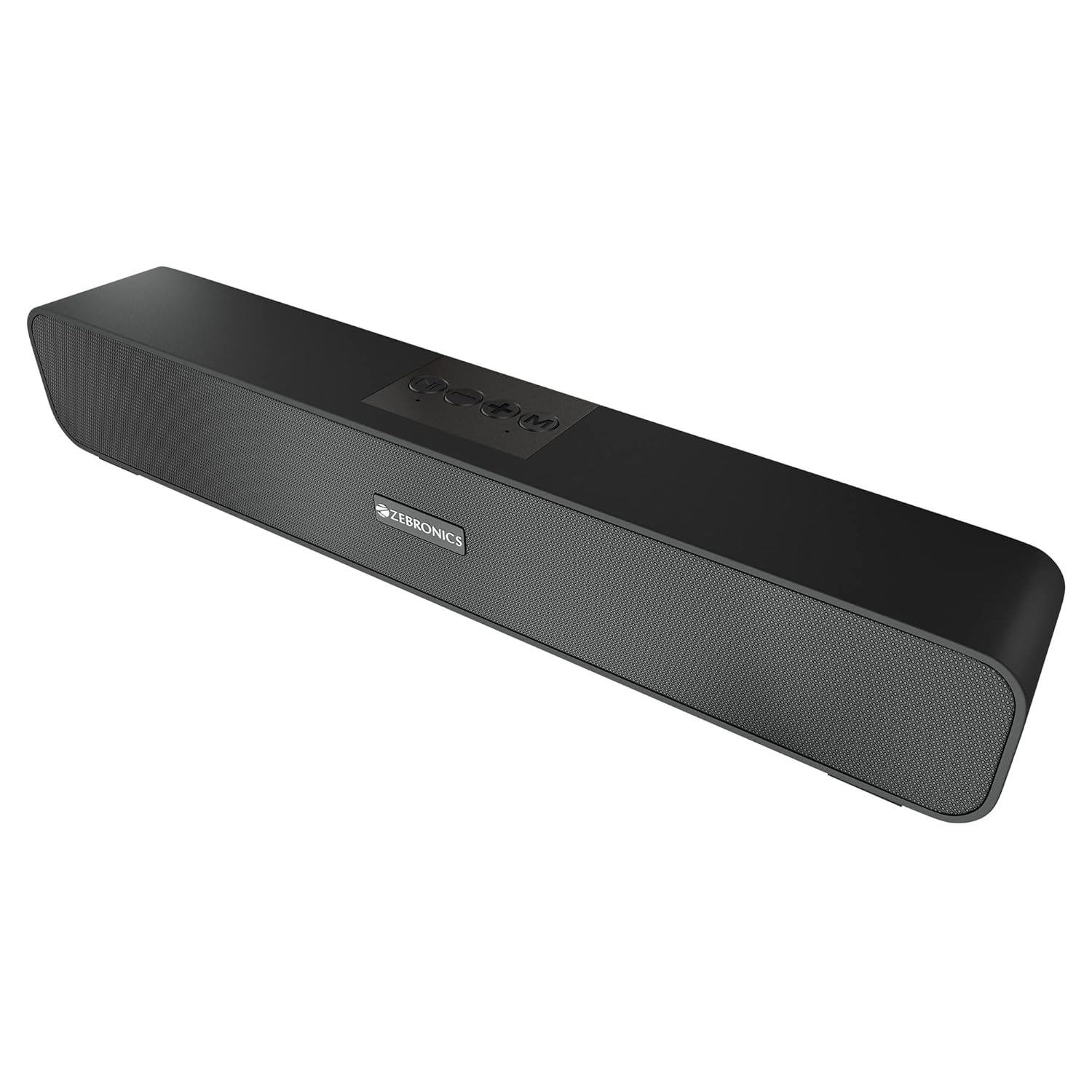
The ZEBRONICS Zeb-Astra 20 is a versatile and portable wireless Bluetooth speaker designed to deliver clear audio with enhanced bass. Its compact and lightweight design makes it ideal for on-the-go use, while multiple connectivity options ensure compatibility with a wide range of devices. This manual provides detailed instructions for setup, operation, and maintenance to help you get the most out of your speaker.
2. ماذا يوجد في الصندوق
يرجى التحقق من محتويات الحزمة للتأكد من وجود جميع العناصر:
- 1 unit - ZEBRONICS Zeb-Astra 20 Speaker
- 1 unit - Charging Cable
- 1 unit - User Manual
- 1 unit - Input Cable (AUX)

3. الميزات الرئيسية
- اتصال TWS: Connect two Zeb-Astra 20 speakers wirelessly for a stereo sound experience.
- اتصال متعدد الاستخدامات: Supports Bluetooth v5.0, AUX, mSD card, and USB input.
- راديو FM مدمج: استمتع بمحطات الراديو المفضلة لديك أينما كنت.
- وظيفة الاتصال: Integrated microphone allows for hands-free calling when connected via Bluetooth.
- عمر بطارية طويل: Built-in rechargeable battery provides up to 10 hours of playback (at 50% volume).
- صوت قوي: 10W RMS (5+5) output with dual 52mm drivers and dual passive radiators for deep bass.
- ضوابط بديهية: Media and volume control buttons located on the speaker for easy operation.
- تصميم متين: Features a matte finish body with a front metallic grill.


انتهى فيديو المنتجview
يوفر هذا الفيديو شرحًا شاملاًview of the ZEBRONICS Zeb-Astra 20 Wireless BT v5.0 Portable Speaker, highlighting its 10W RMS output, TWS capability, and 10-hour battery backup.
4. دليل الإعداد
4.1 شحن السماعة
- Connect the provided charging cable to the DC5V port on the speaker.
- قم بتوصيل الطرف الآخر من كابل الشحن بمحول طاقة USB (غير متضمن) أو بمنفذ USB الخاص بالكمبيوتر.
- سيضيء مؤشر الشحن. بمجرد اكتمال الشحن (حوالي ساعتين)، سيتغير لون المؤشر أو ينطفئ.
4.2 تشغيل/إيقاف التشغيل
- لتشغيل الجهاز، حرك مفتاح التشغيل/الإيقاف إلى وضع "التشغيل".
- لإيقاف التشغيل، حرك مفتاح التشغيل/الإيقاف إلى وضع "إيقاف التشغيل".
4.3 اقتران بلوتوث
- Ensure the speaker is powered on and in Bluetooth mode (indicated by a flashing LED). If not, press the 'Mode' button to switch to Bluetooth mode.
- قم بتفعيل البلوتوث على هاتفك الذكي أو جهاز الكمبيوتر المحمول أو أي جهاز متوافق آخر.
- بحث عن available Bluetooth devices and select "ZEB-ASTRA 20" from the list.
- Once paired, the speaker will indicate a successful connection, and the LED will stop flashing.

5. تعليمات التشغيل
5.1 وظائف الأزرار
- زر الوضع (M): Press to cycle through input modes: Bluetooth, AUX, mSD, USB, FM Radio.
- زر التشغيل/الإيقاف المؤقت (►▮▮): Press to play or pause audio. In call mode, press to answer/end a call. Press and hold to reject a call.
- خفض مستوى الصوت / المسار السابق (-): اضغط ضغطة قصيرة للانتقال إلى المقطع السابق. اضغط ضغطة طويلة لخفض مستوى الصوت.
- رفع الصوت / المسار التالي (+): اضغط ضغطة قصيرة للانتقال إلى المقطع التالي. اضغط ضغطة طويلة لزيادة مستوى الصوت.
5.2 Using Different Modes
- وضع AUX: قم بتوصيل جهاز صوتي باستخدام كابل AUX مقاس 3.5 مم بمنفذ AUX. سيتحول مكبر الصوت تلقائيًا إلى وضع AUX.
- mSD Card Mode: Insert a micro SD card into the mSD slot. The speaker will automatically play audio fileق من البطاقة.
- وضع كابل التوصيل: أدخل ذاكرة فلاش USB في منفذ USB. سيبدأ مكبر الصوت بتشغيل الصوت تلقائيًا fileق من محرك الأقراص.
- وضع راديو FM: Press the 'Mode' button to switch to FM radio. Press the Play/Pause button to auto-scan and save available stations. Use the +/- buttons to switch between saved stations.
وظيفة 5.3 TWS (ستيريو لاسلكي حقيقي)
To connect two Zeb-Astra 20 speakers for a stereo experience:
- تأكد من تشغيل كلا السماعتين وعدم توصيلهما بأي جهاز بلوتوث.
- On one speaker, long press the 'Mode' button until you hear a prompt indicating TWS pairing mode.
- سيتم توصيل السماعتين تلقائيًا. بعد الاتصال، ستسمع صوت تأكيد.
- الآن، قم بتوصيل جهازك بأحد مكبرات الصوت عبر البلوتوث كما هو موضح في القسم 4.3. سيقوم كلا مكبري الصوت بتشغيل الصوت بنظام الاستريو.
6. الصيانة
- نظّف السماعة بقطعة قماش ناعمة وجافة. لا تستخدم منظفات أو مذيبات كاشطة.
- تجنب تعريض مكبر الصوت لدرجات الحرارة العالية أو الرطوبة أو أشعة الشمس المباشرة.
- Do not disassemble the speaker. This will void the warranty and may cause damage.
- اشحن السماعة بانتظام، حتى لو لم تكن قيد الاستخدام، للحفاظ على صحة البطارية.
7. استكشاف الأخطاء وإصلاحها
| مشكلة | السبب المحتمل | حل |
|---|---|---|
| لا يتم تشغيل مكبر الصوت. | بطارية منخفضة أو غير مشحونة. | اشحن السماعة بالكامل. |
| لا يوجد صوت. | مستوى الصوت منخفض جدًا، أو الوضع غير صحيح، أو الجهاز غير متصل. | Increase volume, check mode, ensure proper connection. |
| فشل اقتران البلوتوث. | مكبر الصوت ليس في وضع الاقتران، أو الجهاز بعيد جدًا، أو به تداخل. | Ensure speaker is in BT mode, move closer, restart both devices. |
| راديو FM لا يعمل. | Weak signal or no stations scanned. | Move to an open area, perform auto-scan for stations. |
| فشل الاتصال بشبكة TWS. | Speakers already paired to a device or not in TWS pairing mode. | Ensure both speakers are disconnected from other devices and initiate TWS pairing correctly. |
8. المواصفات
| ميزة | التفاصيل |
|---|---|
| اسم الموديل | زيب-أسترا 20 |
| نوع السماعة | مكبر صوت لاسلكي |
| طاقة الإخراج | 10W RMS (5+5) |
| حجم السائق | سائقين مزدوجين مقاس 52 مم |
| الاتصال | Bluetooth v5.0, AUX, mSD, USB, FM Radio |
| عمر البطارية | تصل إلى 10 ساعات (بحجم 50٪) |
| وقت الشحن | حوالي ساعتين |
| أبعاد المنتج (العمق × العرض × الارتفاع) | 5.7 عمق × 35.4 عرض × 6.5 ارتفاع سنتيمتر |
| وزن العنصر | 654 جرام |
| مادة | Matte finish body with front metallic grill |
| نوع وحدة التحكم | زر |
| مقاومة | 3 أوم |
| استجابة التردد | 20 كيلو هرتز |

9. الضمان والدعم
This ZEBRONICS Zeb-Astra 20 speaker comes with a standard brand warranty. For specific warranty terms, conditions, and to register your product, please refer to the warranty card included in your package or visit the official ZEBRONICS webموقع.
For technical support, service, or any inquiries regarding your product, please contact ZEBRONICS customer service through their official channels. Keep your purchase receipt and product serial number handy for faster assistance.


