1. المقدمة
This manual provides comprehensive instructions for the setup, operation, maintenance, and troubleshooting of your SteelSeries Arctis Nova 3 Multi-Platform Gaming Headset. Please read this manual thoroughly before using the product to ensure optimal performance and longevity.
The Arctis Nova 3 headset features the custom-designed Nova Acoustic System with High Fidelity Drivers, 360° Spatial Audio, and a 10-band Parametric EQ. It includes an AI-powered noise-cancelling ClearCast Gen 2 microphone and dynamic RGB lighting. Designed for multi-platform compatibility, it connects via USB-C to PC, PlayStation, Xbox Series X|S, Switch, and mobile devices.
2. انتهى المنتجview
2.1 محتويات العبوة
- سماعة الألعاب SteelSeries Arctis Nova 3
- كابل USB-C إلى USB-C
- كابل محول USB-C إلى USB-A
- USB-C إلى كابل صوت 3.5 ملم
- التوثيق (هذا الدليل)
2.2 مكونات سماعة الرأس
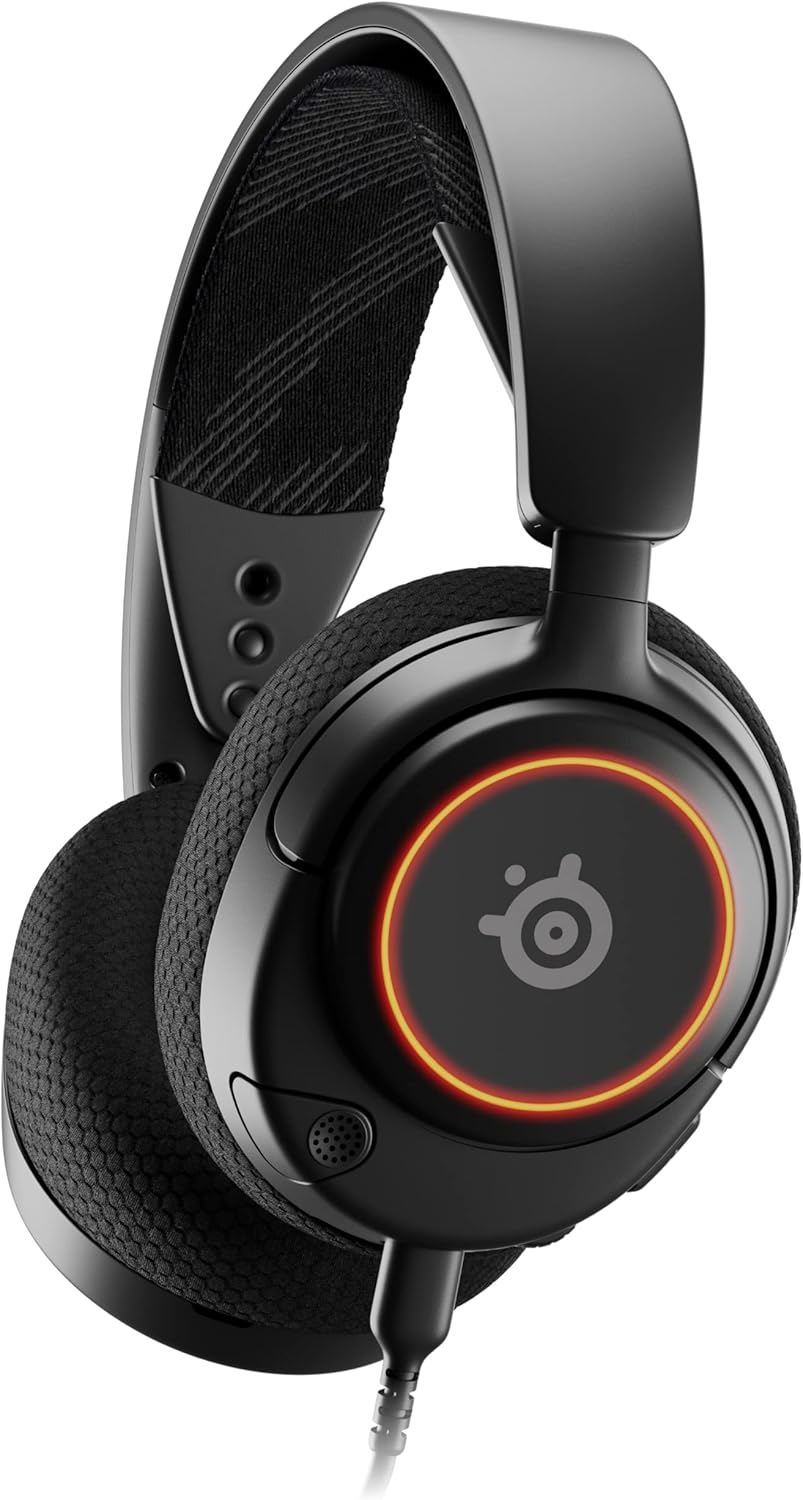
الشكل 1: أمام view of the Arctis Nova 3 headset.

الشكل 2: Key features of the Arctis Nova 3, including ComfortMAX System, 360° Spatial Audio, Dual-Zone RGB, Nova Acoustic System, ClearCast Gen 2 AI-Powered Noise-Cancelling Mic, and Multi-Platform Support.
- ComfortMAX System: Features height-adjusting, rotating earcups with AirWeave Memory Foam cushions and a stretchy band for comfortable wear.
- ClearCast Gen 2 Mic: AI-powered noise-cancelling microphone, fully retractable into the earcup.
- Dual-Zone RGB Lighting: Customizable 16.8 million color options on the earcups.
- Nova Acoustic System: Custom-designed with High Fidelity Drivers for superior sound.
- عناصر التحكم: Volume wheel and microphone mute switch located on the earcup.
- منفذ الاتصال: USB-C port for various cable connections.
3. الإعداد
3.1 توصيل سماعة الرأس
يوفر جهاز Arctis Nova 3 خيارات اتصال متعددة الاستخدامات:
- اتصال USB-C: Use the provided USB-C to USB-C cable to connect directly to devices with a USB-C port (e.g., PC, PlayStation 5, Nintendo Switch, mobile devices).
- اتصال USB-A: For devices with only USB-A ports, use the USB-C to USB-A adapter cable. Connect the USB-C end to the headset and the USB-A end to your device.
- اتصال صوت 3.5 ملم: For devices requiring a 3.5mm audio jack (e.g., Xbox controllers, older consoles, some mobile devices), use the USB-C to 3.5mm audio cable. Connect the USB-C end to the headset and the 3.5mm jack to your device.
فيديو 1: المنتج انتهىview demonstrating various connectivity options and features of the Arctis Nova 3 headset.
فيديو 2: 360 درجة view of the Arctis Nova 3 Black headset, showcasinتصميمها وميزاتها من جميع الزوايا.
3.2 ضبط المقاس
The ComfortMAX System allows for personalized fit:
- تعديل عقال: The elastic suspension band can be adjusted to different lengths using the three holes on each side of the headband, ensuring a comfortable fit that distributes weight evenly.
- دوران غطاء الأذن: The earcups can rotate 90 degrees, allowing the headset to lay flat for storage or comfortable resting around the neck.

الشكل 3: The adjustable headband and rotating earcups of the Arctis Nova 3 for a personalized and comfortable fit.

الشكل 4: The super lightweight design (253g) of the Arctis Nova 3 with memory foam earcup cushions for extended comfort.
4. تعليمات التشغيل
4.1 عناصر التحكم في الصوت
- عجلة الحجم: Rotate the wheel on the left earcup up or down to adjust the headset's audio volume.
- مفتاح كتم صوت الميكروفون: Slide the switch on the left earcup to mute or unmute the ClearCast Gen 2 microphone. An orange indicator will be visible when muted.
4.2 استخدام الميكروفون
- تمديد/سحب: The ClearCast Gen 2 microphone is fully retractable. Gently pull it out from the left earcup for use and push it back in for storage.
- التمركز: ضع الميكروفون على بعد حوالي 1-2 بوصة من فمك للحصول على وضوح صوتي مثالي.

الشكل 5: The ClearCast Gen 2 mic, which silences background noise and fully retracts into the earcup.
4.3 RGB Lighting Customization (PC Only)
Dynamic RGB lighting can be customized via the SteelSeries Engine software on PC. This allows for 16.8 million color options and reactive lighting effects.

الشكل 6: Customizable PrismSync RGB lighting with 16.8 million colors on the Arctis Nova 3 headset.
5. الصيانة
- تنظيف: استخدم قطعة قماش ناعمة وجافة لتنظيف سماعة الرأس. تجنب استخدام المنظفات الكاشطة أو المذيبات.
- تخزين: قم بتخزين سماعة الرأس في مكان بارد وجاف بعيدًا عن أشعة الشمس المباشرة ودرجات الحرارة القصوى.
- العناية بالكابلات: تجنب الانحناءات الحادة أو الشد المفرط على الكابلات لمنع التلف.
6. استكشاف الأخطاء وإصلاحها
| مشكلة | السبب المحتمل | حل |
|---|---|---|
| لا يوجد صوت من سماعة الرأس | Incorrect connection, low volume, muted device. | Ensure cables are securely connected. Check headset volume wheel and device audio settings. Confirm device is not muted. |
| الميكروفون لا يعمل | Microphone muted, incorrect input device selected, mic not extended. | Check microphone mute switch (orange indicator means muted). Ensure microphone is fully extended. Verify correct input device is selected in your system's sound settings. |
| RGB lighting not working (PC) | Software issue, incorrect USB connection. | Ensure SteelSeries Engine software is installed and updated. Confirm headset is connected via USB-C or USB-A (RGB not supported via 3.5mm). |
| عدم الراحة أثناء الاستخدام | غير مناسب. | Adjust the elastic headband and earcup positions for optimal comfort. |
7. المواصفات
| ميزة | التفاصيل |
|---|---|
| اسم الموديل | SteelSeries Arctis Nova 3 Multi-Platform Gaming Headset |
| رقم الموديل | 61631 |
| تكنولوجيا الاتصال | USB-C (includes USB-A and 3.5mm adapters) |
| نوع برنامج تشغيل الصوت | Dynamic Driver (Nova Acoustic System) |
| استجابة التردد | 20-22000 هرتز |
| مقاومة | 36 أوم |
| ميكروفون | ClearCast Gen 2 AI-Powered Noise-Cancelling, Retractable |
| الصوت المكاني | 360° Spatial Audio (compatible with Tempest 3D Audio for PS5 / Microsoft Spatial Sound) |
| وزن | 8.3 أونصة (حوالي 235 جرامًا) |
| الأبعاد (الطول × العرض × الارتفاع) | 7.32 × 6.82 × 3.47 بوصة |
| مادة | Foam, Aluminum |
| إضاءة RGB | Dynamic 16.8 million color options (PrismSync RGB) |
| الأجهزة المتوافقة | PC, PlayStation 5|4, Xbox Series X|S, Switch, Mobile |
8. الضمان والدعم
For warranty information and technical support, please visit the official SteelSeries webالموقع أو تواصل مع خدمة العملاء. احتفظ بإثبات الشراء لطلبات الضمان.
ستيل سيريز الرسمي Webموقع: متجر SteelSeries على أمازون


