مقدمة
Welcome to the user manual for your Tuanzi MaxO MAXo 4G Mini Rugged Android 12 Smartphone. This guide provides essential information on setting up, operating, and maintaining your device. Please read this manual thoroughly to ensure optimal performance and longevity of your smartphone.
محتويات الحزمة
- 1x Tuanzi MaxO MAXo Phone
- غشاء واقٍ واحد
- 1 × كابل شحن
- 1 × دليل التعليمات
- 1 × شاحن
المنتج انتهىview
الميزات الرئيسية
- IP68 Waterproof & Rugged Outdoor Design: Fully sealed to withstand rain, dust, and submersion, suitable for outdoor activities.
- Mini Android 12 Smartphone: Compact size (101*50.7*17.2mm) for portability and easy one-hand operation.
- Global 4G Bands & Dual SIM Support: Unlocked for worldwide use with dual nano-SIM slots for flexible connectivity.
- Octa-Core Performance & 6GB+128GB Memory: Equipped with a 2.0GHz 8-core processor and ample storage for smooth multitasking.
- Long-Lasting 3000mAh Battery & Compact HD Display: High-capacity battery for extended use, paired with a 3.88-inch HD screen.
- Instant Side-Key Flashlight & Face Recognition: Features a super-bright flashlight and secure facial recognition technology for quick unlocking.
تخطيط الجهاز
The image below illustrates the front and back of the Tuanzi MaxO MAXo smartphone, highlighting its display, camera module, and robust exterior.

الامام والخلف view of the Tuanzi MaxO MAXo smartphone, showing the display, camera, and rugged design.
يثبت
1. تركيب بطاقة SIM
- حدد مكان درج بطاقة SIM على جانب الجهاز.
- Insert the SIM ejector tool (not included, use a thin pin) into the small hole next to the tray to open it.
- ضع بطاقة Nano-SIM و/أو بطاقة microSD في الدرج مع توجيه جهات الاتصال الذهبية لأسفل.
- ادفع الدرج بعناية إلى الفتحة مرة أخرى حتى يصبح مستويًا مع الجهاز.
2. التشغيل الأولي
- اضغط مع الاستمرار على زر الطاقة (عادةً ما يكون على الجانب الأيمن) حتى تضيء الشاشة.
- اتبع التعليمات التي تظهر على الشاشة لتحديد اللغة والمنطقة والاتصال بشبكة Wi-Fi.
3. الإعداد الأساسي
- Sign in with your Google account to access the Play Store and other Google services.
- Set up your screen lock method (PIN, pattern, password, or facial recognition).
- Review ويمكنك تعديل إعدادات الخصوصية حسب الرغبة.
تعليمات التشغيل
إجراء المكالمات
Tap the Phone icon on the home screen. Enter the phone number using the dial pad or select a contact from your address book. Tap the call button to initiate the call.
إرسال الرسائل
Open the Messaging app. Tap the 'Start chat' or '+' icon to compose a new message. Enter the recipient's number or select from contacts, then type your message and send.
استخدام الكاميرا
Open the Camera app from your home screen or app drawer. You can switch between photo and video modes. Tap the shutter button to capture an image or start/stop video recording.

A hand holding the Tuanzi MaxO MAXo smartphone, demonstrating the camera interface.
الاتصال (واي فاي، بلوتوث)
Access Wi-Fi and Bluetooth settings from the Quick Settings panel (swipe down from the top of the screen) or through the main Settings app. Toggle Wi-Fi or Bluetooth on/off and select networks or devices to connect.
دليل مرئي
صور المنتج
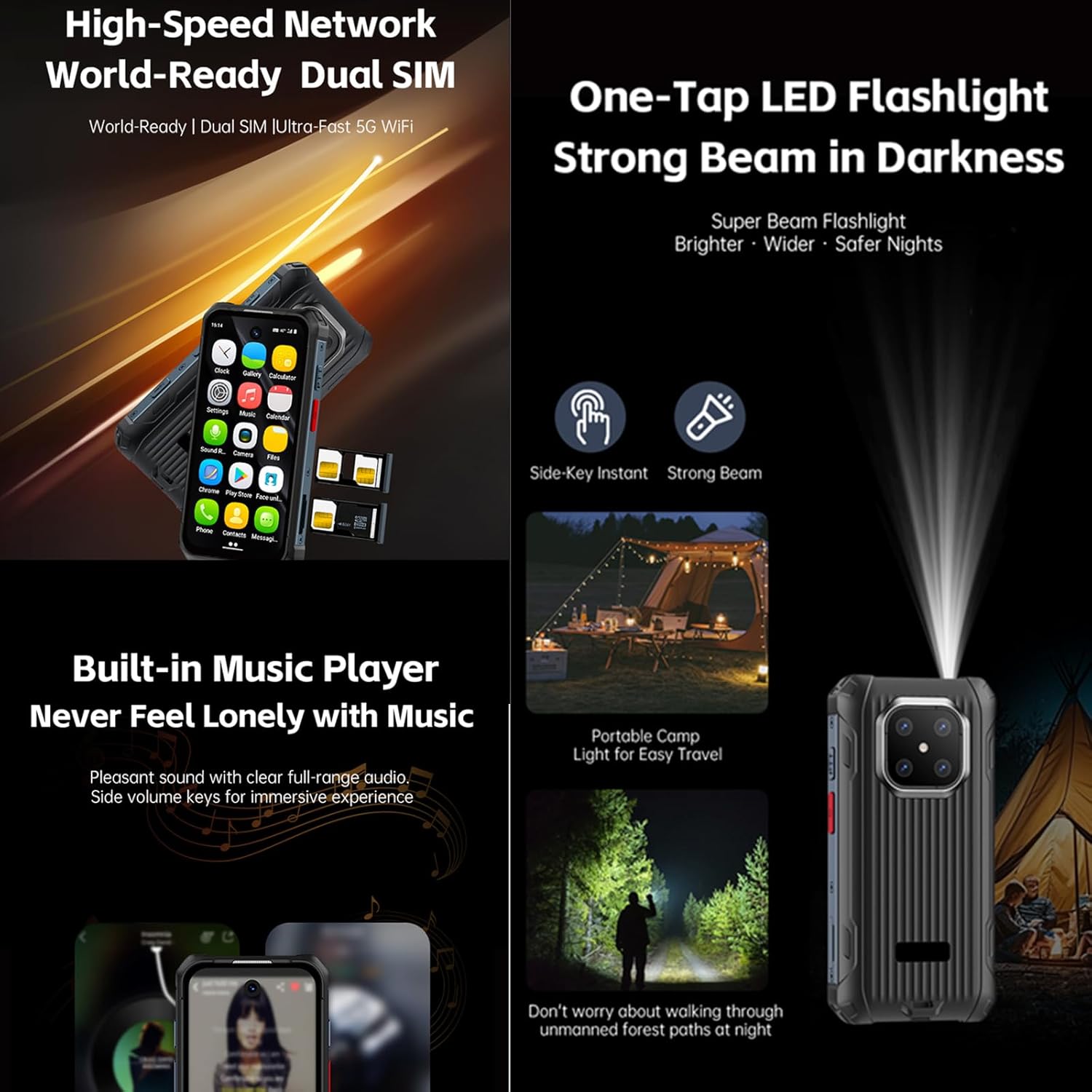
Explore various aspects of your Tuanzi MaxO MAXo smartphone through these detailed images.


مقاطع فيديو رسمية للمنتج
No official product videos from the seller for the Tuanzi MaxO MAXo smartphone were found that meet the specified criteria for inclusion in this manual.
صيانة
تنظيف جهازك
Use a soft, lint-free cloth to clean the screen and body of your phone. Avoid using harsh chemicals or abrasive materials, as these can damage the device's surfaces and waterproof seals. For stubborn dirt, a slightly damp cloth with water is recommended.
العناية بالبطارية
To prolong battery life, avoid exposing your phone to extreme temperatures. Charge your device using the provided charger and cable. Do not leave the phone charging for extended periods after it has reached 100% to prevent overcharging.
تحديثات البرامج
تحقق من تحديثات البرامج بانتظام وثبتها لضمان حصول جهازك على أحدث الميزات وتحديثات الأمان وتحسينات الأداء. يمكنك عادةً العثور على هذا الخيار في قائمة "الإعدادات" ضمن "النظام" أو "حول الهاتف".
استكشاف الأخطاء وإصلاحها
المشاكل الشائعة والحلول
- الجهاز لا يعمل: تأكد من شحن البطارية. وصّل الشاحن وانتظر بضع دقائق قبل إعادة تشغيل الجهاز.
- الشاشة لا تستجيب: حاول إعادة تشغيل الجهاز بالضغط باستمرار على زر الطاقة لمدة تتراوح بين 10 و 15 ثانية.
- مشاكل الاتصال بالشبكة: Check if your SIM card is properly inserted. Toggle Airplane Mode on and off. Restart your device. Verify your mobile data or Wi-Fi settings.
- تعطل التطبيقات أو تجميدها: Clear the cache and data for the problematic app in 'Settings > Apps'. If the issue persists, uninstall and reinstall the app.
- الأداء البطيء: Close unused apps, clear cache regularly, and ensure sufficient storage space. Consider a factory reset as a last resort (back up your data first).
المواصفات الفنية
| ميزة | مواصفة |
|---|---|
| أبعاد المنتج | 3.98 × 2 × 0.68 بوصة |
| رقم موديل العنصر | ماكسو |
| نظام التشغيل | أندرويد 12 |
| كبش | 6 جيجا بايت |
| سعة تخزين الذاكرة | 128 جيجا بايت |
| تقنيات الاتصالات اللاسلكية | بلوتوث، وشبكة خلوية، وتقنية الاتصال قريب المدى (NFC)، وشبكة واي فاي |
| تقنيات الاتصال | واي فاي |
| المميزات الخاصة | مقاوم للماء |
| دقة الماسح الضوئي | 384 × 854 |
| ميزات الكاميرا الأخرى | أمام |
| مقبس الصوت | لا يوجد مقبس سماعة رأس |
| عامل الشكل | حاجِز |
| لون | MaxO Black 128GB |
| تصنيف طاقة البطارية | 3800 مليamp ساعات |
| وقت التحدث عبر الهاتف | 18 ساعة |
| وقت استعداد الهاتف (مع البيانات) | 7 يوما |
| الشركة المصنعة | PADY-Soyes |
| تاريخ أول توفر | 26 أبريل 2022 |
| حجم شاشة العرض الدائمة | 3.88 بوصة |
| نموذج وحدة المعالجة المركزية | ميديا تيك هيليو |
| سرعة وحدة المعالجة المركزية | 2000 ميجا هرتز |
| دقة | 384 × 854 |
| شركة نقل لاسلكية | مفتوح لجميع شركات النقل |
معلومات السلامة
يرجى مراعاة إرشادات السلامة التالية لمنع تلف جهازك أو إصابتك:
- لا تحاول تفكيك الجهاز أو إصلاحه أو تعديله بنفسك.
- Keep the device away from extreme heat sources, direct sunlight, and open flames.
- تجنب تعريض الجهاز لمجالات مغناطيسية قوية.
- استخدم فقط أجهزة الشحن والملحقات المعتمدة من قبل الشركة المصنعة.
- تخلص من الجهاز وبطاريته بطريقة مسؤولة وفقًا للوائح المحلية.
الضمان والدعم
Your Tuanzi MaxO MAXo smartphone comes with a standard manufacturer's warranty. For detailed warranty terms, conditions, and support, please refer to the warranty card included in your package or contact Tuanzi customer service directly. Keep your proof of purchase for warranty claims.


