1. المقدمة
The Dzees D3K Solar Security Camera is an advanced wireless outdoor surveillance solution designed for comprehensive home security. It features 2K resolution for clear imaging, 360° pan and 90° tilt capabilities for wide coverage, and is powered by an efficient solar panel for continuous operation. Equipped with intelligent AI detection, color night vision, and an IP66 weather-resistant design, the D3K provides reliable monitoring in various environmental conditions.
المميزات الرئيسية:
- 2K PTZ Camera: Supports 355° horizontal and 90° vertical rotation with 4X digital zoom for comprehensive coverage.
- تعمل بالطاقة الشمسية: High-efficiency solar panel ensures continuous power supply, reducing the need for manual charging.
- الكشف الذكي بالذكاء الاصطناعي: Accurately distinguishes between individuals, packages, vehicles, and animals, minimizing false alarms.
- وظائف التنبيه: Features a loud siren, spotlight, and sound alerts to deter intruders.
- رؤية ليلية ملونة: يوفر فيديو واضحًا وملونًا بالكامل حتى في ظروف الإضاءة المنخفضة.
- IP66 مقاوم للطقس: Designed to withstand various weather conditions, ensuring year-round protection.
- تخزين مرن: Supports up to 128GB memory card (not included) and offers 2 years of free 3-day loop cloud storage.
2. محتويات العبوة
يرجى التحقق من محتويات العبوة عند فتح الصندوق للتأكد من وجود جميع المكونات:
- Dzees Solar Security Camera
- لوحة شمسية
- تزايد شريحة
- براغي التثبيت والمراسي
- كابل شحن USB
- دليل المستخدم (هذا المستند)
3. انتهى المنتجview
Familiarize yourself with the main components of your Dzees Solar Security Camera:

Figure 3.1: Dzees Solar Security Camera D3K and accompanying solar panel.
- عدسة الكاميرا: يلتقط فيديو بدقة 2K.
- أبرز النقاط: توفير الإضاءة اللازمة للرؤية الليلية الملونة والردع.
- مستشعر PIR: Detects motion based on infrared heat signatures.
- ميكروفون: يلتقط الصوت للتواصل ثنائي الاتجاه.
- المتحدث: يُخرج الصوت للاتصال ثنائي الاتجاه وصفارة الإنذار.
- Solar Panel Port: Connects the solar panel for continuous charging.
- زر إعادة الضبط: يُستخدم لإعادة ضبط الكاميرا إلى إعدادات المصنع.
- منفذ كارت الذاكرة الصغيرة: لتخزين الفيديو محليًا (يدعم ما يصل إلى 128 جيجابايت، البطاقة غير متضمنة).
- هوائيات: للحصول على اتصال واي فاي مستقر.
4. دليل الإعداد
4.1 الشحن الأولي
Before initial use, fully charge the camera using the provided USB cable. Connect the USB cable to the camera's charging port and a standard 5V/2A USB power adapter (not included). A full charge typically takes several hours.
4.2 تثبيت التطبيق
Download and install the "Dzees Home" app on your smartphone or tablet. The app is available on both the Apple App Store and Google Play Store.

Figure 4.1: The Dzees Home app interface, displaying multiple camera feeds and control options.
- بحث عن "Dzees Home" in your device's app store.
- تنزيل التطبيق وتثبيته.
- قم بتسجيل حساب جديد أو قم بتسجيل الدخول إذا كان لديك حساب بالفعل.
4.3 إقران الكاميرا
Follow these steps to connect your camera to your Wi-Fi network and the Dzees Home app:
- Open the Dzees Home app and tap the "+" icon to add a new device.
- اختر طراز الكاميرا الخاص بك من القائمة.
- Power on the camera. The camera will emit a voice prompt indicating it's ready for pairing.
- اتبع التعليمات الموجودة داخل التطبيق لتوصيل الكاميرا بشبكة Wi-Fi بتردد 2.4 جيجاهرتز. Note: This camera only supports 2.4GHz Wi-Fi.
- امسح رمز الاستجابة السريعة (QR) المعروض على شاشة هاتفك باستخدام عدسة الكاميرا.
- بمجرد الاتصال، ستؤكد الكاميرا نجاح عملية الاقتران.

Figure 4.2: Illustration of the solar-powered, wire-free setup, emphasizing 2.4GHz WiFi connectivity and solar charging efficiency.
4.4 تركيب الكاميرا
Choose a suitable location for mounting your camera, ensuring it has a clear view of the area you wish to monitor and that the solar panel receives adequate direct sunlight throughout the day.
- Mark the drilling spots using the mounting bracket as a template.
- Drill holes and insert wall anchors if mounting on masonry or drywall.
- قم بتأمين دعامة التثبيت على الحائط باستخدام البراغي المتوفرة.
- قم بتثبيت الكاميرا على حامل التثبيت.
- Connect the solar panel cable to the camera's solar panel port. Position the solar panel to maximize sun exposure.
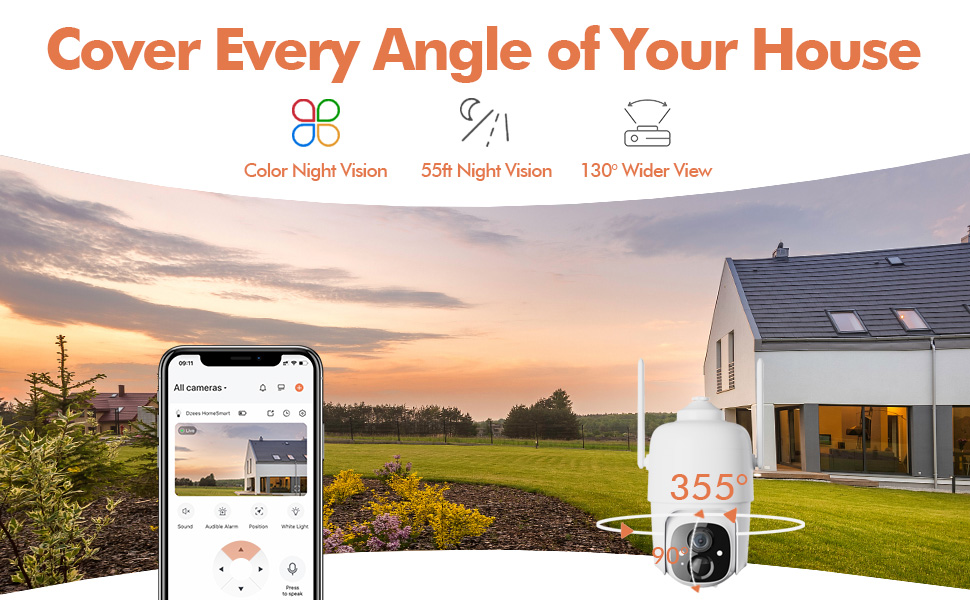
Figure 4.3: The Dzees camera mounted outdoors, showcasing its IP66 weather-resistant design, capable of operating in various weather conditions.

Figure 4.4: The camera's advanced PIR motion detection in action, highlighting its ability to detect movement within a specified zone.
5. تشغيل الكاميرا
5.1 مباشر View والتشغيل
Access the live video feed and review recorded events through the Dzees Home app.
- From the app's home screen, tap on the camera's thumbnail to enter the live view واجهة.
- Use the timeline or event list to navigate and play back recorded footage.

Figure 5.1: The Dzees Home app displaying live camera feed with controls for pan, tilt, digital zoom, and night vision settings.
5.2 التحريك والإمالة والتكبير (PTZ)
التحكم في الكاميرا viewing angle directly from the app:
- في البث المباشر view, use the directional controls to pan (355° horizontal) and tilt (90° vertical) the camera.
- Pinch to zoom in or out for 4X digital zoom. Note: This is digital zoom, not optical zoom.
- Set up to 5 preset points for quick navigation to frequently monitored areas.

Figure 5.2: Illustration of setting up and utilizing up to 5 preset positions for rapid camera view تعديل.
5.3 اكتشاف الحركة والتنبيهات
Customize your detection settings to receive relevant alerts:
- انتقل إلى إعدادات الكاميرا في التطبيق.
- Enable AI detection to differentiate between people, packages, vehicles, and animals.
- Define custom activity zones to focus detection on specific areas and ignore others.
- Adjust detection sensitivity to reduce unwanted notifications.
- Receive instant push notifications on your phone when motion is detected.
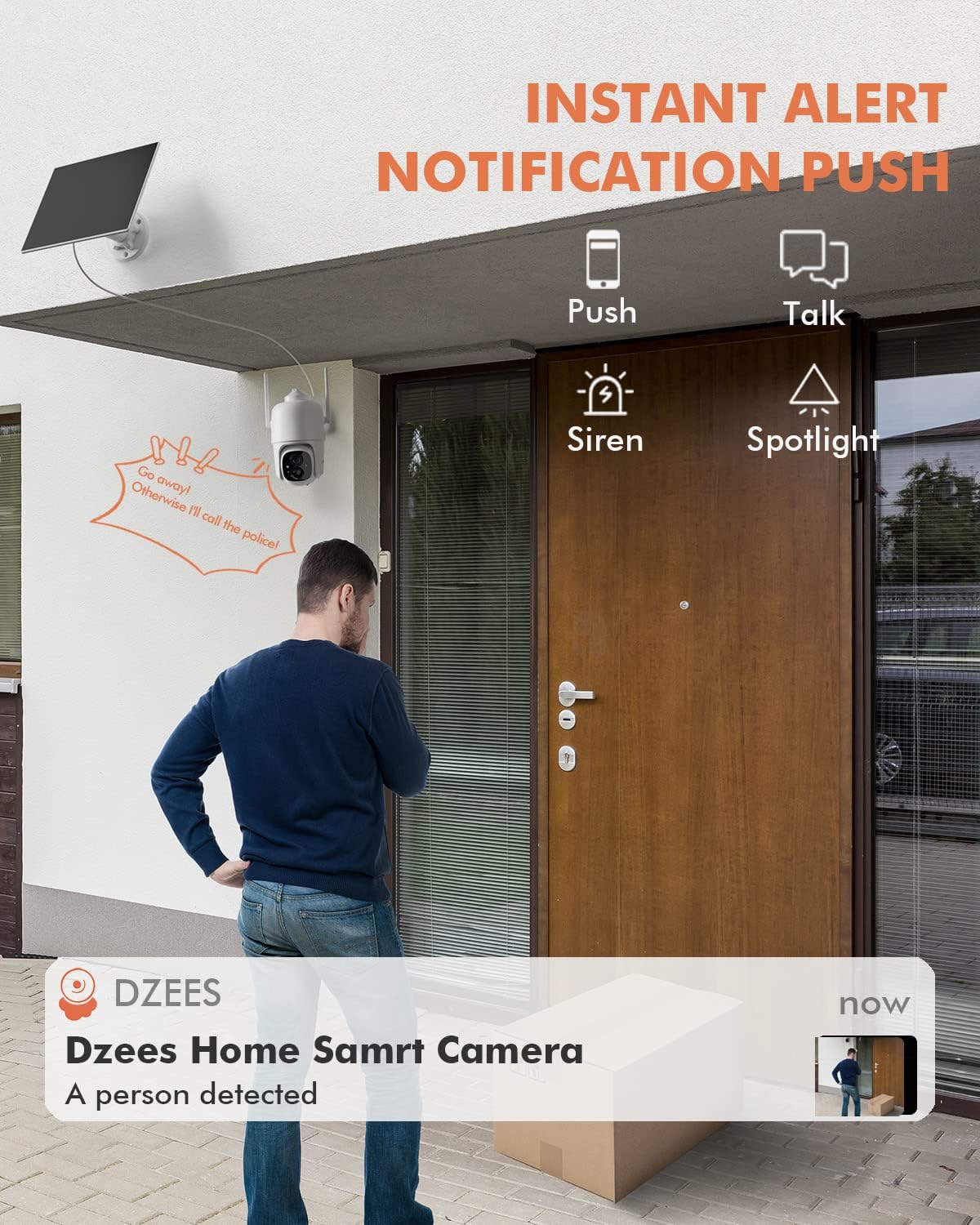
الشكل 5.3: مثالample of an instant push notification received on a smartphone when the camera detects a person.
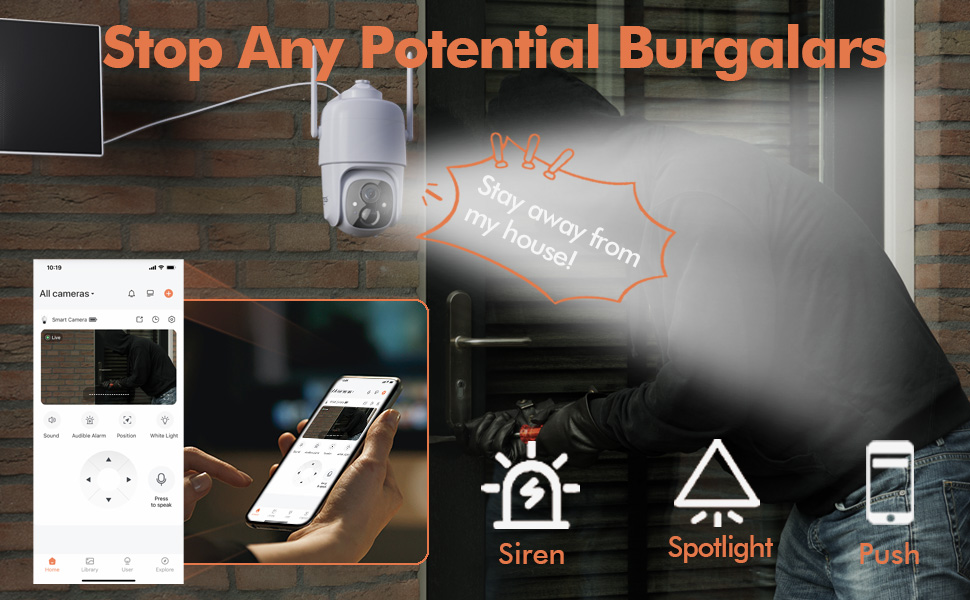
Figure 5.4: Detailed motion detection settings within the Dzees app, allowing for customization of detection zones and sensitivity.
5.4 الصوت ثنائي الاتجاه
Communicate with visitors or deter intruders using the camera's built-in microphone and speaker:
- في البث المباشر viewانقر على أيقونة الميكروفون للتحدث عبر الكاميرا.
- انقر على أيقونة مكبر الصوت للاستماع إلى الصوت من موقع الكاميرا.
5.5 Spotlight and Siren
Enhance security with active deterrence features:
- Manually activate the spotlight or siren from the live view واجهة التطبيق.
- Configure automatic activation of the spotlight or siren upon motion detection in the camera settings.
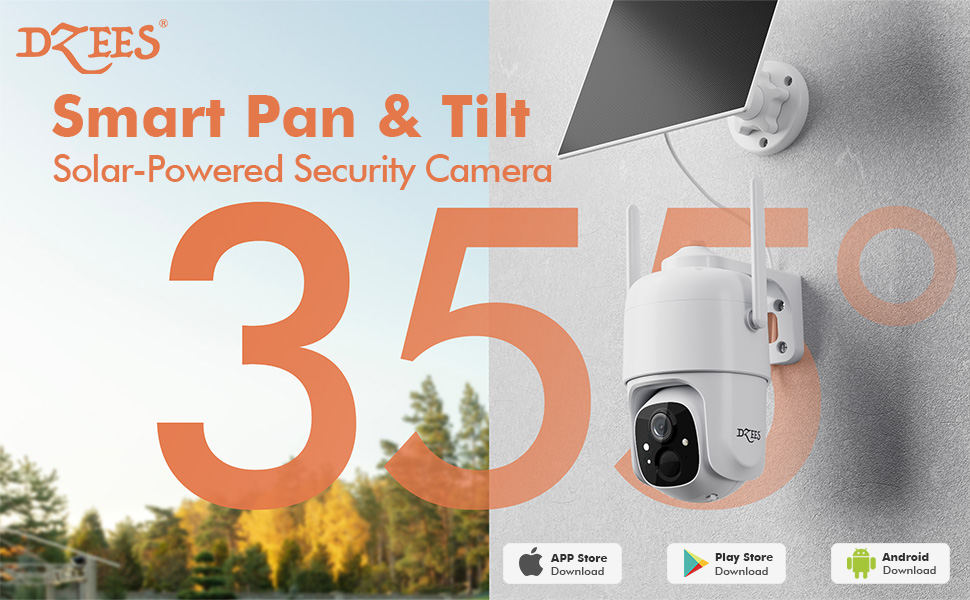
Figure 5.5: The camera's active deterrence features, including siren, spotlight, and instant push notifications, designed to deter potential intruders.
5.6 خيارات التخزين
Your Dzees camera offers flexible storage solutions for your recordings:
- التخزين المحلي: Insert a Micro SD card (up to 128GB, not included) into the camera's SD card slot for continuous or event-based recording.
- التخزين السحابي: Enjoy 2 years of free 3-day loop cloud storage. A 30-day trial of the Plus Plan is available for new users, offering upgraded cloud storage and advanced AI features.

Figure 5.6: The camera's support for both local Micro SD card storage (up to 128GB) and free 3-day cloud storage.
6. الصيانة
Regular maintenance ensures the longevity and optimal performance of your Dzees Solar Security Camera:
- Cleaning the Lens and Solar Panel: امسح عدسة الكاميرا واللوحة الشمسية بشكل دوري بقطعة قماش ناعمة.amp cloth to remove dust, dirt, or debris. This ensures clear video quality and efficient solar charging.
- التحقق من حالة البطارية: Monitor the battery level in the Dzees Home app. Ensure the solar panel is receiving sufficient direct sunlight to maintain charge.
- تحديثات البرامج الثابتة: The Dzees Home app will notify you of available firmware updates. It is recommended to update the camera's firmware to ensure you have the latest features and security enhancements. Follow the in-app instructions for updating.
7. استكشاف الأخطاء وإصلاحها
If you encounter issues with your Dzees Solar Security Camera, refer to the following common problems and solutions:
7.1 الكاميرا لا تتصل بشبكة Wi-Fi
- تأكد من أن شبكة Wi-Fi لديك بتردد ٢.٤ جيجاهرتز. الكاميرا لا تدعم Wi-Fi بتردد ٥ جيجاهرتز.
- Check the Wi-Fi signal strength at the camera's location. Move the camera closer to the router if the signal is weak.
- تأكد من إدخال كلمة مرور الواي فاي الصحيحة.
- Try resetting the camera by pressing and holding the reset button for 5 seconds until you hear a prompt. Then, attempt pairing again.
7.2 البطارية لا تشحن أو تنفد بسرعة
- Ensure the solar panel is connected securely to the camera.
- Verify that the solar panel is positioned to receive direct sunlight for several hours daily, without any obstructions (e.g., trees, eaves).
- Clean the surface of the solar panel regularly to remove dirt or dust that may hinder charging efficiency.
- In prolonged cloudy or rainy weather, the battery may drain. Consider temporarily charging the camera via USB if needed.
7.3 Excessive False Alarms
- Adjust the motion detection sensitivity in the Dzees Home app to a lower setting.
- Utilize the activity zone feature to exclude areas with frequent irrelevant motion (e.g., busy streets, swaying trees).
- Enable AI detection to filter out non-human movements.
7.4 جودة الصورة الرديئة
- قم بتنظيف عدسة الكاميرا بقطعة قماش ناعمة وخالية من الوبر.
- Ensure a strong Wi-Fi connection for optimal streaming quality.
- Check for any physical obstructions in front of the lens.
7.5 No Night Vision
- Verify that night vision mode is enabled in the Dzees Home app settings.
- Ensure the camera's spotlights are not obstructed.
If the issue persists after trying these solutions, please contact Dzees customer support for further assistance.
8. المواصفات الفنية
| ميزة | مواصفة |
|---|---|
| رقم الموديل | د3ك |
| دقة الفيديو | 2K / 3MP |
| زاوية عموم | 355° |
| زاوية الميل | 90° |
| تقريب رقمي | 4X |
| نطاق الرؤية الليلية | Up to 55 feet (Color Night Vision supported) |
| مقاومة الطقس | IP66 |
| مصدر الطاقة | Solar Powered (with built-in rechargeable battery) |
| الاتصال | واي فاي بتردد 2.4 جيجاهرتز، بلوتوث |
| التخزين المحلي | بطاقة ذاكرة مايكرو إس دي (حتى 128 جيجابايت، غير مرفقة) |
| التخزين السحابي | Free 3-day loop storage (2 years included) |
| الأبعاد (الطول × العرض × الارتفاع) | 5.8 × 7 × 8 بوصة |
| وزن | 1.06 جنيه (480 جرام) |
| مادة | أكريلونيتريل بوتادين ستايرين (ABS) |
9. الضمان والدعم
Dzees is committed to providing high-quality products and excellent customer service.
- ضمان: Your Dzees Solar Security Camera comes with 2 years of after-sales support, ensuring peace of mind.
- الدعم الفني: An experienced technical team is available for 24/7 lifetime support. For any inquiries or assistance, please contact Dzees customer service.
- الموارد المتاحة على الإنترنت: Visit the official Dzees Store for more product information, FAQs, and support resources: Dzees Store on Amazon.


