1. المقدمة
This manual provides essential instructions for the proper use and maintenance of your LOTUS Smartwatch Model 50003/A. Please read this guide thoroughly before using your smartwatch to ensure optimal performance and longevity.
The LOTUS Smartwatch 50003/A features an intuitive interface and elegant design, offering a variety of smart functions. It is equipped with Bluetooth connectivity, allowing seamless synchronization with your mobile devices. This synchronization enables features such as call and message notifications, music control, and other practical functions for daily life.
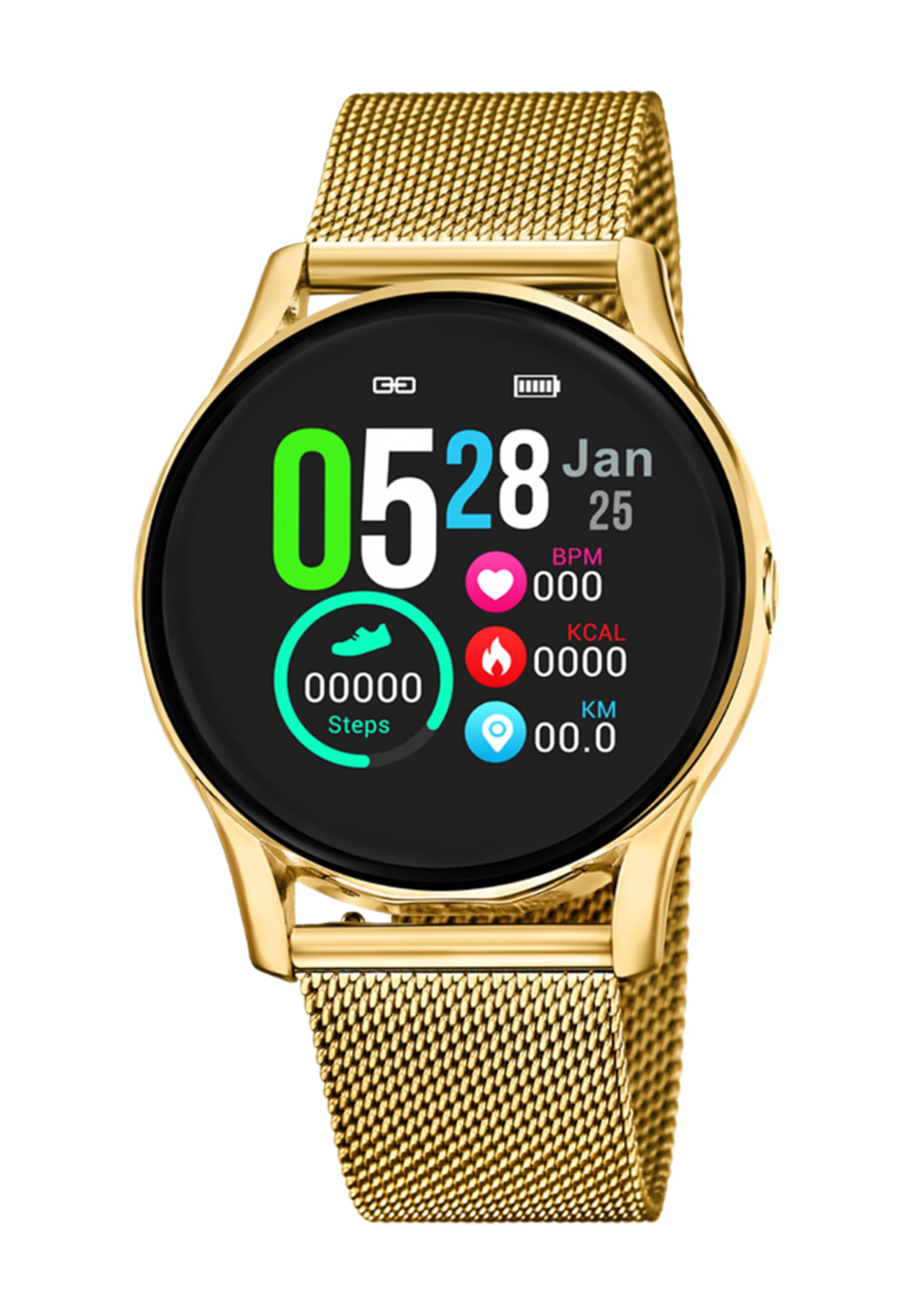
الصورة 1.1: الجبهة view of the LOTUS Smartwatch 50003/A.
2. محتويات العبوة
Please check the package contents upon unboxing. The standard package for the LOTUS Smartwatch 50003/A should include:
- LOTUS Smartwatch 50003/A
- كابل الشحن
- دليل المستخدم (هذا المستند)
3. دليل الإعداد
3.1. شحن الساعة الذكية
قبل الاستخدام الأولي، قم بشحن ساعتك الذكية بالكامل.
- قم بتوصيل كابل الشحن بمنفذ الشحن الموجود في الجزء الخلفي من الساعة الذكية.
- قم بتوصيل الطرف الآخر من كابل الشحن بمحول طاقة USB (غير مرفق) أو بمنفذ USB في جهاز الكمبيوتر.
- ستعرض شاشة الساعة حالة الشحن. يستغرق الشحن الكامل حوالي ساعتين إلى ثلاث ساعات.
3.2. تثبيت التطبيق المصاحب
To unlock all features and synchronize your smartwatch with your smartphone, you need to install the official LOTUS Connected app.
- Scan the QR code provided in the watch packaging or search for "LOTUS Connected" in your smartphone's app store (Google Play Store for Android, Apple App Store for iOS).
- تنزيل التطبيق وتثبيته.
- اتبع التعليمات التي تظهر على الشاشة لإنشاء حساب أو تسجيل الدخول.

Image 3.2: Synchronizing the smartwatch with the companion app on a smartphone.
3.3. الاقتران بهاتفك الذكي
Ensure Bluetooth is enabled on your smartphone and the smartwatch is charged.
- Open the LOTUS Connected app on your smartphone.
- Follow the app's instructions to add a new device.
- The app will search for available smartwatches. Select "LOTUS 50003/A" from the list.
- قم بتأكيد طلب الاقتران على كل من هاتفك الذكي وساعتك الذكية إذا طُلب منك ذلك.
- بمجرد الاقتران، ستقوم الساعة بمزامنة الوقت والبيانات مع هاتفك.
4. تعليمات التشغيل
4.1. التنقل الأساسي
- شاشة تعمل باللمس: مرر لليسار/اليمين، لأعلى/لأسفل للتنقل بين القوائم والميزات. انقر للاختيار.
- الأزرار الجانبية: The smartwatch may have one or more physical buttons. Typically, one button serves as a power on/off, back, or home button. Refer to the on-screen prompts for specific button functions.

الصورة 4.1: مثالample of a smartwatch display showing activity data.
4.2. الميزات الرئيسية
- إشعارات: Receive alerts for incoming calls, messages, and app notifications directly on your wrist. Manage notification settings via the LOTUS Connected app.
- التحكم بالموسيقى: Control music playback on your connected smartphone (play, pause, skip tracks, adjust volume).
- تتبع النشاط: Monitor steps, distance, calories burned, and sleep patterns. View إحصائيات مفصلة في التطبيق المصاحب.
- مقاومة الماء: The smartwatch is water resistant. Avoid prolonged submersion or use in hot water/steam. Refer to specifications for exact water resistance rating.
5. الصيانة
5.1. تنظيف ساعتك الذكية
- امسح شاشة الساعة وجسمها بقطعة قماش ناعمة وخالية من الوبر.
- بالنسبة للأوساخ العنيدة، قم بإزالة الأوساخ برفق.ampاغسل القماش بالماء. تجنب المواد الكيميائية القاسية أو المواد الكاشطة.
- تأكد من أن جهات اتصال الشحن نظيفة وجافة قبل الشحن.
5.2. العناية بالبطارية
- Charge the smartwatch regularly. Avoid letting the battery completely drain for extended periods.
- Do not expose the smartwatch to extreme temperatures, as this can affect battery life and performance.
- إذا لم يتم استخدام الساعة لفترة طويلة، فقم بشحنها إلى حوالي 50% قبل تخزينها.
6. استكشاف الأخطاء وإصلاحها
6.1. المشكلات الشائعة والحلول
- الساعة لا تعمل: تأكد من شحن الساعة بالكامل. وصّلها بالشاحن وانتظر بضع دقائق قبل تشغيلها.
- لا يمكن الاقتران بالهاتف الذكي:
- تأكد من تمكين Bluetooth على هاتفك الذكي.
- تأكد من أن الساعة الذكية ضمن نطاق هاتفك.
- أعد تشغيل كل من هاتفك الذكي وساعتك الذكية.
- حاول إلغاء إقران الجهاز ثم إعادة إقرانه من خلال التطبيق.
- الإشعارات غير المستلمة:
- Check notification settings in the LOTUS Connected app.
- Ensure the app has necessary permissions on your smartphone.
- Verify that the smartwatch is properly connected via Bluetooth.
- عمر بطارية قصير:
- تقليل سطوع الشاشة.
- Disable unnecessary notifications or features.
- تأكد من شحن الساعة بالكامل قبل الاستخدام.
6.2. إعادة ضبط المصنع
If issues persist, a factory reset may resolve them. This will erase all data on the smartwatch and restore it to its original settings.
- Navigate to the "Settings" menu on your smartwatch.
- Look for an option like "System," "Reset," or "Factory Reset."
- قم بتأكيد إعادة التعيين عندما يُطلب منك ذلك.
- After resetting, you will need to re-pair the smartwatch with your phone and set it up again.
7. المواصفات
| ميزة | التفاصيل |
|---|---|
| ماركة | لوتس |
| رقم الموديل | 50003/أ |
| لون | أسود |
| توافق نظام التشغيل | أندرويد، آي أو إس |
| حجم الشاشة | 39.65 مليمتر |
| المميزات الخاصة | مقاوم للماء |
| الأجهزة المتوافقة | الهاتف الذكي |
| تكوين البطارية | معدن الليثيوم |
| توافر قطع الغيار | 5 سنة |
8. الضمان والدعم
Your LOTUS Smartwatch 50003/A comes with a manufacturer's warranty. Please refer to the warranty card included in your product packaging for specific terms and conditions.
قطع الغيار لهذا الموديل متوفرة لمدة تصل إلى 5 عامًا من تاريخ الشراء.
For technical support, service, or warranty claims, please contact LOTUS customer service through their official webالموقع أو معلومات الاتصال المقدمة في وثائق الضمان الخاصة بك.


