مقدمة
This manual provides essential information for setting up, operating, maintaining, and troubleshooting your Samsung Galaxy Book Pro 360 15.6-inch touchscreen laptop. This device combines the power of a laptop with the versatility of a tablet, featuring a 360-degree hinge and S Pen compatibility. Please read this manual thoroughly to ensure proper use and to maximize your product's lifespan.

Image: The Samsung Galaxy Book Pro 360 showcasing its convertible design and the included S Pen.
يثبت
1. التشغيل الأولي والشحن
Connect the provided USB-C power adapter to the laptop's Thunderbolt 4 or USB-C port and then to a power outlet. The battery icon on the screen will indicate charging status. Press the power button located on the side of the laptop to turn it on.
2. إعداد Windows 11
Follow the on-screen prompts to complete the initial Windows 11 setup. This includes selecting your region, language, accepting terms, and creating a user account.
3. اتصال الشبكة
During the Windows setup, you will be prompted to connect to a Wi-Fi network. Select your network from the list and enter the password. The device supports Wi-Fi 6E for fast wireless connectivity.
4. إعداد قارئ بصمات الأصابع
For enhanced security, set up the fingerprint reader. Navigate to الإعدادات > الحسابات > خيارات تسجيل الدخول > التعرف على بصمة الإصبع (Windows Hello) واتبع التعليمات لتسجيل بصمات أصابعك.
5. S Pen Pairing and Usage
The S Pen is typically pre-paired. To use it, simply remove it from its storage slot (if applicable) or ensure it is charged. The S Pen allows for precise input on the touchscreen, including writing, drawing, and navigating the interface.
التشغيل
1. أوضاع قابلة للتحويل
The Galaxy Book Pro 360 features a 360-degree hinge, allowing it to be used in various modes:
- وضع الكمبيوتر المحمول: تكوين الكمبيوتر المحمول القياسي للكتابة والإنتاجية.
- وضع الجهاز اللوحي: Fold the screen back completely to use as a tablet.
- وضع الخيمة: Position the device like a tent for media consumption or presentations.
- وضع الوقوف: Flip the keyboard face down to use the screen as a display.
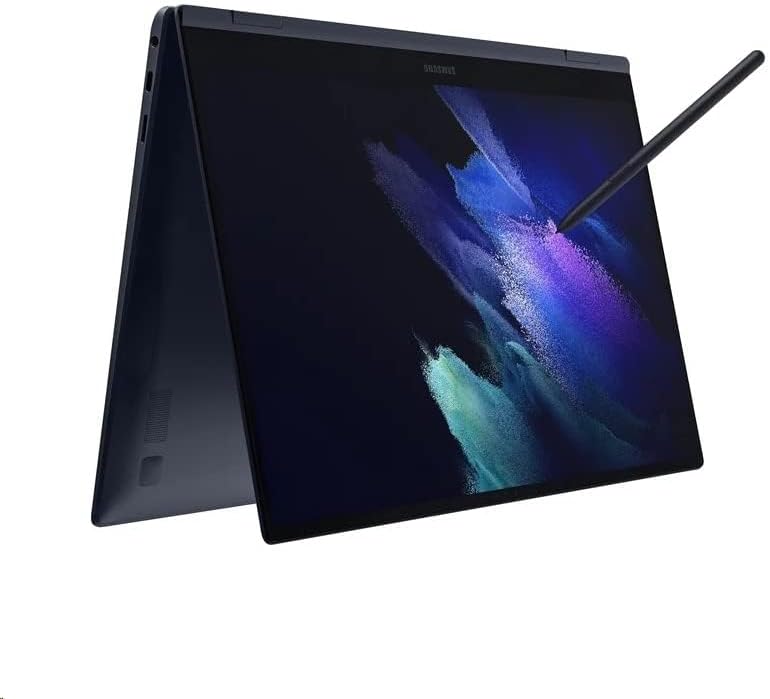
Image: The Samsung Galaxy Book Pro 360 configured in tablet mode, demonstrating its flexibility.
2. Touchscreen and S Pen Interaction
The 15.6-inch FHD AMOLED touchscreen supports multi-touch gestures. Use the S Pen for precise input, note-taking, drawing, and navigating the interface. Air Command features can be accessed by hovering the S Pen over the screen and pressing its button.
3. Keyboard and Trackpad
The full-sized keyboard includes a backlight, adjustable via function keys (e.g., F9). The large trackpad supports multi-touch gestures for navigation. For external input, connect a mouse to a USB port.
4. استخدام المنفذ
- ثندربولت 4: High-speed data transfer, video output, and charging.
- يو اس بي سي: Data transfer, video output, and charging.
- يو اس بي-ايه: Connect standard USB devices like external drives or peripherals.
- HDMI: الاتصال بالشاشات أو أجهزة العرض الخارجية.
- قارئ بطاقة Micro SD: توسيع التخزين أو النقل fileمن بطاقات الذاكرة.
- Mic/Headphone Combo Jack: Connect headphones or an external microphone.
5. الصوت و Webكاميرا
Experience enhanced audio with Dolby Atmos speakers. The integrated HD webcam is suitable for video calls and conferences.
صيانة
1. التنظيف
استخدم قطعة قماش ناعمة وخالية من الوبر وامسحها برفق.ampened with water or a screen cleaner to wipe the display. For the body and keyboard, use a dry or slightly damp القماش. تجنب المواد الكيميائية القاسية أو المواد الكاشطة.
2. العناية بالبطارية
To prolong battery life, avoid fully discharging the battery frequently. Store the laptop in a cool, dry place. If storing for an extended period, charge the battery to around 50-70%.
3. تحديثات البرامج
Regularly check for and install Windows updates and Samsung software updates to ensure optimal performance, security, and compatibility. Go to الإعدادات > تحديث Windows.
4. إدارة التخزين
إعادة بشكل دوريview وحذف غير الضروري files to maintain sufficient free space on the 1TB SSD. Utilize cloud storage or external drives for large files.
استكشاف الأخطاء وإصلاحها
1. لا يعمل الكمبيوتر المحمول
- تأكد من توصيل محول الطاقة بشكل آمن بالكمبيوتر المحمول ومأخذ الطاقة العامل.
- تأكد من أن منفذ الطاقة يعمل عن طريق توصيل جهاز آخر.
- إذا تم استنزاف البطارية بالكامل، فقد يستغرق الأمر بضع دقائق من الشحن قبل أن يتمكن الكمبيوتر المحمول من التشغيل.
2. مشاكل العرض
- If the screen is blank, try adjusting the brightness using the function keys.
- تأكد من عدم توصيل أي شاشة خارجية وتعيينها كمخرج رئيسي.
- أعد تشغيل الكمبيوتر المحمول.
3. مشاكل اتصال Wi-Fi
- تأكد من تمكين Wi-Fi في إعدادات Windows.
- أعد تشغيل جهاز التوجيه والمودم.
- انسى الشبكة وأعد الاتصال بها، وأدخل كلمة المرور مرة أخرى.
- قم بتحديث برامج تشغيل Wi-Fi من خلال إدارة الأجهزة.
4. S Pen Not Responding
- Ensure the S Pen is properly seated in its storage slot (if applicable) to charge.
- Check if the S Pen settings are correctly configured in Windows.
- أعد تشغيل الكمبيوتر المحمول.
تحديد
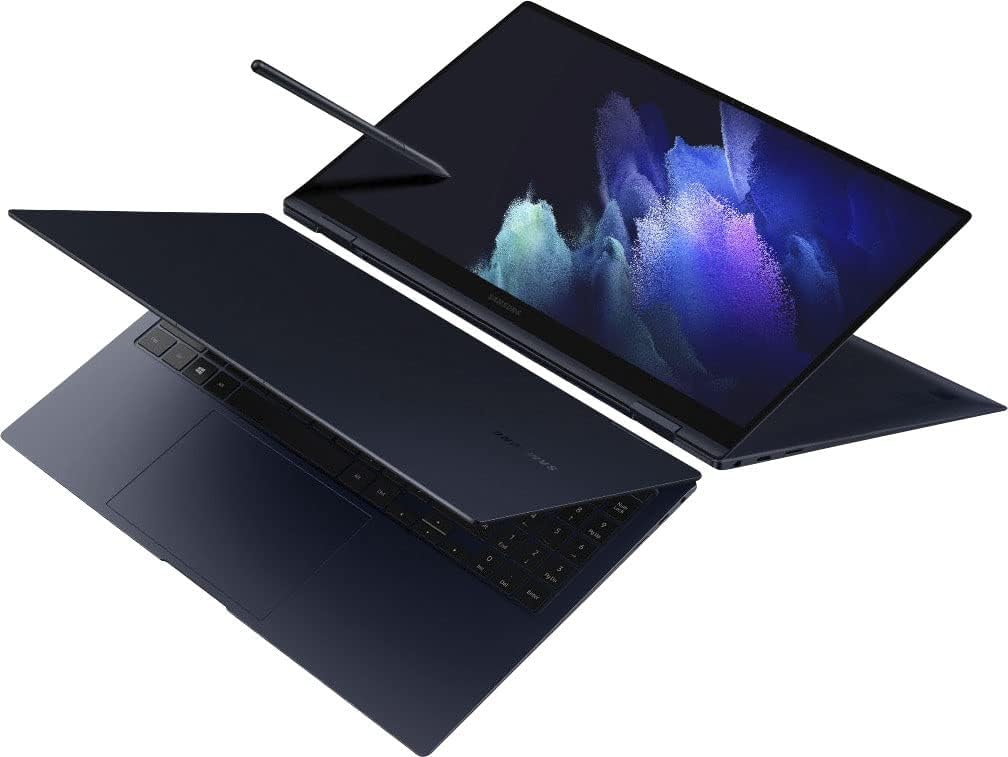
الصورة: من أعلى إلى أسفل view of the Samsung Galaxy Book Pro 360 in traditional laptop mode.
| ميزة | التفاصيل |
|---|---|
| رقم الموديل | NP950QDB-KB3US |
| عرض | 15.6-inch FHD (1920 x 1080) AMOLED Touchscreen |
| المعالج | Intel Core i7-1165G7 (2.8 جيجاهرتز، حتى 4.7 جيجاهرتز) |
| الرسومات | رسومات Intel Iris Xe (متكاملة) |
| كبش | 16 جيجا بايت DDR4 |
| تخزين | 1 تيرابايت SSD |
| نظام التشغيل | ويندوز 11 هوم |
| الموانئ | 1 x Thunderbolt 4, 1 x USB-C, 1 x USB-A, 1 x HDMI, 1 x Micro SD Card Reader, 1 x Mic/Headphone Combo |
| الاتصال اللاسلكي | واي فاي 6E، بلوتوث 5.1 |
| صوتي | مكبرات الصوت دولبي أتموس |
| Webكاميرا | HD Webكاميرا |
| المميزات الخاصة | Backlit Keyboard, Fingerprint Reader, S Pen Support |
| لون | Mystic Navy |
| الأبعاد (الطول × العرض × الارتفاع) | 19.29 × 11.42 × 2.64 بوصة |
| وزن | 4.1 رطل |
| عمر البطارية (متوسط) | حتى ساعتين |
معلومات الضمان
Your Samsung Galaxy Book Pro 360 is covered by a limited manufacturer's warranty. Specific warranty terms, conditions, and duration may vary by region and point of purchase. Please refer to the warranty card included with your product packaging or visit the official Samsung support webالموقع للحصول على معلومات مفصلة.
يدعم
للحصول على مزيد من المساعدة أو الدعم الفني أو الاستفسارات المتعلقة بالخدمة، يرجى زيارة موقع دعم سامسونج الرسمي. website or contact Samsung customer service in your region. You can find contact details and extensive FAQs on the Samsung webموقع.
دعم سامسونج Webموقع: www.samsung.com/us/support/


