مقدمة
Thank you for choosing the Hoco CW31 15W Wireless Fast Charger. This device is designed to provide efficient and convenient wireless charging for compatible mobile phones and TWS earphones. Please read this manual carefully before use to ensure proper operation and to maximize the lifespan of your product.
معلومات السلامة
- لا تعرض الشاحن للماء أو الرطوبة أو درجات الحرارة القصوى.
- تجنب إسقاط الشاحن أو تعريضه لصدمات قوية.
- Do not disassemble, modify, or attempt to repair the charger yourself. This will void the warranty and may cause damage or injury.
- أبقِ الشاحن بعيدًا عن متناول الأطفال والحيوانات الأليفة.
- Use only compatible power adapters (PD/QC charger recommended) to ensure optimal performance and safety.
- لا تضع أجسامًا معدنية أو بطاقات ائتمان أو أجسامًا غريبة أخرى بين لوحة الشحن وجهازك، لأن ذلك قد يتداخل مع عملية الشحن أو يتسبب في ارتفاع درجة الحرارة.
- If the charger emits smoke, unusual odors, or makes strange noises, immediately disconnect it from the power source.
محتويات الحزمة
يرجى التحقق من الحزمة للعناصر التالية:
- Hoco CW31 Wireless Fast Charger
- كابل شحن USB-A إلى Type-C
- دليل التعليمات (هذا المستند)
المنتج انتهىview
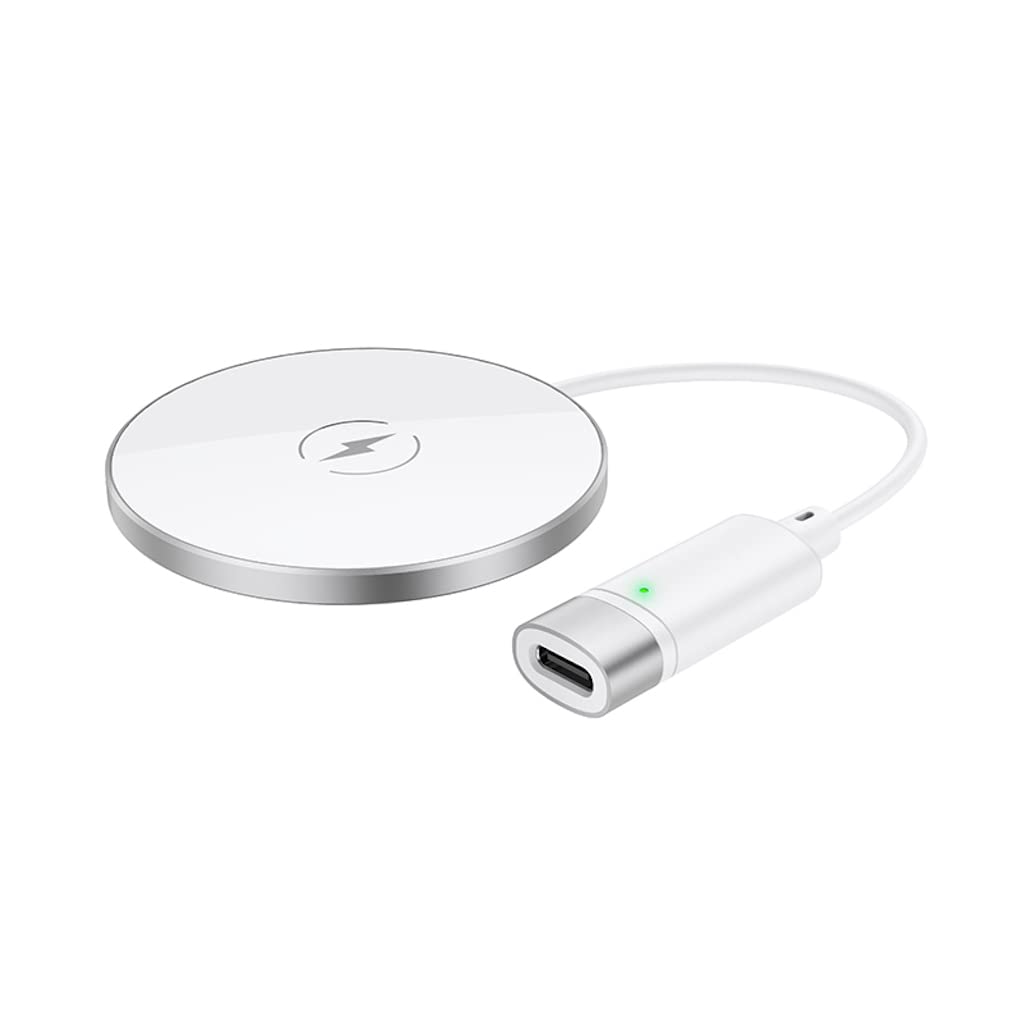
The Hoco CW31 features a sleek design with a tempered glass surface and aluminum alloy base, providing a stable and efficient charging platform.

The Hoco CW31 wireless charging pad is shown alongside its included USB-A to Type-C charging cable, highlighting the compact design of the charger.
This image shows a smartphone placed on the Hoco CW31 wireless charging pad, indicating active charging with a battery icon displaying 57% charged.
تحديد
| رقم الموديل | سي دبليو 31 |
| الإدخال (النوع-C) | 5V-2A, 9V-2A, 12V-1.5A |
| مخرج لاسلكي | 5W / 7.5W / 10W / 15W |
| مخرج MagSafe اللاسلكي | 7.5 واط |
| مادة | Tempered Glass + Aluminum Alloy |
| أبعاد | 204 × 60 × 5 ملم |
| وزن | 37 جرام |
| نوع الموصل | USB |
| الأجهزة المتوافقة | Cellular Phones, Qi-compatible TWS Earphones |
| المميزات الخاصة | حماية من الدوائر القصيرة، شحن سريع |
| لون | فضي |
| حجم الإدخالtage | 5V |
| إجمالي منافذ USB | 1 |
| قوة | 15 واط |
| تيار الخرج | 3A |
يثبت
- الاتصال بمصدر الطاقة: Connect the provided USB-A to Type-C charging cable to the Type-C input port on the Hoco CW31 charger.
- Plug into Adapter: Connect the USB-A end of the cable to a compatible power adapter (a PD/QC fast charger is required for optimal 15W charging speeds, not included).
- تشغيل الطاقة: Once connected to a power source, the charger is ready for use.

The Hoco CW31 wireless charger is depicted connected to a wall power adapter via its cable, with a smartphone placed on the charging pad.
تعليمات التشغيل
- مكان الجهاز: Place your Qi-compatible mobile phone or TWS earphones directly onto the center of the Hoco CW31 wireless charging pad.
- تأكيد الشحن: Ensure the device is properly aligned. Charging will begin automatically, and your device's screen or indicator light should confirm that it is charging.
- إزالة الجهاز: Once your device is fully charged or you wish to stop charging, simply lift it from the charging pad.
For MagSafe compatible devices, the charger will magnetically align for optimal charging at 7.5W.
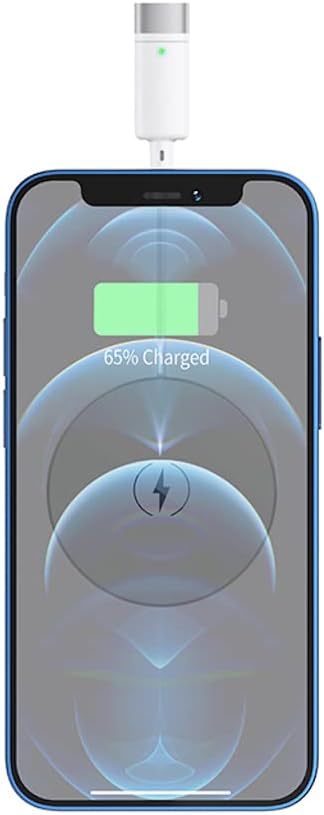
لقطة مقرّبة view of a smartphone receiving a wireless charge from the Hoco CW31 pad, with the screen showing 65% battery.
صيانة
- تنظيف: افصل الشاحن عن مصدر الطاقة قبل التنظيف. استخدم قطعة قماش ناعمة وجافة لمسح السطح. لا تستخدم المنظفات السائلة أو البخاخات.
- تخزين: قم بتخزين الشاحن في مكان بارد وجاف بعيدًا عن أشعة الشمس المباشرة ودرجات الحرارة القصوى عند عدم استخدامه.
- العناية بالكابلات: Avoid bending or twisting the charging cable excessively to prevent damage.
استكشاف الأخطاء وإصلاحها
| مشكلة | الحل المحتمل |
|---|---|
| الجهاز لا يشحن |
|
| الشحن البطيء |
|
| ضوء مؤشر الشاحن لا يعمل |
|
الضمان والدعم
For warranty information and customer support, please refer to the documentation included with your purchase or contact Hoco customer service directly. Keep your proof of purchase for warranty claims.


