1. المقدمة
This manual provides comprehensive instructions for the safe and efficient operation of your CLABEL 220B Thermal Bluetooth Label Printer. This portable, inkless label maker is designed for various applications in small businesses, offices, and homes, supporting label widths from 20mm to 50mm.
2. محتويات العبوة
يرجى التأكد من أن جميع العناصر المدرجة أدناه متضمنة في الحزمة الخاصة بك:
- CLABEL 220B Thermal Bluetooth Label Printer
- 1 Roll of Thermal Labels
- كابل شحن USB
- دليل المستخدم (هذا المستند)
3. انتهى المنتجview
Familiarize yourself with the components of your CLABEL 220B printer.
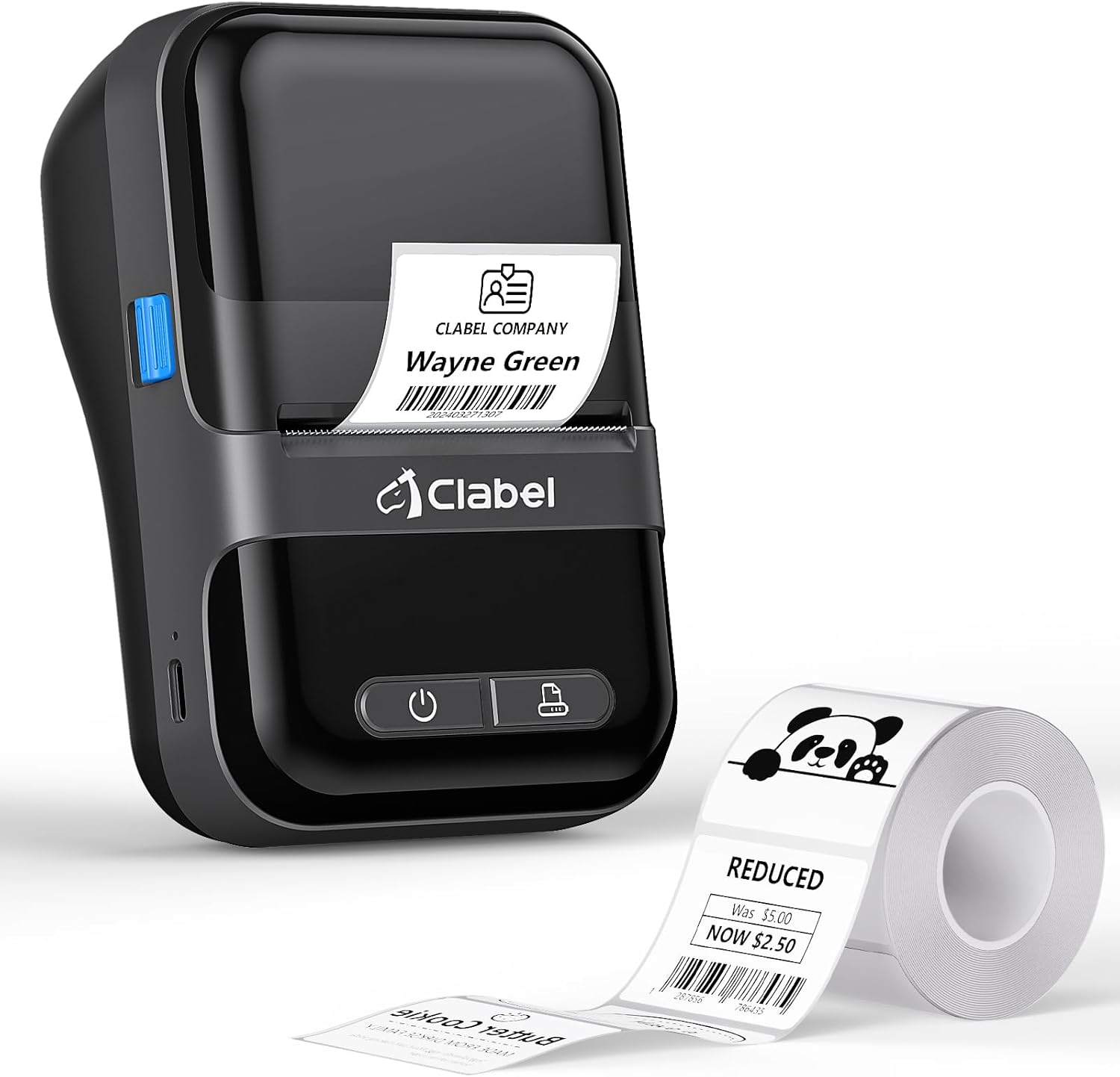
Image: The CLABEL 220B printer, showcasing its compact design, a printed label emerging from the output slot, and a roll of blank labels.
The printer features a power button, a feed button, and a label compartment. The charging port is typically located on the side or back.
4. الإعداد
4.1. شحن الطابعة
Before initial use, fully charge the printer. Connect the provided USB cable to the printer's charging port and to a 5V-2A power adapter (not included) or a computer's USB port. The charging indicator light will show the charging status.
4.2. تحميل العلامات
Follow these steps to correctly load the thermal labels:

Image: Step-by-step guide for label installation, showing opening the cover, setting jam protection, inserting labels, and closing the cover.
- افتح غطاء الطابعة.
- Set the jam protection to "OPEN" if applicable.
- Insert the label roll into the compartment, ensuring the printable side faces up and the labels are aligned on the left.
- Pull out a small length of labels and close the cover securely.
5. الاتصال
5.1. Mobile Phone Connection (Bluetooth)
The CLABEL 220B supports connection with iOS and Android devices via Bluetooth.

Image: Mobile phone connection steps, illustrating downloading the 'Clabel trade' app, enabling Bluetooth, and connecting to the printer within the app.
- Download the "CLABEL trade" app from your device's app store (iOS App Store or Android Google Play Store).
- تأكد من تمكين Bluetooth على هاتفك المحمول.
- Open the "CLABEL trade" app and connect to your printer from the device list.
5.2. توصيل الكمبيوتر (USB)
For Windows PCs, connect the printer using the provided USB cable.

Image: Computer connection steps, detailing turning on the printer, connecting via USB, downloading the driver/app, and printing.
- قم بتشغيل الطابعة.
- قم بتوصيل الطابعة بالكمبيوتر عبر كابل USB.
- Download the necessary driver or application from the official CLABEL brand webموقع.
- Open the application, create or select a label, and initiate printing.
6. تعليمات التشغيل
6.1. Using the CLABEL Trade App
The "CLABEL trade" app offers extensive features for label creation and management:
- Access over 30 business label templates.
- Utilize more than 450 common symbols for various applications.
- Create and customize your own label templates.
- Edit and typeset labels with text, barcodes, QR codes, images, and more.
6.2. Batch Printing
The printer supports batch printing, allowing you to import data from Excel tables to print multiple labels efficiently. This feature helps improve printing efficiency by setting the printing quantity without repetitive operations.
6.3. Recommended Label Sizes and Uses
The CLABEL 220B printer supports labels with a width of 20-50mm and a length of 15-100mm, accommodating various styles and applications.

Image: Recommended label sizes for business applications, including price tags, barcodes, logos, and product information (e.g., 40x40mm, 50x50mm).

Image: Recommended label sizes for food applications, such as bakery items, ingredient lists, and price & date labels (e.g., 40x30mm, 50x40mm).

Image: Recommended label sizes for office organization, including labels for letters, addresses, folders, and cables (e.g., 25x78mm, 50x30mm).
7. الصيانة
To ensure optimal performance and longevity of your CLABEL 220B printer, follow these maintenance guidelines:
- تنظيف رأس الطباعة: Regularly clean the thermal print head with an alcohol swab to remove dust or adhesive residue. Ensure the printer is off and cooled down before cleaning.
- التنظيف الخارجي: امسح الجزء الخارجي من الطابعة بقطعة قماش ناعمة وجافة. تجنب استخدام المواد الكيميائية القاسية أو المواد الكاشطة.
- تخزين: قم بتخزين الطابعة في مكان بارد وجاف بعيدًا عن أشعة الشمس المباشرة ودرجات الحرارة القصوى.
- العناية بالبطارية: For long-term storage, charge the battery to about 50% every three months to prevent deep discharge.
8. استكشاف الأخطاء وإصلاحها
If you encounter issues with your CLABEL 220B printer, refer to the following common problems and solutions:
| مشكلة | السبب المحتمل | حل |
|---|---|---|
| الطابعة لا تعمل | مشكلة انخفاض البطارية أو الطاقة | Charge the printer fully. Ensure the power button is pressed correctly. |
| Poor print quality (light or spotty) | Dirty print head, incorrect label type, or low battery | Clean the print head. Ensure you are using thermal labels. Charge the printer. Adjust print density in the app if available. |
| العلامات غير محاذية أو متداخلة | Labels not loaded correctly | Open the cover, re-align the label roll, and ensure it's properly seated. Refer to Section 4.2. |
| لا يمكن الاتصال عبر البلوتوث | البلوتوث معطل، أو هناك مشكلة في التطبيق، أو أن الطابعة غير قابلة للاكتشاف. | Ensure Bluetooth is enabled on your phone and the printer is on. Restart the app and printer. Try re-pairing the device. |
| PC connection issues | Driver not installed, incorrect cable, or software issue | Install the correct driver from the CLABEL website. Ensure the USB cable is functional. Restart PC and printer. |
If the problem persists, please contact CLABEL customer support for further assistance.
9. المواصفات
Key technical specifications for the CLABEL 220B Thermal Bluetooth Label Printer:
- نموذج: 220ب
- تكنولوجيا الطباعة: حراري
- الاتصال: بلوتوث، يو اس بي
- إخراج الطابعة: أحادي اللون
- دقة الطباعة القصوى: 203 نقطة في البوصة
- أقصى حجم للوسائط: 25-50mm (width)
- الأجهزة المتوافقة: Smartphones (iOS, Android), Windows XP or above
- سعة البطارية: 2200 مللي أمبير
- استهلاك الطاقة: 2.2 واط (وضع التشغيل)
- أبعاد المنتج: 4.65 بوصة عمق × 4.6 بوصة عرض × 2.88 بوصة ارتفاع
- وزن السلعة: 14.1 أونصة (400 جرامًا)
10. الضمان والدعم
The CLABEL 220B Thermal Bluetooth Label Printer comes with a limited warranty. For specific warranty terms and conditions, please refer to the documentation included with your purchase or visit the official CLABEL webموقع.
For additional support, including detailed user guides and installation manuals, please refer to the following resources:
- Official CLABEL Webموقع: CLABEL Store
- دليل المستخدم (PDF): تنزيل دليل المستخدم
- دليل التثبيت (PDF): تنزيل دليل التثبيت
For technical assistance or customer service inquiries, please contact CLABEL support through their official channels.


