1. المقدمة
Thank you for choosing the HTC True Wireless Earbuds 1. This manual provides essential information to help you set up, operate, and maintain your earbuds for optimal performance.
محتويات الحزمة
تأكد من وجود جميع العناصر في الحزمة الخاصة بك:
- 1 Pair HTC True Wireless Earbuds
- 1 كابل شحن USB-C
- 2 Pairs of Rubber Eartips (S/L)
- 1 دليل سريع
- 1 بطاقة الضمان
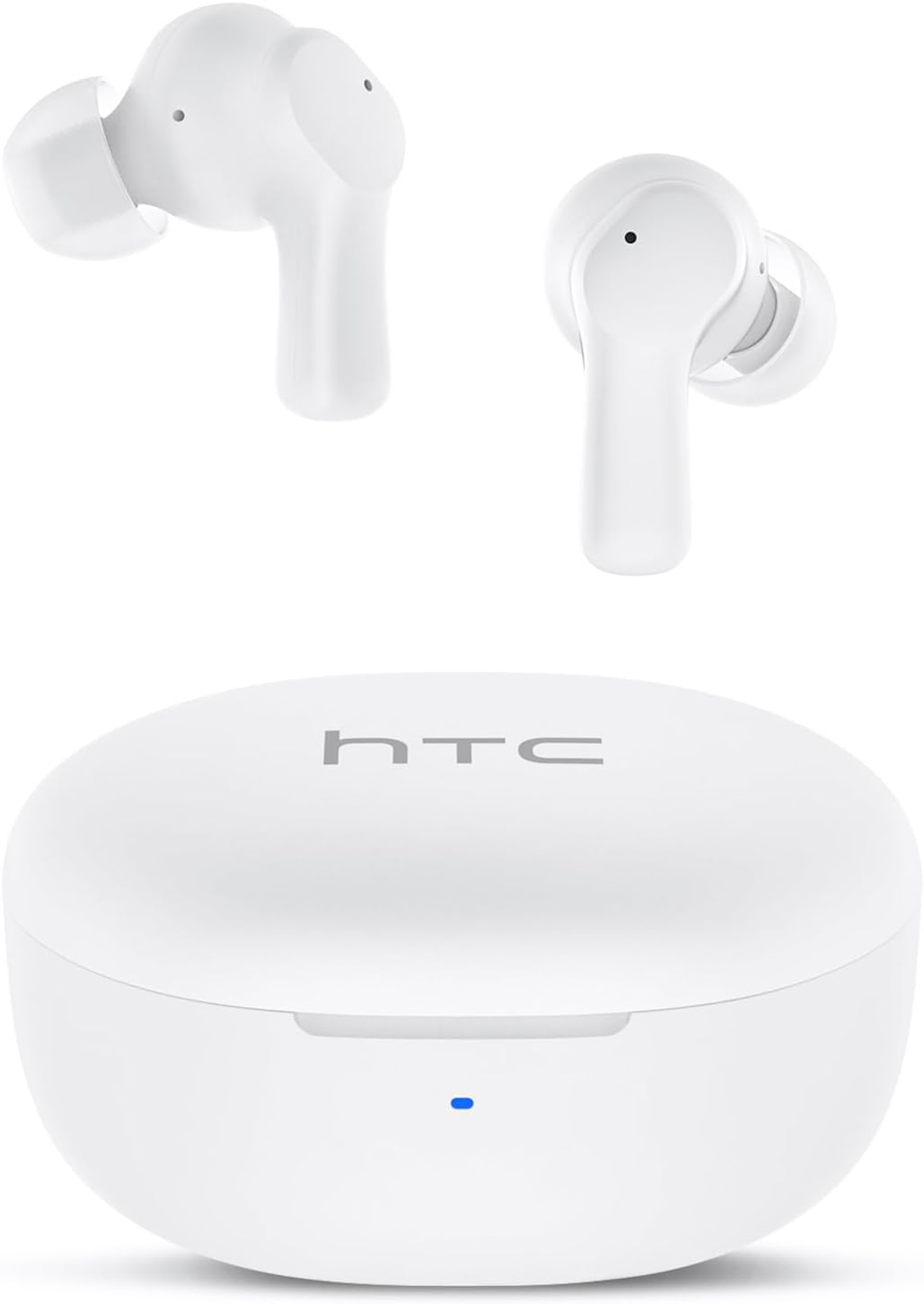
Image: HTC True Wireless Earbuds 1 and their charging case.

Image: The charging case opened, showing the two earbuds nestled inside.
2. الإعداد والاقتران
الإعداد الأولي
- إزالة الفيلم الواقي: Before first use, remove the protective film from the charging contacts on both earbuds.
- شحن سماعات الأذن: Place the earbuds back into the charging case and close the lid. Connect the charging case to a USB power source using the provided USB-C cable. Ensure the earbuds and case are fully charged before initial use.
- تشغيل الطاقة: افتح غطاء علبة الشحن. سيتم تشغيل سماعات الأذن تلقائيًا ودخول وضع الاقتران.
بلوتوث الاقتران
The HTC True Wireless Earbuds 1 feature one-step auto-pairing after the initial setup.
- تفعيل البلوتوث: على جهازك (الهاتف الذكي، الجهاز اللوحي، الكمبيوتر)، قم بتمكين البلوتوث.
- بحث عن الأجهزة: في إعدادات البلوتوث الخاصة بجهازك، ابحث عن الأجهزة المتوفرة.
- Select 'HTC TWS2': From the list of found devices, select 'HTC TWS2' to connect.
- تأكيد: بمجرد الاتصال، سوف تسمع صوتًا موجهًا، وستكون سماعات الأذن جاهزة للاستخدام.
After the first successful pairing, the earbuds will automatically connect to the last paired device when taken out of the charging case, provided Bluetooth is enabled on the device.

Image: Illustration of the one-step auto-pairing process, showing earbuds connecting to a smartphone.
3. كيفية ارتداء
For optimal sound quality and comfort, it is important to wear the earbuds correctly.
- Choose Eartips: Select the rubber eartips (S, M, L) that best fit your ear canal. A proper seal enhances bass response and noise isolation.
- أدخل سماعات الأذن: Gently insert each earbud into its corresponding ear (L for left, R for right).
- Rotate to Lock: Rotate the earbud slightly forward or backward until it feels secure and comfortable in your ear canal.

Image: Diagram showing how to properly insert the earbuds and the available S/M/L silicone eartips.
4. Operating Instructions (Touch Control)
The HTC True Wireless Earbuds 1 feature intuitive touch controls on each earbud. The following actions can be performed:
| فعل | يتحكم | وظيفة |
|---|---|---|
| تشغيل الموسيقى | نقرة واحدة (على أي من سماعتي الأذن) | تشغيل / إيقاف مؤقت |
| تشغيل الموسيقى | انقر نقرًا مزدوجًا على سماعة الأذن اليسرى | الأغنية السابقة |
| تشغيل الموسيقى | اضغط مرتين على سماعة الأذن اليمنى | الأغنية التالية |
| المكالمات | نقرة واحدة (على أي من سماعتي الأذن) | الرد / إنهاء المكالمة |
| المكالمات | Long press (either earbud) | رفض المكالمة |
| مساعد صوتي | النقر ثلاث مرات (على أي من سماعتي الأذن) | تفعيل المساعد الصوتي (سيري، مساعد جوجل، إلخ). |
| التحكم في مستوى الصوت | Long press left earbud | خفض الصوت |
| التحكم في مستوى الصوت | Long press right earbud | رفع الصوت |
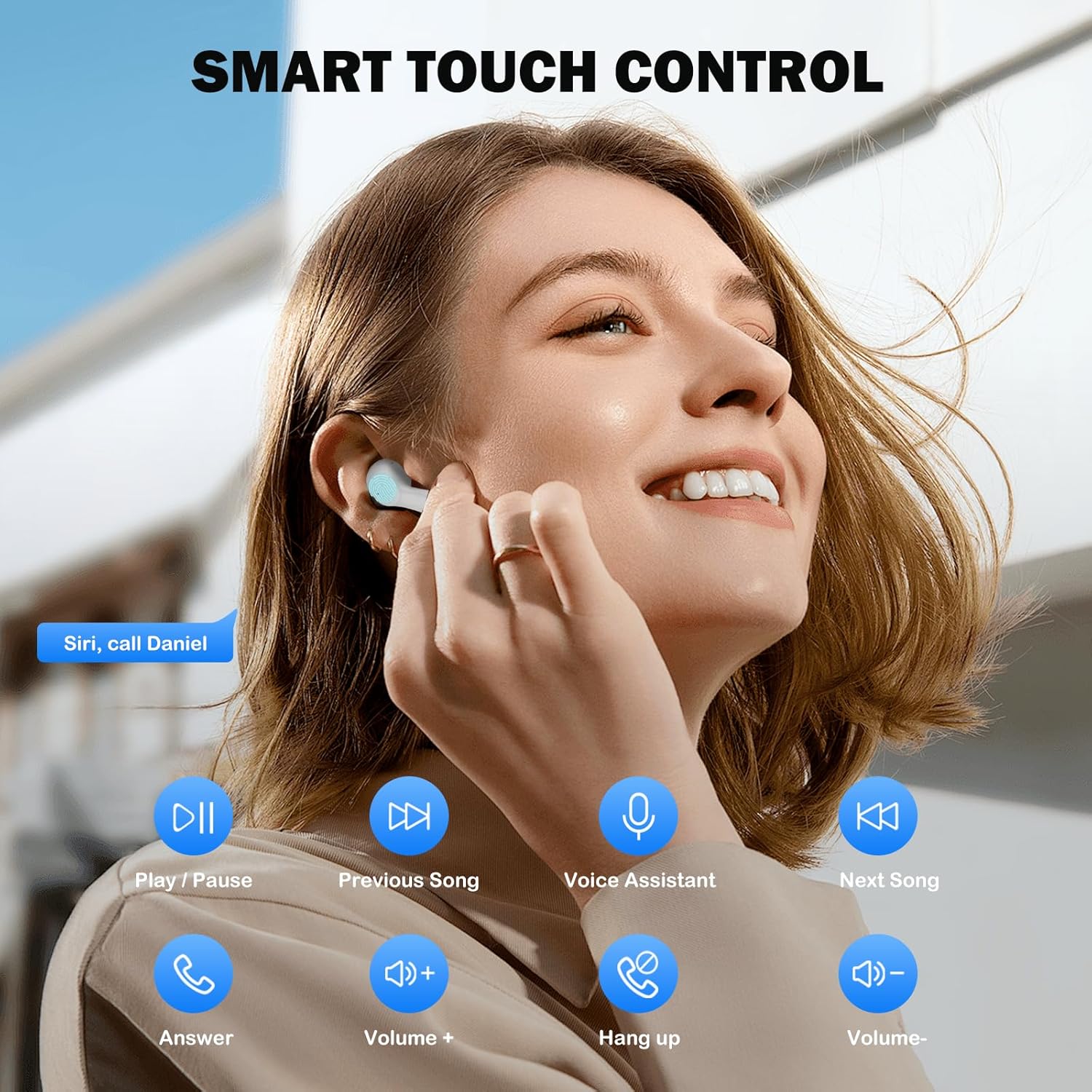
Image: Visual guide to the smart touch controls for music, calls, and voice assistant.
5. الشحن
The earbuds and charging case are powered by internal rechargeable batteries.
شحن سماعات الأذن
Place the earbuds into the charging case. They will automatically begin charging. The LED indicator on the case will show charging status.
شحن العلبة
Connect the provided USB-C cable to the charging port on the case and to a USB power adapter (not included). The LED indicator on the case will show charging progress. A full charge for the earbuds takes approximately 40 minutes.
عمر البطارية
- سماعات الأذن: Up to 8 hours of listening time on a single charge (at 50% volume).
- مع علبة الشحن: Up to 40 hours of total playtime with multiple charges from the case.
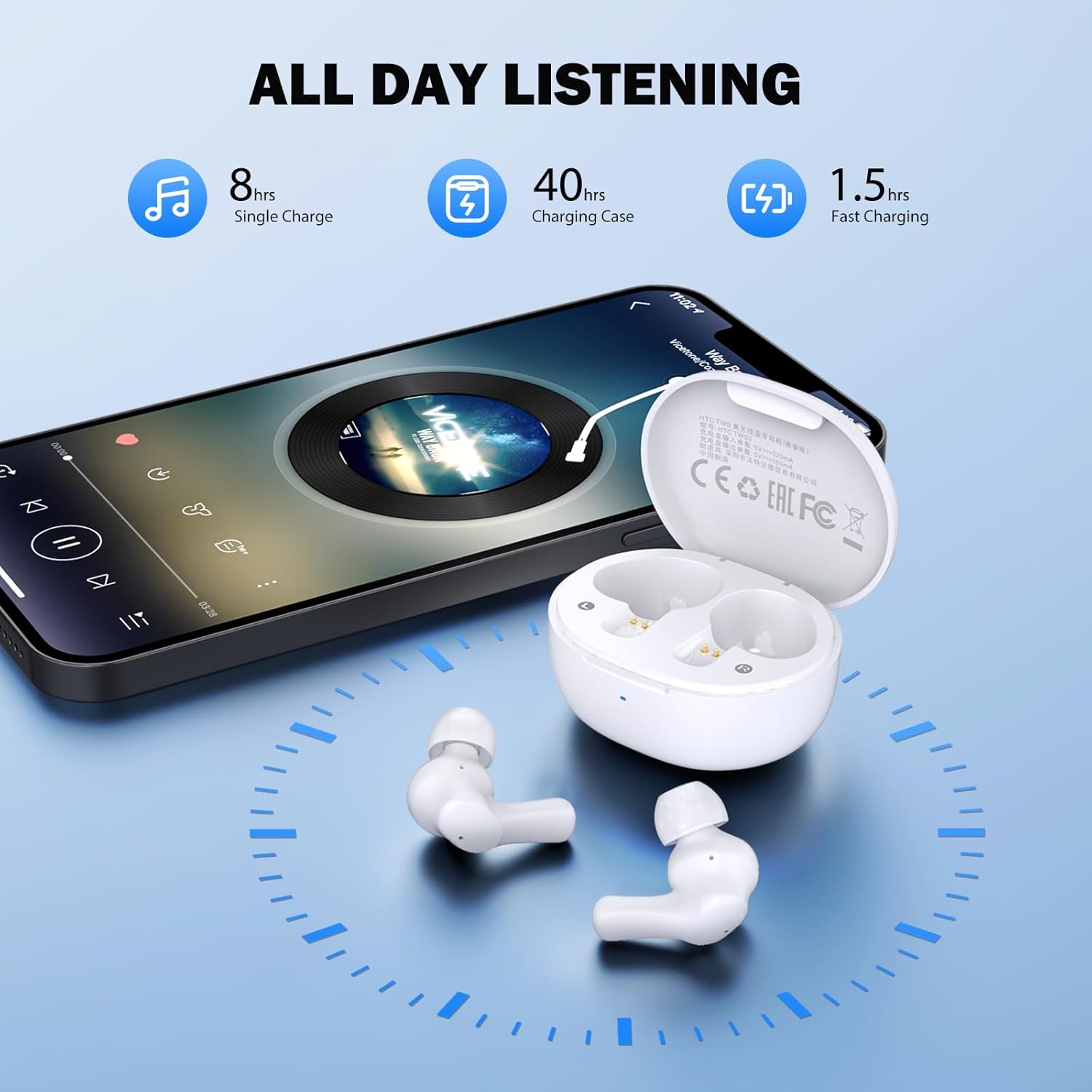
Image: Visual representation of 8 hours single charge, 40 hours with charging case, and 1.5 hours fast charging for the case.
6. الصيانة والعناية
إن العناية المناسبة تضمن طول عمر سماعات الأذن وأدائها.
تنظيف
- قم بتنظيف سماعات الأذن وعلبة الشحن بانتظام باستخدام قطعة قماش ناعمة وجافة وخالية من الوبر.
- قم بإزالة أطراف الأذن ونظفها بالصابون المعتدل والماء، ثم جففها جيدًا قبل إعادة تركيبها.
- Ensure charging contacts on both earbuds and inside the case are clean and free of debris.
مقاومة الماء
سماعات الأذن مصنفة مقاومة للماء IPX4, meaning they are protected against splashing water from any direction. They are suitable for exercise and light rain, but should not be submerged in water or exposed to heavy downpours.
تخزين
عندما لا تكون قيد الاستخدام، قم بتخزين سماعات الأذن في علبة الشحن الخاصة بها لحمايتها والحفاظ عليها مشحونة.
7. استكشاف الأخطاء وإصلاحها
إذا واجهت مشكلات، فجرّب الحلول التالية:
- لا يوجد صوت: Ensure earbuds are charged, connected to your device, and volume is up on both the earbuds and your device.
- قضايا الاقتران: تأكد من تفعيل البلوتوث على جهازك وأن سماعات الأذن في وضع الاقتران. حاول إيقاف تشغيل البلوتوث ثم إعادة تشغيله على جهازك.
- سماعة أذن واحدة لا تعمل: أعد وضع سماعتي الأذن في علبة الشحن، وأغلق الغطاء، وانتظر بضع ثوانٍ، ثم أخرجهما. يؤدي هذا غالبًا إلى إعادة مزامنتهما.
- اتصال متقطع: Ensure there are no obstructions between the earbuds and your device. Keep your device within the 10-meter Bluetooth range.
إعادة ضبط المصنع
If problems persist, a factory reset may resolve them:
- ضع كلتا سمّاعات الأذن في علبة الشحن.
- With the earbuds in the case, quickly tap each earbud 5 times.
- The LED on the earbuds will flash red, then turn off, indicating a successful reset.
- Close the charging case lid, then open it again to re-initiate pairing.

Image: Visual instructions for initial setup, wearing the earbuds, and performing a factory reset.
8. المواصفات
| ميزة | التفاصيل |
|---|---|
| اسم الموديل | هاتف HTC TWS2 |
| تكنولوجيا الاتصال | لاسلكي (بلوتوث 5.3) |
| مدى البلوتوث | حتى 10 مترا (33 قدما) |
| نوع برنامج تشغيل الصوت | محرك ديناميكي 10 مم |
| نطاق التردد | 20 هرتز - 20,000 هرتز |
| عمر بطارية سماعة الأذن | حتى 8 ساعات (شحنة واحدة) |
| إجمالي وقت اللعب (مع الحقيبة) | تصل إلى 40 ساعة |
| مدة شحن سماعات الأذن | حوالي 40 دقيقة |
| مستوى مقاومة الماء | IPX4 (Sweatproof, Splash Resistant) |
| نوع التحكم | التحكم باللمس |
| ميكروفون | Built-in with Call Noise Cancellation |
| زمن انتقال منخفض | 40 مللي ثانية (وضع اللعبة) |
| وزن ياربود | Approximately 3.8g per earbud |
| الأجهزة المتوافقة | أجهزة iOS وAndroid وWindows |

Image: Diagram illustrating the 10mm diameter loud speaker for HiFi stereo sound.

Image: Visual representation of Bluetooth 5.3 technology benefits: low consumption, faster transmission, lower latency, and built-in microphone.
9. الضمان والدعم
معلومات الضمان
Your HTC True Wireless Earbuds 1 come with a warranty. Please refer to the included Warranty Card for detailed terms and conditions, including coverage period and what is covered.
دعم العملاء
For any questions, technical assistance, or warranty claims, please contact HTC customer support. Refer to the contact information provided in your Quick Guide or on the official HTC webموقع.


