1. المقدمة
Thank you for choosing the MAXTOP T5 Smartwatch. This device is designed to help you monitor your health and fitness activities, receive notifications, and manage various daily functions. Please read this manual carefully to ensure proper use and optimal performance.

Image: The MAXTOP T5 Smartwatch in use during a run, highlighting its fitness and health tracking capabilities.
2. محتويات العبوة
تأكد من وجود جميع العناصر في العبوة:
- MAXTOP T5 Smartwatch Head
- حزام ساعة
- كابل الشحن المغناطيسي
- دليل المستخدم
3. الإعداد والاستخدام الأولي
3.1. شحن الساعة الذكية
Before first use, fully charge the smartwatch.
- Connect the magnetic charging cable to the charging points on the back of the smartwatch.
- قم بتوصيل طرف USB الخاص بالكابل بمحول طاقة USB قياسي (يوصى بـ 5 فولت / 1 أمبير) أو بمنفذ USB الخاص بالكمبيوتر.
- سيُظهر عرض الساعة حالة الشحن. يستغرق الشحن الكامل عادةً ساعتين تقريبًا.
ملحوظة: The battery life is approximately 3 to 5 days with normal use and up to 7 days in standby mode. Actual battery life may vary based on usage.
3.2. تثبيت التطبيق وإقرانه
To access all features and synchronize data, download and install the companion app on your smartphone.
- Scan the QR code in the manual or search for "MAXTOP" or "H BAND" in your smartphone's app store (Google Play Store for Android, Apple App Store for iOS).
- تنزيل التطبيق وتثبيته.
- تأكد من تمكين Bluetooth على هاتفك الذكي.
- Open the app and follow the on-screen instructions to create an account and pair your MAXTOP T5 Smartwatch.
- During pairing, select "T5" from the list of available devices.
التوافق: Requires iOS 9.0 or higher, or Android 6.0 or higher.
4. تشغيل الساعة الذكية
4.1. التنقل الأساسي
- شاشة تعمل باللمس: اسحب لليسار/اليمين، وللأعلى/للأسفل للتنقل بين القوائم والوظائف. انقر للاختيار.
- زر جانبي: اضغط للعودة إلى الشاشة الرئيسية أو لتنشيط الجهاز.

Image: The MAXTOP T5 Smartwatch showing its main display with time, steps, distance, and calories.
4.2. تتبع اللياقة البدنية
The smartwatch tracks various fitness metrics throughout the day.
- عداد الخطوات: Automatically records your daily steps.
- مسافة: يحسب المسافة المقطوعة بناءً على خطواتك.
- سعرات حرارية محروقة: تقدير استهلاك السعرات الحرارية.

Image: A visual representation of the smartwatch's 24-hour tracking feature, showing steps, distance, and calorie data.
4.3. أوضاع الرياضة
The smartwatch offers 10 exercise modes to track specific workouts.
- Access the "Sports" menu on the watch.
- Select your desired activity (e.g., Running, Walking, Cycling).
- The watch will record duration, distance, and calories for the selected activity.

Image: A man running, with icons representing the 10 available sports modes on the MAXTOP T5 Smartwatch.

Image: A man exercising with weights, illustrating the 10 sports modes available on the smartwatch.
4.4. مراقبة الصحة
The smartwatch provides continuous monitoring of key health metrics.
- مراقب معدل ضربات القلب: Measures your heart rate in real-time. Access this function from the watch menu or view البيانات الموجودة في التطبيق.
- جهاز قياس ضغط الدم: Provides blood pressure readings. For medical accuracy, consult a professional medical device.
- تتبع النوم: Monitors your sleep patterns, including deep sleep, light sleep, and awake time. View detailed analysis in the app to adjust sleep habits.
- تتبع الدورة الشهرية: For female users, the app can track and predict menstrual cycles.

Image: A man sleeping, with the smartwatch displaying heart rate and icons indicating deep sleep, light sleep, and awake time tracking.

Image: The smartwatch screen showing sleep data, including duration and quality.

Image: The smartwatch displaying a heart rate reading.

Image: The smartwatch displaying a blood pressure reading.

Image: A woman wearing the smartwatch, with an overlay showing the menstrual period management feature.
4.5. الإشعارات
Receive call and message notifications directly on your smartwatch when paired with your phone.
- المكالمات الواردة: The watch will vibrate and display caller ID. You can reject calls from the watch.
- تنبيهات الرسائل: Receive notifications from SMS, Facebook, WhatsApp, Twitter, Instagram, LinkedIn, etc.
مهم: The smartwatch cannot answer calls or reply to messages.
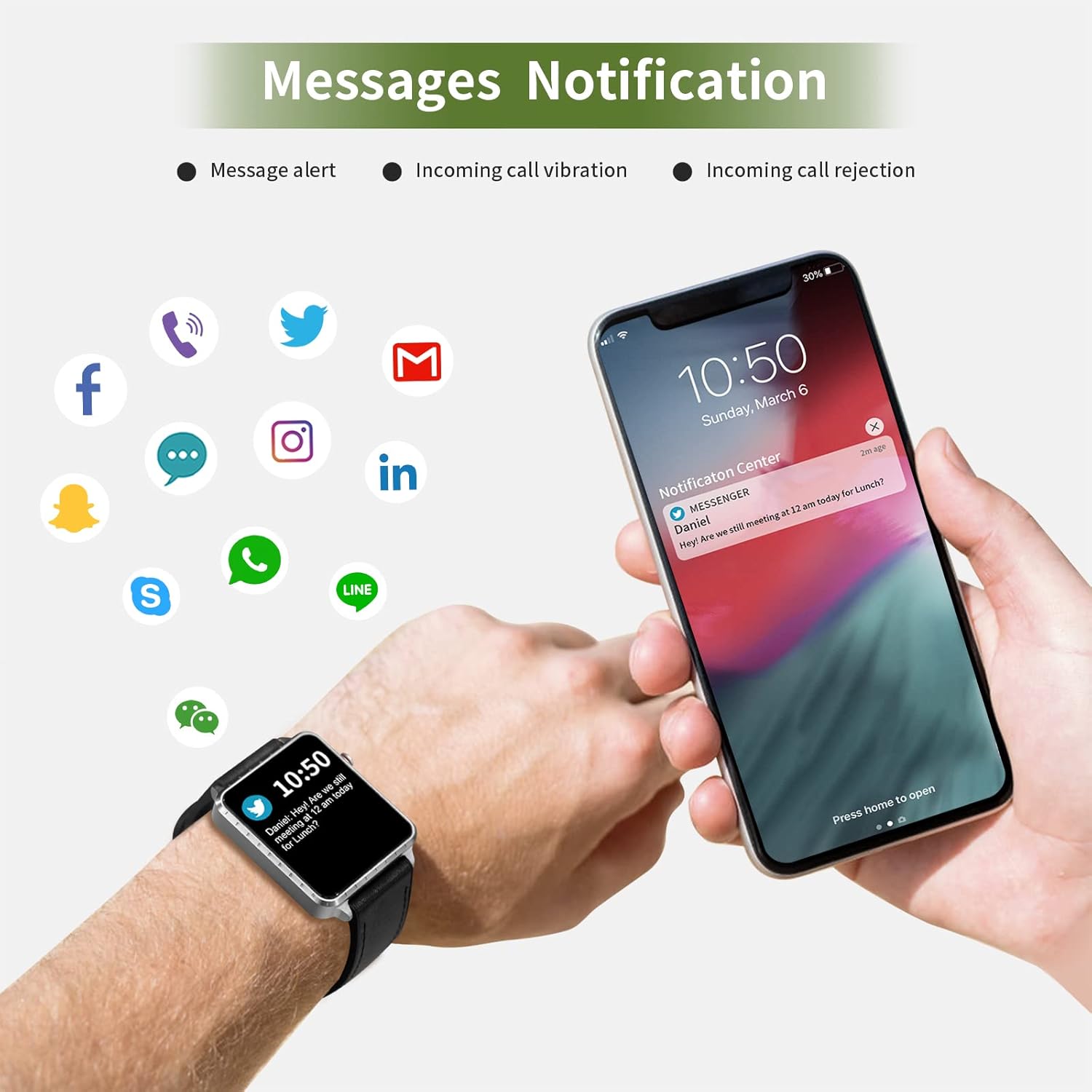
Image: The smartwatch and a smartphone displaying message notifications from social media and communication apps.

Image: The smartwatch screen showing icons for various social media and communication app notifications.
4.6. ميزات إضافية
- التحكم بالموسيقى: قم بالتحكم في تشغيل الموسيقى على هاتفك الذكي (تشغيل، إيقاف مؤقت، تخطي المسارات) مباشرة من الساعة.
- التحكم عن بعد بالكاميرا: استخدم الساعة كجهاز تحكم عن بعد لكاميرا هاتفك الذكي.
- التنبيه: Set alarms through the app, and the watch will vibrate to alert you.
- ساعة الإيقاف/المؤقت: Basic timekeeping functions.
- البحث عن الهاتف: Locate your paired smartphone by triggering an alert sound from the watch.
- تذكير بالخمول: The app can remind you to move if you've been inactive for too long.
- وجوه الساعة القابلة للتخصيص: Choose from various watch faces via the app.

Image: The smartwatch screen showing the camera icon, indicating its remote camera control function.

Image: The smartwatch screen showing music control icons (play, pause, skip).

Image: A collage of different watch faces available for the MAXTOP T5 Smartwatch.
5. الصيانة
5.1. تصنيف مقاومة الماء (IP68)
The MAXTOP T5 Smartwatch is IP68 waterproof, meaning it is dust-tight and protected against continuous immersion in water up to 1.5 meters for a maximum of 30 minutes.
- You can wear the watch while washing hands, running in the rain, or swimming in shallow water.
- لا immerse the watch in seawater, hot water, or use it in hot springs or saunas.
- Avoid exposing the watch to high-pressure water jets.
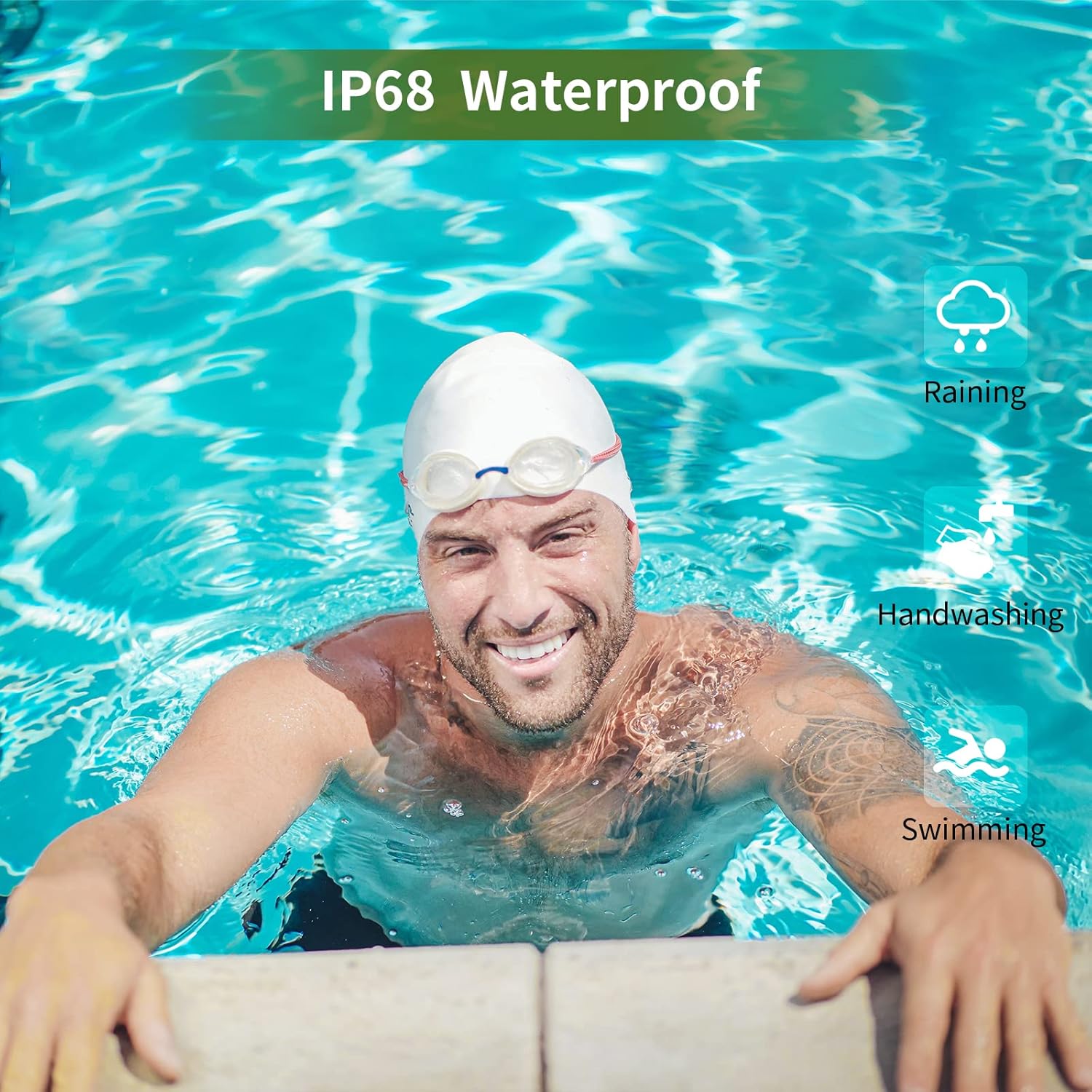
Image: A man swimming, demonstrating the IP68 waterproof capability of the MAXTOP T5 Smartwatch.

Image: The smartwatch with water droplets, visually confirming its IP68 waterproof rating.
5.2. التنظيف
امسح الساعة وحزامها بانتظام بقطعة قماش ناعمة وجافة. إذا لزم الأمر، استخدم قطعة قماش مبللة قليلاً.amp امسح بقطعة قماش وجففها جيدًا. تجنب المواد الكيميائية القاسية.
6. استكشاف الأخطاء وإصلاحها
- الساعة لا تعمل: تأكد من شحن الساعة بالكامل. وصلها بالشاحن لمدة 10 دقيقة على الأقل.
- لا يمكن الاقتران بالهاتف الذكي:
- تأكد من تمكين البلوتوث على هاتفك.
- تأكد من أن الساعة موجودة ضمن نطاق البلوتوث (عادةً 10 أمتار).
- أعد تشغيل كل من الساعة والهاتف الذكي.
- تحقق مما إذا كان التطبيق محدثًا إلى الإصدار الأحدث.
- إذا سبق إقران الجهازين، فحاول إلغاء الإقران من إعدادات البلوتوث في هاتفك وإعادة الإقران من خلال التطبيق.
- بيانات صحية غير دقيقة:
- تأكد من ارتداء الساعة بشكل مريح على معصمك، وليس ضيقًا جدًا أو فضفاضًا جدًا.
- تجنب الحركة المفرطة أثناء القياسات.
- Environmental factors can affect readings. For medical accuracy, consult a professional medical device.
- الإشعارات غير المستلمة:
- Check app permissions on your smartphone to ensure the app has access to notifications.
- Verify that notification settings are enabled within the MAXTOP/H BAND app.
- تأكد من أن الساعة متصلة عبر البلوتوث.
- عمر بطارية قصير:
- يمكن أن يؤدي الاستخدام المتكرر لميزات مثل مراقبة معدل ضربات القلب المستمرة، والشاشة الساطعة، والإشعارات العديدة إلى تقليل عمر البطارية.
- Reduce screen brightness and notification frequency if extended battery life is desired.
7. المواصفات

Image: Detailed physical dimensions of the MAXTOP T5 Smartwatch, including watch face and strap measurements.
| ميزة | التفاصيل |
|---|---|
| ماركة | ماكس توب |
| نموذج | T5 |
| حجم الشاشة | 1.54 بوصة |
| أبعاد | 4.5 × 3.8 × 1 سم |
| وزن | 250 جرام |
| تصنيف مقاومة الماء | IP68 |
| الاتصال | بلوتوث |
| نظام التشغيل | iOS (9.0 and above), Android (6.0 and above) |
| نوع البطارية | بوليمر الليثيوم |
| وقت الشحن | حوالي 2 ساعات |
| عمر البطارية (الاستخدام النموذجي) | 3-5 أيام |
| عمر البطارية (الاستعداد) | حتى 7 يوما |
| المكونات المضمنة | Watch head, strap, magnetic charging cable, manual |
8. الضمان والدعم
For warranty information and customer support, please refer to the warranty card included in your package or visit the official MAXTOP webموقع.
تنصل: The health monitoring features of this device are for general wellness and fitness purposes only and are not intended for medical diagnosis, treatment, or prevention of any disease. Always consult a medical professional for health-related concerns.


