1. المقدمة
The Poly Studio R30 is an integrated USB video bar designed for small and huddle rooms, providing a comprehensive solution for video conferencing. It combines a 4K camera, advanced microphones, and a powerful speaker into a single device, ensuring high-quality audio and video experiences. This manual provides essential information for setting up, operating, maintaining, and troubleshooting your Poly Studio R30.

الشكل 1: الجبهة view of the Poly Studio R30 4K Video Conference System.
2. ماذا يوجد في الصندوق
تأكد من وجود جميع العناصر في العبوة:
- Poly Studio R30 4K Video Conference System
- محول الطاقة
- كابل يو اس بي
- شاشة مراقبةamp (included for flexible mounting options)
3. انتهى المنتجview
The Poly Studio R30 integrates several key components into a sleek bar design:
- كاميرا 4K: Features a 120-degree field of view and 5x digital zoom for clear video.
- صفيف الميكروفون: An advanced 3-microphone array designed to capture voices clearly while filtering out background noise.
- مكبر صوت متكامل: Provides rich and clear audio output for all participants.
- خيارات التركيب: Includes an adjustable monitor clamp for easy attachment to displays.

الشكل 2: الجانب view of the Poly Studio R30, highlighting its compact design.
4. الإعداد
The Poly Studio R30 is designed for quick and easy plug-and-play setup:
- التركيب: Attach the Poly Studio R30 to your display using the included monitor clamp. Ensure it is securely fastened and positioned to capture the desired area of the room.
- توصيل الطاقة: Connect the power adapter to the Poly Studio R30 and plug it into an electrical outlet.
- اتصال USB: Connect the provided USB cable from the Poly Studio R30 to an available USB port on your PC or Mac.
- التعرف على البرامج: Your computer should automatically recognize the Poly Studio R30 as a camera, microphone, and speaker device. No additional drivers are typically required.

Figure 3: Illustration of the simple plug-and-play setup for the Poly Studio R30.
5. تعليمات التشغيل
Once set up, the Poly Studio R30 integrates seamlessly with popular video conferencing platforms:
- Launch Conferencing Application: Open your preferred video conferencing software (e.g., Zoom, Microsoft Teams, Google Meet).
- حدد الأجهزة: In the application's audio and video settings, select "Poly Studio R30" as your camera, microphone, and speaker.
- Start Meeting: Begin your meeting. The Poly Studio R30 will automatically activate its intelligent features.
Key Features in Operation:
- بولي دايركتور إيه آي: This technology provides automatic framing and tracking, ensuring all participants are seen clearly. It can frame groups or track individual speakers.
- NoiseBlockAI: Intelligently blocks distracting background noises, allowing voices to be heard without interruption.
- سياج صوتي: Creates a virtual sound barrier, focusing the microphone pickup on the area within the fence and eliminating sounds from outside that zone.

Figure 4: The 120-degree field of view ensures everyone is seen in the meeting room.

Figure 5: Dynamic video with DirectorAI close-up feature for clear facial expressions and body language.

Figure 6: Remarkable audio features including NoiseBlockAI and Acoustic Fence technology.
6. الإدارة
The Poly Studio R30 can be managed and configured using Poly Lens software:
- تطبيق Poly Lens لسطح المكتب: Install the Poly Lens Desktop application on your PC or Mac to control device settings, customize camera behaviors, and update firmware.
- Poly Lens Cloud Management: For IT administrators, Poly Lens cloud management software allows for remote management, monitoring, and deployment of devices over Wi-Fi, providing intelligent insights and scalable control.
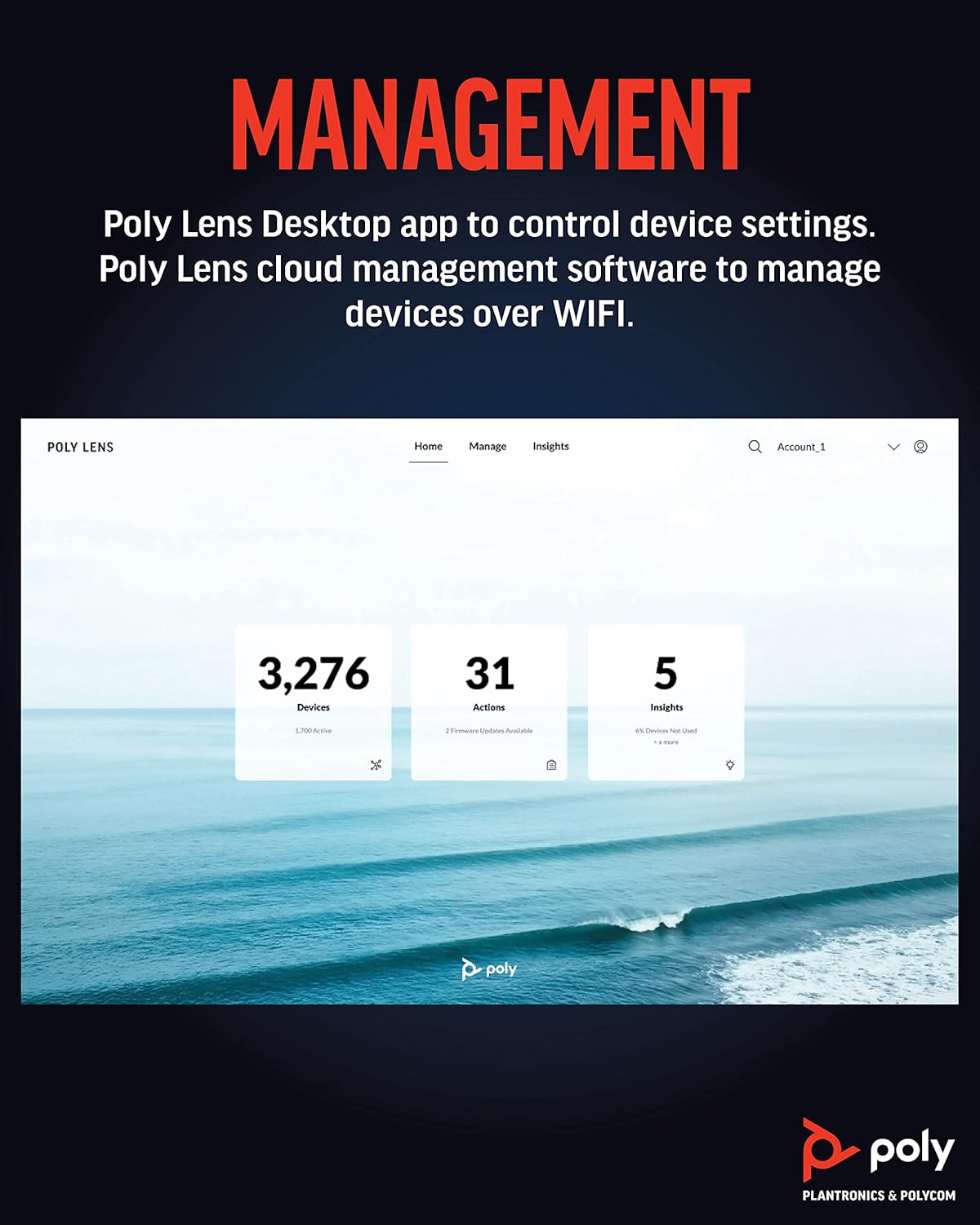
Figure 7: Poly Lens interface for device management and insights.
7. الصيانة
To ensure optimal performance and longevity of your Poly Studio R30, follow these maintenance guidelines:
- تنظيف: Use a soft, dry, lint-free cloth to clean the exterior of the device. Do not use liquid cleaners or aerosol sprays directly on the unit.
- العناية بالعدسة: Gently wipe the camera lens with a microfiber cloth specifically designed for optics. Avoid abrasive materials.
- تحديثات البرامج الثابتة: Regularly check for and install firmware updates via the Poly Lens Desktop app or cloud management. Updates often include performance improvements and new features.
- تخزين: عند عدم استخدام الجهاز لفترات طويلة، قم بتخزينه في مكان بارد وجاف بعيدًا عن أشعة الشمس المباشرة.
8. استكشاف الأخطاء وإصلاحها
If you encounter issues with your Poly Studio R30, try the following steps:
| مشكلة | الحل المحتمل |
|---|---|
| No video/audio in conferencing app |
|
| جودة الفيديو رديئة |
|
| Poor audio quality (echo, muffled sound) |
|
| الجهاز غير معترف به من قبل الكمبيوتر |
|
9. المواصفات
| ميزة | التفاصيل |
|---|---|
| رقم الموديل | 2200-69390-001 |
| أبعاد المنتج | 20.59 × 8.94 × 3.98 بوصة |
| وزن العنصر | 2.87 رطل |
| دقة التقاط الفيديو | 4K |
| مجال View | 120 درجة |
| تقريب رقمي | 5x |
| صفيف الميكروفون | 3-microphone array |
| تقنيات الصوت | NoiseBlockAI, Acoustic Fence |
| Video Technologies | Poly DirectorAI (auto-framing, speaker tracking) |
| تكنولوجيا الاتصال | USB |
| لون | أسود |
| المنصات المدعومة | Zoom, Microsoft Teams, Google Meet, and other PC/Mac video applications |
10. الضمان والدعم
For detailed warranty information, please refer to the warranty card included with your product or visit the official Poly website. For technical support, product registration, and additional resources, please visit the Poly support portal or contact their customer service.
You can find more information and support at the official Poly webموقع: www.poly.com


