المنتج انتهىview
The HyperX Alloy Origins 65 is a compact mechanical gaming keyboard designed for optimal balance between compactness and functionality. Its 65% form factor provides more mouse space than a tenkeyless keyboard while retaining dedicated arrow keys and essential navigation keys. It features durable double-shot PBT keycaps and HyperX Mechanical switches for reliable performance.

The HyperX Alloy Origins 65 Mechanical Gaming Keyboard features vibrant RGB lighting and a compact design.
ماذا يوجد في الصندوق
- لوحة مفاتيح الألعاب الميكانيكية
- كابل USB قابل للفصل
- كيكاب بولير
- Alternative Esc and Spacebar keycaps

Included accessories for the HyperX Alloy Origins 65 keyboard.
يثبت
- Unpack the keyboard and all included accessories.
- Connect the detachable USB Type-C cable to the keyboard and then to an available USB port on your computer or compatible console (PlayStation 4, PlayStation 5, Xbox Series S, Xbox One, Xbox Series X).
- The keyboard is plug-and-play. For advanced customization, download and install the HyperX NGENUITY software from the official HyperX webموقع.

The detachable USB Type-C cable ensures easy and reliable connectivity.
تشغيل لوحة المفاتيح
الميزات والوظائف الرئيسية
- عامل الشكل المدمج بنسبة 65%: Optimized balance of compactness and functionality, freeing up mouse space while retaining essential keys.
- Full Aircraft-Grade Aluminum Body: Ensures structural soundness and stability during intense use.
- أغطية مفاتيح PBT مزدوجة الطلقة: Designed with durable PBT material resistant to wear, friction, and solvents. Secondary functions are side-printed for quick recognition.
- HyperX Mechanical Switches (Linear Red): Provides a longer lifespan and higher stability with quieter keystrokes, ideal for nonstop gaming and typing.
- RGB Backlit Keys with Radiant Lighting Effects: Features brighter, more luminous RGB lighting due to the exposed LED design of the HyperX mechanical switches, with 5 brightness levels.
- Advanced Customization with HyperX NGENUITY: Customize Game Mode, build macros, and set up per-key lighting and effects. Onboard memory supports up to 3 profiles.
- Three Adjustable Keyboard Angles: Two-step keyboard feet allow setting the keyboard at 3 different tilt angles for ergonomic comfort.
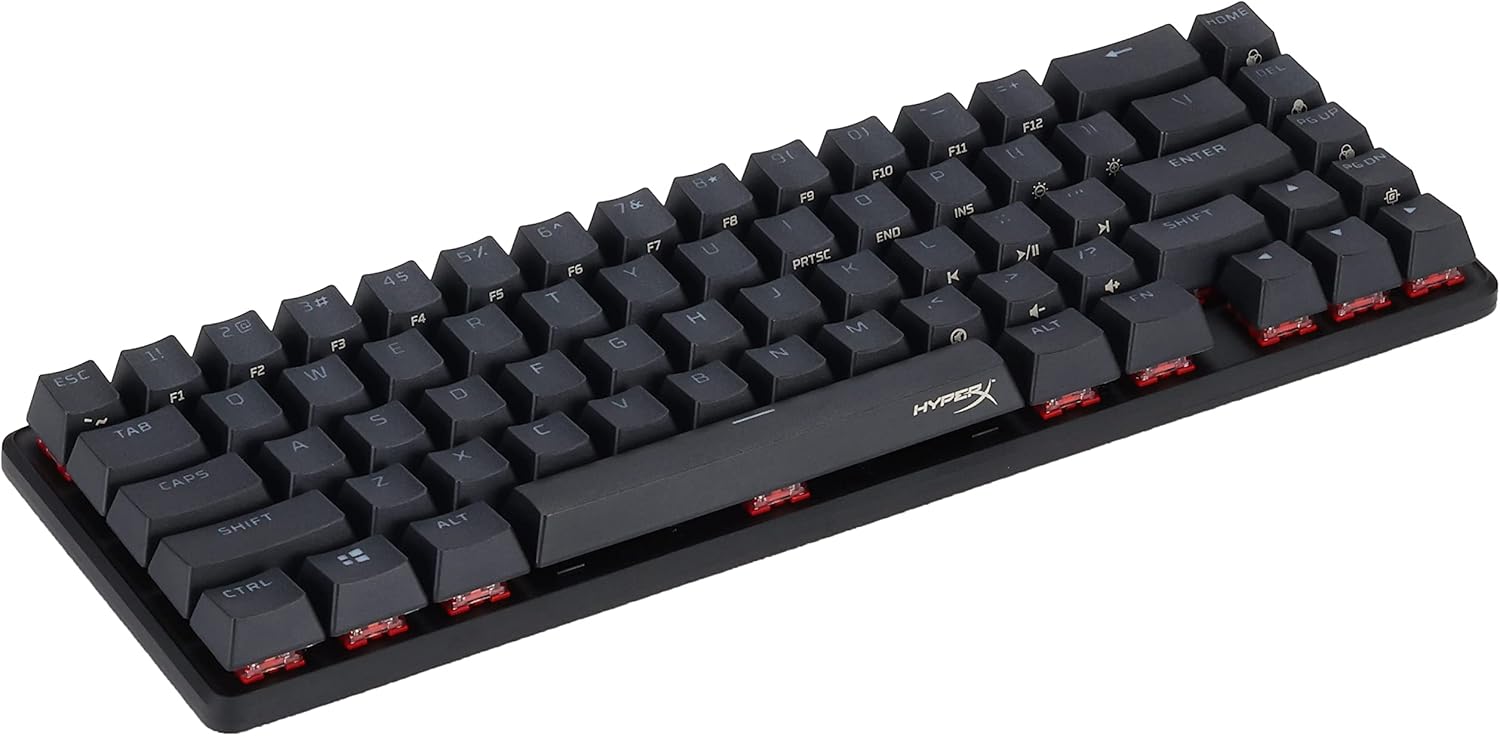
The durable construction and compact design are built for intense gaming sessions.

Customize your lighting and effects using the HyperX NGENUITY software.

HyperX Mechanical switches provide reliable and responsive key presses.

The keyboard offers broad compatibility with various gaming platforms.

انتهىview of the HyperX Alloy Origins 65's key components and features.

HyperX Red linear-style switches ensure speed and quiet operation.
صيانة
To maintain your HyperX Alloy Origins 65 keyboard, regularly clean the keycaps and the area beneath them. The raised key design facilitates easy cleaning. Use a soft, dry cloth for general dusting. For deeper cleaning, you may carefully remove keycaps using the provided keycap puller and clean the switches and plate with compressed air or a suitable cleaning solution applied to a cloth, not directly to the keyboard.
استكشاف الأخطاء وإصلاحها
If you encounter issues with your HyperX Alloy Origins 65 keyboard, consider the following steps:
- لا يوجد رد: Ensure the USB-C cable is securely connected to both the keyboard and your device. Try a different USB port or a different cable if available.
- مشاكل الإضاءة: Check the lighting settings within the HyperX NGENUITY software. Ensure the brightness is not set to zero.
- عطل رئيسي: If a specific key is not responding, try removing the keycap and cleaning any debris around the switch. Reinstall the keycap firmly.
- البرنامج لا يتعرف على لوحة المفاتيح: Ensure the NGENUITY software is up to date. Try restarting your computer and the software.
- الأداء العام: تأكد من أن نظام التشغيل وبرامج التشغيل لديك محدثة.
تحديد
| ميزة | التفاصيل |
|---|---|
| أبعاد المنتج | 13.7 × 5.7 × 1.8 بوصة |
| وزن العنصر | 2.25 رطل |
| الشركة المصنعة | شركة HP |
| لغة | إنجليزي |
| ASIN | B09RB7XB8Q |
| بلد المنشأ | الولايات المتحدة الأمريكية |
| رقم موديل السلعة | 4P5D6AA |
| ماركة | هايبر اكس |
| الأجهزة المتوافقة | PlayStation 4, PlayStation 5, Xbox Series S, Xbox One, Xbox Series X |
| تكنولوجيا الاتصال | يو اس بي-سي |
| وصف لوحة المفاتيح | الألعاب |
| الاستخدامات الموصى بها للمنتج | الألعاب |
| ميزة خاصة | مضاءة من الخلف |
| لون | أسود |
| عدد المفاتيح | 65 |
| دعم لون الإضاءة الخلفية للوحة المفاتيح | اللون الأحمر والأخضر والأزرق |
| أسلوب | HyperX Red |
معلومات الضمان
For detailed warranty information regarding your HyperX Alloy Origins 65 Mechanical Gaming Keyboard, please refer to the official HyperX website or the warranty card included with your product packaging. Warranty terms and conditions may vary by region.
يدعم
For further assistance, technical support, or frequently asked questions, please visit the official HyperX support page. You can also find additional documentation below:


