المنتج انتهىview
The DIZO Watch 2 Sports Smart Watch (Model DW2121) is a versatile fitness tracker designed for Android and iOS phones. It features a 1.69-inch HD full touchscreen, comprehensive health monitoring capabilities including heart rate and blood oxygen, sleep tracking, and support for over 110 sports modes. The watch is 5ATM waterproof and offers extended battery life.
الإعداد والاستخدام الأولي
Unboxing and First Charge
Upon unboxing your DIZO Watch 2 Sports, it is recommended to fully charge the device before its first use. Connect the magnetic charging cable to the charging points on the back of the watch and plug the USB end into a compatible power adapter (not included).

Image: The DIZO Watch 2 Sports Smart Watch connected to its magnetic charging cable, displaying a 100% charge indicator. The watch is pink with a rose gold frame.
The watch typically takes approximately 2 hours to fully charge. A full charge provides up to 10 days of working time with automatic heart rate monitoring and up to 30 days of standby time.
تثبيت التطبيق والاقتران
To unlock the full potential of your DIZO Watch 2 Sports, download and install the official "DIZO" application on your smartphone. The app is available on both the App Store (for iOS devices) and Google Play (for Android devices).
- تنزيل التطبيق: بحث عن "DIZO" in your phone's app store and install it. Alternatively, you can scan the QR code provided in the physical user manual to directly access the app download page.
- تمكين البلوتوث: تأكد من تمكين Bluetooth على هاتفك الذكي.
- إقران الجهاز: Open the DIZO app and follow the on-screen instructions to pair your DIZO Watch 2 Sports with your phone. The app will guide you through the pairing process.
Video: Guide to downloading the DIZO app and pairing the smartwatch with a smartphone.
تعليمات التشغيل
التنقل عبر الشاشة
The DIZO Watch 2 Sports features a 1.69-inch HD full touchscreen for intuitive navigation.
- انتقد أسفل: From the home screen, swipe down to access the notification list interface.
- اسحب للاعلى: From the home screen, swipe up to enter the main menu, which includes various features like activity data, heart rate, SpO2, sleep, workout, alarm, and weather.
- اسحب لليسار: من الشاشة الرئيسية ، اسحب لليسار إلى view quick access data such as steps, sleep, and heart rate.
- اسحب لليمين: From the home screen, swipe right to enter the shortcut interface, providing quick access to common settings and functions.
- اضغط على الزر الجانبي: Press the physical button on the side to return to the home screen or wake the display.
Video: Demonstrating screen navigation and power off function on the DIZO Watch 2 Sports.
مراقبة الصحة
The DIZO Watch 2 Sports is equipped with advanced sensors for continuous health tracking.
- مراقب معدل ضربات القلب: The watch features a real-time heart rate monitor. You can enable 24-hour heart rate detection through the DIZO app for continuous tracking.
- مراقب نسبة الأكسجين في الدم (SpO2): قم بمراقبة مستويات الأكسجين في دمك مباشرة من معصمك.
- مراقب النوم: Automatic sleep tracking analyzes your sleep data, including deep sleep, light sleep, and awake times, to help you understand your sleep patterns.
- تتبع النشاط: يتتبع الخطوات والمسافة والسعرات الحرارية المحروقة طوال اليوم.

Image: The DIZO Watch 2 Sports displaying heart rate data (75 bpm average) and a graph, alongside a visual representation of sleep tracking showing deep, light, and awake sleep durations.
Sports Modes and GPS Tracking
The watch supports over 110 sports modes to accurately track your workouts. Connect to your phone's GPS via the DIZO app to record activity routes and get detailed workout statistics.

Image: The DIZO Watch 2 Sports showing various sports mode icons, including running, cycling, and yoga, with a smartphone screen displaying GPS tracking for an outdoor run.
الإشعارات والميزات الذكية
Stay connected with call and message notifications directly on your wrist.
- إشعارات المكالمات والرسائل: After connecting to Bluetooth, the watch will vibrate to alert you of incoming calls and messages from various apps like Facebook, LinkedIn, Instagram, Twitter, WhatsApp, and Line. Note: You cannot reply to messages directly from the watch.
- التحكم بالموسيقى: تحكم في مشغل الموسيقى الخاص بهاتفك الذكي مباشرة من الساعة.
- التحكم بالكاميرا: استخدم الساعة كجهاز تحكم عن بعد لكاميرا هاتفك.
- النشرة الجوية: View معلومات الطقس المحلية.
- تذكيرات: Set up alarm clocks, drinking water reminders, sedentary reminders, and menstrual cycle reminders.
- البحث عن الهاتف: حدد موقع هاتفك الذكي المقترن باستخدام الساعة.
- ضبط السطوع: Five levels of brightness options ensure readability in various lighting conditions.

Image: A DIZO Watch 2 Sports on a wrist, displaying a notification icon, with various social media and messaging app logos floating around it, indicating smart notification capabilities.
التخصيص
Personalize your watch with a wide range of watch faces and interchangeable bands.
- مشاهدة الوجوه: Choose from over 150 stylish watch faces available through the DIZO app. You can also customize the dial with your favorite pictures.
- Detachable Bands: The watch features detachable bands, allowing you to easily switch them to match your style.
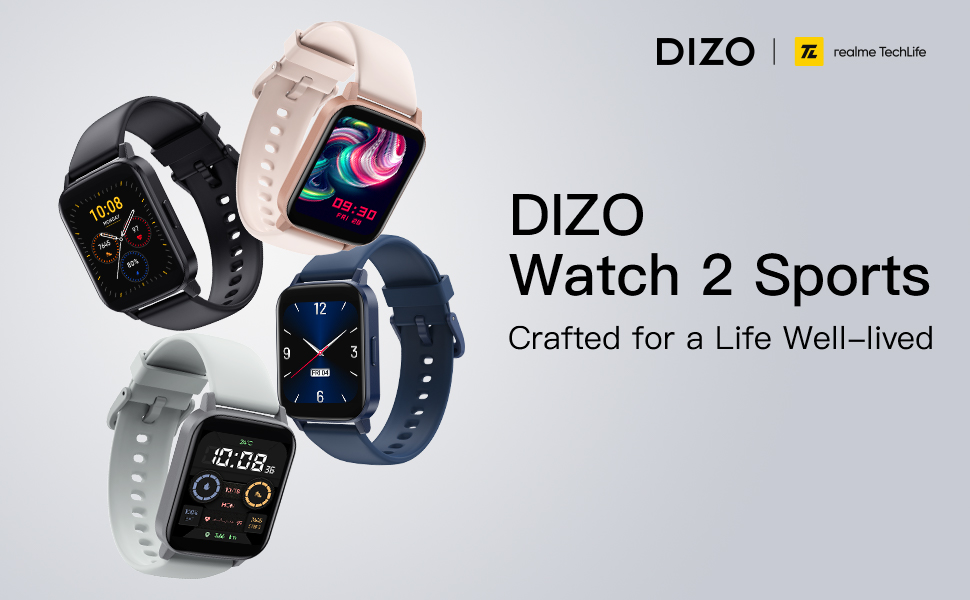
Image: A DIZO Watch 2 Sports displaying a custom watch face with a yellow cat-like character, alongside a smartphone screen showing options for customizing the watch dial, including text color, background picture, and time location.
الصيانة والعناية
مقاومة الماء
The DIZO Watch 2 Sports has a 5ATM waterproof rating, meaning it can withstand pressures equivalent to a depth of 50 meters. This makes it suitable for swimming and showering. However, it is not recommended for diving or high-pressure water activities.
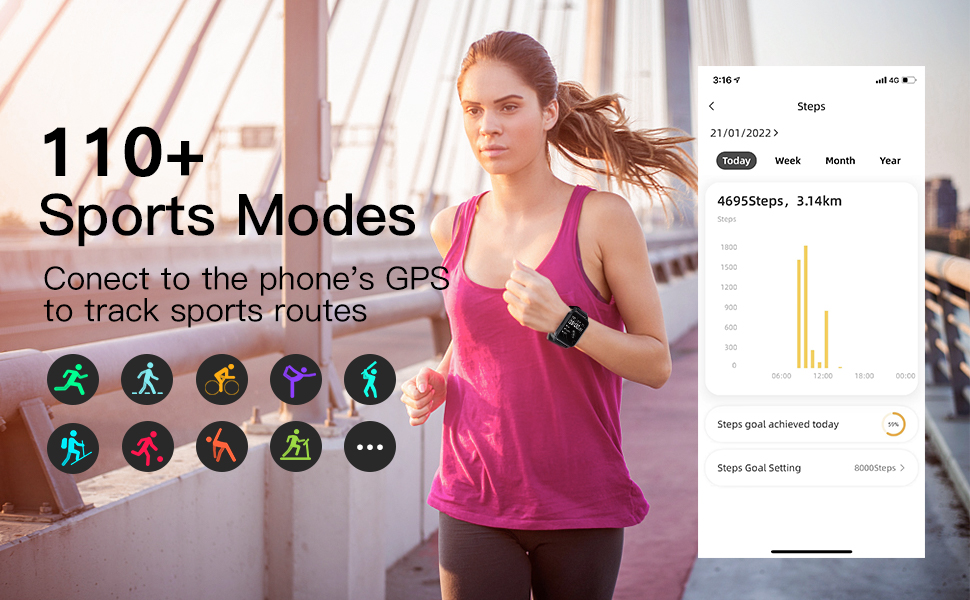
Image: A DIZO Watch 2 Sports being worn on a wrist underwater, with text indicating "5ATM (164 ft./50 meters) Waterproof".
تنظيف
To maintain the watch's performance and appearance, regularly clean the device and its strap. Use a soft, damp استخدم قطعة قماش لمسح الشاشة والحزام. تجنب استخدام المواد الكيميائية القاسية أو المواد الكاشطة.
تحديد
| ميزة | التفاصيل |
|---|---|
| رقم الموديل | د.و2121 |
| حجم الشاشة | 1.69 بوصة |
| نوع العرض | TFT HD Full Touch Screen |
| دقة | 240*280 |
| تصنيف مقاومة الماء | 5ATM (50 مترًا) |
| سعة البطارية | 280 مللي أمبير |
| وقت الشحن | حوالي 2 ساعات |
| عمر البطارية (الاستخدام النموذجي) | حتى 10 يوما |
| وقت الاستعداد | حتى 30 يوما |
| الاتصال | Bluetooth 5.0, GPS (via phone) |
| التوافق | Android 5.0 وما فوق، iOS 9.0 وما فوق |
| مراقبة الصحة | معدل ضربات القلب، وأكسجين الدم، وتتبع النوم |
| أوضاع الرياضة | 110+ |
| وزن العنصر | 4.2 أونصات |
| أبعاد الحزمة | 6.26 × 3.86 × 1.26 بوصة |
استكشاف الأخطاء وإصلاحها
- الساعة لا تعمل: تأكد من شحن الساعة بالكامل. قم بتوصيلها بالشاحن لمدة 10 دقائق على الأقل قبل محاولة تشغيلها.
- غير قادر على الاقتران بالهاتف:
- تأكد من تمكين البلوتوث على هاتفك.
- Make sure the DIZO app is installed and open.
- قم بتقريب الساعة من هاتفك أثناء عملية الاقتران.
- أعد تشغيل هاتفك والساعة.
- تحقق مما إذا كانت الساعة مقترنة بجهاز آخر بالفعل. إذا كان الأمر كذلك، فقم بإلغاء اقترانها أولاً.
- عدم ظهور الإشعارات:
- Verify that the watch is successfully paired with your phone via Bluetooth.
- Check notification settings within the DIZO app to ensure app notifications are enabled.
- Ensure your phone's notification settings allow the DIZO app to send notifications.
- قم بتعطيل وضع "عدم الإزعاج" على كل من ساعتك وهاتفك.
- بيانات صحية غير دقيقة:
- تأكد من ارتداء الساعة بشكل مريح على معصمك، وليس ضيقًا جدًا أو فضفاضًا جدًا.
- قم بتنظيف المستشعر الموجود في الجزء الخلفي من الساعة بانتظام.
- تجنب الحركة المفرطة أثناء القياسات للحصول على قراءات أكثر دقة.
- عمر بطارية قصير:
- تقليل سطوع الشاشة.
- قم بالحد من عدد التطبيقات التي ترسل الإشعارات إلى الساعة.
- قم بتعطيل مراقبة معدل ضربات القلب المستمرة إذا لم تكن هناك حاجة لذلك على مدار الساعة طوال أيام الأسبوع.
- تأكد من شحن الساعة بالكامل في كل مرة.
الضمان والدعم
For warranty information and customer support, please refer to the official DIZO webالموقع أو تواصل مع خدمة العملاء مباشرةً. احتفظ بإيصال الشراء كإثبات للشراء في حال وجود أي مطالبات بالضمان.


