مقدمة
Welcome to the user manual for your Ttec AirBeat Lite 2 True Wireless Stereo (TWS) Bluetooth Headset. This manual provides detailed instructions on how to set up, operate, and maintain your headset to ensure optimal performance and longevity. Please read this manual carefully before using your device.
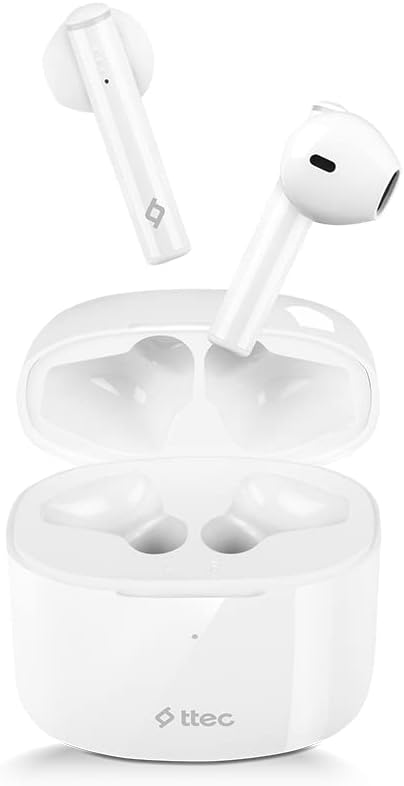
Image: The Ttec AirBeat Lite 2 earbuds resting in their open charging case, showcasing their compact and sleek white design.
ماذا يوجد في الصندوق
Upon opening your Ttec AirBeat Lite 2 package, you should find the following components:
- Ttec AirBeat Lite 2 True Wireless Earbuds (Left and Right)
- حافظة الشحن
- كابل شحن USB (من النوع C عادةً)
- دليل المستخدم (هذا المستند)
- Ear Cushions (pre-installed or additional sizes, as per product specifications)
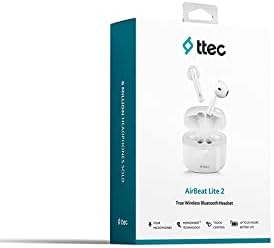
Image: The retail packaging for the Ttec AirBeat Lite 2 headset, displaying the product image and brand logo.
يثبت
1. شحن سماعة الرأس والعلبة
Before first use, it is recommended to fully charge both the earbuds and the charging case. The charging case acts as a portable power bank for your earbuds.
- شحن العلبة: Connect the provided USB charging cable to the charging port on the case and plug the other end into a USB power adapter (not included) or a computer's USB port. The indicator light on the case will show charging status.
- شحن سماعات الأذن: Place the earbuds into their respective slots in the charging case. Ensure they are correctly seated. The earbuds will automatically begin charging.

Image: The Ttec AirBeat Lite 2 charging case with earbuds, illustrating battery life and quick charge capabilities. A 15-minute charge provides 1 hour of use, with 6 hours of earbud charge life and 26 hours total with the case.
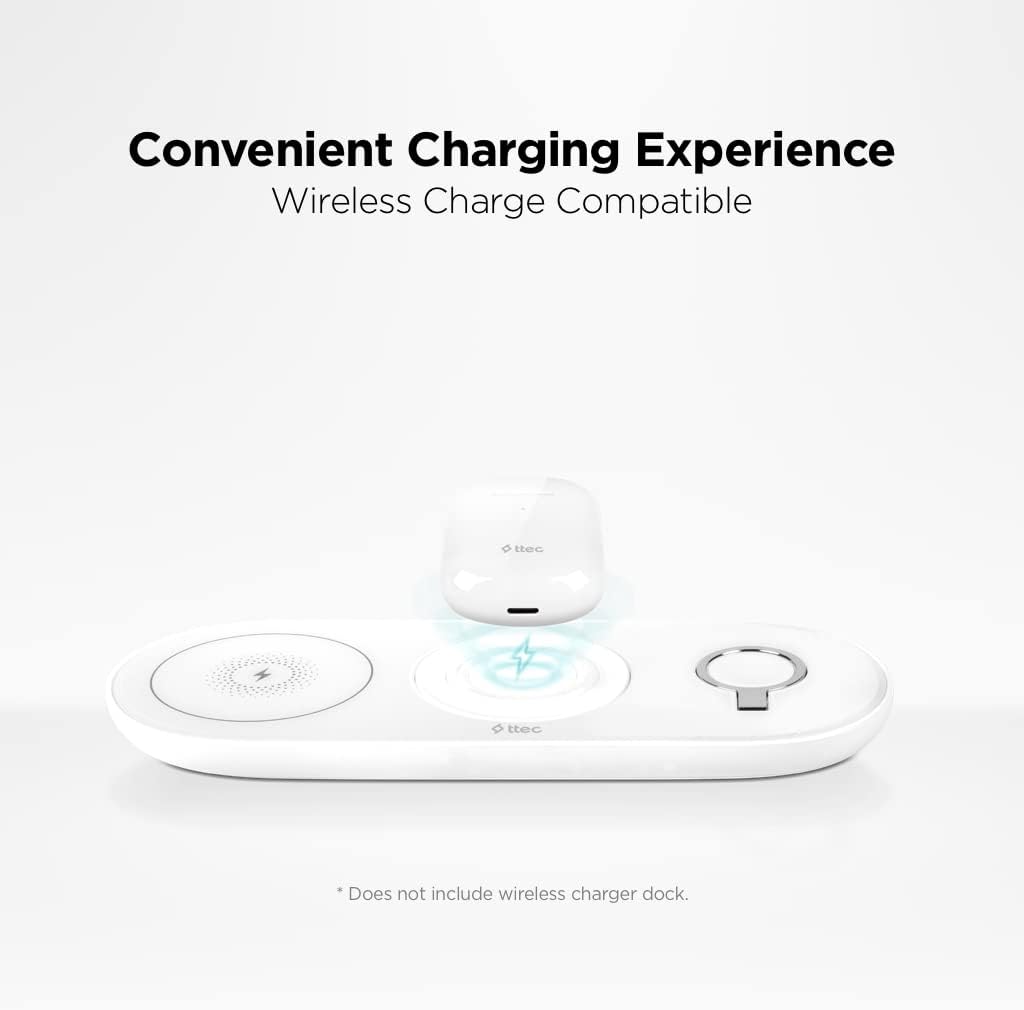
Image: The Ttec AirBeat Lite 2 charging case placed on a wireless charging pad, demonstrating its wireless charge compatibility. Note: Wireless charger dock is not included.
2. الاقتران بجهاز
The Ttec AirBeat Lite 2 uses Bluetooth 5.0 for a fast and stable connection.
- تأكد من شحن سماعات الأذن ووضعها في علبة الشحن.
- افتح علبة الشحن. ستدخل سماعات الأذن تلقائيًا في وضع الاقتران (قد تومض أضواء المؤشر).
- على جهازك (الهاتف الذكي، الجهاز اللوحي، الكمبيوتر المحمول)، انتقل إلى إعدادات البلوتوث وقم بتشغيل البلوتوث.
- بحث عن available devices. Select "Ttec AirBeat Lite 2" from the list.
- بمجرد الاتصال، ستشير سماعات الأذن إلى نجاح عملية الاقتران (على سبيل المثال، رسالة صوتية أو ضوء ثابت).
The earbuds support MonoSmart Technology, allowing both earbuds to be used independently. You can connect either the left or right earbud alone if desired.

Image: A person wearing a Ttec AirBeat Lite 2 earbud, illustrating the fast and easy Bluetooth 5.0 connection technology.
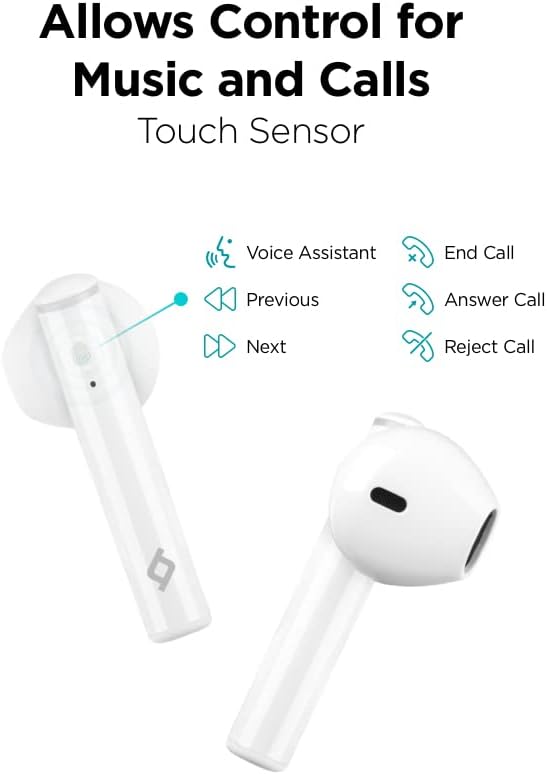
Image: A person using a single Ttec AirBeat Lite 2 earbud, demonstrating the MonoSmart Technology that allows independent use of either earbud.
تعليمات التشغيل
عناصر التحكم باللمس
The Ttec AirBeat Lite 2 features intuitive touch sensors on each earbud for easy control of music playback and calls.

Image: A close-up of the Ttec AirBeat Lite 2 earbud, highlighting the touch sensor area and illustrating various control functions: Voice Assistant, Previous/Next track, End/Answer/Reject Call.
| فعل | وظيفة |
|---|---|
| نقرة واحدة | تشغيل/إيقاف الموسيقى مؤقتًا، الرد على المكالمة/إنهائها |
| الضغط مرتين على سماعة الأذن اليسرى | المسار السابق |
| الضغط مرتين على سماعة الأذن اليمنى | المسار التالي |
| الصنبور الثلاثي | تفعيل المساعد الصوتي |
| الضغط لفترة طويلة (2 ثوان) | رفض المكالمة |
Music and Call Quality
The Ttec AirBeat Lite 2 delivers an impressive music experience with superior sound and deep bass. For calls, it features 4 microphones and ENC (Environmental Noise Cancelling) technology, ensuring excellent call clarity by reducing background noise.
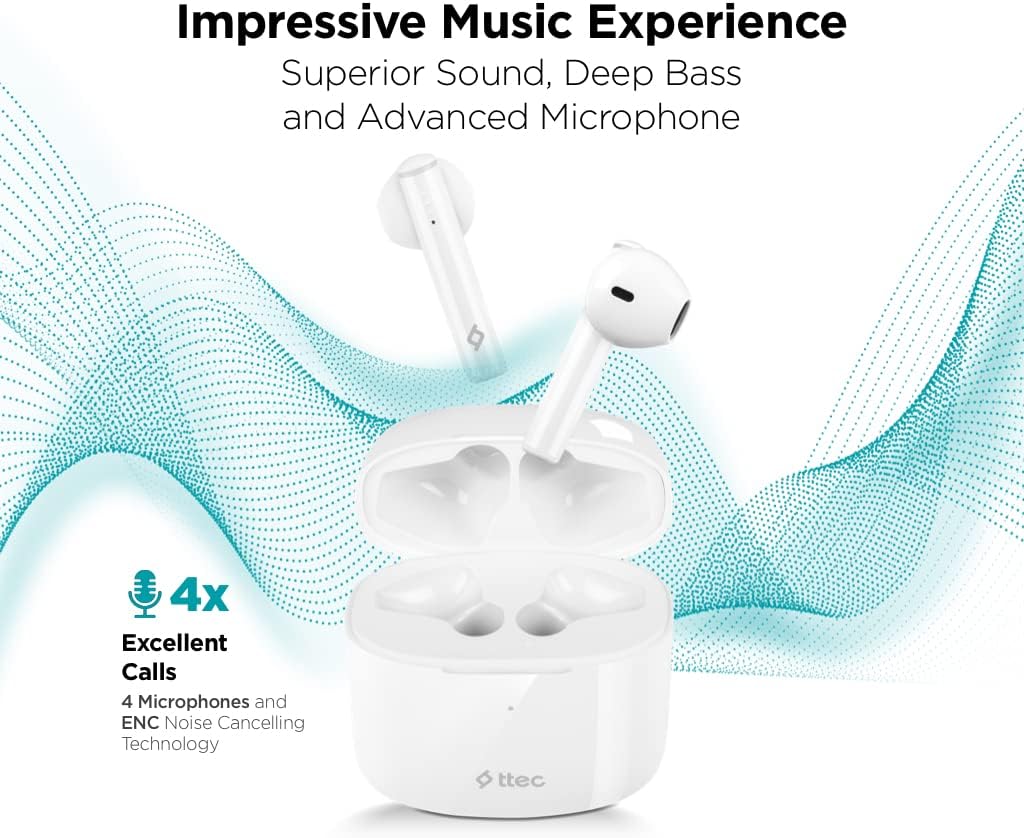
Image: The Ttec AirBeat Lite 2 earbuds in their case, surrounded by sound wave graphics, highlighting superior sound, deep bass, advanced microphone, and 4x excellent calls with ENC Noise Cancelling Technology.
صيانة
Proper maintenance ensures the longevity and optimal performance of your Ttec AirBeat Lite 2 headset.
- تنظيف: Regularly clean the earbuds and charging case with a soft, dry, lint-free cloth. Do not use abrasive cleaners or solvents. Gently remove any earwax or debris from the earbud tips and speaker mesh using a small, soft brush or cotton swab.
- تخزين: عند عدم استخدام سماعات الأذن، احفظها في علبة الشحن لحمايتها من الغبار والأوساخ والتلف المادي. احفظ العلبة في مكان بارد وجاف بعيدًا عن أشعة الشمس المباشرة ودرجات الحرارة المرتفعة والمنخفضة.
- مقاومة الماء: The earbuds are IPX4 rated, meaning they are sweat and water resistant. This protects them from splashing water from any direction. However, they are not waterproof and should not be submerged in water or exposed to heavy rain. Dry them thoroughly if they get wet.
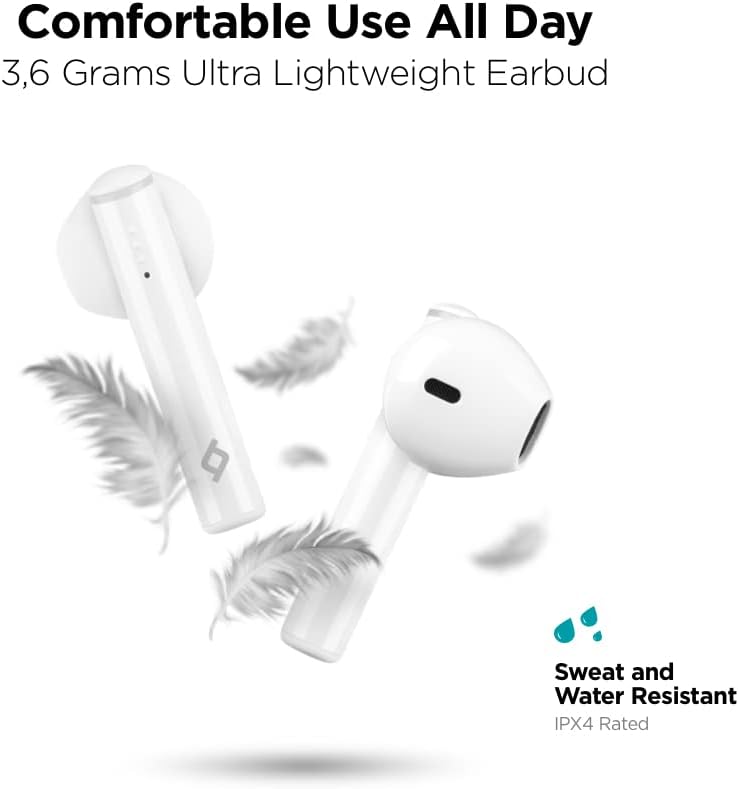
Image: Ttec AirBeat Lite 2 earbuds floating among feathers, emphasizing their ultra-lightweight design (3.6 grams) and highlighting their IPX4 sweat and water resistance.
استكشاف الأخطاء وإصلاحها
If you encounter any issues with your Ttec AirBeat Lite 2 headset, try the following troubleshooting steps:
- لا يوجد صوت من سماعات الأذن:
- تأكد من شحن سماعات الأذن.
- تأكد من إقران سماعات الأذن بجهازك بشكل صحيح.
- قم بزيادة مستوى الصوت على كل من جهازك وسماعات الأذن.
- حاول إعادة إقران سماعات الأذن.
- سماعات الأذن لا تقترن:
- تأكد من تمكين البلوتوث على جهازك.
- تأكد من أن سماعات الأذن في وضع الاقتران (افتح العلبة).
- قم بإيقاف تشغيل البلوتوث على الأجهزة الأخرى القريبة التي قد تحاول الاتصال.
- Forget "Ttec AirBeat Lite 2" from your device's Bluetooth list and try pairing again.
- مشاكل الشحن:
- تأكد من توصيل كابل الشحن بشكل آمن بكل من العلبة ومصدر الطاقة.
- جرب كابل USB أو محول طاقة مختلفًا.
- قم بتنظيف نقاط اتصال الشحن الموجودة على سماعات الأذن والعلبة.
- اتصال متقطع:
- تأكد من أن جهازك موجود ضمن نطاق البلوتوث (عادةً 10 أمتار/33 قدمًا) دون أي عوائق كبيرة.
- تجنب التداخل الكهرومغناطيسي القوي.
- Try restarting both the earbuds (by placing them in the case and closing it) and your connected device.
If the issue persists, please refer to the support section for further assistance.
تحديد
| ميزة | التفاصيل |
|---|---|
| اسم الموديل | إيربيت لايت 2 |
| تكنولوجيا الاتصال | لاسلكي (بلوتوث) |
| تكنولوجيا الاتصالات اللاسلكية | بلوتوث 5.0 |
| المكونات المضمنة | Ear Cushions, USB Charging Cable |
| مادة | بلاستيك |
| استخدامات محددة | Travel, Everyday Use |
| الأجهزة المتوافقة | Cellphones, Television, Tablets, Telephones, Laptops, Desktops, Smart Speaker |
| نوع التحكم | التحكم باللمس |
| وضع الأذن | في الأذن |
| عامل الشكل | في الأذن |
| التحكم في الضوضاء | إلغاء الضوضاء البيئية (ENC) |
| وزن ياربود | 3.6 grams (approx. per earbud) |
| تصنيف IP | IPX4 (مقاوم للعرق والماء) |
| عمر البطارية (سماعات الأذن) | 6 ساعات (تقريبًا) |
| إجمالي عمر البطارية مع الغطاء | 26 ساعات (تقريبًا) |
Note: Some specifications from raw data have been refined for accuracy based on product images and primary description (e.g., ENC instead of ANC, earbud weight instead of package weight).
معلومات السلامة
يرجى قراءة واتباع إرشادات السلامة هذه لمنع تلف جهازك أو إصابتك:
- لا تقم بتفكيك المنتج أو إصلاحه أو تعديله.
- أبقِ الجهاز بعيداً عن درجات الحرارة القصوى والرطوبة والمواد المسببة للتآكل.
- تجنب إسقاط الجهاز أو تعريضه لصدمات قوية.
- لا تعرض علبة الشحن للماء أو الرطوبة.
- استخدم فقط كابلات ومحولات الشحن المعتمدة.
- Prolonged exposure to loud sounds can cause hearing damage. Adjust volume to a moderate level.
- Be aware of your surroundings when using earbuds, especially in traffic or dangerous situations.
- تخلص من المنتج بشكل مسؤول وفقًا للوائح المحلية.
الضمان والدعم
Ttec products are designed for quality and reliability. For warranty information and customer support, please refer to the official Ttec webالموقع أو اتصل بالبائع المحلي الخاص بك.
For technical assistance or inquiries, please visit the Ttec support page or contact their customer service directly. Keep your purchase receipt as proof of purchase for warranty claims.
الموارد المتاحة على الإنترنت:
- Official Ttec Webموقع: www.ttec.com.tr (يرجى التحقق من المنطقة الصحيحة) webموقع للدعم)


