1. المقدمة
This manual provides instructions for the Gamrombo 2.4GHz Wireless Controller, designed for use with Xbox 360, Xbox 360 Slim consoles, and Windows 7/8/10/11 personal computers. Please read this manual thoroughly before using the product to ensure proper operation and to prevent damage.

Image 1.1: Gamrombo Wireless Controller for Xbox 360 and PC. This image displays the front view of the black wireless controller, highlighting its buttons and ergonomic shape.
2. محتويات العبوة
يرجى التحقق من محتويات العبوة عند فتح الصندوق:
- 1 x Gamrombo Wireless Controller
- جهاز استقبال USB 1 × 2.4 جيجا هرتز
- 1 × دليل التعليمات
- Note: AA batteries are required for controller operation and are not included.
3. مواصفات المنتج
- التوافق مع منصات متعددة: Compatible with Xbox 360, Xbox 360 Slim consoles, and Windows 7/8/10/11 PCs. (Note: Not compatible with Xbox One, Xbox One X, Xbox One S, or Xbox Series X consoles.)
- تقنية لاسلكية 2.4 جيجا هرتز: Provides a stable connection up to 32 feet (approximately 10 meters). Supports up to four controllers simultaneously on one console.
- ردود فعل الاهتزاز: Built-in dual motors offer a realistic gaming experience through vibration effects.
- تصميم مريح: Streamlined and compact design for comfortable extended gameplay sessions.
- حساسية عالية: Enhanced responsiveness to minimize input lag, providing accurate and sensitive control.
- ضوابط دقيقة: Features an 8-way D-pad, precise thumbsticks, and pressure-point triggers for accurate input.

Image 3.1: Controller with internal dual motors. This image illustrates the controller with a transparent overlay highlighting the location of the dual vibration motors inside the grips.

الصورة 3.2: الجانب view of the controller demonstrating its ergonomic shape. The image shows the contoured grips designed for comfortable handling.
4. الإعداد والاتصال
Follow these steps to connect your Gamrombo Wireless Controller to your Xbox 360 console or PC:
- أدخل البطاريات: Open the battery compartment on the back of the controller and insert two (2) AA batteries, ensuring correct polarity.
- توصيل جهاز استقبال USB: Insert the 2.4GHz USB receiver into an available USB port on your Xbox 360 console or PC.
- Receiver Identification: After the USB receiver is inserted, its indicator light will turn on, signifying successful identification. Short press the button on the USB receiver; the indicator light will flash, entering pairing mode.
- إقران وحدة التحكم: With the controller powered off, long press the "Home" button (the central Xbox Guide button) on the wireless controller for 3 seconds. The four LED lights around the Guide button will flash rapidly, indicating the controller is in pairing mode.
- تأكيد الاتصال: Once the connection is successful, the corresponding channel light on the controller will remain solid, and the receiver's indicator light will also remain solid.

Image 4.1: Connection steps for the wireless controller. This image illustrates the process of inserting the USB dongle into an Xbox 360 or PC and then pairing the controller by pressing the Home button.
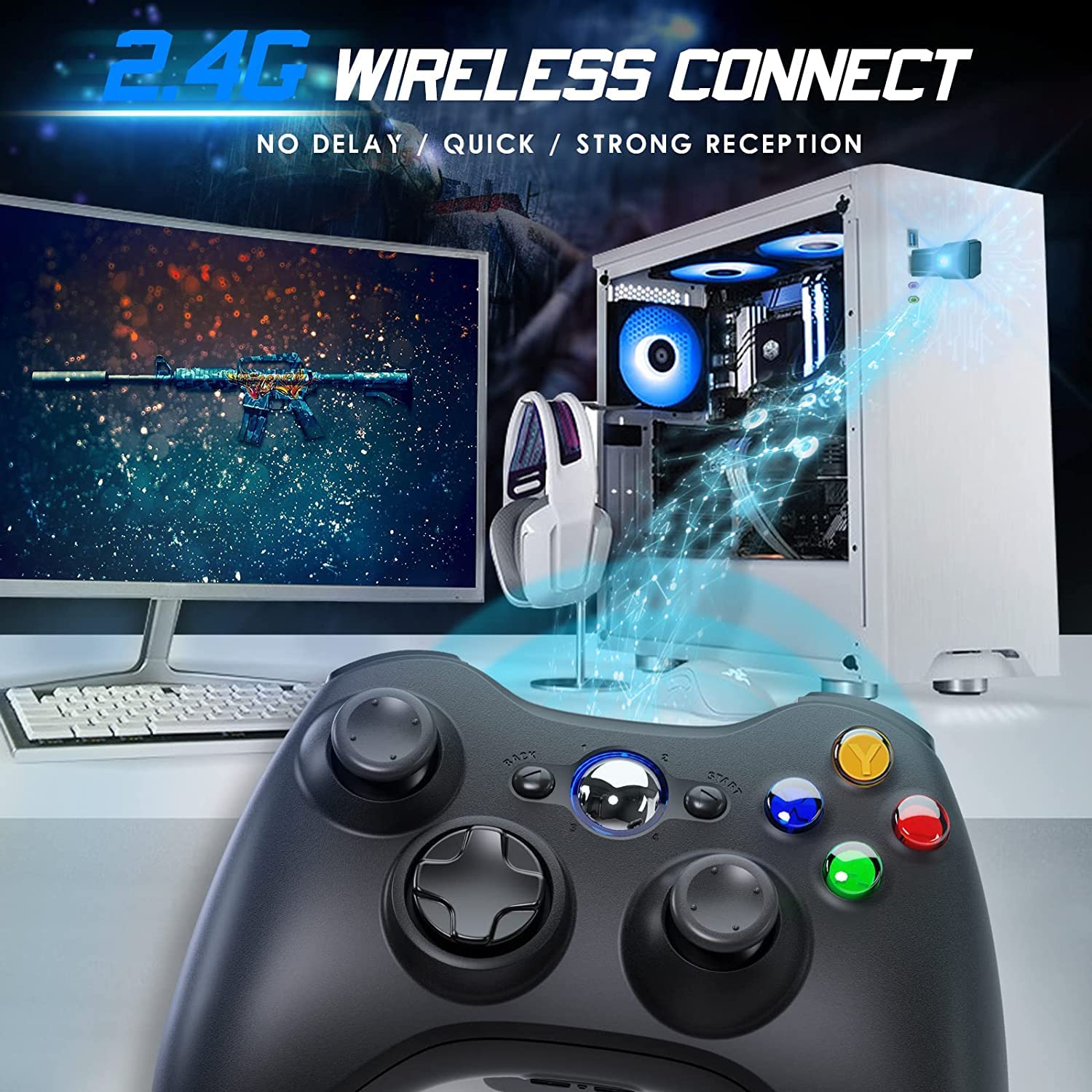
Image 4.2: Wireless controller in use with a PC. This image shows the controller on a desk in front of a computer monitor, with a visual representation of the 2.4GHz wireless connection.
5. تعليمات التشغيل
- تشغيل/إيقاف التشغيل: Press and hold the "Home" button for 3 seconds to power on or power off the controller.
- زر الدليل: The central "Home" button (Guide button) allows access to the Xbox Guide on Xbox 360, or specific game menus on PC, depending on the game and system configuration. It can also be used to power on or off the console.
- وحدات تحكم متعددة: Up to four wireless controllers can be connected to a single console or PC simultaneously. Each controller will be assigned a quadrant light around the Guide button (1, 2, 3, or 4) to indicate its player number.
- مؤشر البطارية: The controller's LED lights may flash to indicate low battery power. Replace batteries when this occurs.
6. الصيانة
- تنظيف: استخدم قطعة قماش ناعمة وجافة لتنظيف وحدة التحكم. لا تستخدم المنظفات السائلة أو المذيبات.
- تخزين: Store the controller in a dry place away from extreme temperatures and direct sunlight. If storing for an extended period, remove the batteries to prevent leakage.
- تجنب القطرات: حماية وحدة التحكم من السقوط والصدمات، والتي قد تؤدي إلى تلف المكونات الداخلية.
7. استكشاف الأخطاء وإصلاحها
- وحدة التحكم غير متصلة:
- Ensure the USB receiver is securely plugged into the console or PC.
- Verify that the controller has fresh AA batteries installed correctly.
- Repeat the pairing process (Section 4, steps 3 and 4).
- حاول توصيل مستقبل USB بمنفذ USB مختلف.
- If using with PC, ensure necessary drivers are installed (Windows typically installs these automatically).
- الأزرار أو عصا التحكم لا تستجيب:
- تحقق من مستوى شحن البطارية واستبدلها إذا كان منخفضًا.
- Ensure the controller is within the 32-foot wireless range of the receiver.
- Restart the console/PC and re-pair the controller.
- الاهتزاز لا يعمل:
- تأكد من أن اللعبة تدعم خاصية الاهتزاز.
- تحقق من إعدادات اللعبة للتأكد من تمكين الاهتزاز.
- Verify battery levels.
8. المواصفات
| رقم الموديل | اكس بوكس 360 |
| ماركة | جامرومبو |
| الاتصال | 2.4GHz اللاسلكية |
| لاسلكي المدى | حتى 32 قدمًا (حوالي 10 أمتار) |
| التوافق | Xbox 360, Xbox 360 Slim, Windows 7/8/10/11 |
| مصدر الطاقة | 2 بطاريات AA (غير متضمنة) |
| أبعاد المنتج | 6.1 × 4.4 × 2.4 بوصة |
| وزن العنصر | 9.6 أونصات |
9. معلومات السلامة
- لا تحاول تفكيك وحدة التحكم أو تعديلها.
- احتفظ بجهاز التحكم بعيدًا عن الماء والسوائل الأخرى.
- Avoid exposing the controller to extreme heat or cold.
- التخلص من البطاريات وفقا للقوانين المحلية.
- في حالة تلف المنتج، يجب التوقف عن استخدامه على الفور.
10. الضمان والدعم
For warranty information or technical support, please refer to the documentation included with your purchase or contact Gamrombo customer service directly. Contact details are typically available on the manufacturer's official webموقع.


