مقدمة
Thank you for choosing the Final ZE3000 True Wireless Earbuds. This manual provides essential information for the proper setup, operation, and maintenance of your earbuds to ensure an optimal audio experience. Please read this manual thoroughly before use.
ماذا يوجد في الصندوق
- Final ZE3000 True Wireless Earbuds (Left and Right)
- حافظة الشحن
- كابل شحن USB-C
- دليل المستخدم (هذا المستند)
- أطراف الأذن (أحجام مختلفة)

Image: Final ZE3000 True Wireless Earbuds and their charging case, displayed in black.
المنتج انتهىview
The Final ZE3000 earbuds are designed for high-fidelity sound reproduction with a focus on comfort and stable wireless connectivity. Each earbud features a touch control panel and an LED indicator.

الصورة: عن قرب view of the Final ZE3000 earbuds, highlighting their unique geometric design and audiophile-level quality.

Image: The Final ZE3000 charging case, showcasing its premium SHIBO textured finish.
يثبت
1. شحن سماعات الأذن والعلبة
Before first use, fully charge the earbuds and charging case. Connect the supplied USB-C cable to the charging port on the case and a USB power source. The LED indicator on the case will show charging status. A full charge takes approximately 1.5 hours.

Image: Final ZE3000 earbuds placed inside their charging case.
2. الاقتران بجهاز
- افتح علبة الشحن. ستدخل سماعات الأذن تلقائيًا في وضع الاقتران، وستومض مؤشرات LED الموجودة على سماعات الأذن.
- على جهازك (الهاتف الذكي، الجهاز اللوحي، وما إلى ذلك)، قم بتمكين البلوتوث.
- بحث عن available Bluetooth devices and select "ZE3000" from the list.
- بمجرد الاتصال، ستتوقف مؤشرات LED الموجودة على سماعات الأذن عن الوميض.
The ZE3000 uses Bluetooth 5.2 for a stable connection up to 10 meters.

Image: A smartphone screen showing the 'ZE3000' listed as an available Bluetooth device for pairing.
3. تركيب سماعات الأذن
Proper fit is crucial for sound quality and comfort. Choose the eartips that provide the best seal and comfort for your ears. Gently insert the earbuds into your ear canals and twist slightly until they feel secure.
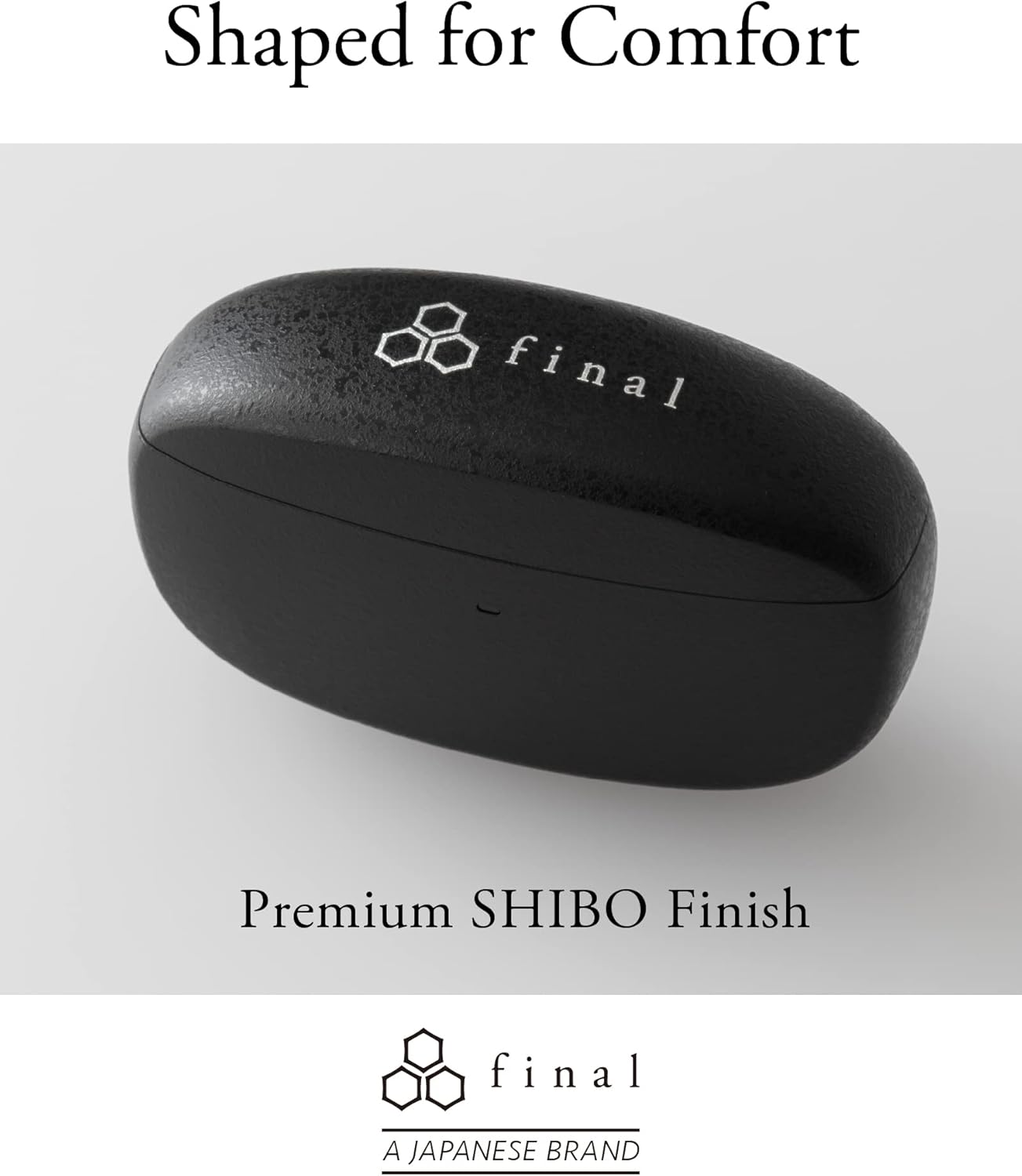
Image: A person demonstrating the correct way to wear the Final ZE3000 earbuds for a secure and comfortable fit.
تعليمات التشغيل
عناصر التحكم باللمس
The ZE3000 earbuds feature intuitive touch controls on the outer surface of each earbud.

Image: Diagram illustrating the location of the touch control panel, microphone, and LED indicator on the earbud.
| فعل | وظيفة |
|---|---|
| نقرة واحدة (يسار/يمين) | تشغيل / إيقاف الموسيقى ، الرد / إنهاء المكالمة |
| انقر مرتين (يمينًا) | المسار التالي |
| انقر مرتين (يسارًا) | المسار السابق |
| الحنفية الثلاثية (يمين) | رفع الصوت |
| الحنفية الثلاثية (يسار) | خفض الصوت |
| الضغط لفترة طويلة (يسار/يمين) | تفعيل المساعد الصوتي |
تشغيل/إيقاف الطاقة
- تشغيل الطاقة: افتح علبة الشحن، وسيتم تشغيل سماعات الأذن تلقائيًا والاتصال بآخر جهاز تم إقرانه.
- إيقاف التشغيل: أعد وضع سماعات الأذن في علبة الشحن وأغلق الغطاء. ستتوقف تلقائيًا وتبدأ عملية الشحن.
صيانة
تنظيف
Regularly clean your earbuds and charging case to maintain performance and hygiene.
- استخدم قطعة قماش ناعمة وجافة وخالية من الوبر لمسح سماعات الأذن وعلبة الشحن.
- قم بإزالة أطراف الأذن ونظفها بالصابون المعتدل والماء، ثم جففها جيدًا قبل إعادة تركيبها.
- قم بتنظيف جهات اتصال الشحن الموجودة على سماعات الأذن والعلبة برفق باستخدام قطعة قطن جافة.
تخزين
عندما لا تكون قيد الاستخدام، قم بتخزين سماعات الأذن في علبة الشحن الخاصة بها لحمايتها والتأكد من بقائها مشحونة.
مقاومة الماء (IPX4)
The Final ZE3000 earbuds are IPX4 water-resistant, meaning they are protected against splashing water from any direction. They are not designed for submersion in water. Avoid exposing them to heavy rain, showering, or swimming.
استكشاف الأخطاء وإصلاحها
- لا توجد مشاكل في الصوت/الاتصال:
- تأكد من شحن سماعات الأذن.
- Verify Bluetooth is enabled on your device and the earbuds are selected.
- حاول إلغاء إقران سماعات الأذن بجهازك ثم إعادة إقرانها.
- تأكد من عدم وجود أجهزة أخرى متصلة بنشاط بسماعات الأذن.
- سماعة أذن واحدة لا تعمل:
- أعد وضع سماعات الأذن في العلبة، وأغلق الغطاء، وانتظر بضع ثوانٍ، ثم افتحه مرة أخرى.
- Check charging contacts for debris.
- عناصر التحكم باللمس لا تستجيب:
- تأكد من أن أصابعك نظيفة وجافة.
- Try restarting the earbuds by placing them in the case and closing the lid.
تحديد
| ميزة | التفاصيل |
|---|---|
| رقم الموديل | زد اي 3000 |
| تكنولوجيا الاتصال | بلوتوث 5.2 |
| الاتصالات اللاسلكية | بلوتوث |
| نوع برنامج تشغيل الصوت | سائق ديناميكي |
| نطاق التردد | 20 هرتز - 20,000 هرتز |
| عمر البطارية (سماعات الأذن) | تصل إلى 7 ساعة |
| إجمالي وقت التشغيل (مع العلبة) | تصل إلى 35 ساعة |
| وقت الشحن | حوالي 1.5 ساعات |
| نوع التحكم | التحكم باللمس |
| مستوى مقاومة الماء | IPX4 (مقاوم للماء) |
| مدى البلوتوث | 10 مترا |
| وزن العنصر | 42 جرامًا (إجمالي) |
| أبعاد المنتج | 1.38 × 2.76 × 0.98 بوصة |
يدعم
For further assistance or inquiries, please visit the official Final store or contact customer support.


