مقدمة
Thank you for choosing Boean Bluetooth Headphones. This manual provides detailed instructions for setting up, operating, and maintaining your headphones to ensure optimal performance and longevity. These wireless earbuds are designed for comfort and secure fit during sports, featuring IPX7 waterproofing, HD deep bass stereo sound, and up to 16 hours of playtime.
محتويات الحزمة
- Boean Bluetooth Headphones (Model U18)
- كابل شحن USB-C
- Assorted Eartips (S/M/L)
- دليل المستخدم
- حقيبة الحمل

Image: All items included in the Boean Bluetooth Headphones package.
المنتج انتهىview
Familiarize yourself with the components of your Boean Bluetooth Headphones.

الصورة: الجبهة view of the Boean Bluetooth Headphones, showcasing the earhook design and main control unit.
عناصر التحكم بالأزرار
| فعل | الضغط على الزر |
|---|---|
| تشغيل/إيقاف الطاقة | الضغط لفترة طويلة 3 ثانية |
| الأغنية التالية | Long press '+' 2 seconds |
| الأغنية السابقة | Long press '-' 2 seconds |
| الرد على المكالمة/إنهائها | ضغط قصير على زر الطاقة |
| رفض المكالمة | الضغط لفترة طويلة على زر الطاقة |
| إيقاف مؤقت/تشغيل | ضغط قصير على زر الطاقة |
| رفع/خفض الصوت | Short press '+' / '-' |
| تفعيل سيري/المساعد الصوتي | Double press power button |

Image: Detailed diagram illustrating the function of each button on the headphone control unit.
يثبت
شحن سماعات الرأس
Before first use, fully charge your headphones. Use the provided USB-C cable for optimal charging speed.
- Connect the USB-C end of the cable to the charging port on the headphones.
- قم بتوصيل طرف USB-A بمحول طاقة USB متوافق (غير مرفق) أو بمنفذ USB في الكمبيوتر.
- سيوضح ضوء المؤشر حالة الشحن ثم ينطفئ عند اكتمال الشحن.
A full charge provides up to 16 hours of playtime. A quick 5-minute charge can provide significant playtime.

Image: Visual representation of the 16-hour playtime and charging indicators.
الاقتران بجهاز
Your Boean Bluetooth Headphones utilize Bluetooth 5.3 technology for quick and stable connections.
- تأكد من إيقاف تشغيل سماعات الرأس.
- Long press the power button for 3 seconds until the indicator light flashes blue and red, indicating pairing mode.
- على جهازك (الهاتف الذكي، الجهاز اللوحي، الكمبيوتر)، قم بتمكين البلوتوث وابحث عن الأجهزة المتاحة.
- Select "Boean U18" (or similar name) from the list of devices.
- بمجرد الاتصال، سيتحول ضوء المؤشر إلى اللون الأزرق الثابت أو يومض ببطء.
The headphones will automatically re-pair with the last connected device when powered on, if the device's Bluetooth is active and within range.

Image: The headphones are shown connecting to a smartphone, demonstrating the one-step auto-pairing feature compatible with various operating systems.
تعليمات التشغيل
ارتداء سماعات الرأس
The flexible earhook design ensures a secure and comfortable fit, especially during physical activity.
- حدد سماعات الأذن اليسرى (L) واليمنى (R).
- ضع سماعة الأذن برفق في قناة أذنك.
- Adjust the earhook over your ear until it feels secure and comfortable.
- Experiment with different eartip sizes to find the best seal for optimal sound quality and noise isolation.

Image: A person wearing the Boean headphones, demonstrating the secure fit provided by the earhooks, ideal for sports and workouts. The image also highlights the IPX7 waterproof rating.
تشغيل الصوت
- تشغيل/إيقاف مؤقت: اضغط لفترة قصيرة على زر الطاقة.
- المسار التالي: Long press the '+' button for 2 seconds.
- المسار السابق: Long press the '-' button for 2 seconds.
- رفع الصوت: اضغط لفترة قصيرة على زر "+".
- اخفض الصوت: اضغط لفترة قصيرة على الزر '-'.

Image: A person listening to music with the headphones, illustrating the sound isolation technology for clear audio and calls.
إجراء المكالمات
- الرد/إنهاء المكالمة: اضغط لفترة قصيرة على زر الطاقة.
- رفض المكالمة: اضغط لفترة طويلة على زر الطاقة.
- تفعيل المساعد الصوتي (سيري، مساعد جوجل): اضغط مرتين على زر الطاقة.
صيانة
تنظيف
- امسح السماعات بقطعة ناعمة، دamp قم بتنظيف قطعة القماش بعد كل استخدام، وخاصة بعد التمارين الرياضية.
- انزع أطراف الأذن ونظفها بالماء والصابون المعتدل. تأكد من جفافها تمامًا قبل إعادة تركيبها.
- لا تستخدم المنظفات أو المذيبات الكاشطة.
تخزين
- Store the headphones in the provided carrying case when not in use to protect them from dust and damage.
- تجنب التخزين في درجات حرارة عالية أو رطوبة عالية.
مقاومة الماء (IPX7)
The headphones are IPX7 waterproof, meaning they can withstand submersion in up to 1 meter of water for 30 minutes. They are resistant to sweat and rain, making them suitable for workouts and outdoor activities. However, they are not recommended for swimming.
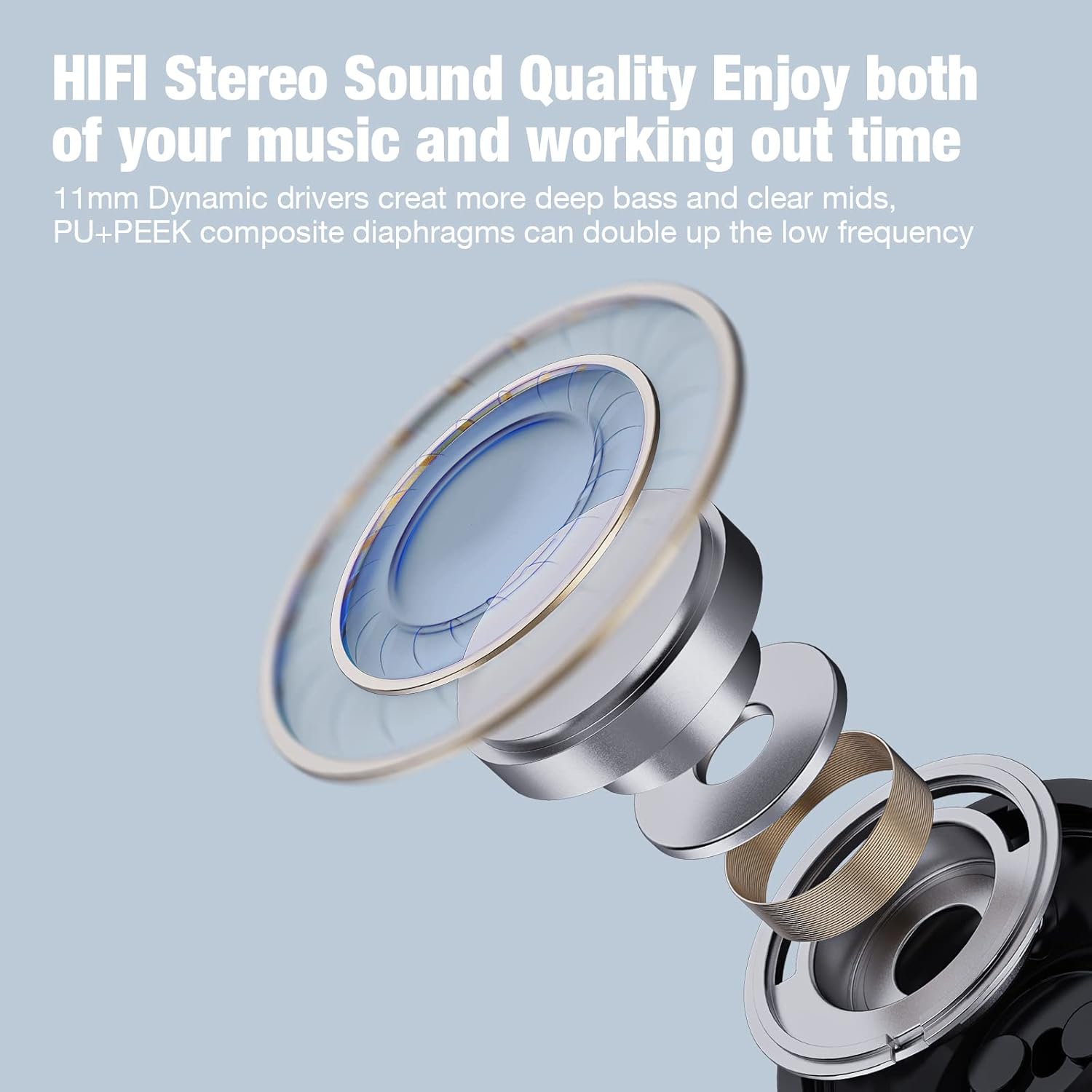
Image: A woman under a shower, illustrating the IPX7 waterproof capability of the headphones, suitable for resisting sweat and rain.
استكشاف الأخطاء وإصلاحها
| مشكلة | السبب المحتمل | حل |
|---|---|---|
| سماعات الرأس لن يتم تشغيلها | بطارية منخفضة | اشحن سماعات الرأس بالكامل. |
| لا يمكن الاقتران بالجهاز | Headphones not in pairing mode; Bluetooth off on device; Device too far | Ensure headphones are in pairing mode (flashing red/blue). Turn on Bluetooth on your device. Move device closer to headphones (within 10 meters). Forget previous pairings on your device and try again. |
| لا يوجد صوت أو مستوى صوت منخفض | Volume too low; Headphones not connected; Incorrect eartip size | Increase volume on both headphones and device. Reconnect headphones. Try different eartip sizes for a better seal. |
| اتصال متقطع | Interference; Device too far; Obstacles between devices | Move away from other wireless devices. Keep device within 10 meters. Reduce obstacles (walls, large objects). |
تحديد
- اسم الموديل: تحت 18
- تقنية الاتصال: لاسلكي
- تكنولوجيا الاتصالات اللاسلكية: بلوتوث 5.3
- نطاق البلوتوث: 10 مترا
- وقت اللعب: حتى ساعتين
- وقت الشحن: حوالي ساعتين
- مقاومة الماء: IPX7
- حجم برنامج تشغيل الصوت: 11 مليمتر
- التحكم في الضوضاء: عزل الصوت
- عامل الشكل: In Ear with Over Ear Hooks
- مادة: بلاستيك
- وزن السلعة: 3.84 أونصات
- الشركة المصنعة: Shenzhen Na Yin Technology CO.,LTD.
الضمان والدعم
For warranty information and customer support, please refer to the contact details provided on the product packaging or visit the official Boean webموقع. احتفظ بإيصال الشراء الخاص بك لمطالبات الضمان.
الدعم عبر الإنترنت: Visit the Boean Store on Amazon
معلومات هامة حول السلامة
- لا تقم بتفكيك سماعات الرأس أو محاولة إصلاحها بنفسك.
- Avoid exposing the headphones to extreme temperatures, direct sunlight, or fire.
- تجنب استخدام سماعات الرأس بمستويات صوت عالية للغاية لفترات طويلة لمنع تلف السمع.
- يحفظ بعيدًا عن متناول الأطفال والحيوانات الأليفة.