1. المقدمة
Welcome to the TAOPON Smart Watch user manual. This guide provides essential information for setting up, operating, and maintaining your new smartwatch. The TAOPON Smart Watch is designed for both Android and iOS phones, featuring IP67 waterproofing, a full touch screen, and comprehensive fitness and health tracking capabilities.

Figure 1: TAOPON Smart Watch, showcasinيتميز بتصميمه الأنيق وشاشته النابضة بالحياة.
2. الميزات الرئيسية
- تصميم عصري: Features a 1.28-inch full touch color screen with 240x240 pixel resolution, offering high-definition clarity. Customize your watch face with various pre-set dials or your own photos.
- Comprehensive Fitness Tracking: Supports 8 sports modes including walking, running, cycling, skipping rope, badminton, basketball, football, and swimming. Tracks calorie consumption, steps, distance, activity minutes, and heart rate. Connects to your mobile phone's GPS for detailed movement tracking.
- المراقبة الصحية المتقدمة: Accurately monitors real-time health data such as heart rate, blood oxygen, and blood pressure. Includes a sleep monitor to track deep sleep, light sleep, and overall sleep quality trends.
- Convenient Smart Tools: Integrates practical tools like weather forecast, pedometer, sedentary reminder, remote camera control, music control, theater mode, timer, deep breathing guide, and adjustable brightness. Supports up to 3 alarms.
- الإخطارات الذكية: Receives message notifications from the 'Da Fit' APP, including call reminders, call rejection, SMS, Facebook, Twitter, LinkedIn, WhatsApp, Line, and Instagالرامات "الذاكرة العشوائية في الهواتف والحواسيب.
- Long Battery Life & Durability: Equipped with a 200mAh battery providing up to 7 days of typical use and 30 days of standby time on a single charge. Features an IP67 waterproof rating, suitable for hand washing and rainy conditions.
3. دليل الإعداد
3.1 فك الصندوق والشحن الأولي
Upon unboxing, ensure all components are present: the TAOPON Smart Watch, charging cable, and user manual. Before first use, fully charge the device.
- قم بتوصيل كابل الشحن المغناطيسي بنقاط الشحن الموجودة على الجزء الخلفي من الساعة.
- Plug the USB end of the cable into a standard USB power adapter (5V/1A recommended) or a computer USB port.
- ستعرض شاشة الساعة حالة الشحن. يستغرق الشحن الكامل عادةً حوالي ساعتين.

Figure 2: Illustration of the smartwatch's ultra-thin dial and charging process, highlighting its long battery life.
3.2 تثبيت التطبيق وإقرانه
To unlock the full potential of your TAOPON Smart Watch, download and install the 'Da Fit' application on your smartphone.
- Scan the QR code in the manual or search for 'Da Fit' in your smartphone's app store (Google Play Store for Android, Apple App Store for iOS).
- Install the 'Da Fit' app and open it.
- تأكد من تمكين Bluetooth على هاتفك الذكي.
- In the 'Da Fit' app, navigate to the 'Device' section and select 'Add Device'.
- The app will search for available devices. Select 'smartwatch zl02g' from the list to pair.
- Follow any on-screen prompts to complete the pairing process. Once connected, the watch will synchronize time and data with your phone.
4. تعليمات التشغيل
4.1 الملاحة الأساسية
- شاشة اللمس: مرر لليسار/اليمين، لأعلى/لأسفل للتنقل بين القوائم والميزات. انقر للاختيار.
- زر جانبي: Press the side button to return to the home screen or to turn the screen on/off.
- رفع للاستيقاظ: The display automatically lights up when you raise your wrist.
4.2 تخصيص واجهات الساعة
قم بتخصيص ساعتك الذكية عن طريق تغيير واجهة الساعة.
- From the home screen, long-press the watch face to enter the watch face selection mode.
- Swipe left or right to browse pre-installed watch faces. Tap to select.
- For more options, open the 'Da Fit' app, go to 'Watch Faces' or 'Dial Settings' to download new designs or set a custom photo as your watch face.
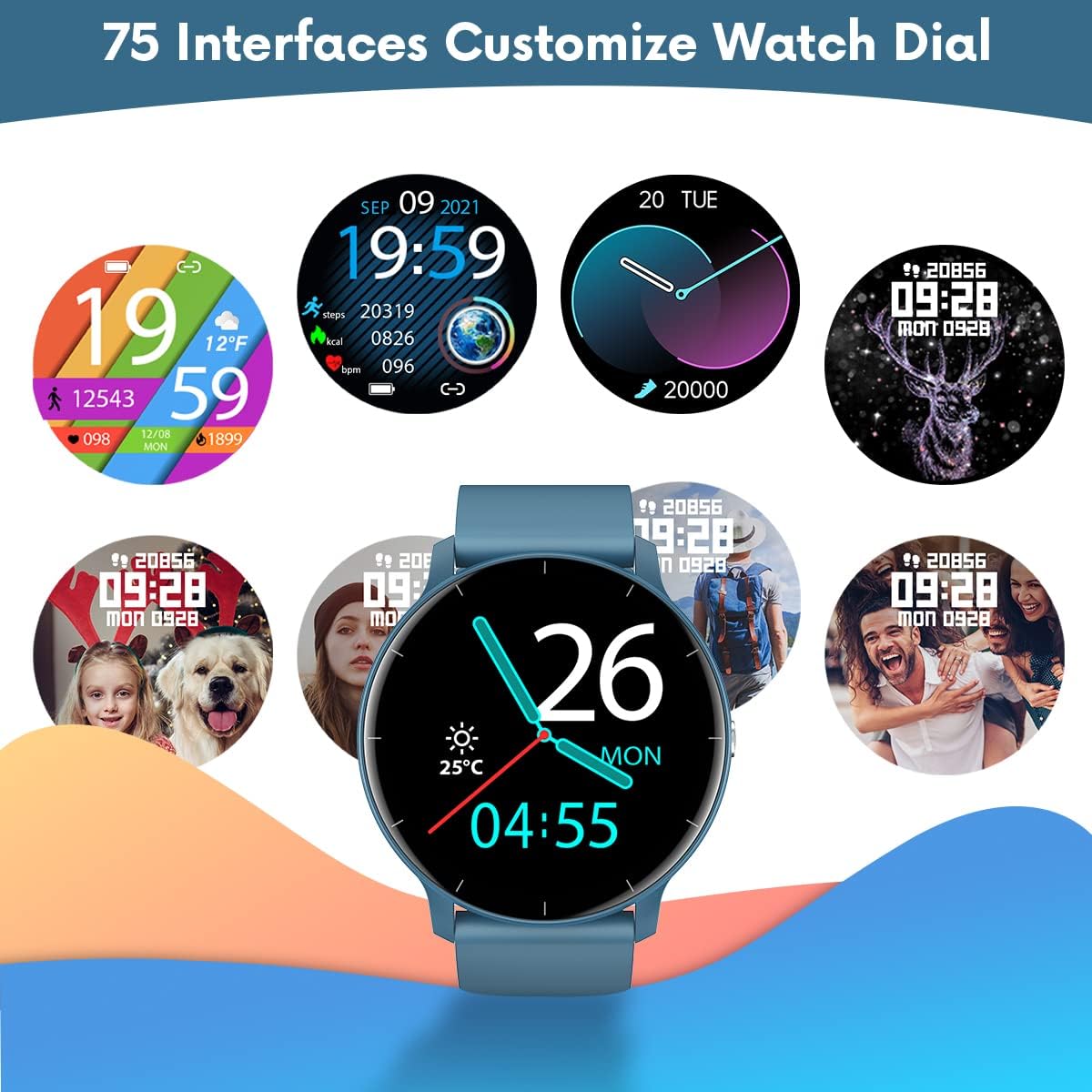
الشكل 3: مثالamples of customizable watch faces available on the TAOPON Smart Watch.
4.3 تتبع اللياقة البدنية
Utilize the various sports modes to track your workouts.
- Swipe on the watch to find the 'Exercise' or 'Sports Modes' icon.
- Select your desired activity (e.g., Walking, Running, Cycling).
- The watch will begin tracking your activity, including steps, distance, calories burned, and heart rate.
- Connect to your phone's GPS via the 'Da Fit' app for detailed route mapping during outdoor activities.
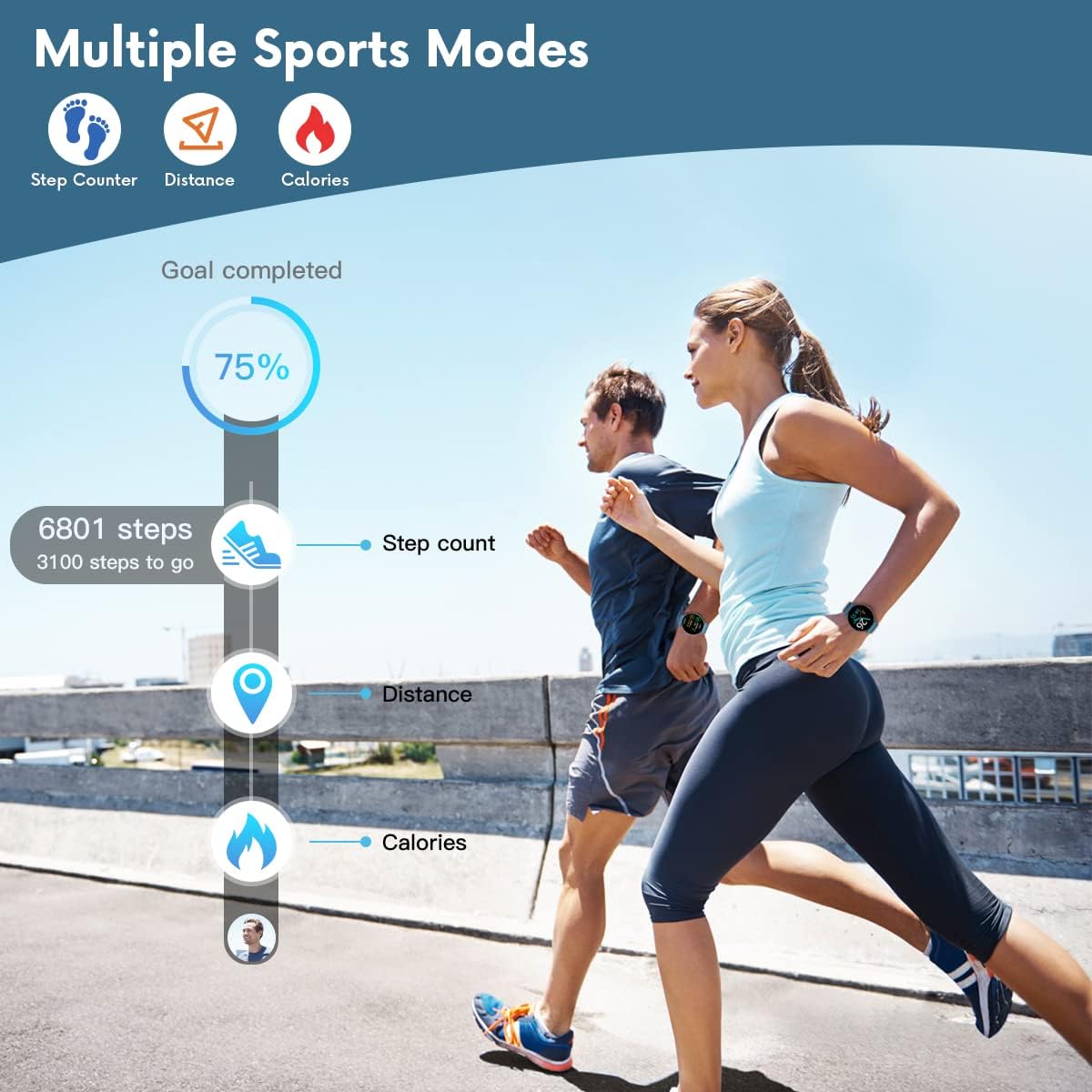
Figure 4: The smartwatch displaying fitness metrics like step count, distance, and calories during a workout.
4.4 مراقبة الصحة
Monitor your vital health metrics directly from your wrist.
- معدل ضربات القلب: Navigate to the heart rate monitoring interface. The watch will automatically measure your heart rate. Continuous monitoring can be enabled via the 'Da Fit' app.
- Blood Pressure & Blood Oxygen (SpO2): Access these functions from the watch menu. Ensure the watch is worn snugly on your wrist for accurate readings.
- مراقبة النوم: Wear the watch to bed. It will automatically track your sleep patterns, including deep sleep, light sleep, and wake times. View detailed sleep reports in the 'Da Fit' app.

Figure 5: Visual representation of the smartwatch's health monitoring capabilities, including heart rate, blood pressure, blood oxygen, and sleep tracking.
4.5 الميزات الذكية
- إشعارات: Ensure the 'Da Fit' app has necessary permissions. You will receive call, SMS, and social media notifications directly on your watch. You can reject calls from the watch.
- التحكم عن بعد بالكاميرا: Open the camera function in the 'Da Fit' app. Use the watch as a remote shutter button to take photos on your phone.
- التحكم بالموسيقى: Control music playback on your smartphone (play/pause, next/previous track) directly from the watch.
- النشرة الجوية: View current weather conditions and forecasts after syncing with the 'Da Fit' app.
- التنبيهات والتذكيرات: Set up to 3 alarms via the 'Da Fit' app. Enable sedentary reminders to prompt you to move after periods of inactivity.

Figure 6: Using the smartwatch to remotely control your phone's camera for group photos.

Figure 7: The smartwatch interface showing music playback controls.
5. الصيانة والعناية
Proper maintenance ensures the longevity and optimal performance of your TAOPON Smart Watch.
- تنظيف: امسح شاشة الساعة وحزامها بانتظام بقطعة قماش ناعمة وجافة. لإزالة الأوساخ العنيدة، استخدم قطعة قماش ناعمة قليلاً.amp امسح بقطعة قماش ثم جففها جيداً. تجنب استخدام المواد الكيميائية القاسية أو المواد الكاشطة.
- مقاومة الماء: The watch is IP67 waterproof, meaning it can withstand splashes, rain, and brief immersion in shallow water (e.g., hand washing). Do not use it for hot showers, diving, or prolonged submersion. Avoid contact with hot water, steam, or corrosive liquids.
- تخزين: احفظ الساعة في مكان بارد وجاف بعيداً عن أشعة الشمس المباشرة ودرجات الحرارة القصوى.
- الشحن: Use only the provided charging cable. Do not attempt to charge the watch if it or the cable is wet.
6. استكشاف الأخطاء وإصلاحها
If you encounter issues with your TAOPON Smart Watch, refer to the following common solutions:
| مشكلة | الحل المحتمل |
|---|---|
| مشاهدة عدم التشغيل | Ensure the watch is fully charged. Connect to the charger and wait a few minutes before attempting to power on. |
| غير قادر على الاقتران بالهاتف | Ensure Bluetooth is enabled on your phone and the watch is within range. Restart both the watch and your phone. Check if the 'Da Fit' app has necessary permissions. |
| بيانات صحية غير دقيقة | Ensure the watch is worn snugly on your wrist, not too loose or too tight. Avoid excessive movement during measurements. Clean the sensor on the back of the watch. |
| لم يتم تلقي الإخطارات | Verify that the 'Da Fit' app is running in the background and has notification permissions enabled for the desired apps. Check phone's notification settings. |
| عمر البطارية قصير | Reduce screen brightness, disable continuous heart rate monitoring, and limit frequent notifications. Ensure background app refresh is managed. |
7. المواصفات
| ميزة | التفاصيل |
|---|---|
| رقم الموديل | smartwatch zl02g |
| أبعاد | 1.77 × 1.77 × 0.39 بوصة |
| وزن | 1.23 أونصة (35 جرامًا) |
| حجم الشاشة | 1.28 بوصة |
| دقة العرض | 240 × 240 بكسل |
| سعة البطارية | 200mAh ليثيوم بوليمر |
| عمر البطارية (الاستخدام النموذجي) | حتى 7 يوما |
| وقت الاستعداد | حتى 30 يوما |
| مقاومة الماء | IP67 |
| التوافق | iOS 9.0 & Android 5.0 or higher |
| الاتصال | بلوتوث |
| نظام تحديد المواقع العالمي (جي بي اس) | عبر الهاتف الذكي |
| الشركة المصنعة | تاوبون |
8. الضمان والدعم
For warranty information and customer support, please refer to the documentation included with your product or contact TAOPON customer service directly. Keep your purchase receipt as proof of purchase.


