مقدمة
Thank you for choosing the HTC True Wireless Bluetooth Earbuds 2. This manual provides detailed instructions on how to set up, operate, and maintain your earbuds to ensure optimal performance and longevity. Please read this manual carefully before using the product.
ماذا يوجد في الصندوق
- 1x حالة شحن
- عدد 1 كابل USB من النوع C
- دليل البدء السريع شنومكس
- 2x True Wireless Earbuds (Left and Right)
- 2x pairs of rubber tips (large and small) - Note: A medium pair is likely pre-installed.
المنتج انتهىview
Familiarize yourself with the components of your HTC True Wireless Bluetooth Earbuds 2 and their charging case.

Image: The HTC True Wireless Earbuds 2, with one earbud outside the open charging case, showing the charging contacts and indicator light.
The charging case features a USB-C port for charging and an LED indicator to show charging status. Each earbud has touch-sensitive surfaces for control and charging contacts at the bottom.
يثبت
1. شحن سماعات الأذن والعلبة
قبل الاستخدام الأول، تأكد من شحن كل من سماعات الأذن وعلبة الشحن بالكامل.
- Place the earbuds into the charging case. Ensure they are correctly seated; the indicator lights on the earbuds should illuminate, indicating charging.
- Connect the USB Type-C cable to the charging port on the case and the other end to a USB power source (e.g., computer, wall adapter).
- The charging case's indicator light will show charging status. A full charge for the case provides up to 3 additional charges for the earbuds, extending total playtime to 32 hours.

Image: The HTC True Wireless Earbuds 2 in their charging case, illustrating the long battery life performance with up to 8 hours listening time per charge and 32 hours total with the 500mAh charging case.
2. الاقتران بجهاز
تستخدم سماعات الأذن تقنية بلوتوث 5.1 للاتصالات السريعة والمستقرة.
- افتح علبة الشحن. ستدخل سماعات الأذن تلقائيًا في وضع الاقتران.
- على جهازك (الهاتف الذكي، الجهاز اللوحي، الكمبيوتر المحمول)، قم بتمكين البلوتوث.
- بحث عن "HTC TWS3" or "HTC True Wireless Earbuds 2" in the list of available Bluetooth devices.
- اختر سماعات الأذن المراد توصيلها. بمجرد التوصيل، ستسمع نغمة تأكيد.

Image: The HTC True Wireless Earbuds 2 and their charging case positioned near a smartphone, demonstrating the quick and easy pairing process facilitated by the latest Bluetooth 5.1 chipset.
The earbuds can be used individually or together. For optimal stereo sound, use both earbuds. They maintain a stable connection up to 10 meters (32 feet) from your device.
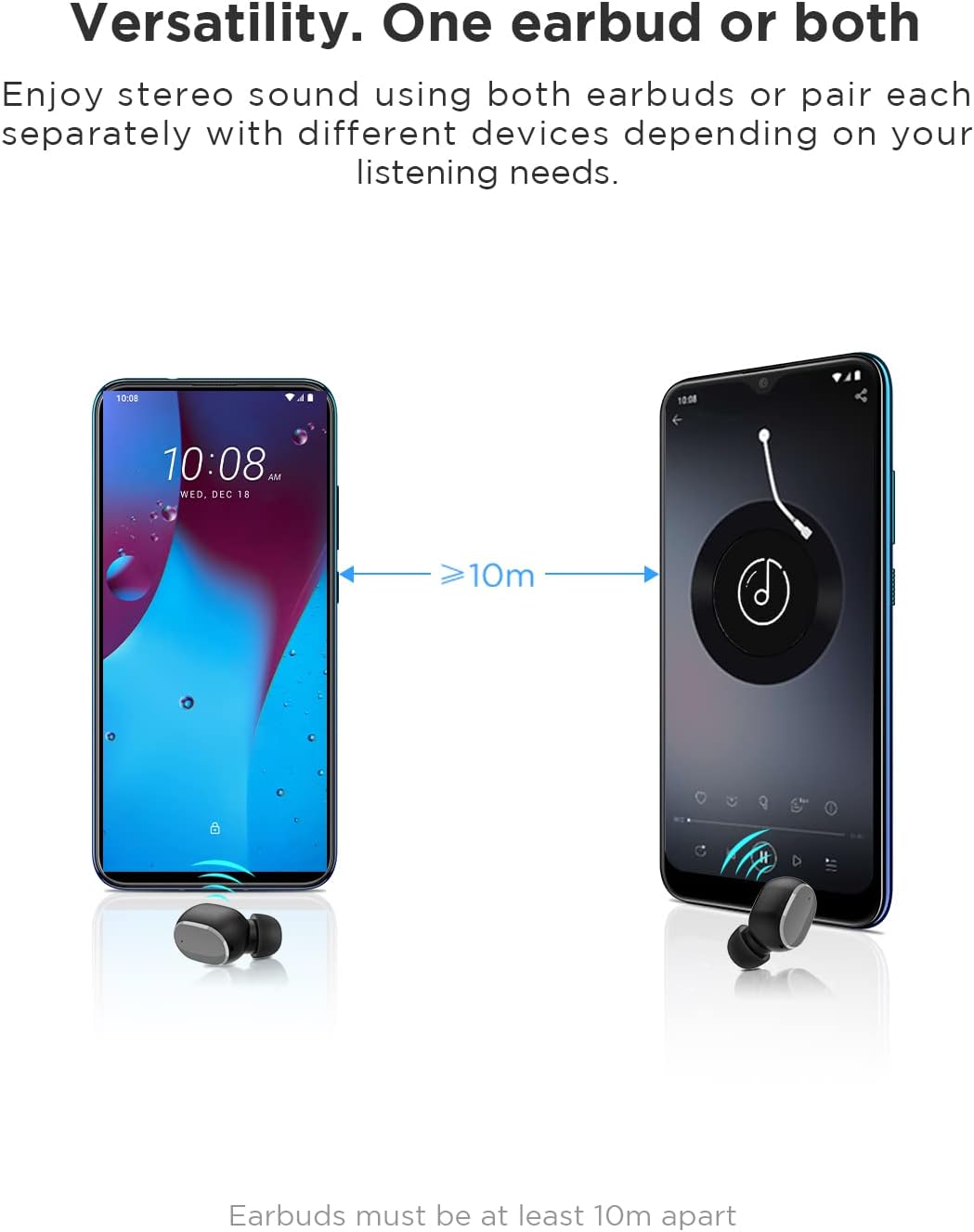
Image: An illustration showing two smartphones and earbuds, emphasizing the versatility of using one or both earbuds and the effective operating range of at least 10 meters.
تعليمات التشغيل
The HTC True Wireless Bluetooth Earbuds 2 feature intuitive touch controls for various functions.

Image: A detailed diagram illustrating the simple touch controls for the HTC True Wireless Earbuds 2, including commands for play/pause, track navigation, call management, voice assistant, and volume control.
| فعل | وظيفة |
|---|---|
| انقر على إحدى سماعتي الأذن مرة واحدة | Play / Pause music, Answer / End call |
| اضغط على سماعة الأذن اليسرى مرتين | زيادة الحجم |
| اضغط على سماعة الأذن اليمنى مرتين | خفض مستوى الصوت |
| اضغط على أي سماعة أذن ثلاث مرات | تفعيل المساعد الصوتي |
| اضغط مع الاستمرار على سماعة الأذن اليسرى لمدة ثانيتين | تشغيل الأغنية السابقة |
| اضغط مع الاستمرار على سماعة الأذن اليمنى لمدة ثانيتين | تلعب الأغنية التالية |
| Tap and hold either earbud for 2 seconds (during incoming call) | رفض الاتصال |
| Tap either earbud 5 times | Clear pairing / Restore factory settings |
The earbuds are designed for comfortable, long-term wear, weighing only 4.4g per earbud. They come with three different sizes of ear tips to ensure a secure and comfortable fit.

Image: A person comfortably wearing an HTC earbud, accompanied by illustrations highlighting the ergonomic design, skin-friendly material, and the inclusion of three different earplug sizes for optimal fit and comfort.
صيانة
تنظيف
يساعد التنظيف المنتظم على الحفاظ على جودة الصوت والنظافة.
- استخدم قطعة قماش ناعمة وجافة وخالية من الوبر لمسح سماعات الأذن وعلبة الشحن.
- لإزالة شمع الأذن أو الشوائب من أطراف الأذن أو شبكة السماعة، استخدم فرشاة صغيرة ناعمة أو قطعة قطن. لا تستخدم أدوات حادة.
- تجنب استخدام المنظفات الكاشطة أو الكحول أو المذيبات الكيميائية.
تخزين
عندما لا تكون قيد الاستخدام، قم بتخزين سماعات الأذن في علبة الشحن الخاصة بها لحمايتها والحفاظ عليها مشحونة.
- قم بتخزينه في مكان بارد وجاف، بعيدًا عن درجات الحرارة العالية وأشعة الشمس المباشرة.
- تجنب التخزين في البيئات المليئة بالغبار أو القذرة.
مقاومة الماء (IPX5)
The HTC True Wireless Bluetooth Earbuds 2 are rated IPX5 water-resistant, meaning they can withstand a sustained, low-pressure water jet spray. This makes them suitable for workouts and light rain.
- لا تغمر سماعات الأذن في الماء.
- علبة الشحن غير مقاومة للماء. احرص على إبقائها جافة.
- تأكد من جفاف سماعات الأذن قبل إعادتها إلى علبة الشحن لمنع تلفها.
استكشاف الأخطاء وإصلاحها
إذا واجهت مشكلات مع سماعات الأذن الخاصة بك، فراجع الحلول الشائعة التالية:
| مشكلة | حل |
|---|---|
| سماعات الأذن غير مقترنة بالجهاز |
|
| سماعة أذن واحدة فقط تصدر صوتًا |
|
| سماعات الأذن لا تشحن |
|
| جودة صوت رديئة أو انقطاعات |
|
تحديد
Detailed technical specifications for the HTC True Wireless Bluetooth Earbuds 2.
| ميزة | التفاصيل |
|---|---|
| اسم الموديل | TWS 2 (HTC TWS3) |
| تكنولوجيا الاتصال | لاسلكي (بلوتوث 5.1) |
| مقبس سماعات الرأس | USB (لعلبة الشحن) |
| نوع التحكم | التحكم في مستوى الصوت باللمس |
| مستوى مقاومة الماء | IPX5 (سماعات الأذن) |
| تنسيق الميكروفون | Built-In, Stereo |
| وقت اللعب (سماعات الأذن) | حتى 8 ساعات (شحنة واحدة) |
| وقت التحدث (سماعات الأذن) | حتى 6 ساعات (شحنة واحدة) |
| إجمالي وقت اللعب مع علبة الشحن | تصل إلى 32 ساعة |
| سعة بطارية علبة الشحن | 500 مللي أمبير |
| وزن سماعة الأذن (للسماعة الواحدة) | 4.4 جرام |
| الحد الأقصى لمسافة التشغيل | 32 قدمًا (حوالي 10 أمتار) |
| الأجهزة المتوافقة | Android, Laptops, iPhone |
| مادة | بلاستيك |
| أبعاد المنتج | 4.34 x 4.34 x 3.45 cm; 160 g (overall package) |
معلومات السلامة
Please observe the following safety guidelines for safe and effective use:
- لا تقم بتفكيك المنتج أو إصلاحه أو تعديله. قد يؤدي ذلك إلى نشوب حريق أو صدمة كهربائية أو تلف كامل للمنتج.
- احفظ المنتج بعيدًا عن درجات الحرارة العالية وأشعة الشمس المباشرة والرطوبة العالية.
- تجنب إسقاط المنتج أو تعريضه لصدمات قوية.
- لا تستخدم سماعات الأذن بمستويات صوت عالية للغاية لفترات طويلة، لأن ذلك قد يسبب تلفًا في السمع.
- يحفظ بعيدًا عن متناول الأطفال والحيوانات الأليفة.
- تخلص من المنتج وبطارياته بطريقة مسؤولة وفقًا للوائح المحلية.
دعم العملاء
For further assistance or inquiries, please contact HTC customer support through their official channels. Refer to the product packaging or the official HTC webموقع لمعلومات الاتصال.
Note: Specific warranty details are not provided in this manual. Please refer to your purchase documentation or the manufacturer's webموقع للحصول على معلومات الضمان.


